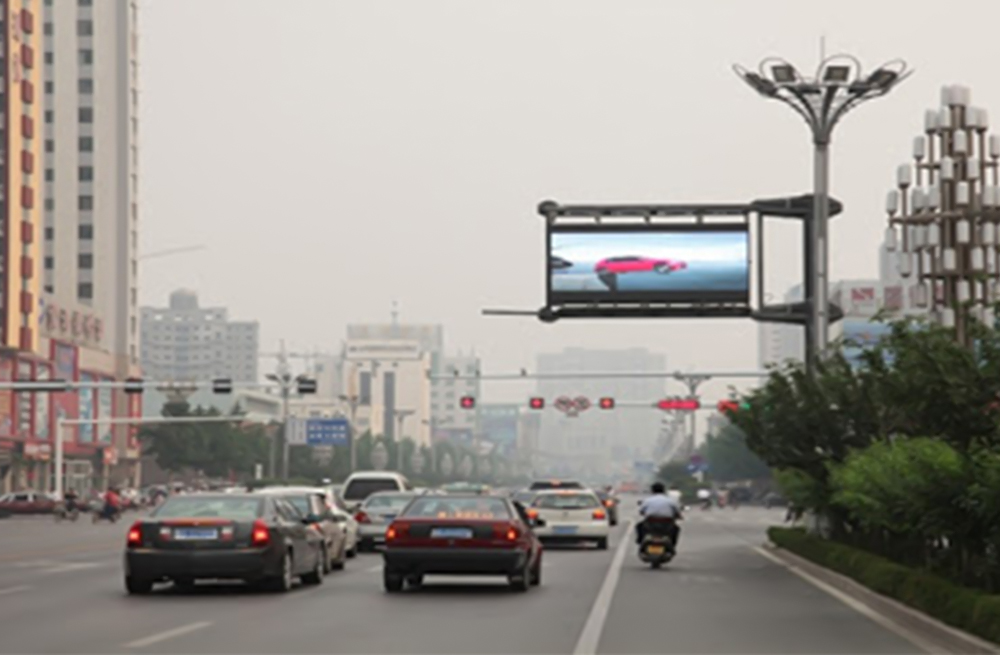
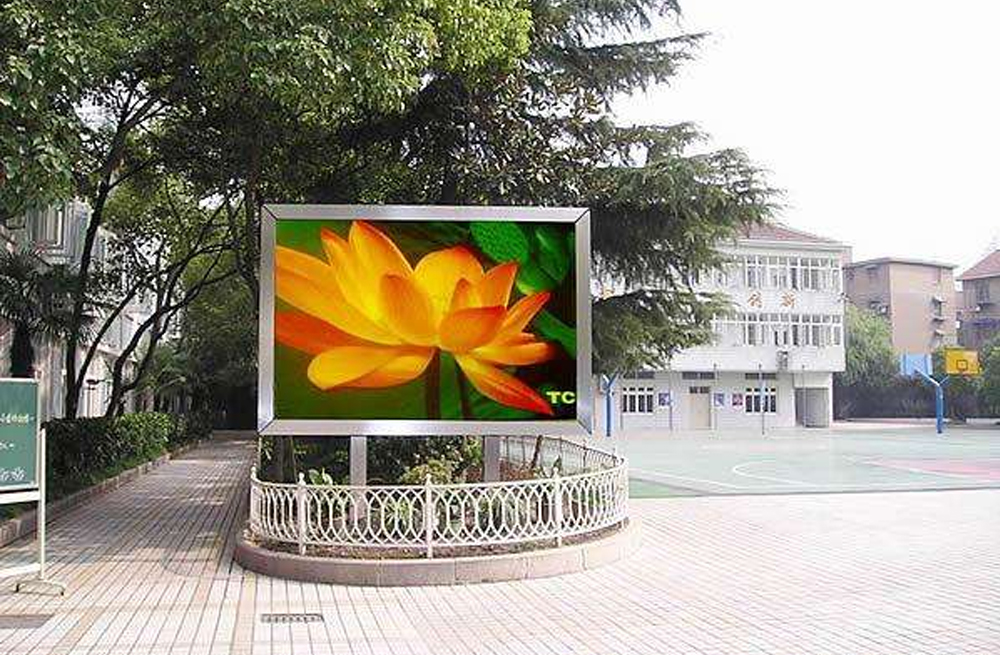
Arasında qərar vermək MBOX600 Pro vs MCTRL660 Pro starts with a basic rack split: do you want an industrial playback PC bolted inside your outdoor sign cabinet, or a sub-frame rack sender fed by live switchers and cameras? Choose the NovaStar MBOX600 Pro (Intel N97 quad-core PC plus 4-port sending card, 2.6 million pixels) for unattended fixed signage running Windows 10 or Linux. Pick the NovaStar MCTRL660 Pro (6 RJ45 outputs, two 10G optical ports, 3G-SDI/HDMI/DVI inputs, 2.3 million pixels) for stages, broadcast studios, and long-haul venues.
On spec sheets, buyers often mix up NovaStar’s “600-series” boxes because an MCTRL660, an MCTRL660 Pro, an MSD600 card, and an MBOX600 Pro all feed NovaStar receiving cards over Cat6 cable. Line them up on a workbench, though, and they sit in completely different parts of a signal chain. One replaces your playback computer; the other expects an external camera switcher or media server beside it.
Whether you’re pricing a highway pylon, an arena ribbon, or a sanctuary IMAG wall, here is how MBOX600 Pro vs MCTRL660 Pro hardware stacks up against standard MCTRL660, MCTRL300, and MSD600 controllers on real jobs.
1. System architecture: MBOX600 Pro vs MCTRL660 Pro, MCTRL660 & MCTRL300
Mühəndislər müqayisə etdikdə MBOX600 Pro vs MCTRL660 Pro specs for the first time, the surprise isn’t total pixel capacity—the industrial MBOX600 Pro actually pushes slightly more pixels (2.6 million across four ports) than the rack MCTRL660 Pro (approximately 2.3 million across six ports). What separates them is where video originates and how the chassis installs on site.
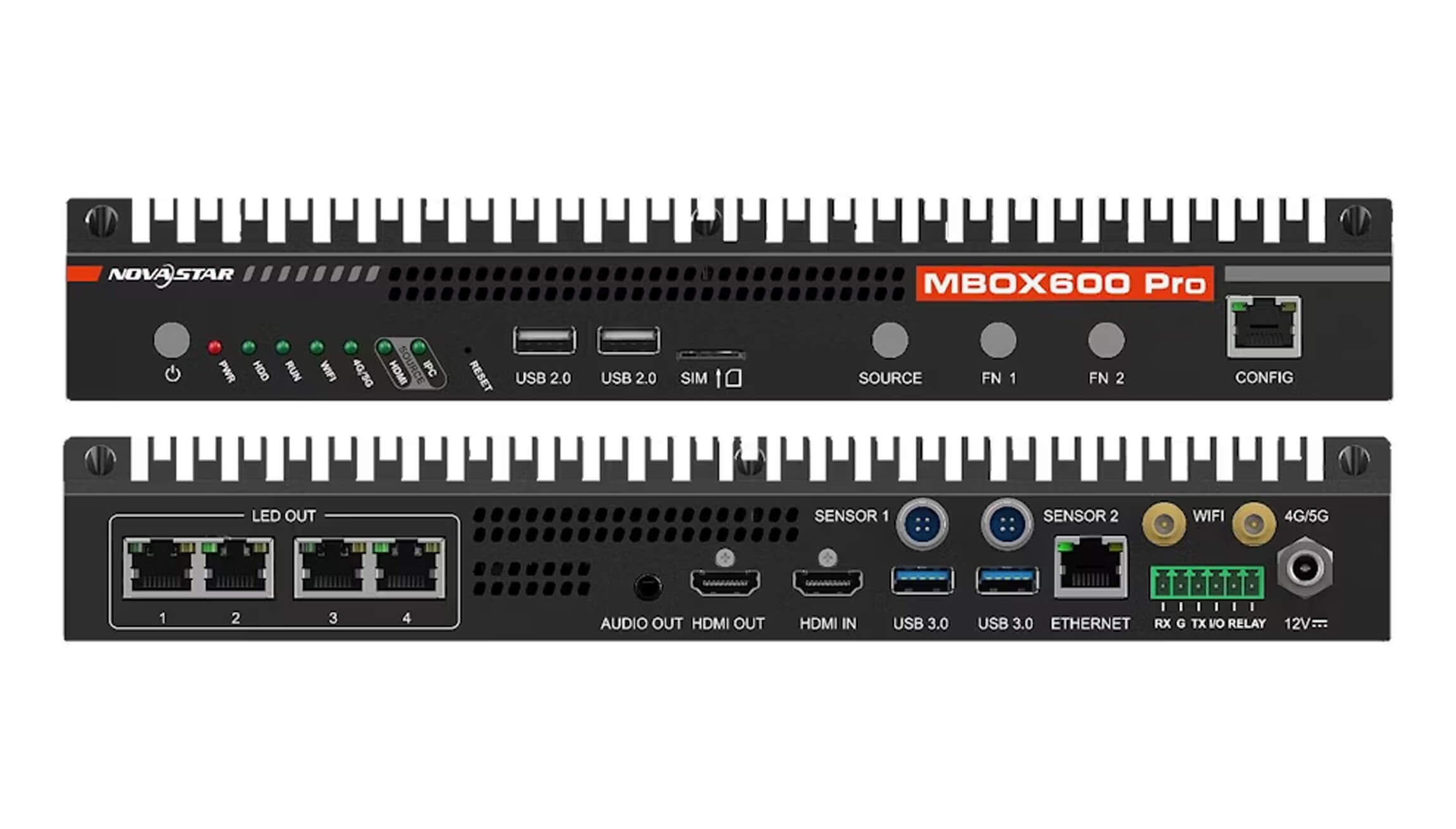
01. Embedded industrial x86 PC (MBOX600 Pro) vs dedicated 1U sender (MCTRL660 Pro)
Daxili NovaStar MBOX600 Pro, NovaStar mounts an industrial Intel Processor N97 platform (4 cores / 4 threads, up to 3.6 GHz) alongside an integrated 4-port sending card. Buyers pick between configuration codes 9U4A3 (4 GB RAM, 128 GB SSD) and 9U8A4 (8 GB RAM, 256 GB SSD) loaded with Windows 10 or Linux. Because media playback and NovaLCT hardware management both sit inside one sealed chassis, you mount it right inside an outdoor sign cabinet with no external desktop tower.
Buna fərqli olaraq NovaStar MCTRL660 Pro is a pure 1U hardware master sender (482.6 x 349.0 x 50.7 mm / 19.0 x 13.7 x 2.0 in, 4.6 kg / 10.1 lbs). It has no operating system, SSD storage, or MP4 player. Its only job is ingesting live uncompressed video from cameras, switchers, or laptops and turning pixels into Gigabit Ethernet frames or 10G optical streams without adding visible delay.

02. Pixel budgets & Ethernet port layouts: 4 ports vs 6 ports
Never assume more RJ45 ports automatically translate to a larger total screen. On the MBOX600 Pro, four Gigabit ports carry up to Cəmi 2,600,000 piksel (650,000 pixels per port at 8-bit 60 Hz), allowing flexible widths from 64 to 4,096 pixels and heights from 64 to 1,920 pixels inside that 2.6M ceiling.
So why does the MCTRL660 Pro mount six Gigabit Ethernet ports while listing roughly 2.3 milyon piksel total? Because 10-bit and 12-bit color processing—plus odd rental column geometry where vertical cable strips rarely align evenly at 650,000 pixels per drop—demands extra RJ45 fan-out headroom. Having six jacks makes dividing a 1920 x 1080 camera wall (2,073,600 pixels) cleanly across columns far simpler during rapid stage load-ins.
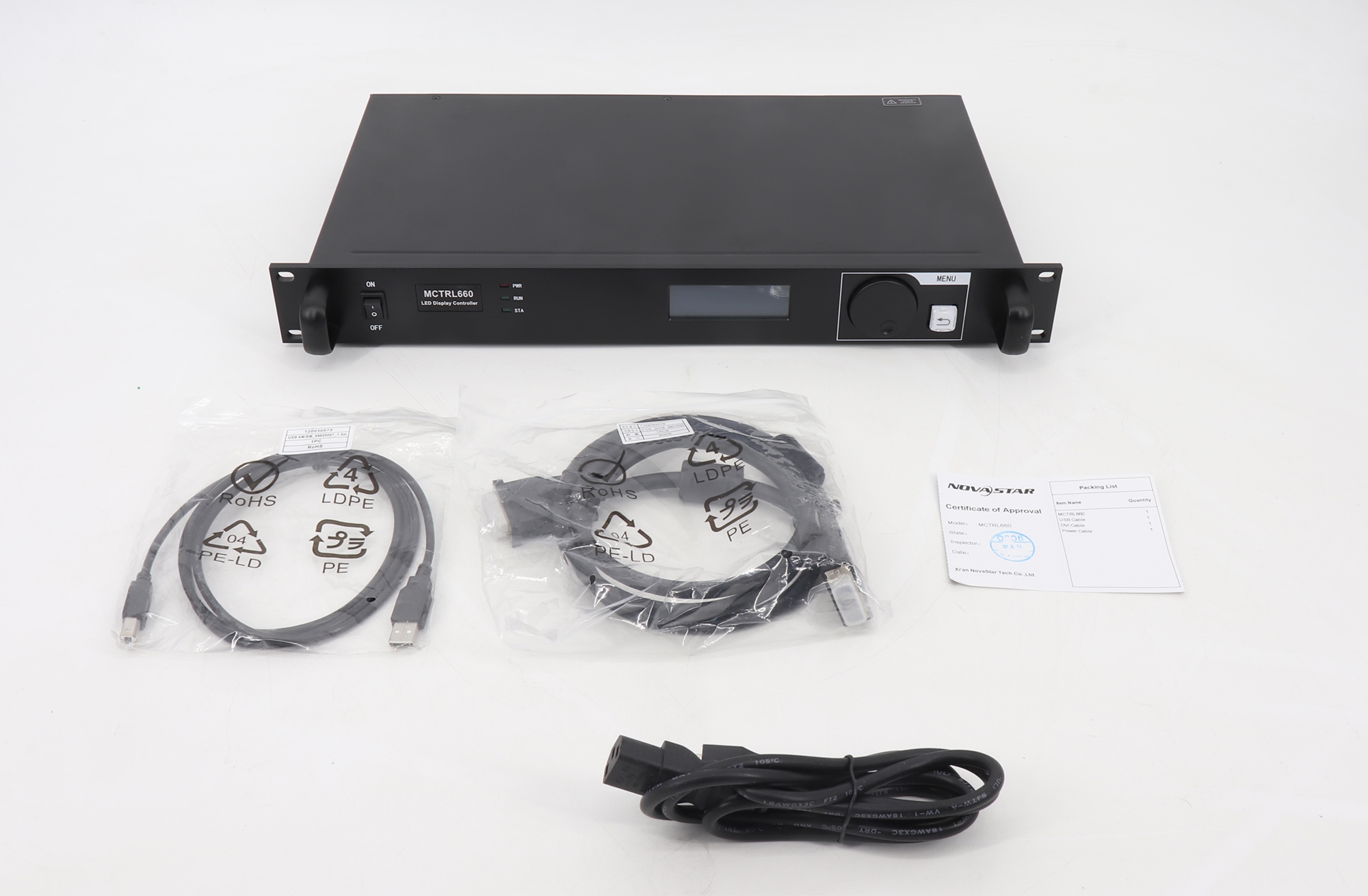
03. When MCTRL660, MCTRL300, or internal MSD600 make more sense
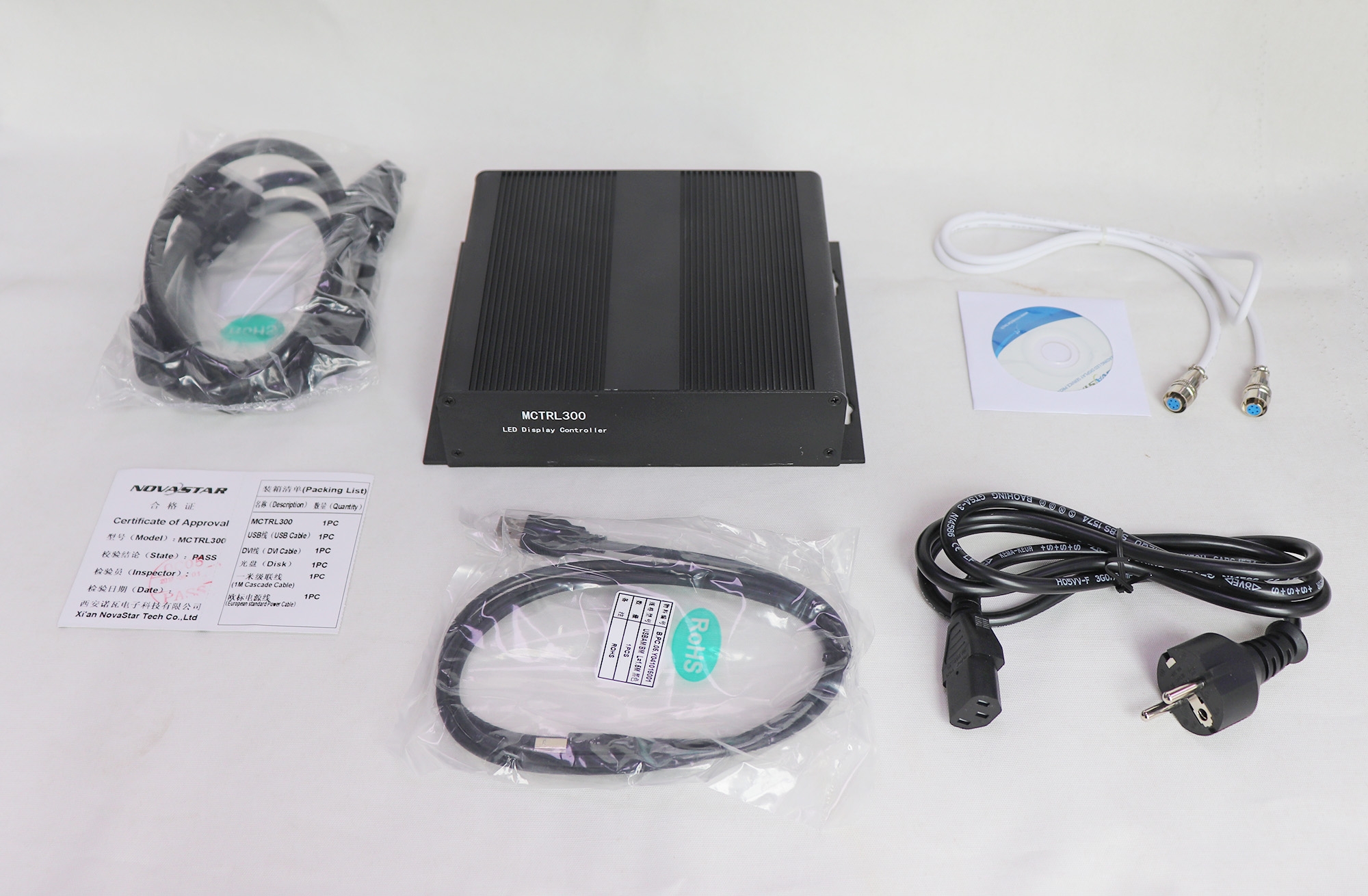
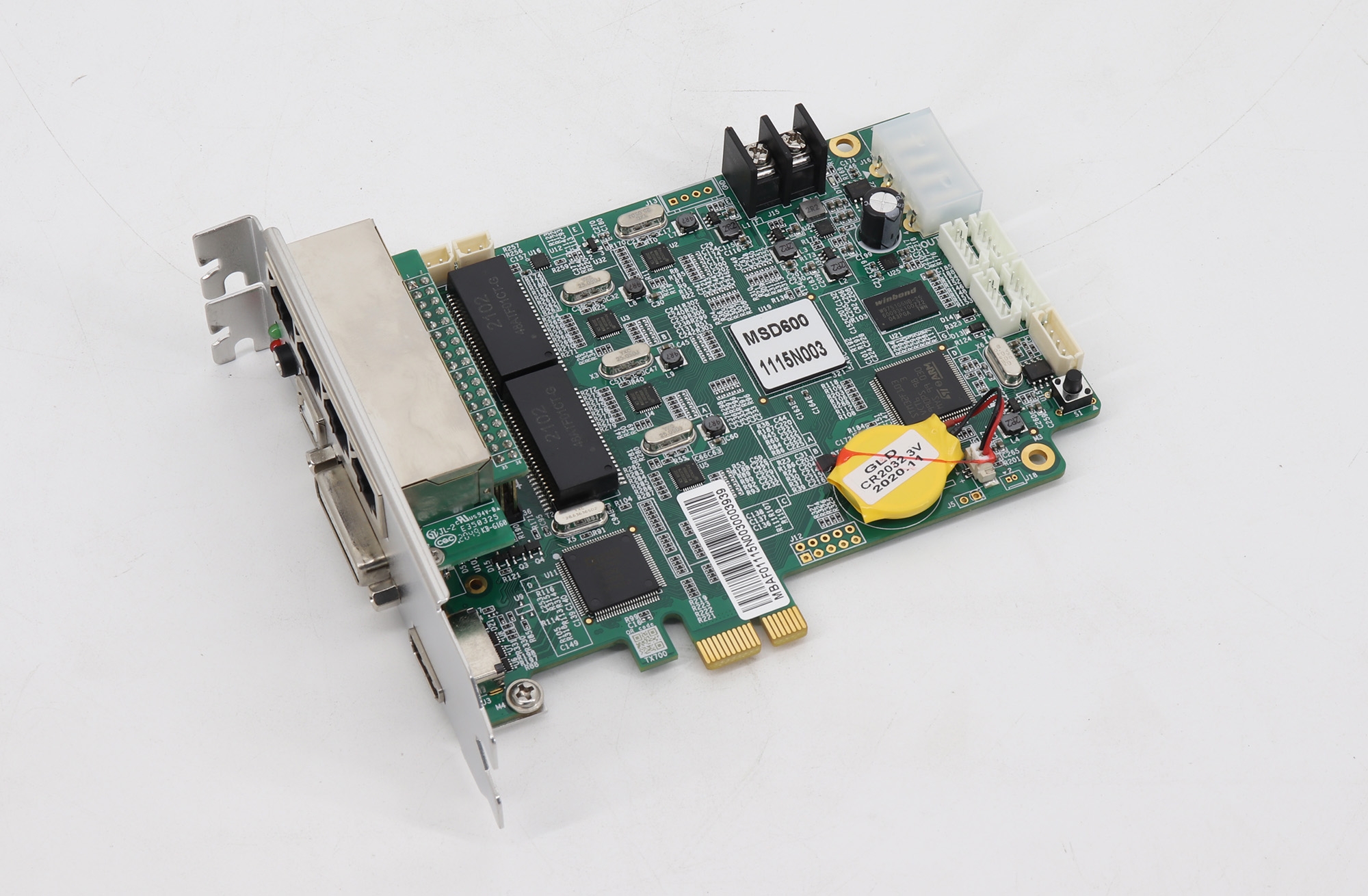
Notice the sharp gap between the standard MCTRL660 and the Pro edition. The non-Pro MCTRL660 drops 3G-SDI, drops the two 10G optical slots, drops Genlock, and uses four Gigabit outputs (650,000 pixels per port), while preserving front-panel OLED knob setup without needing a laptop. For smaller indoor walls below 1.3 million pixels, the 2-port NovaStar MCTRL300 (1 x DVI, 2 x RJ45, built-in sensor jack) trims rack budget neatly. Integrators building custom Windows PC racks can also slot an internal NovaStar MSD600 card inside a workstation case for 4-port HDMI/DVI output.
| Nəzarətçi | Architecture & Role | Maksimum Piksel Tutumu | LED Outputs | Video Inputs & Loopback | Fiber & Light Sensors |
|---|---|---|---|---|---|
| NovaStar MBOX600 Pro | Industrial PC (Intel N97) + 4-port sender | 2.6M px (W 64–4096, H 64–1920) | 4 x Gigabit RJ45 | Win 10/Linux OS playback + 1 x HDMI 1.3 in / 1 x HDMI 1.3 out | No optical ports; 2 x light sensor jacks + SNMP + Wi-Fi |
| NovaStar MCTRL660 Pro | 1U rack-mount master sender (4.6 kg) | ~2.3M px (1920 x 1200 8-bit; 1080p 10/12-bit 4:4:4) | 6 x Gigabit RJ45 + 2 x 10G optical SFP+ | 1 x HDMI 1.4a, 1 x DVI, 1 x 3G-SDI + loop outs + Genlock | Built-in fiber-converter mode; light sensor not supported |
| NovaStar MCTRL660 | 1U rack sender with front LCD knob | Up to 1920 x 1200 (8-bit); 1440 x 900 (10/12-bit) | 4 x Gigabit RJ45 (650k px/port) | 1 x HDMI 1.3, 1 x DVI + HDMI/DVI cascade loops | No fiber ports; control interface supports sensor accessories |
| NovaStar MCTRL300 | Compact 2-port sending box | ~1.3M px (650k px/port) | 2 x Gigabit RJ45 | 1 x single-link DVI + 3.5 mm audio in | No fiber ports; direct brightness sensor connector onboard |
| NovaStar MSD600 | Internal sending board for host PCs | 1920 x 1200 (8-bit); 1440 x 900 (10/12-bit) | 4 x Gigabit RJ45 | 1 x HDMI 1.3 + 1 x single-link DVI | No fiber ports; installed inside desktop control tower |
2. Video inputs, EDID locking & sub-frame latency performance
Put an arena camera crew in front of a screen and two frames of buffering delay (33 ms) feels distracting during live close-ups. Put a commercial playlist onto an outdoor roadside sign and buffering delay doesn’t matter at all—OS uptime does. That real-world split decides almost every MBOX600 Pro vs MCTRL660 Pro engineering quote.
01. HDMI 1.4a, single-link DVI & 3G-SDI loopbacks on MCTRL660 Pro
Walk behind a NovaStar MCTRL660 Pro and you get three broadcast-ready pairs: HDMI 1.4a IN/LOOP, DVI IN/LOOP, and 3G-SDI IN/LOOP, next to dedicated GENLOCK IN/LOOP BNC jacks plus HDMI and 3.5 mm audio inputs. Loopback connectors let crews daisy-chain multiple Pro units off one SDI switcher output without relying on flaky external splitters.
Watch the color depth limits closely: the MCTRL660 Pro accepts up to 1920 x 1200 at 60 Hz for 8-bit signals (RGB444, YCbCr444, YCbCr422, YCbCr420), and sustains full 1920 x 1080 at 60 Hz when feeding 10-bit or 12-bit 4:4:4 sources. Older standard MCTRL660 and MSD600 units drop down to 1440 x 900 at 60 Hz once 10-bit or 12-bit processing turns on.
02. Zero-frame latency (under 1 ms) & Genlock synchronization
When live stage cameras fill a screen behind a speaker, sub-frame delay prevents obvious lip-sync drift. Switched into low-latency operation with Genlock locked to the studio house reference, delay through the MCTRL660 Pro remains below one frame (at most 10 scan lines, under 1 ms). Meanwhile, the MBOX600 Pro renders playback files through an embedded PC GPU and scales to a local HDMI preview jack, making it ideal for unattended signage rather than genlocked camera walls.
03. Independent RGB gamma & calibration matching
During studio camera shading, matching LED skin tones quickly without upsetting upstream switcher presets saves hours. The MCTRL660 Pro offers independent red, green, and blue gamma adjustment alongside 18-bit grayscale and pixel-level calibration support, while the MBOX600 Pro focuses on scheduled dimming tables and web signage management.
3. Optical fiber long-haul runs: OPT1/OPT2 copy & hot backup with CVT10-S
Solid-copper Cat6 Ethernet loses signal integrity beyond 100 m (328 fut)—and sooner near heavy stage power feeders. Whenever your control rack sits farther than 80 to 90 m (262 to 295 ft) from the LED wall, planning fiber optics quickly steers any MBOX600 Pro vs MCTRL660 Pro qərar.

01. Reaching 10 km (6.2 mi) over single-mode fiber with CVT10-S
The MCTRL660 Pro integrates two 10G SFP+ slots (OPT1 and OPT2) and switches between Sending Controller Mode və Fiber Çevirici Rejimi. In Sending Controller mode, OPT1 sends all six Ethernet ports over a single fiber strand to a NovaStar CVT10-S (single-mode up to 10 km / 6.2 mi) or CVT10-M (multi-mode up to 300 m / 984 ft)—or to a second MCTRL660 Pro set in Fiber Converter mode behind the screen. Check our CVT10 vs CVT4K comparison when sizing multi-port fiber racks.
02. OPT1 copy mode vs OPT2 automatic hot backup
Populating both OPT1 and OPT2 SFP+ bays configures OPT2 automatically as a hot backup mirror of OPT1. Running two separate armored LC fiber cables down opposite sides of a stadium ensures that even a crushed or unplugged primary line flips instantaneously onto OPT2 without dropping video frames.
03. How MBOX600 Pro solves long distances differently
Look behind the MBOX600 Pro and you won’t find any OPT1/OPT2 fiber ports at all. Instead of sending raw display video 500 m (1,640 ft) over fiber, installers mount the rugged MBOX600 Pro directly inside the outdoor sign frame—running short 1 to 5 m (3.3 to 16.4 ft) Cat6 cables straight to the receiving cards—while sending content schedules over normal building Ethernet, Wi-Fi, or an optional 4G/5G SIM card.
| Sayt növü | Run Length to Screen | İlkin Mənbə | Tövsiyə olunan Model | Yerləşdirmə Faydası |
|---|---|---|---|---|
| Highway billboard / shopping pylon (1,280 x 720 px) | Mounted inside sign cabinet (under 5 m Cat6) | Scheduled ViPlex playlists over LAN / 4G | NovaStar MBOX600 Pro (9U4A3 / 9U8A4) | Eliminates office PC + HDMI extenders; includes SNMP & dual light sensor jacks |
| Live stage / broadcast studio (1,920 x 1,080 px) | FOH rack to truss: 120–400 m (394–1,312 ft) | 3G-SDI switcher with Genlock | MCTRL660 Pro + CVT10-S | Under 1 frame latency, 10/12-bit 4:4:4 support, and OPT1/OPT2 fiber hot backup |
| Hotel ballroom / fixed church wall (1080p 8-bit) | Booth within 50 m (164 ft) Cat6 | HDMI / DVI presentation matrix | MCTRL660 (or Pro for 10-bit SDI) | 4 RJ45 ports carry 2.07M pixels; front knob enables laptop-free brightness tweaks |
| Transport concourse / transit kiosk (1,024 x 768 px) | Inside sealed kiosk enclosure | Custom Windows/Linux app or web API | NovaStar MBOX600 Pro | Intel N97 OS handles interactive apps, SNMP fault alerts, and Wi-Fi updates |
| Indoor reception ticker (under 1.3M px) | Adjacent AV rack (under 30 m Cat6) | Single PC DVI feed | NovaStar MCTRL300 | Simple 2-port DVI box trims cost when scaling and fiber aren’t needed |
4. Unattended fixed signage: SNMP, dual light sensors & cabinet cooling
Driving out late at night to hard-reboot a crashed desktop computer is every sign integrator’s worst memory. Weighing MBOX600 Pro vs MCTRL660 Pro reliability under 24/7 operation highlights three mechanical differences you notice after six months on site.
01. Intel N97 industrial controller vs office PCs + MSD600
Putting a consumer mini-PC next to an MCTRL660—or fitting an MSD600 board inside an office tower—exposes billboards to OS auto-updates, loose HDMI plugs, and dust-clogged chassis fans. The MBOX600 Pro builds an Intel N97 industrial board (4 or 8 GB RAM, 128 or 256 GB SSD) together with HDMI 1.3 input/output preview, dual Gigabit LAN jacks, two USB 2.0 + two USB 3.0 ports, Wi-Fi, optional 4G/5G slots, and SNMP telemetry so NOC teams monitor CPU health and port status remotely.
02. Automatic brightness sensors (MBOX600 Pro vs MCTRL660 Pro)
Check this spec carefully on outdoor municipal jobs: the MBOX600 Pro provides two light sensor connectors onboard ready for a NovaStar NS060-5A ətraf işıq sensoru to dim signs automatically at dusk. By contrast, NovaStar specifies the MCTRL660 Pro as not supporting a direct light sensor port—automated lux dimming with an MCTRL660 Pro wall requires pairing an external multifunction card (MFN300) or leaving a control computer online.
03. Enclosure airflow & wide-temperature mounting
Leave open airflow clearance above and behind the 1U MCTRL660 Pro in AV racks (100–240 V AC, 20 W draw, -20 to 60 °C / -4 to 140 °F). Inside outdoor pylon enclosures housing an MBOX600 Pro, mount the industrial unit away from hot top-row 5 V switching power supplies so summer afternoon cabinet temps stay comfortably within spec.
5. Commissioning, cascading & RCFGX recovery in NovaLCT
No matter whether your cabinet houses an MBOX600 Pro or your FOH rack runs MCTRL660 Pro units, daily screen mapping stays unified inside NovaStar’s software tools—grab clean releases from our NovaStar NovaLCT and VMP software library.
01. USB vs TCP/IP discovery & cascading
Configure the MBOX600 Pro locally by plugging an HDMI preview monitor and USB mouse into the unit, or remotely via ViPlex Express and NovaLCT over TCP/IP. On the MCTRL660 Pro, manage layouts via USB Type-B, Ethernet LAN, or its built-in web UI (plus hardware one-click backup/recovery). Standard MCTRL660 and MCTRL300 units cascade up to 20 boxes over UART serial loops, whereas the MCTRL660 Pro cascades both video loops (HDMI/DVI/SDI) and Gigabit Ethernet control cables.
02. Custom EDID creation for odd aspect ratios
Wide architectural ribbons (3840 x 384 pixels) or narrow storefront blades (548 x 3840 pixels) shouldn’t waste bandwidth inside standard 1920 x 1080 timing frames. Open NovaLCT Screen Configuration → Sending Card → Custom Resolution and write matching custom EDID timings (up to 3840 x 600 at 60 Hz on MCTRL660 within bandwidth—keeping in mind a full 3840 x 2160 4K feed exceeds 2.3M/2.6M sender limits).
03. Backing up & restoring RCFGX files cleanly
Before swapping hardware, pull a fresh .rcfgx receiving-card backup from a working port—or browse our NovaStar RCFG and RCFGX file archive for baseline templates—then remember to hit Yadda saxla to flash hardware EEPROM before shutting off cabinet breakers.
Following the NovaLCT steps in the video above guarantees clean configuration recovery after finishing any MBOX600 Pro vs MCTRL660 Pro controller installation or emergency rack replacement.
Tez-tez soruşulan suallar
What is the main difference in an MBOX600 Pro vs MCTRL660 Pro comparison?
The MBOX600 Pro integrates an Intel N97 industrial PC (Windows 10 or Linux, 4/8 GB RAM, 128/256 GB SSD) with a 4-port 2.6M-pixel sending board and dual light-sensor ports for unattended outdoor signs. The MCTRL660 Pro is a pure 1U rack sending controller (~2.3M pixels, 6 RJ45 + two 10G optical ports, HDMI/DVI/3G-SDI with loopbacks, Genlock, and sub-frame latency) fed by external video hardware.
Does the NovaStar MCTRL660 Pro play video files directly without a computer?
No. Unlike the MBOX600 Pro or asynchronous Taurus players, the MCTRL660 Pro carries no OS, internal storage, or USB media decoder. You must connect a live HDMI, single-link DVI, or 3G-SDI source to send imagery to the screen.
Are the MCTRL660 Pro and standard MCTRL660 interchangeable?
Not directly—they are separate products. The standard MCTRL660 has 4 Ethernet outputs, HDMI 1.3 + DVI, front LCD knob setup, and zero SDI or fiber ports. The MCTRL660 Pro expands to 6 Ethernet ports, two 10G optical SFP+ slots, 3G-SDI, Genlock, 1080p 10/12-bit 4:4:4 processing, and web control—while removing the direct light-sensor jack.
Can I update an MBOX600 Pro remotely over Wi-Fi or 4G cellular networks?
Yes. Every MBOX600 Pro carries onboard Wi-Fi plus dual Gigabit LAN ports and supports optional 4G/5G modules (purchased separately), enabling scheduled ViPlex publishing and SNMP remote diagnostics without stringing Cat6 back to an office router.
Why does input resolution drop when sending 10-bit or 12-bit video to MCTRL660 models?
Higher color bit depth consumes more HDMI/DVI link bandwidth per frame. Notice in your MBOX600 Pro vs MCTRL660 Pro engineering plan that the MCTRL660 Pro supports 1920 x 1200 at 60 Hz in 8-bit mode, but steps to 1920 x 1080 at 60 Hz for 10-bit/12-bit 4:4:4 inputs (and 1440 x 900 at 60 Hz on legacy MCTRL660 or MSD600 cards).
Pre-purchase checklist for NovaStar sending & industrial controllers
Before finalizing a purchase order after evaluating MBOX600 Pro vs MCTRL660 Pro specs, verify five job facts: total pixel width and height plus color bit depth (8-bit vs 10-bit), whether media plays onboard an industrial OS (9U4A3 vs 9U8A4, Windows 10 vs Linux) or feeds live from cameras/switchers (HDMI/DVI/3G-SDI), rack-to-screen cable distance (exceeding 100 m / 328 ft calls for OPT1/OPT2 fiber plus a CVT10-S), direct light sensor requirements, and the exact model printed on your cabinet receiving cards.
Unsure whether MBOX600 Pro (9U4A3/9U8A4), MCTRL660 Pro, or standard MCTRL660 fits an existing cabinet rack or spare-unit swap? Send a photo of your current controller rear panel and screen dimensions through our contact page so our technicians verify compatibility before dispatch. And when a venue expansion calls for full weatherproof cabinets or fine-pitch LED screens rather than replacement senders alone, you can compare turnkey display assemblies over at EagerLED.