
Resposta ràpida: A static LED display drives every pixel continuously, so it delivers maximum brightness and stable camera performance. A scanning LED display multiplexes rows or modules in sequence, reducing driver and power costs while requiring a suitable refresh rate and controller setup.
Choosing between static and scanning LED technology affects brightness, power consumption, image stability, component count, and total project cost. This guide explains how each method works and when to use it.
What is a static LED display?
A static LED display uses a one-to-one drive method: each RGB pixel remains electrically active for the full frame period. Because all pixels are driven continuously, static modules can achieve high brightness and excellent image stability.
- Punts forts: maximum brightness, consistent color, wide viewing angles, and reliable camera capture.
- Compensacions: more driver ICs, higher power draw, greater heat output, and a higher bill of materials.
- Usos típics: premium outdoor billboards, broadcast backdrops, rental stages, and applications that need high brightness or high contrast.
What is a scanning LED display?
A scanning LED display uses multiplexing. The controller refreshes one row or group of rows at a time, then repeats the cycle quickly enough for the human eye to see a continuous image. Common scan ratios include 1/2, 1/4, 1/8, 1/16, and 1/32 scan.
- Punts forts: fewer driver channels, lower power consumption, reduced cabinet weight, and a lower system cost.
- Compensacions: lower duty cycle, reduced peak brightness, and a greater need to match the module, driver IC, receiving card, and refresh-rate settings.
- Usos típics: indoor fine-pitch displays, cost-sensitive installations, and outdoor projects where moderate brightness is sufficient.
Static vs. scanning LED display: key differences
| Factor | Static drive | Scanning drive |
|---|---|---|
| Pixel drive | All pixels are driven continuously | Rows or groups are refreshed sequentially |
| Brillantor | Highest available brightness | Depends on scan ratio and duty cycle |
| Energia i calor | Higher power and heat | Lower power and heat |
| Cost del maquinari | More driver channels and components | Fewer driver channels and lower cost |
| Rendiment de la càmera | Excellent when refresh settings are correct | Requires high refresh rate to avoid scan lines or flicker |
| El millor ajust | Bright outdoor and broadcast-critical displays | Indoor and efficiency-focused displays |
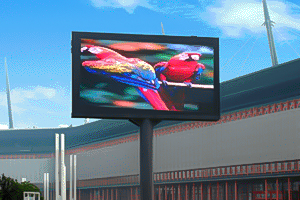
How duty cycle and refresh rate affect image quality
Scan ratio controls how long each LED row is on during a refresh cycle. A lower scan ratio can reduce peak brightness, so the controller and driver IC must compensate with precise current control. Refresh rate is equally important: a high refresh rate improves motion, reduces visible flicker, and helps cameras record clean footage.
For outdoor signage, static drive remains popular when sunlight readability is the priority. Modern high-efficiency LEDs also make scanning outdoor displays practical when the design meets the required brightness, thermal, and weather-resistance targets.
How to choose the right scan mode
- Check ambient light. Select static or a low scan ratio when direct sunlight demands maximum brightness.
- Definir els requisits de la càmera. For live events and virtual production, prioritize a high refresh rate and verified camera tests.
- Balance power and weight. Scanning modules can reduce cabinet power, cooling, and structural loads.
- Coincideix amb el sistema de control. Confirm that the sending card, receiving card, hub card, and driver IC support the module’s scan ratio.
- Test the complete cabinet. Review grayscale, color uniformity, temperature, and long-duration stability before mass production.
Static and scanning LED display drivers
Static drive
In a static design, each LED segment or pixel channel has a dedicated driver path. The controller sends stable data to every channel, which simplifies timing and maintains brightness. The extra driver hardware increases board area, power use, and cost.
Dynamic (scanning) drive
In a scanning design, the controller shares driver outputs across rows and activates row-select lines in sequence. The receiving card synchronizes row addressing, grayscale data, and current timing. Correct wiring and configuration are essential; an incorrect scan setting can cause ghosting, dim areas, or unstable images.
Preguntes freqüents
Is a static LED display always brighter?
Usually yes, because every pixel receives current continuously. Actual brightness still depends on LED efficiency, drive current, optical design, and thermal limits.
Does a scanning display flicker?
It can if the refresh rate, shutter timing, or driver settings are unsuitable. A properly configured high-refresh scanning display can look stable to viewers and cameras.
Which scan ratio should I choose?
There is no universal best ratio. Use the module manufacturer’s specification, then validate brightness, refresh rate, viewing distance, and controller compatibility in a complete-cabinet test.
Can scanning be used outdoors?
Yes. Outdoor scanning displays are common when the LEDs provide enough brightness and the cabinet, power supply, receiving card, and thermal design meet outdoor requirements.
For related LED display hardware, see our outdoor fixed LED display solutions. For a general technical background, review the Visió general de la pantalla LED.
En poques paraules: Choose static drive for maximum brightness and the most demanding camera or outdoor applications. Choose scanning drive when efficiency, lighter hardware, and cost control matter. The right decision comes from matching scan ratio, refresh rate, driver IC, and controller settings to the project environment.

