Kystar KSV2C for HDMI, DVI and USB playback
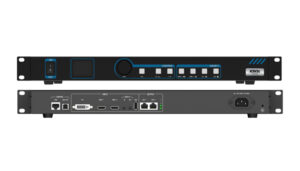
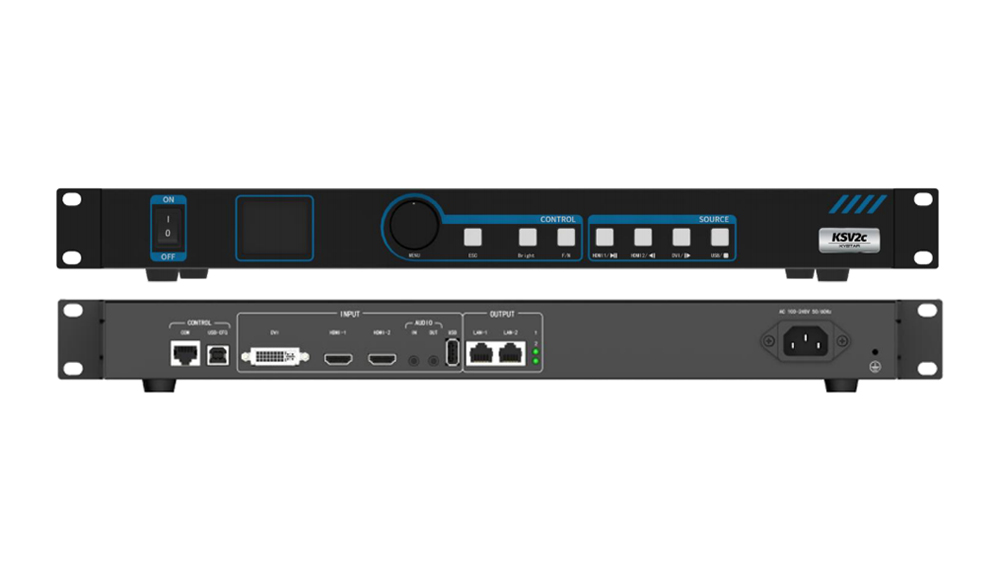
te Kystar KSV2C combines a video processor, LED sender and USB player. Connect a live source over HDMI or DVI, or play files from a USB drive.
The two Gigabit outputs can drive up to 1.3 million LED pixels. Check the wall’s pixel count and how the cabinets will divide between the ports.
The KSV2C supports 1,920 × 1,080 USB video. A native 1,920 × 1,080 LED wall requires 2,073,600 output pixels, above the controller’s LED capacity.
| Tāuru ora | 2 × HDMI 1.3 and 1 × DVI-D. Up to 2,048 × 1,152 at 60 Hz. |
|---|---|
| Te purei anō i te USB | Supported video and images up to 1,920 × 1,080 at 60 Hz |
| Ngā putanga LED | 2 × Gigabit Ethernet, tae atu ki te 650,000 pika mō ia tauranga i te putanga 8-bit |
| Tapeke kawenga LED | Tae atu ki te 1,300,000 pika |
| Ngā rahinga mata mōrahi | 4,096 pixels wide or 2,048 pixels high, within the total and per-port limits |
| Ororongo | 3.5 mm input and output, 48 kHz sampling |
| whirihoranga | COM me te USB-CFG |
Map the cabinets across both outputs
A 1,600 × 800 wall has 1,280,000 pixels. If the cabinets can be wired in two 800 × 800 areas, each port carries 640,000 pixels at 8-bit output. Check the cabinet geometry, receiving cards and cable routing before ordering.
Use the right USB port
The media USB port reads videos and images. USB-CFG connects a computer for setup. Check the file encoding and drive format against the supplied firmware.
Set up and test the display
Use EDID to match the source timing and adjust the crop or borders as needed. Solid-color, gradient and scanning-line patterns help check the display. The controls also support freeze, key lock, brightness and contrast.
Nga paatai puta noa
What input timing does the KSV2C support?
The V1.0 specification lists HDMI and DVI up to 2,048 × 1,152 at 60 Hz. Set the source within that limit.
Do I need receiving cards?
Yes. Use compatible receiving cards in the cabinets and divide their load across the two Ethernet outputs.
What if I need more output ports?
Compare the four-port Kystar KSV4C and check its specifications against your screen and sources.
Ngā whakaahua hua me ngā hononga
Ngā tikiake whakatakotoranga
For four LED outputs, see the Kystar KSV4C.