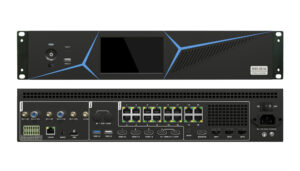
Huidu HD-H16 controller for live video and local playback
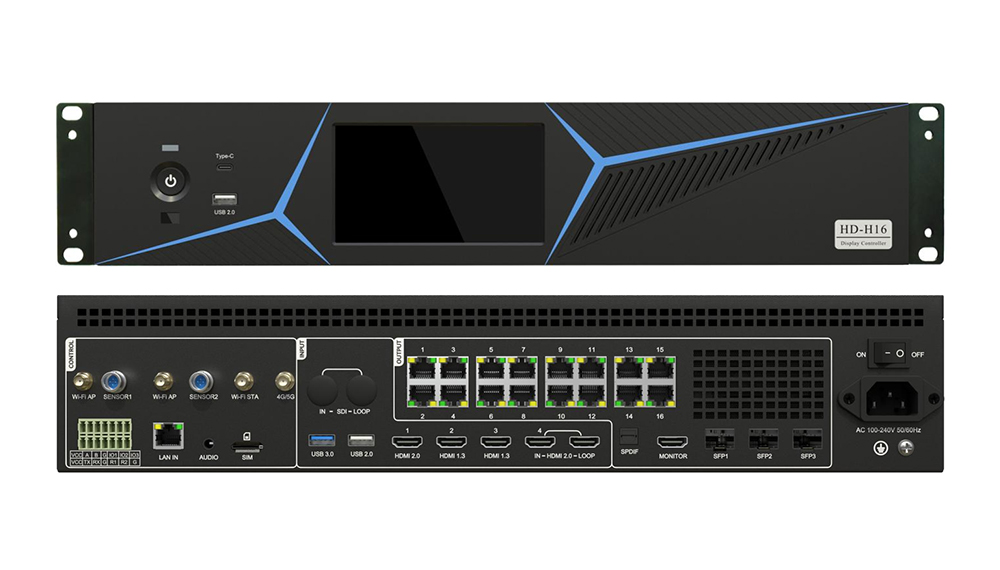
The HD-H16 takes live video from HDMI or plays stored programs from its Android system. It sends the picture to compatible Huidu receiving cards through 16 Gigabit Ethernet outputs. Use the preview port to check the signal before putting it on the LED wall.
Size the LED wall separately from the source file. Huidu’s model page lists a maximum load of 10.4 million pixels. The linked V1.0 describes 10 million pixels in its point-to-point overview. Confirm the port map when the screen is close to either figure.
| Ngā putanga LED | 16 × Gigabit Ethernet for LED receiving cards |
|---|---|
| Ngā rohe o te kānawehi | Up to 65,536 pixels wide or 8,192 high, within the output load |
| Ngā tāurunga ora | 2 × HDMI 2.0 (one with loop), 2 × HDMI 1.3, optional 3G-SDI input and loop |
| Arokite | Putanga aroturuki HDMI i te 1920 × 1080 i te 60 Hz |
| Audio and I/O | SPDIF, 1 × USB 3.0, 2 × USB 2.0, Type-C, Gigabit LAN, two sensor channels |
| Taehau | Android 14. Listed decoding modes: 1 × 8K, 4 × 4K, 10 × 1080p, 16 × 720p or 32 × 360p. |
| SFP 1 | Replicates LED Ethernet ports 1–8, up to 5.24 million pixels |
|---|---|
| SFP 2 | Replicates LED Ethernet ports 9–16, up to 5.24 million pixels |
| Fiber reach | Up to 10 km with the specified single-mode dual-fiber configuration |
Plan both playback modes
Use synchronous mode for a live HDMI source. For signage or a looping presentation, create and store a program for asynchronous playback instead. Confirm the receiving-card model, firmware and cabinet mapping before installation.
Nga paatai puta noa
Do the SFP ports add more LED outputs?
They carry the same two groups of eight ports. Specify the optical option if you need fiber and plan the existing Ethernet port groups accordingly.
Can 8K video decoding drive an 8K LED wall?
The decoding figure describes the video source. Use the output load and port map to size the physical LED wall.
Hua whakaahua
Ngā tikiake whakatakotoranga
Send your cabinet map and receiving-card models for a configuration check.