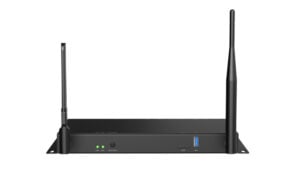
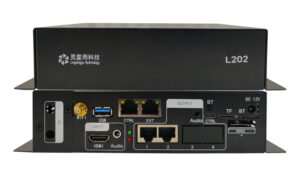
NovaStar LCB4K HDMI media player for digital signage
The LCB4K stores and plays scheduled signage content through one HDMI 2.0 output. Use it with an LCD display or feed that HDMI signal into a compatible LED sender. Operators can publish programs and manage the screen from a computer, phone or tablet.
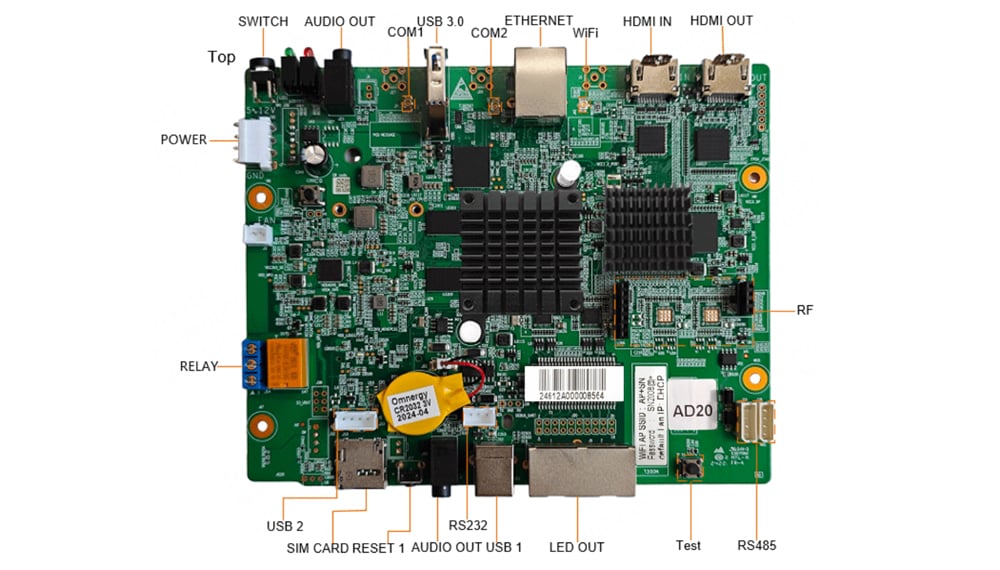
The rear Ethernet port is for network publishing and control. For an LED wall, connect HDMI OUT to the LED sender or processor selected for your wall.
| Te whakakao | H.264 me H.265 tae atu ki te 4K i te 60 Hz |
|---|---|
| Ngā matapihi ataata | Tae atu ki te 2 × 4K, 6 × 1080p, 10 × 720p, 20 × 360p rānei |
| Sync playback | Up to one 4K video when using synchronized playback |
| Auto HDMI mode | Reads display EDID. V1.0.3 lists up to 3840 × 2160 at 60 Hz. |
| Custom HDMI | Up to 4096 × 2160 or 2160 × 4096 at 60 Hz, per V1.0.3 |
| pūtukatuka | ARM Cortex-A55 matua-whā, 1.8 GHz |
| Pūmahara | 2 GB RAM me te 32 GB rokiroki ā-roto |
| Ororongo | Stereo output, with the internal source fixed at 48 kHz |
| whatunga | Gigabit Ethernet and Wi-Fi AP/STA |
|---|---|
| Momo Pato-A | One USB 3.0 and one USB 2.0 for playback, updates and sender control. Use Ext4 or FAT32 for media. |
| USB Momo-B | USB 2.0 for PC publishing and control |
| Time sync | NTP over the network. GPS and RF require their optional modules. |
| Raraunga pūkoro | Compatible 4G/5G module sold separately. The V1.0.3 sheet lists 5G for China only. |
Pick HDMI settings at the screen
Start with adaptive mode when the display reports the timing you want. Use custom mode for an approved fixed timing or a portrait installation. Check the connected screen or LED processor’s input settings before you schedule playback.
Plan how to update signs
Use USB for local playback or a network connection for recurring updates. The documented connection priority is Ethernet, then Wi-Fi, then optional mobile data. Set up time synchronization separately if multiple screens must play together.
Nga paatai puta noa
Which USB format does playback need?
Format the media device as Ext4 or FAT32 as specified in V1.0.3. The player documentation excludes exFAT and FAT16.
Does the unit come with cellular connectivity?
A cellular connection requires a compatible optional module. Check available service and the required module for the installation location.
Pāpāho hua