Size the wall and check your sources
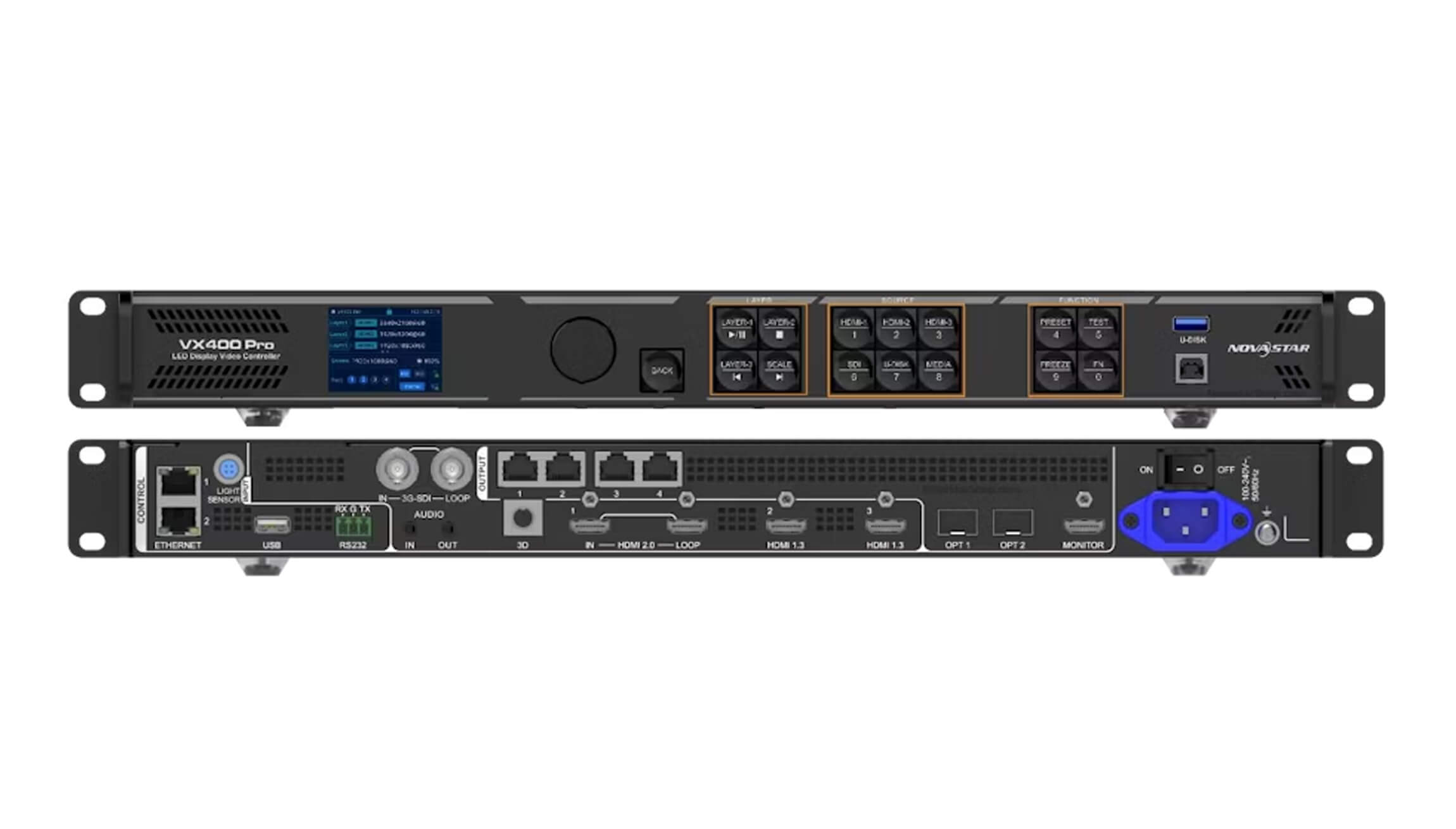
The NovaStar VX400 Pro combines video switching, scaling and LED sending. Its four Gigabit Ethernet outputs drive up to 2.6 million LED pixels in total. The HDMI 2.0 input accepts signals up to 4096 × 2160 at 60 Hz with compatible source settings.
Count the pixels in the LED wall and map the cabinets to the four outputs. Check the load on each port before you settle on the controller.
Ngā tāurunga, ngā putanga me te kaha
| Tapeke kawenga LED | Up to 2.6 million pixels across four Gigabit Ethernet outputs. |
|---|---|
| Per port | Up to 650,000 pixels at 8-bit output, per NovaStar V1.1.1. |
| Ngā rohe o te kānawehi | Up to 10,240 pixels wide or 8,192 pixels high, within the total and per-port limits. |
| Ngā tāurunga ataata | 1 × HDMI 2.0 with loop, 2 × HDMI 1.3 and 1 × 3G-SDI with loop. |
| Te purei anō i te USB | USB 3.0 for images and video. The USB source runs at 1920 × 1080 at 60 Hz. |
| Ngā tauranga muka | 2 × 10G. OPT 1 can handle input or output. The function of OPT 2 depends on the selected mode. |
| Papa | Up to six at 2K × 1K. Larger layers use more of the available resources. |
| mana | Front panel, NovaLCT, Unico in a browser or the VICP app. |
Choose the operating mode
- Kaiwhakahaere ataata: Use this mode for source switching, scaling and layers. Check layer sizes before building a preset.
- Kaitahuri muka: Match the optical connection and mode to the devices at both ends. NovaStar lists optical modules as separate purchases.
- Pāwhiri-ā-ringa: NovaStar specifies zero frames of delay at the controller with ByPass and low latency both enabled. Check the cabinet layout against the low-latency requirements in the specification.
Set up the show
- Signal and audio: Use EDID settings to match the source. The VX400 Pro has separate analog audio input and output. Cascaded units can synchronize their output to a video input.
- Cabinet mapping and backup: Check receiving-card compatibility before using free topology. Test any Ethernet or device backup paths before the show. The controller restores its saved settings when power returns.
- Calibration and 3D: The controller supports pixel-level brightness and color calibration. For 3D, check the emitter and glasses. Side-by-side and top-and-bottom 3D halve the available LED output capacity.
Replacing a VX400?
The VX400 and VX400 Pro have the same rated total LED load. Before opening the rack, check the source cables and the connection you use for each one. The older VX400 has a DVI input. The Pro uses HDMI and 3G-SDI for wired video sources. See the VX400 and VX400 Pro comparison for the port changes.
Documents and pricing
Download the NovaStar VX400 Pro specification (PDF, V1.0.1).
For pricing or a compatibility check, send your pixel map, source list and receiving-card modelKa taea hoki e koe te tirotiro Ngā tukatuka ataata LED a Ngā hua NovaStar.