Choose direct wiring or receiving cards
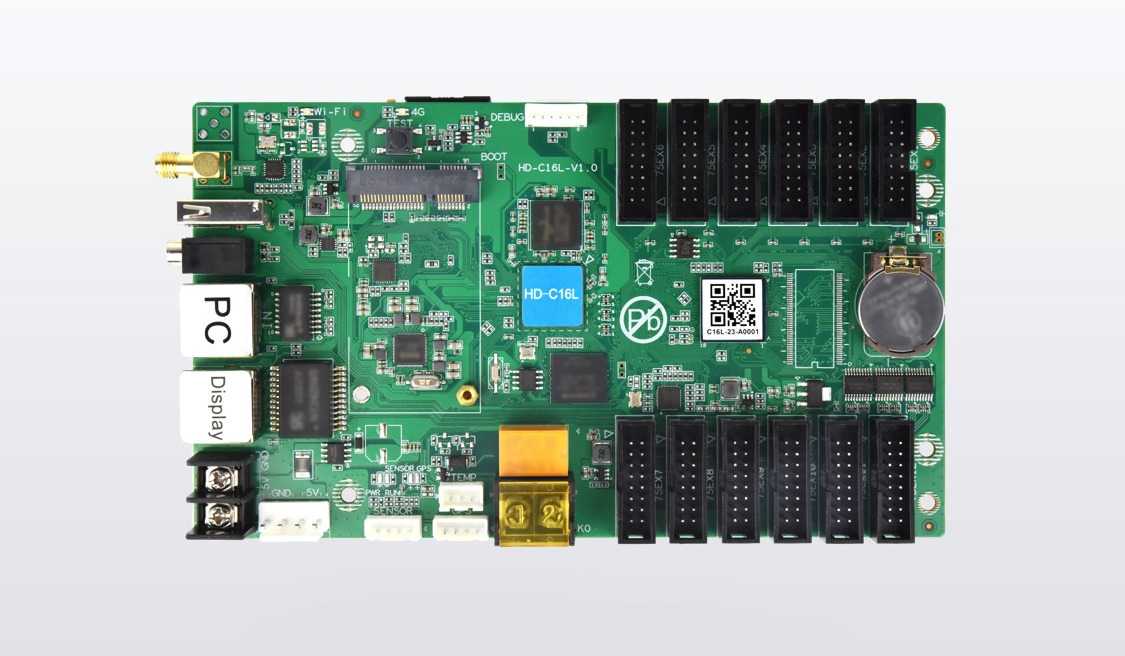
தி Huidu HD-C16L plays stored programs and sends the picture straight to compatible HUB75E modules or through HD-R receiving cards. Use the 12 onboard HUB75E connectors for direct wiring. For a larger screen, connect HD-R cards to the separate Gigabit output.
The direct limit is 200,000 pixels. A receiving-card cascade can reach 650,000 pixels. For a wide screen, check the specification revision supplied with your board. V1.0 calls for a reduced load once the width exceeds 1,920 pixels. V2.0 gives a threshold of 2,048 pixels.
| நேரடி சுமை | Up to 200,000 pixels via the onboard HUB75E connectors |
|---|---|
| Cascade load | Up to 650,000 pixels via HD-R receiving cards |
| Width or height | 8,192 pixels wide or 1,920 pixels high, within the total load and width conditions for your revision |
| தொகுதி போர்ட்கள் | 12 × HUB75E |
| HD-R link | 1 × ஜிகாபிட் ஈதர்நெட் வெளியீடு |
| புதுப்பிப்புகள் | 100 Mbps Ethernet, USB or 2.4 GHz Wi-Fi in AP or station mode |
|---|---|
| வீடியோ சாளரங்கள் | Up to two 1080p windows |
| சென்ஸார்ஸ் | Temperature, GPS and general-purpose sensor connections |
| Audio and relay | 3.5 mm stereo TRS audio output and one relay channel |
| தொடர் துறைமுகங்கள் | UART. RS-232 or RS-485 optional. |
| தொலைநிலை அணுகல் | XiaoHui Cloud management. 4G networking optional. |
விவரக்குறிப்பு பதிவிறக்கங்கள்
பொதுவான கேள்விகள்
Which Ethernet jack connects to my receiving cards?
Use the Gigabit output for the HD-R receiving cards. The separate 100 Mbps Ethernet connection is for program communication.
Does a computer have to stay connected?
No. Send the program over Wi-Fi, Ethernet or USB. The HD-C16L then plays it from local storage.