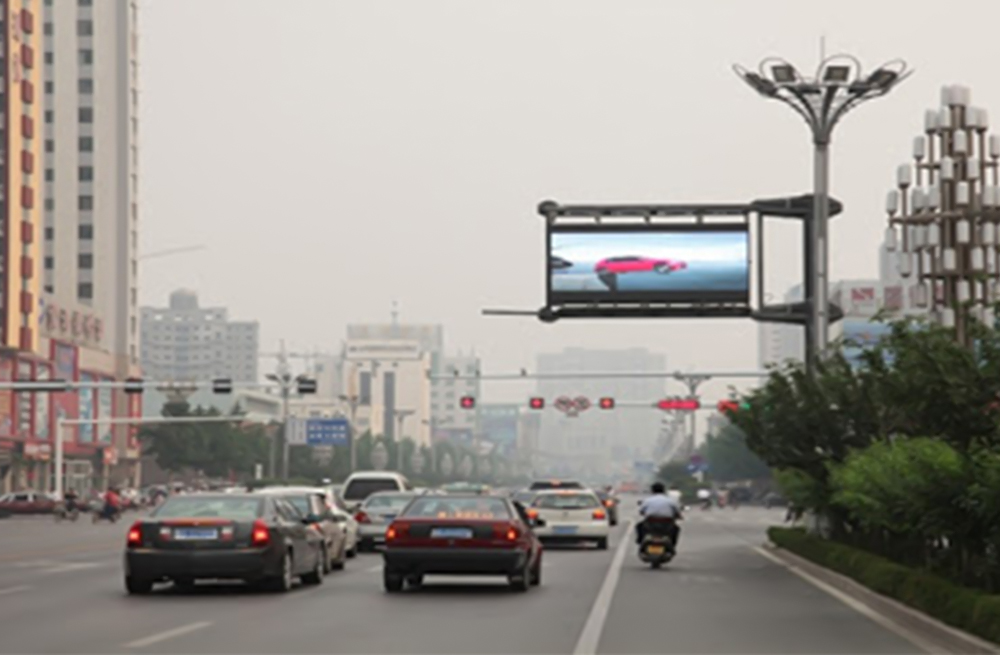
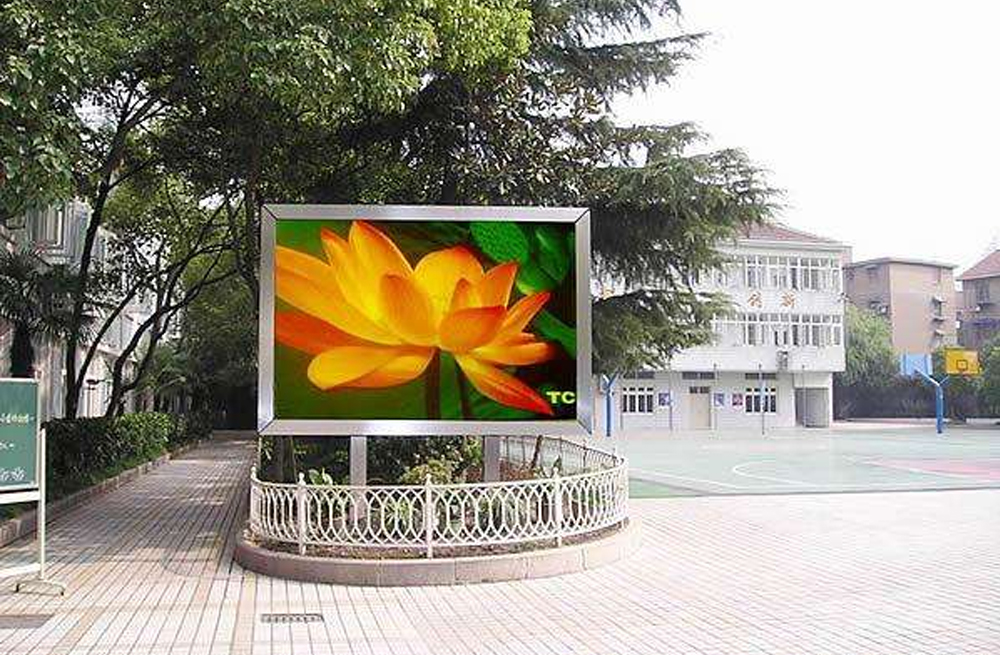
Výběr mezi Colorlight A60 vs A100 comes down to enclosure form factor, connectivity extras, and how you plan to push playlists—because both cloud players share the same 1.3-million-pixel ceiling and dual sync/async HDMI switching. Pick the Colorlight A60 for straightforward commercial signage running PlayerMaster over LAN, Wi-Fi, or USB; pick the Colorlight A100 when remote highway or retail signs need cloud publishing with wired LAN, Wi-Fi, and optional 4G cellular control. For smaller signs under 650,000 pixels, the Colorlight A40 saves rack budget cleanly, while huge multi-screen plazas jump straight to the 16-port Colorlight A800.
Spend a week servicing outdoor storefront signs and mall totems and you’ll quickly see why Colorlight’s A-series cloud players replaced so many bulky desktop PCs. Nobody wants to climb a ladder in pouring rain to reboot a frozen Windows tower just because an ad agency swapped a weekend promo. Still, buyers constantly trip over three details on Colorlight spec sheets: assuming a 1.3M-pixel player drives a full 1080p wall, forgetting that automatic brightness sensors ship separately, or ordering a discontinued C3 box when an A35 or A40 is the active replacement.
Položme Colorlight A60 vs A100 side by side against the A40, A20B board, flagship A800, and legacy C3, check real pixel-load math, and walk through PlayerMaster and ColorlightCloud publishing habits that keep remote signs running smoothly.
1. Hardware split: Colorlight A60 vs A100, A40, A20B & A800
Put both spec sheets on a bench and a Colorlight A60 vs A100 comparison looks deceptively close at first glance. Both boxes drive up to 1.3 million pixels across dual Gigabit Ethernet outputs, both accept live HDMI input for synchronous switching, and both manage playlists through Colorlight’s PlayerMaster software. Where they separate is deployment focus, wireless/cellular expansion, and how they fit inside larger multi-site fleets.
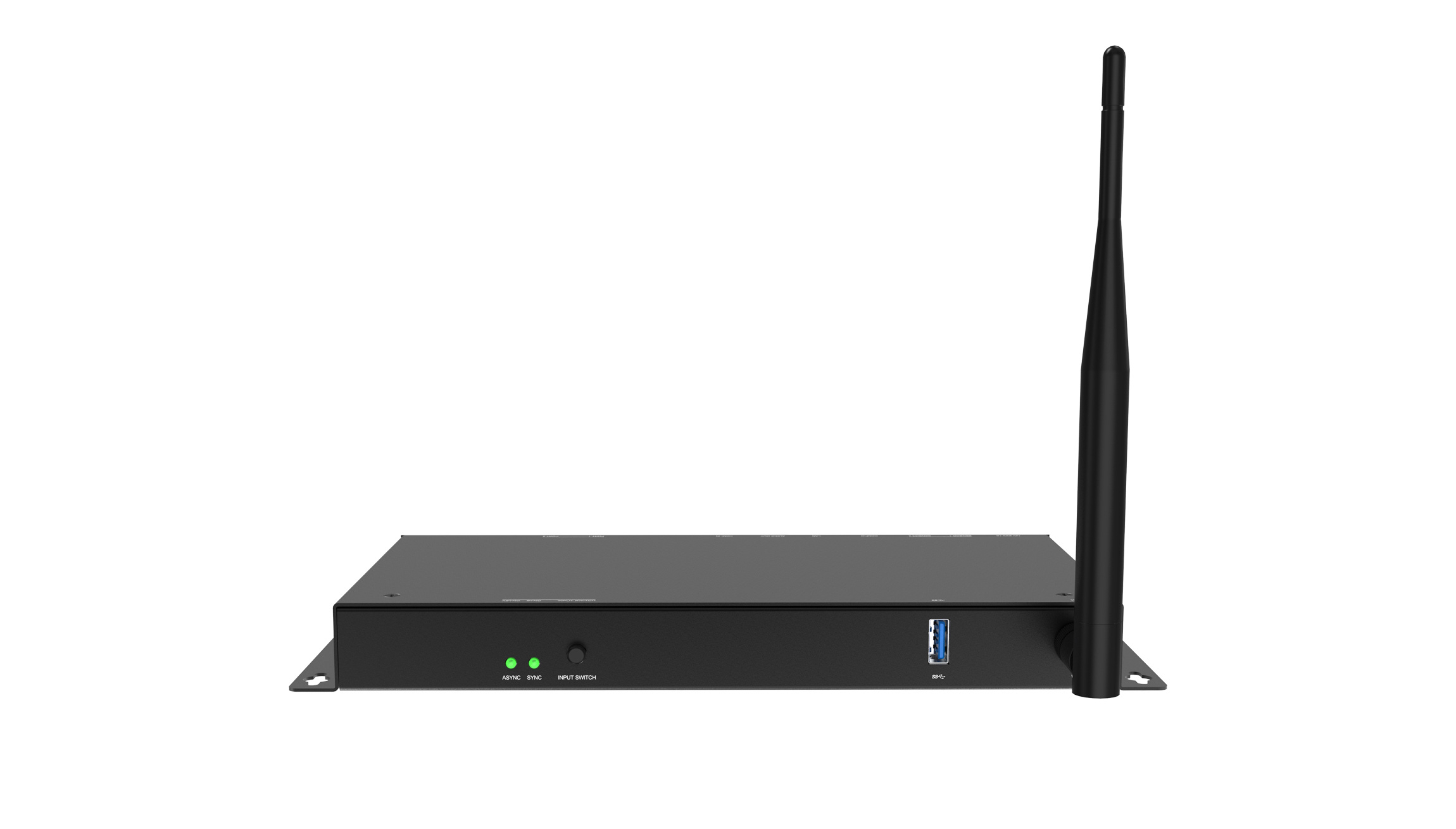
01. Colorlight A60 vs A100: when 1.3M pixels is your sweet spot
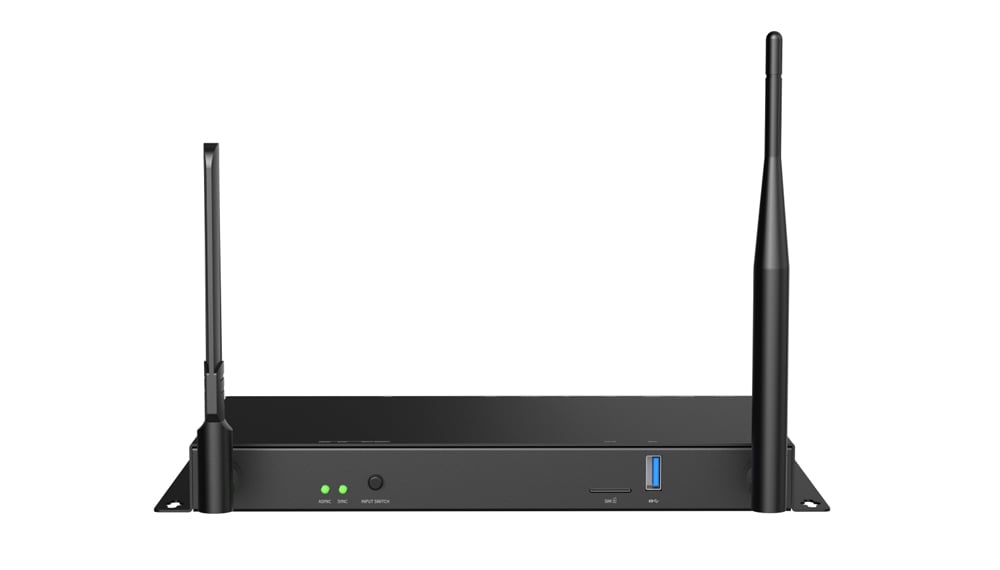
Jedno Colorlight A60 targets indoor retail walls, hotel lobbies, and commercial signs where you want a clean 1.3-million-pixel dual-mode player managed over local LAN, Wi-Fi, or USB flash drive. Plug a laptop into its HDMI input for a live product launch and the screen switches straight to synchronous mode; unplug the cable afterward and your scheduled promotional loop takes back over automatically.
Jedno Colorlight A100 keeps that same 1.3-million-pixel output ceiling and HDMI sync/async flexibility while leaning into networked cloud signage fleets—combining wired Gigabit LAN, Wi-Fi management, and optional 4G cellular modules so ad networks can update dozens of roadside or franchise displays from one central browser dashboard without running local store internet drops.
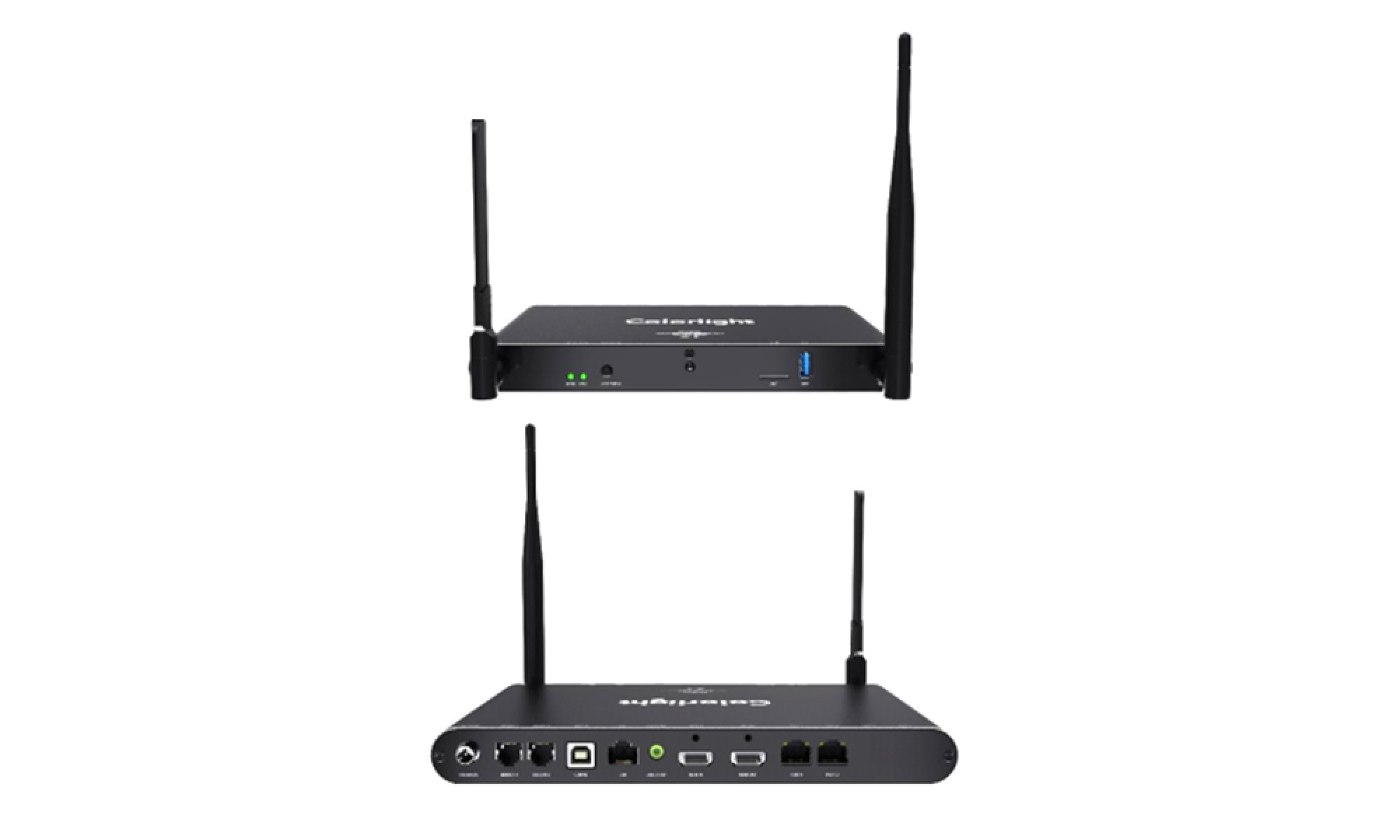
02. Stepping down to the A40 or A20B—and retiring the legacy C3
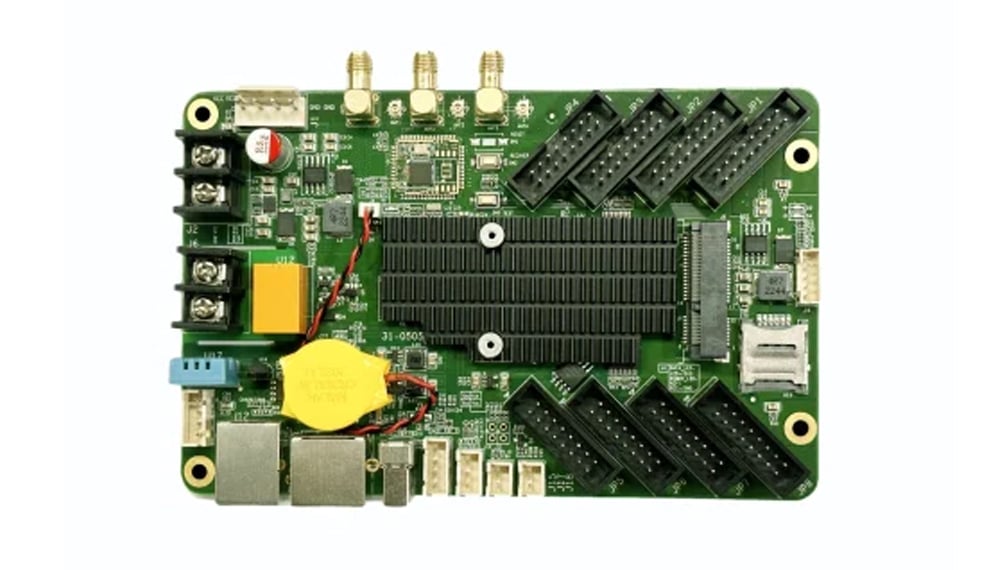
Don’t overbuy Ethernet ports on small storefront headers. If your display stays at or below 650,000 pixelů on one Gigabit Ethernet run, the Colorlight A40 still gives you HDMI 1.4 synchronous/asynchronous switching, 32 GB onboard storage, USB playback, and LAN/Wi-Fi PlayerMaster management at a trimmer budget. Meanwhile, for tight OEM enclosures or custom poster cabinets that mount bare PCB boards instead of boxed players, the Barevné světlo A20B board matches compact spaces cleanly—just verify exact board revision and power voltage before ordering.
Running an older install built around the classic Colorlight C3? Note that the C3 is discontinued; Colorlight recommends stepping into active A-series replacements (such as the A35, A40, or A60/A100 depending on pixel count and HDMI needs) rather than hunting used C3 stock.
03. Scaling up to the 16-port Colorlight A800 (8.8M pixels)
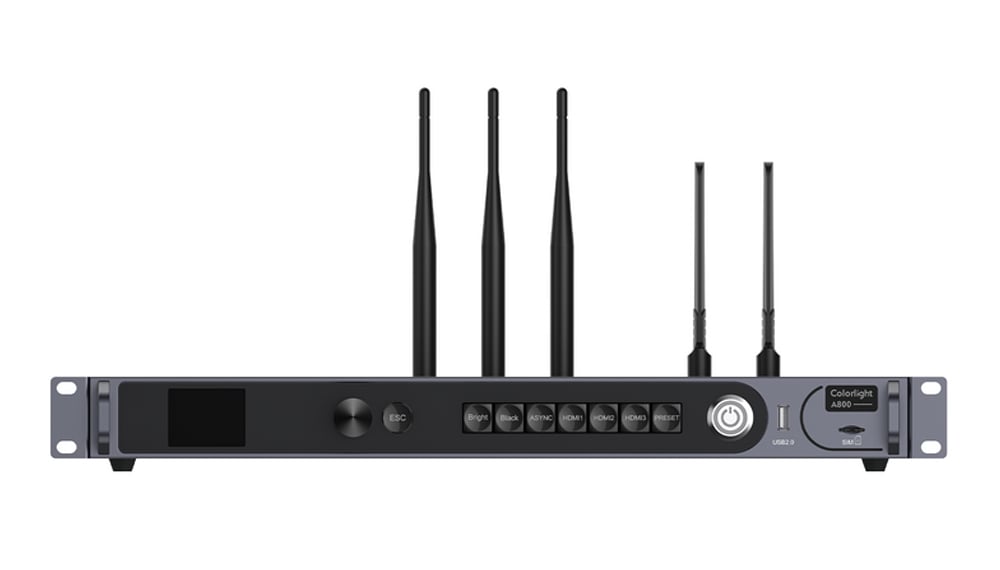
What if a shopping mall atrium or flagship retail facade demands 4K-class pixel density without a rack full of external PCs? That’s where the Colorlight A800 jumps far ahead of any Colorlight A60 vs A100 pairing: it packs 16 gigabitových ethernetových výstupů jedu k 8.8 milion pixelů, Android 13, 8K video decoding, and three HDMI inputs inside one cloud-managed chassis.
| Model | Maximální kapacita pixelů | Gigabit LED Outputs | Sync HDMI Input | Připojení a úložiště | Best Deployment Fit |
|---|---|---|---|---|---|
| Colorlight A40 | 650,000 pixelů | 1x gigabitový RJ45 | Yes (HDMI 1.4 sync/async) | LAN, Wi-Fi, USB, 32 GB storage | Compact storefront headers & small window walls |
| Colorlight A60 | 1,300,000 pixelů | 2x gigabitový RJ45 | Yes (HDMI sync/async) | LAN, Wi-Fi, USB, PlayerMaster | Mid-sized retail walls, lobbies & commercial signs |
| Colorlight A100 | 1,300,000 pixelů | 2x gigabitový RJ45 | Yes (HDMI sync/async) | Wired LAN, Wi-Fi, optional 4G cloud | Multi-site cloud signage & unmanned roadside signs |
| Barevné světlo A20B | Board-revision dependent | Embedded board interface | Ověřit revizi | Compact OEM signage board | Slim integrated poster & OEM cabinet builds |
| Colorlight A800 | 8,800,000 pixelů | 16x gigabitový RJ45 | Yes (3 x HDMI inputs) | Android 13, 8K decoding, cloud + LAN | Flagship mall atriums & large 4K commercial walls |
| Colorlight C3 | Discontinued legacy | Legacy output | Dědictví | Superseded by A35 / A40 / A60 | Migrate spares to active A-series cloud players |
2. Synchronous HDMI input vs asynchronous cloud playback
The biggest reason buyers shortlist Colorlight A60 vs A100 instead of bare asynchronous cards is dual-mode switching. Most days, an indoor showroom or church lobby runs scheduled announcements off internal flash memory with zero computer attached. Then Friday evening arrives, someone plugs a laptop or camera switcher into the HDMI port, and the wall needs live video immediately.
01. How HDMI priority switching works in live rooms
Inside PlayerMaster, you can set the A60 or A100 to auto-detect live HDMI signals. The moment a presenter plugs in an HDMI cord, the player pauses its stored asynchronous playlist and hands the screen over to the live HDMI feed. Unplug the laptop after the meeting and the box drops right back to scheduled corporate branding within seconds—no tech support call, no hunting for a remote control.
02. Scaling limits vs true 1080p pixel mapping
Watch this trap carefully on both units in a Colorlight A60 vs A100 quote: accepting a 1920 x 1080 HDMI source does ne mean either box can light up a physical 1920 x 1080 LED wall! Multiply 1920 x 1080 and you get 2,073,600 physical pixels—exceeding a 1.3M-pixel player by over 770,000 pixels. Both the A60 and A100 downscale 1080p HDMI feeds cleanly onto screens up to 1.3 million physical pixels; if your physical screen crosses 1.3 million pixels, step up to the Colorlight A800 or a synchronous Colorlight X8m regulátor.
03. Offline resilience when store Wi-Fi drops
Because asynchronous playlists download straight into local flash memory inside the player, a flaky mall router or cellular tower outage won’t black out your wall. Your last published schedule keeps looping smoothly until network connectivity returns and PlayerMaster or ColorlightCloud syncs fresh media.
3. Pixel load math & cabinet sizing from 650K to 8.8M pixels
Sizing any Colorlight cloud player takes two minutes of arithmetic and saves painful re-wiring later. Every Gigabit RJ45 port on Colorlight’s A-series carries up to 650 000 pixelů při 8 bitech a 60 Hz, and tidy installs never split one cabinet across two network cords.
01. Worked examples for P2.5 indoor & P3.91 outdoor walls
- Small retail window (2.5 x 1.5 m / 8.2 x 4.9 ft, P3.91): 5 cabinets wide by 3 tall (500 x 500 mm / 19.7 x 19.7 in cabinets, 128 x 128 px each) equals 640 x 384 px (245,760 pixelů). One port on a Colorlight A40 handles it with huge margin.
- Mid-sized outdoor pylon (4 x 3 m / 13.1 x 9.8 ft, P3.91): 8 cabinets wide by 6 tall equals 1,024 x 768 px (786,432 pixelů). That exceeds 650,000 pixels on a single port, putting you squarely into a 2-port Colorlight A60 vs A100 choice (393,216 pixels per port).
- Large mall atrium (6 x 3.5 m / 19.7 x 11.5 ft, P2.5): Roughly 2,400 x 1,400 px (3,360,000 pixelů). That blows past 1.3M pixels immediately—move straight up to the 16-port Colorlight A800 (or a synchronous Colorlight X-series processor if live 4K switching rules the room).
| Application & Screen Size | Example Pixel Canvas | Celkový počet pixelů | Min RJ45 Ports | Doporučený hráč | Důvod výběru klíče |
|---|---|---|---|---|---|
| Storefront banner (P3.91) | 1,024 x 512 px | 524,288 px | 1 portu | Colorlight A40 | Under 650K limit with 32 GB storage and HDMI 1.4 input |
| Hotel lobby wall (P2.5) | 1,280 x 768 px | 983,040 px | 2 ports (~491K/port) | Colorlight A60 | Clean 1.3M dual-mode sync/async switching via LAN or USB |
| Remote highway pylon (P4) | 1,200 x 960 px | 1,152,000 px | 2 ports (~576K/port) | Colorlight A100 | 1.3M capacity plus optional 4G cellular cloud fleet management |
| Flagship retail atrium (P2.5) | 3,200 x 1,920 px | 6,144,000 px | 10–12 porty | Colorlight A800 | 16 ports (8.8M max) + Android 13 + 8K decoding + 3 HDMI inputs |
02. Keep Cat6 copper runs under 80 to 100 m (262 to 328 ft)
Just like synchronous senders, A-series players push Gigabit Ethernet frames down solid-copper Cat6 cable up to 100 m (328 ft) max—and smart techs stay under 80 m (262 ft) around outdoor AC feeders. Mount the A60 or A100 right inside the ventilated sign enclosure (within 1 to 3 m / 3.3 to 9.8 ft of the first receiving card) and pull normal network LAN or cellular signal to the player instead of stretching raw LED data across a parking lot.
4. PlayerMaster, ColorlightCloud, Wi-Fi & optional 4G deployment
Software workflow often decides a Colorlight A60 vs A100 purchase faster than raw hardware specs. Grab current desktop utilities from our Colorlight software download library before heading to site.
01. Local LAN / USB publishing with PlayerMaster
For single-store owners or schools running on a local network, PlayerMaster (Windows) lets you slice the screen into video, image, clock, and scrolling text zones, schedule weekday vs weekend loops, and push updates over Gigabit LAN or Wi-Fi hotspot in seconds. Keep a clean FAT32 USB flash drive on hand as a fallback: exporting a PlayerMaster program straight onto USB lets non-technical store staff update holiday promos even if the router password changes.
02. Multi-site cloud publishing & optional 4G cellular rules
Managing twenty gas-station signs or retail storefronts across different cities? Pairing the Colorlight A100 s ColorlightCloud lets your marketing desk approve playlists, push emergency alerts, and check online/offline heartbeats remotely. Remember one field rule on 4G cellular: the 4G module ships as a regional option (North American and European LTE bands differ), and never trap a stubby 4G/Wi-Fi antenna inside a sealed steel sign cabinet—route an external waterproof SMA bulkhead whip outside the metal door so bars don’t drop to zero.
03. Multi-screen NTP/GPS sync, audio routing & cabinet heat
When a shopping plaza hangs six street-pole screens down one driveway—or mounts a double-sided pylon facing both lanes of traffic—watching the two sides drift three seconds out of sync looks amateur fast. In a Colorlight A60 vs A100 multi-screen rollout, both players support NTP network time sync (and optional GPS/RF sync modules on outdoor poles) so every face flips commercials on the exact same frame.
Two quick hardware details save service calls after handover. First, if your indoor mall wall plays promotional video with sound, pull stereo audio straight from the player’s 3.5 mm line-out jack into your local amp rather than relying on HDMI audio pass-through alone—and keep unbalanced audio leads short so switching power supplies don’t inject hum. Second, inside sun-facing outdoor steel boxes, bolt the player low on the side frame away from top-edge 5 V power supply exhaust air. Even rugged signage players throttle video decoding if trapped in stagnant 60 °C (140 °F) air pockets during July heatwaves. Weighing thermal layout and antenna routing upfront makes any Colorlight A60 vs A100 deployment run for years with almost zero hands-on maintenance.

5. Pairing 5A-75B / 5A-75E receiving cards & light sensors
Never assume an asynchronous cloud box replaces cabinet receiving cards. Every unit in a Colorlight A60 vs A100 (or A40 / A800) build transmits Colorlight’s proprietary Ethernet stream and must feed genuine Colorlight receiving cards inside the cabinets—such as the 8-port Colorlight 5A-75B or 16-port Colorlight 5A-75E. If you’re choosing between 8-port and 16-port cabinet cards, check our Colorlight 5A-75B vs 5A-75E receiving card guide.
01. Automatic brightness control: don’t forget the sensor is optional
Outdoor signs blazing at 5,500 nits (cd/m²) at midnight quickly draw municipal glare complaints. As we highlight in our troubleshooting note on whether the A60 brightness sensor is included, the ambient light sensor is an optional accessory rather than a default in-box item. Either add a compatible Colorlight brightness sensor (or multifunction card like the Colorlight iM9 for staged power relays) or program sunrise/sunset timed brightness schedules inside PlayerMaster.
02. Backing up .RCVBP files before swapping a dead player
Before unplugging a failed A60, A100, or legacy C3 box during a service call, verify you have the screen’s saved .rcvbp receiving-card file and cabinet mapping layout handy. Swapping a fresh Colorlight player onto healthy 5A-75B/5A-75E cabinets only requires matching the output resolution and screen connection map in PlayerMaster or LEDVISION—you don’t need to wipe working cabinet parameters unless a receiving card died too. Keep a printed copy of the cabinet wiring direction (left-to-right vs snake top-to-bottom) taped inside the service door so any local electrician can drop in a spare player and verify the test pattern in ten minutes flat.
Často kladené otázky
What is the main difference in a Colorlight A60 vs A100 comparison?
Oba Colorlight A60 a Colorlight A100 zajet k 1.3 milion pixelů across 2 Gigabit Ethernet outputs and support synchronous HDMI input plus asynchronous playback. The A60 is a versatile dual-mode player for local LAN, Wi-Fi, or USB signage managed with PlayerMaster, while the A100 emphasizes cloud-fleet management with wired LAN, Wi-Fi, and optional 4G cellular connectivity for remote multi-site signs.
Can a Colorlight A60 or A100 drive a native 1920 x 1080 Full HD LED wall?
No. A physical 1920 x 1080 LED wall contains 2,073,600 pixels, which exceeds the 1.3-million-pixel ceiling of both the A60 and A100. They accept 1080p HDMI input and scale it down onto screens up to 1.3M pixels; for physical walls above 1.3M pixels, step up to the 16-port Colorlight A800 or a synchronous Colorlight X-series controller.
Does the Colorlight A60 or A100 come with a brightness sensor or 4G module in the box?
No. Both the external ambient brightness sensor and the regional 4G cellular module are optional add-ons. Specify your country’s 4G LTE bands and whether you need automatic lux dimming when requesting your quote.
Can I replace a discontinued Colorlight C3 with a Colorlight A40, A60, or A100?
Yes. Colorlight retired the C3 in favor of its active A-series players (A35, A40 for 650K-pixel single-port signs, and A60/A100 for 1.3M-pixel dual-port signs). Confirm your total pixel count and whether you need HDMI synchronous switching before selecting the drop-in upgrade.
Can a Colorlight A60 or A100 control NovaStar or Huidu přijímání karet?
No. Colorlight cloud players only communicate with Colorlight receiving cards (such as 5A-75B, 5A-75E, or i5A-907). If your cabinets carry NovaStar or Huidu cards, compare ecosystems in our NovaStar vs. Colorlight vs. Huidu průvodce před objednáním.
Before you order Colorlight cloud players: field checklist
Before submitting a PO after reviewing Colorlight A60 vs A100 (or A40 / A800) specs, jot down five jobsite facts: exact physical pixel width and height, whether live HDMI switching is needed now or later, how content reaches the sign (USB, local LAN/Wi-Fi, or regional 4G cloud), whether an optional ambient light sensor or iM9 relay card belongs in the box, and the exact Colorlight receiving card model inside your cabinets.
Not sure whether an A40, A60, A100, or A800 fits your screen map—or replacing a retired C3 box? Send your screen pixel dimensions and existing controller photo through our contact page so our technicians confirm compatibility before shipping. And if a site upgrade calls for brand-new weatherproof cabinets pre-loaded with Colorlight cards, you can browse complete LED screens over at EagerLED.