The quick answer to Kāleka loaʻa LED vs kāleka hoʻouna comes down to which side of the Cat6 cable a board sits on. An Kāleka hoʻouna LED lives back at your control PC or rack switcher—turning HDMI, DVI, or SDI signals into Gigabit Ethernet or fiber frames—while an Kāleka hoʻokipa LED hides inside every LED cabinet to decode those packets onto individual HUB75 or hub-backplane modules. Live walls need both halves, and both halves must come from the exact same brand.
Nothing stalls an install faster than shipping a pallet of NovaStar receiving boards to a job wired for Colorlight senders, or budgeting four Ethernet drops when 10-bit color actually demands nine. Getting clear on hardware counts and pinouts before issuing a PO keeps wiring crews out of trouble on site.
Let’s put both boards side by side, work through real port-count math on a sample indoor screen, and cover the spare-swap checks that keep replacement panels matching their neighbors.
1. Side-by-side comparison: LED receiving card vs sending card
Flip through a parts quote and you’ll spot PCI sending cards, external sending boxes, all-in-one video scalers, and cabinet receiving cards mixed onto the same sheet. Here’s how Kāleka loaʻa LED vs kāleka hoʻouna gear splits cleanly across any synchronous wall:
| Lae Hoʻohālikelike | Kāleka Hoʻouna LED / Pahu Hoʻouna | Kāleka Loaʻa LED |
|---|---|---|
| Hana koʻikoʻi | Grabs live HDMI, DVI, DP, or SDI video and pushes mapped Ethernet/fiber frames | Grabs its own cabinet slice off the Cat6 stream and clocks LED module chips |
| Kahi e kau ai | AV rack, PC PCIe slot, or inside a pahu hoʻouna / video scaler | Screwed inside every LED cabinet behind the front/rear modules |
| How many you buy | Usually 1 box per screen (or linked master units on big 4K/8K walls) | Normally 1 board per cabinet (occasionally 1 card split across 2 small boxes) |
| Specs to verify | Input plugs, max pixel ceiling, RJ45 / 10G fiber port count, max W/H | Per-card pixel cap, HUB layout (HUB75E or backplane), bit depth, config format |
| When it fails on site | The entire LED screen locks up or blacks out all at once | One cabinet goes dark (or turns diagonal stripes), often dropping downstream panels |
2. What an LED sending card does
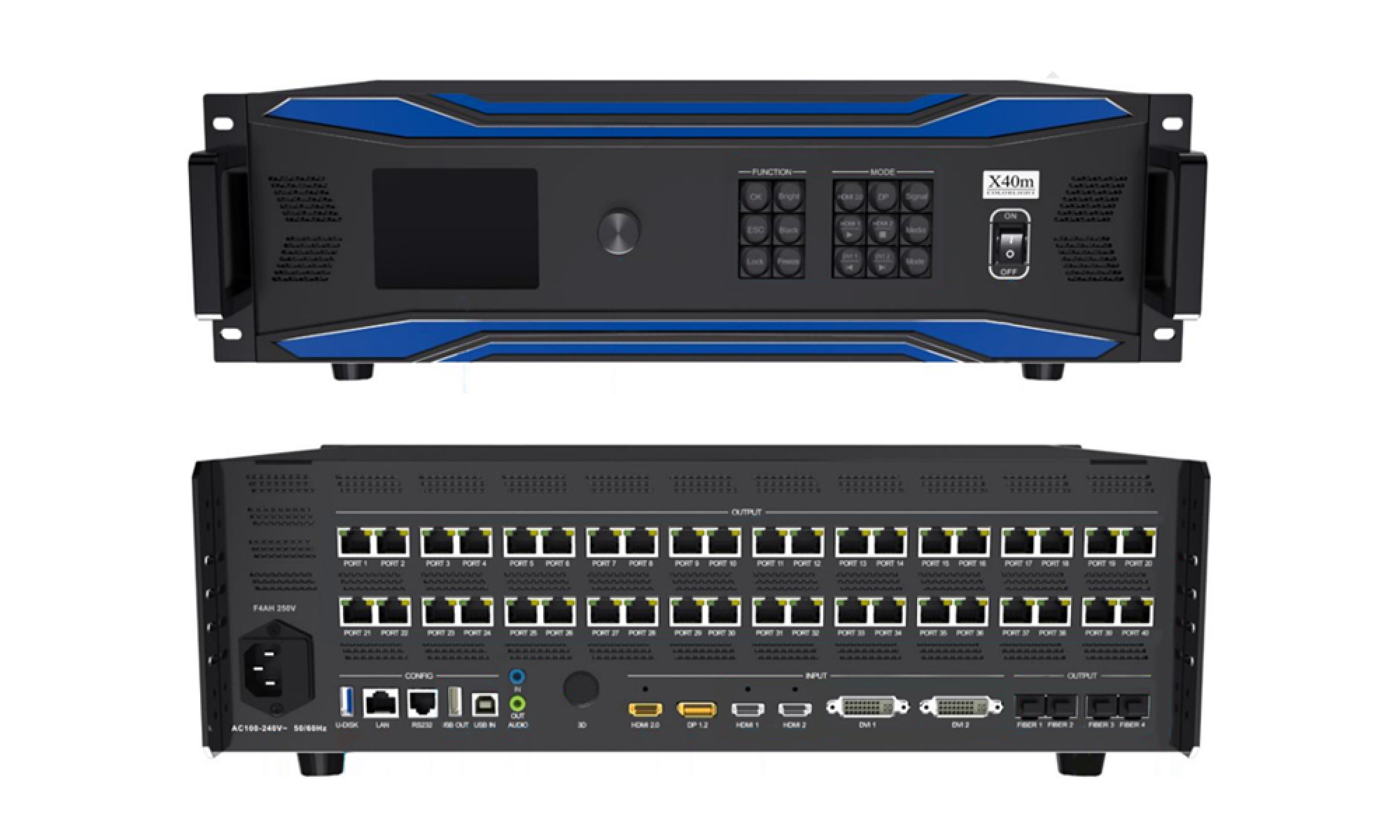
An Kāleka hoʻouna LED bridges everyday computer video out to modular LED frames. Older builds dropped bare PCI sending cards inside a bulky desktop tower, whereas modern commercial rooms rely on standalone Nā pahu hoʻouna LED a i ʻole nā mea āpau-i-hoʻokahi Nā mea hoʻokele wikiō LED.
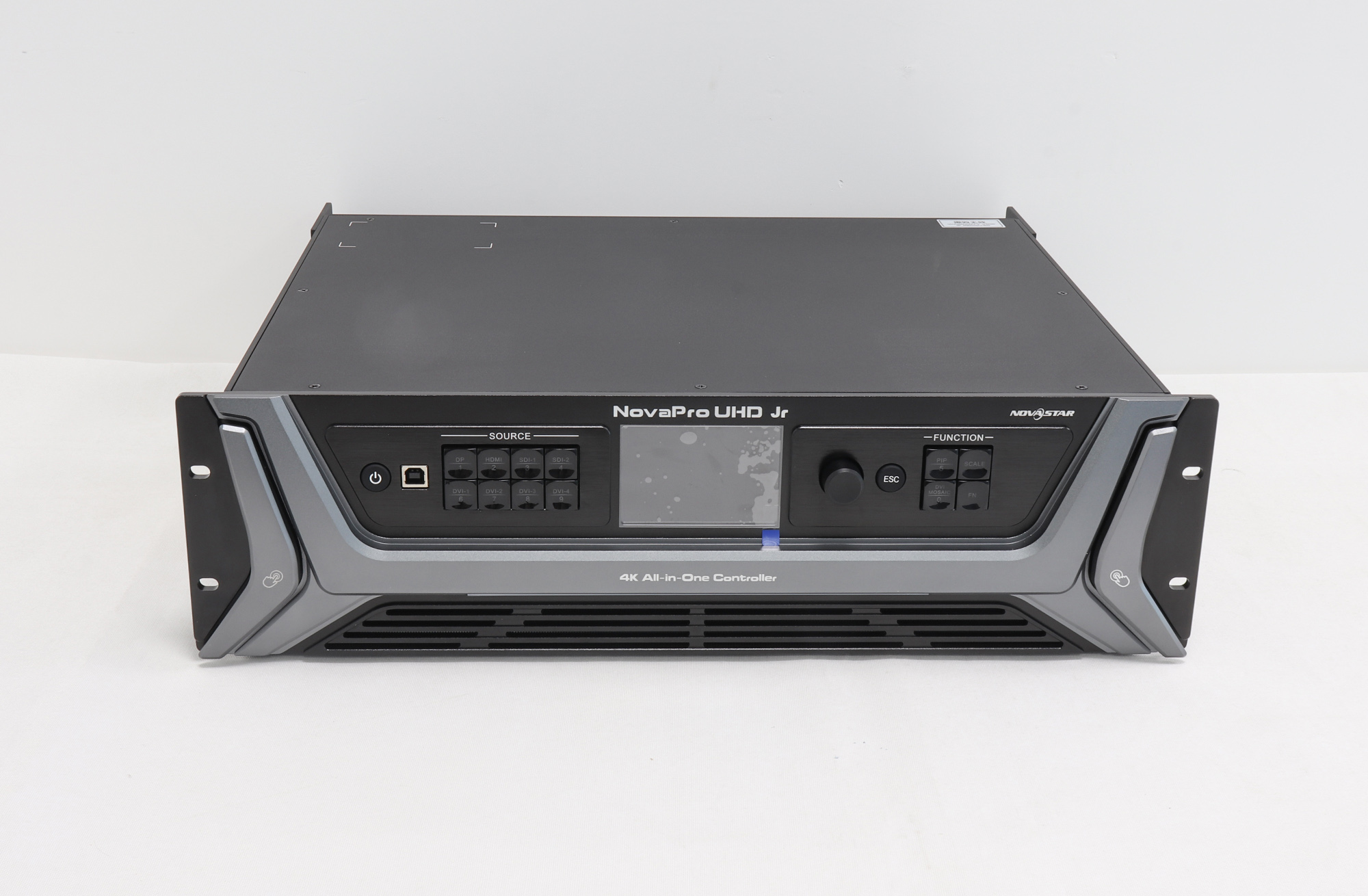
01. Bare sending card vs all-in-one video controller
A plain sending card sends pixels 1:1 with zero scaling—meaning your computer GPU or an external switcher has to hit exact wall pixel dimensions on its own. All-in-one processors like the NovaPro UHD Jr or kukui kala X40m fold switching, aspect scaling, and Gigabit outputs inside one chassis so crews manage fewer power cords and patch adapters.
02. Copper cable length ceilings
Unshielded or shielded Cat5e/Cat6 solid-copper jumpers run cleanly up to 100 m (328 ft) on paper, though smart field techs keep copper home runs under 80 m (262 ft) around lighting dimmers. Push beyond 80 m (262 ft) and step onto single-mode or multi-mode fiber converters instead of risking flaky packet drops mid-show.
3. What an LED receiving card does
Inside every panel, the Kāleka hoʻokipa LED does the heavy lifting for image uniformity. It sniffs incoming Gigabit frames off either RJ45 jack, grabs only its assigned rectangle of pixels, sends the rest downstream to the next cabinet, and translates image rows into high-speed pulse signals across your module chips.
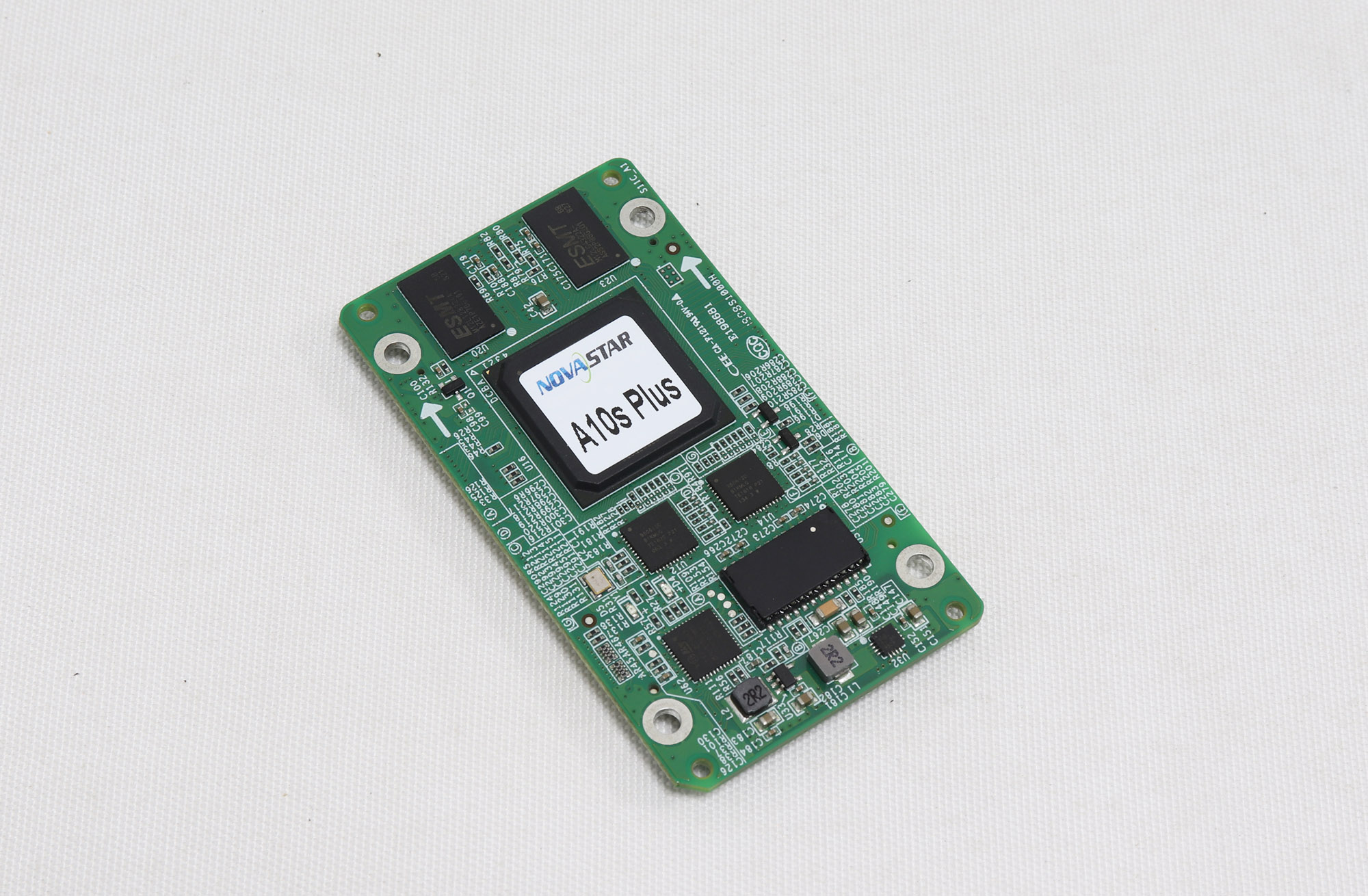
01. Low-gray uniformity and calibration storage
Good receiving boards don’t just shuffle bits. Premium cards like the NovaStar A10s Plus hold per-pixel brightness and color calibration memory onboard, smooth out choppy shadows when rooms dim to 20%, and flip cleanly over backup loop paths if one cable takes a hit.
02. Checking physical module plugs
Wait before hitting order on spare boards: look inside the cabinet first! Standard boxes mount 8, 12, or 16 direct 16-pin HUB75E ribbon sockets, whereas sleek fine-pitch 500 x 500 mm (19.7 x 19.7 in) die-cast rental tiles often snap compact boards straight onto a rigid backplane hub via board-to-board headers.
4. How to calculate the quantity of sending and receiving cards
Running numbers properly on an Kāleka loaʻa LED vs kāleka hoʻouna bill takes five minutes and prevents surprises. Say you’re pricing an indoor 6 x 3 m (19.7 x 9.8 ft) P2.6 screen built with 500 x 500 mm (19.7 x 19.7 in) tiles (each 192 x 192 pixels, stacked 12 wide by 6 tall):
| 'anuʻu | Math / Rule of Thumb | Hopena o ka Papahana |
|---|---|---|
| ʻO ka hoʻonāʻike | (12 wide x 192 px) by (6 tall x 192 px) | 2,304 x 1,152 px (2,654,208 total pixels) |
| Receiving cards needed | 1 receiving board inside every cabinet | 72 live boards (+ 2 to 4 shop spares) |
| Sending RJ45 drops (8-bit 60 Hz) | 2,654,208 px ÷ ~650,000 px per Gigabit drop | 5 drops minimum (use a 6-port VX600 Pro, or 10-port for loop backup) |
| Sending drops (10-bit HDR) | Per-port load drops roughly in half (~325,000 px/port) | 9 drops minimum (step up to a 10-port box) |
Always check exact datasheet numbers when specs push 120 Hz or unusual module scan ratios, since high refresh clocks cut usable per-port capacity fast.
5. Brand compatibility and spare-part replacement rules
01. Keep the whole signal chain on one brand
Don’t try saving twenty bucks mixing brands in an Kāleka loaʻa LED vs kāleka hoʻouna pani hakahaka. NovaStar, kukui kala, Huidu, a Linsn won’t talk to one another over Cat6. Compare ecosystems side by side in our NovaStar vs Colorlight vs Huidu alakai before picking hardware.
02. Read back parameters before swapping a faulty board
Pull the cabinet parameter file off a working panel next door before screwing in a new board—load .rcfgx no NovaStar a i ʻole .rcvbp for Colorlight—then check dim white balance against surrounding boxes. If your job’s a standalone commercial header with no PC video input, an asynchronous control card e like me Huidu HD-C16L skips the separate sending rack altogether, and you won’t need an external computer bolted behind the wall.
6. Loading configuration files on receiving cards
Watch the quick bench clip above to see exact read-back and loading clicks inside NovaLCT. Forgetting the final flash save (“Save to Hardware”) after pushing parameters is the #1 reason a freshly swapped cabinet drops straight back to garbled colors after an overnight power cycle.
Pinepine ninau ninau
Can an LED screen work without a sending card at all?
Only on compact asynchronous builds—where a direct-load card (such as certain Huidu controllers or Taurus boxes) stores videos internally and plugs straight into HUB75 ribbons or short Ethernet chains. Every live HDMI, DVI, DisplayPort, or SDI screen needs a sending box or video processor.
Can I drop a newer receiving card revision into an older wall from the same brand?
Often yes, as long as HUB pinouts match, your sender’s firmware supports the newer card ID, and your module config file loads cleanly. Always swap one cabinet first and inspect low-brightness gray uniformity before buying fifty spares.
Why do some outdoor screens share one receiving card between two cabinets?
Coarse-pitch outdoor boxes (P8 or P10) pack far fewer total pixels per square meter than fine-pitch tiles, so jumpering one receiving board into the neighbor saves cash. Still, most shops keep one card per cabinet so maintenance crews can swap a single dead box cleanly.
What separates a plain sending box from an all-in-one video processor?
A plain sending box expects an exact 1:1 input resolution and passes it straight to Ethernet. An all-in-one video controller scales mismatched laptops, switches inputs smoothly, crops edges, and feeds Ethernet out of the same rack box.
Checklist before ordering control cards
Before submitting your Kāleka loaʻa LED vs kāleka hoʻouna parts order, grab five quick facts: total pixel width and height, cabinet connector layout (direct HUB75E vs hub backplane), target color depth (8-bit vs 10-bit), rack-to-screen cable distance (Cat6 vs optical fiber), and—for service swaps—clear photos of both your broken board label and the sender in your rack.
Want our bench techs to check card revisions or port-loading math on your Kāleka loaʻa LED vs kāleka hoʻouna list before shipping? Send your board label photo and screen dims through our contact page. If you’re quoting full factory cabinets rather than loose control spares, check complete screens over at EagerLED.