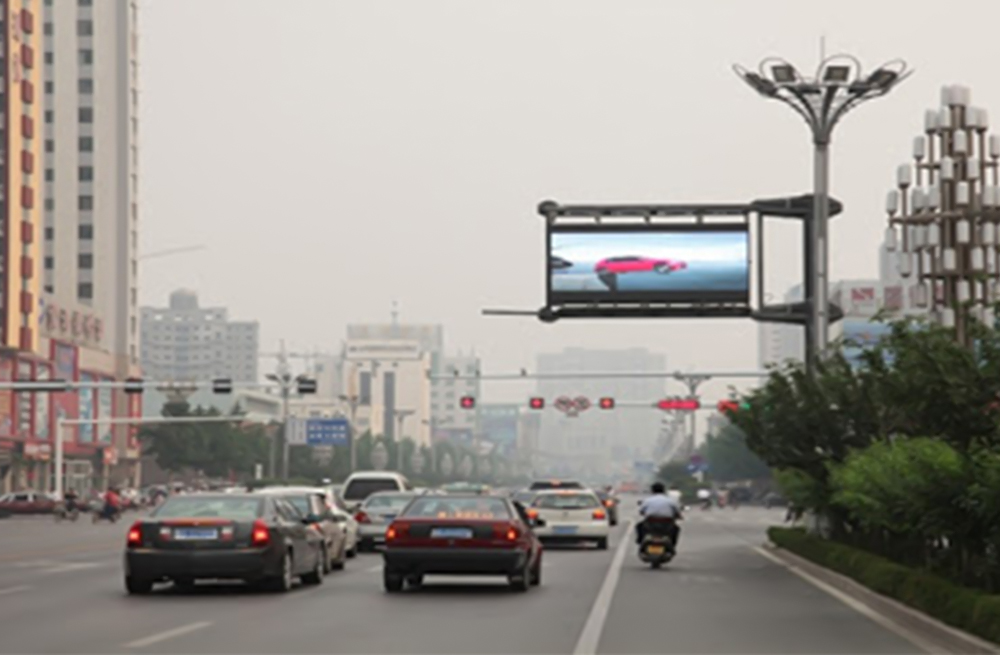
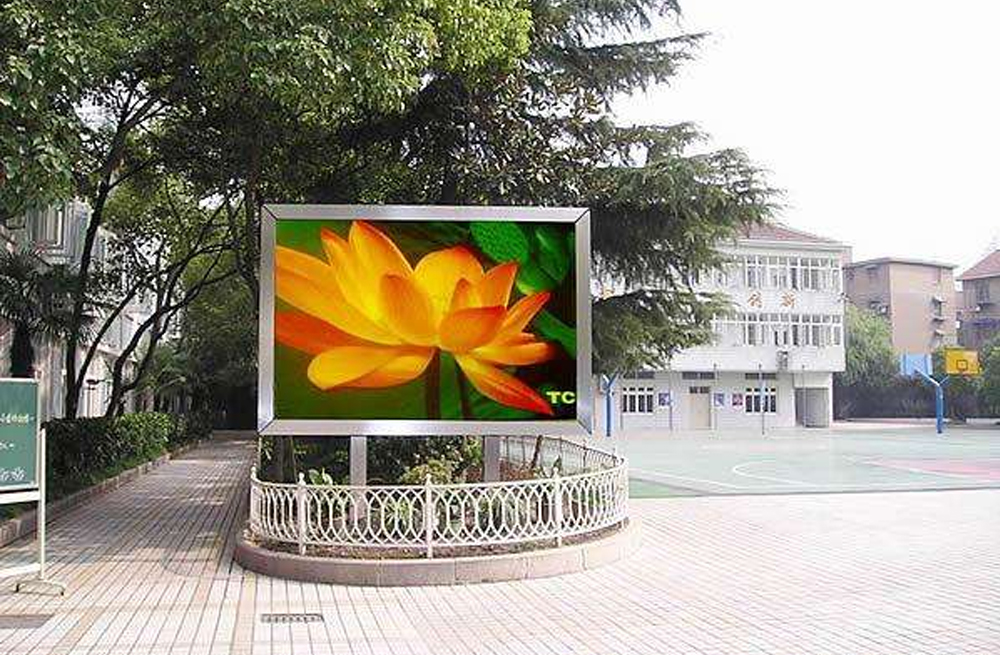
Picking across Colorlight X8m vs X12m vs X20m (or stepping all the way up to the 40-port Luce colorata X40m) comes down to your total pixel budget, whether you need 10G optical fiber outputs, and how many 4K layers run at once. Choose the Luce colorata X8m (8 Gigabit ports, 5.24M pixels) for mid-sized 4K corporate walls; choose the Luce colorata X12m (12 ports, 7.86M pixels) for wider auditorium backdrops; and pick the Luce colorata X20m (20 ports or four 10G fiber ports, 13.1M pixels) for full 4K UHD screens and long-distance venues.
When commercial AV integrators quote big fine-pitch LED walls, rack space and cost per million pixels decide who wins the bid. Colorlight’s X-series all-in-one controllers combine 4K HDMI 2.0 and DisplayPort 1.2 video processing with dense Gigabit Ethernet outputs in one chassis—cutting out separate external scalers. Still, two real-world catches trip up first-time buyers: assuming Ethernet and 10G optical ports add together simultaneously on the X20m/X40m, and overlooking Colorlight’s broadcast-focused Z4 Pro and Z5 when a stage tender demands 12G-SDI.
Paragoniamo Colorlight X8m vs X12m vs X20m against the X40m, Z4 Pro, and Z5, run exact 8-bit vs 10-bit port-loading math, and check fiber and receiving-card pairing rules before you lock down a rack drawing.
1. Hardware split: Colorlight X8m vs X12m vs X20m & X40m
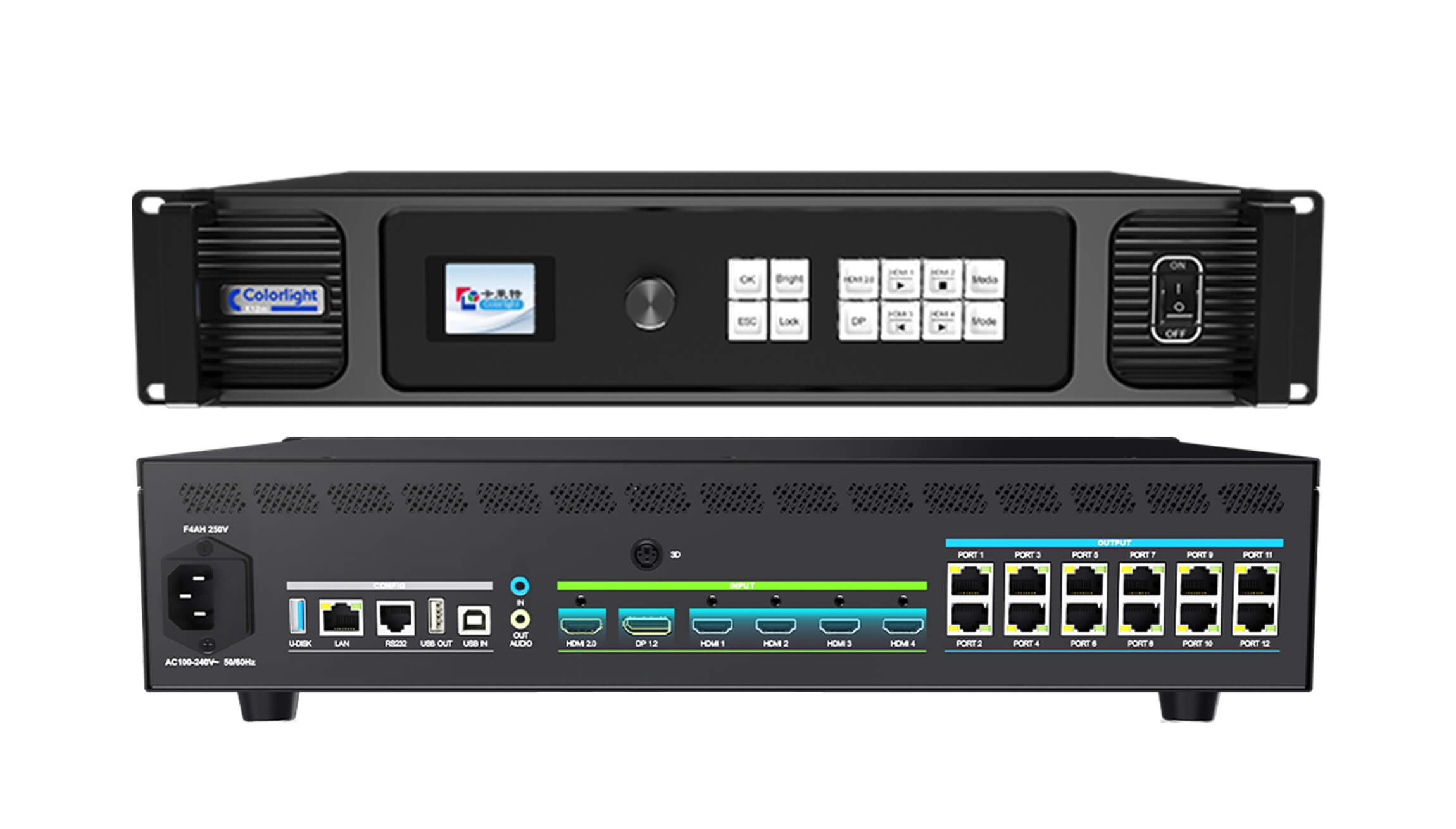
Every model in a Colorlight X8m vs X12m vs X20m comparison runs Colorlight’s unified 4K video processing engine with HDMI 2.0 and DisplayPort 1.2 inputs up to 4096 x 2160 at 60 Hz. What scales up cleanly as you climb the model ladder is total Gigabit Ethernet port density, maximum pixel canvas, and 10G optical fiber capability.

01. Colorlight X8m (8 ports / 5.24M px) vs X12m (12 ports / 7.86M px)
Migliori Luce colorata X8m gestisce fino a 5.24 milioni di pixel across 8 Gigabit Ethernet outputs (655,360 pixels per port at 8-bit 60 Hz). That covers most corporate boardrooms, retail flagship walls, and ultra-wide 3840 x 1080 presentation screens cleanly while keeping USB media playback, independent audio, and multi-layer windowing right inside one chassis.
Step into a larger hotel ballroom or university auditorium where pixel count climbs between 5.3 million and 7.8 million pixels—or where an 8-port wall needs extra port margin for clean column drops—and the Luce colorata X12m si espande a 12 Gigabit Ethernet outputs (7.86 million pixels) without forcing you into a 20-port chassis.
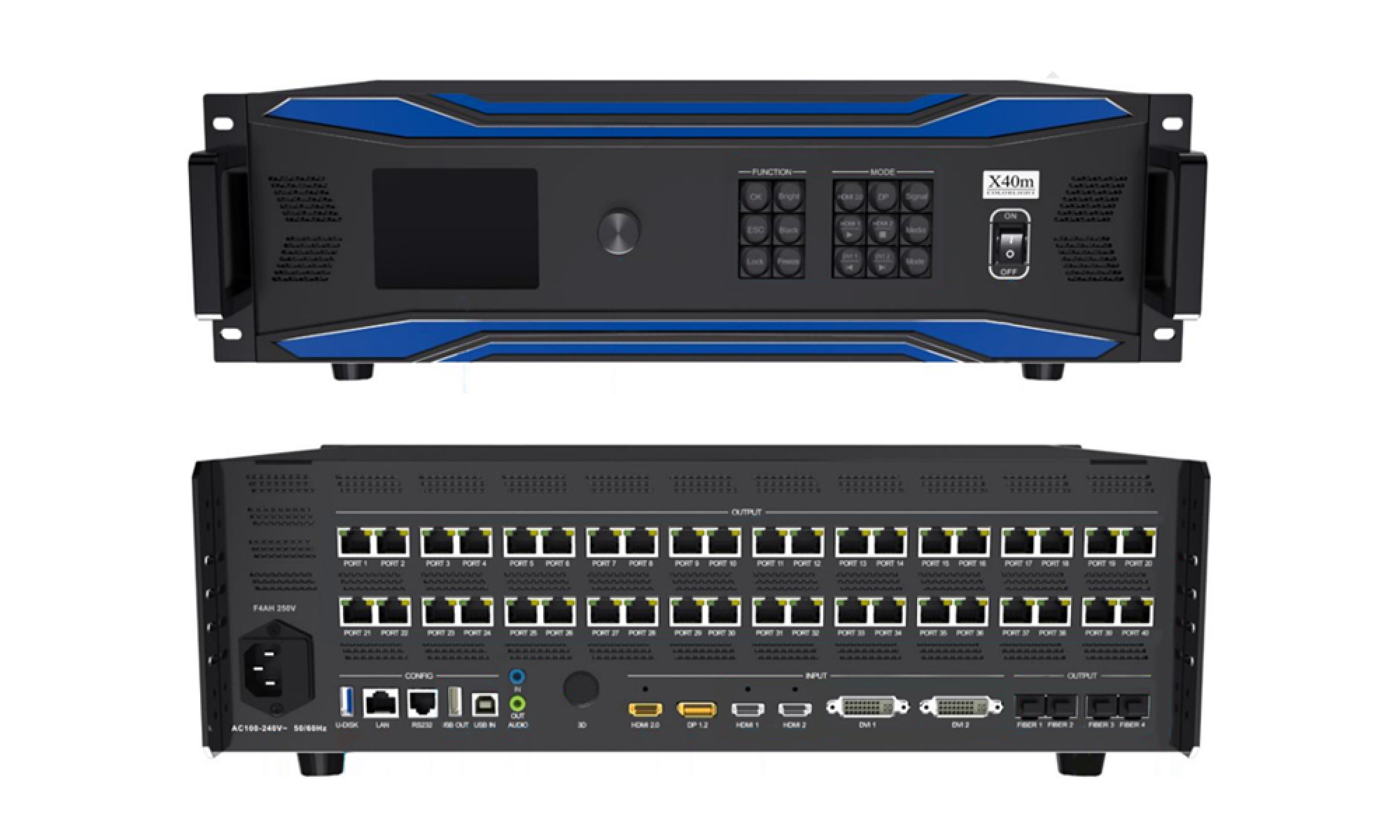
02. Colorlight X20m (20 ports / 13.1M px) & X40m (40 ports / 26.21M px)
Once a fine-pitch P1.25 or P1.53 wall reaches true 4K UHD (3,840 x 2,160 = 8,294,400 pixels), both the 8-port X8m and 12-port X12m run out of pixels. The Luce colorata X20m salta a 13.1 milioni di pixel with 20 Gigabit Ethernet outputs or four 10G optical fiber ports (two active, two standby), DP 1.2, HDMI 2.0, two HDMI 1.4, and two DVI inputs, up to six roaming/scaling windows, Genlock, and 128 stored scenes.
For massive command centers, airport concourses, or stadium fascias that would otherwise force you to sync two or three 4K controllers together, the Luce colorata X40m doubles capacity to 26.21 milioni di pixel across 40 Gigabit Ethernet outputs or four 10G optical trunks inside one flagship frame.

| Modello | Max Pixel Load (8-Bit @ 60 Hz) | Gigabit RJ45 / 10G Fiber | Key 4K / Broadcast Inputs | Layers & Standout Features |
|---|---|---|---|---|
| Luce colorata X8m | 5.24 milioni di pixel | 8 Gigabit RJ45 | HDMI 2.0, DP 1.2 + 2K inputs | Flexible layers, USB playback, independent audio |
| Luce colorata X12m | 7.86 milioni di pixel | 12 Gigabit RJ45 | HDMI 2.0, DP 1.2 + 2K inputs | Flexible multi-window layouts, USB playback |
| Luce colorata X20m | 13.1 milioni di pixel | 20 x RJ45 or 4 x 10G fiber (2 active + 2 standby) | 1 x DP 1.2, 1 x HDMI 2.0, 2 x HDMI 1.4, 2 x DVI | Up to 6 windows, Genlock, 128 scenes, USB playback |
| Luce colorata X40m | 26.21 milioni di pixel | 40 x RJ45 or 4 x 10G fiber | 4K multi-channel inputs | Ultra-high-load multi-window fixed walls & control rooms |
| Colorlight Z4 Pro | 6.55 million pixels (10 ports) | 10 x RJ45 or 1 x 10G fiber | HDMI 2.0, DP 1.2, 12G-SDI (4096 x 2160 @ 60 Hz) | Broadcast & live-event 12G-SDI studio pipeline |
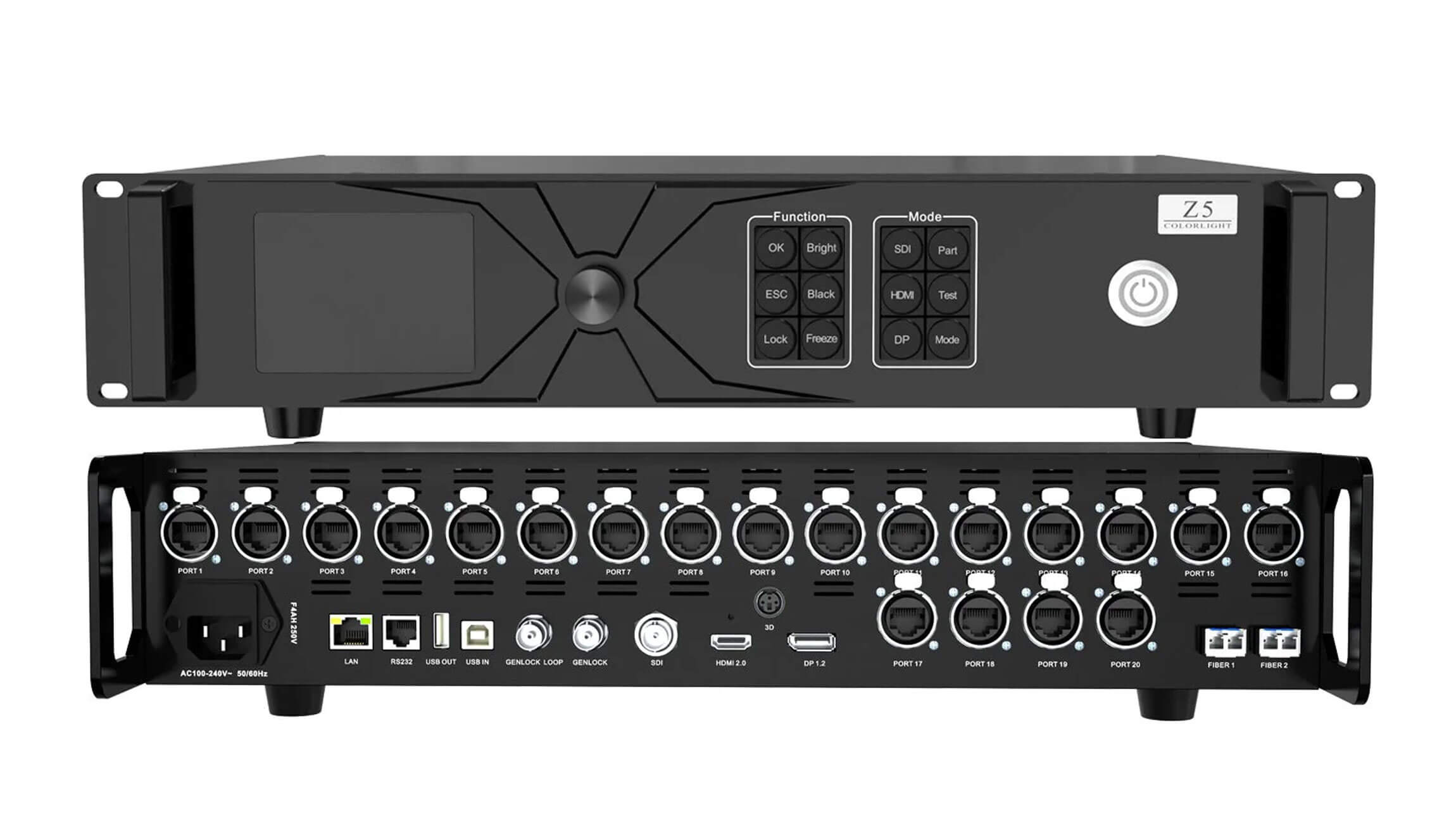
| Luce colorata Z5 | 13.1 milioni di pixel | 20 x RJ45 + 2 x 10G fiber | HDMI 2.0, DP 1.2, 12G-SDI | Up to 3 display layers; flagship 4K broadcast & rental |
2. When to switch from X-series to Colorlight Z4 Pro or Z5 (12G-SDI)
Notice a critical input difference if you’re quoting broadcast television studios, live concerts, or XR stages: the X8m, X12m, and X20m focus on commercial HDMI 2.0, DisplayPort 1.2, HDMI 1.4, and DVI sources—they don’t carry native 12G-SDI BNC inputs for broadcast camera switchers.
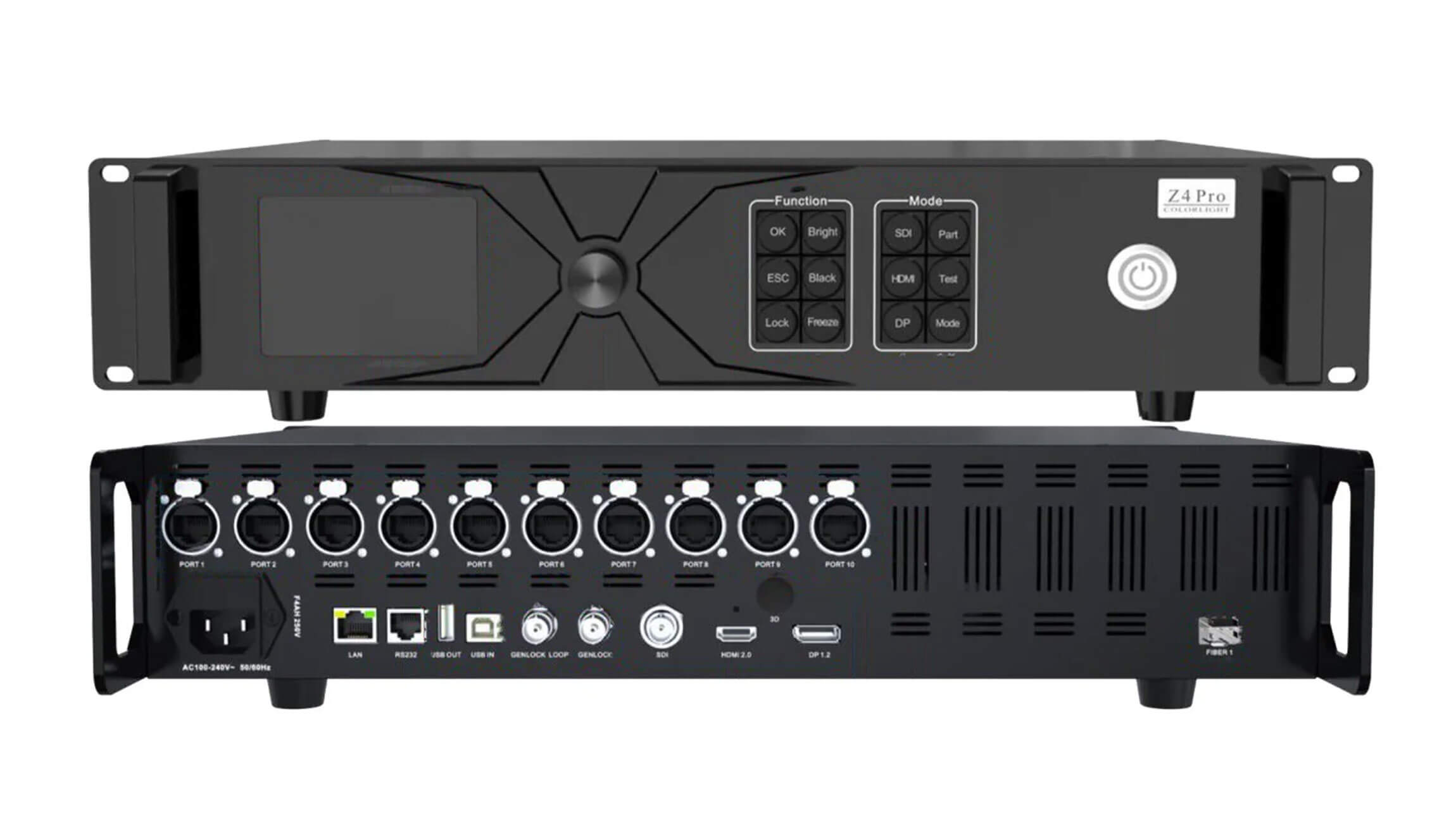
01. Colorlight Z4 Pro (10 ports) vs Z5 (20 ports) for live production
Whenever a broadcast tender specifies native 4K60 12G-SDI coax feeds straight from a vision mixer, step out of the X-series into Colorlight’s Z-series. The Colorlight Z4 Pro pairs 12G-SDI, HDMI 2.0, and DP 1.2 (4096 x 2160 @ 60 Hz) with 10 Gigabit Ethernet outputs or one 10G fiber port. For larger 4K rental stages needing 20 Ethernet ports (13.1 million pixels), two 10G fiber outputs, and up to three display layers, the Luce colorata Z5 handles full 4K live production cleanly.
Why does native 12G-SDI matter so much on live events? Trying to convert 4K60 12G-SDI camera feeds into HDMI 2.0 through cheap external converter boxes adds extra wall-wart power supplies, loose HDMI plugs that vibrate free in rolling racks, and unpredictable frame delay during live IMAG close-ups. Locking coax BNC cables straight into a Z4 Pro or Z5 keeps broadcast workflows clean and serviceable, whereas corporate boardrooms and retail walls running MacBooks, Teams rooms, or signage PCs over HDMI 2.0 and DisplayPort 1.2 get far better port-per-dollar value staying on the X8m, X12m, or X20m.
02. Rack power, airflow & physical cabling habits
Don’t cram a 20-port X20m or 40-port X40m tight between two hot power amplifiers inside a closed wooden credenza. Leave at least 1U of vented rack spacing above high-port processors, use strain-relief lacing bars behind the rear panel so twenty Cat6 patch cords don’t pull downward on the RJ45 cages, and label every copper drop (Port 1 through Port 20) on both ends with heat-shrink markers. When a single cabinet column goes dark six months later, numbered ports let any local tech trace the bad jumper in thirty seconds instead of unplugging random cables behind a dark stage. Also verify your AC rack PDU carries clean surge suppression—voltage spikes on temporary trade-show generators kill unprotected video input cards far more often than normal 24/7 operation ever does. Keep one spare 10G single-mode SFP+ transceiver and a tested 3 m (9.8 ft) duplex LC fiber patch cord taped inside the flight case lid whenever you tour with an X20m, X40m, or Z5.
3. 4K pixel-load math: 8-bit vs 10-bit & Ethernet vs 10G fiber modes
Two math errors ruin more bids in a Colorlight X8m vs X12m vs X20m evaluation than anything else: forgetting that 10-bit HDR halves per-port capacity, and treating the X20m’s 20 Ethernet ports and 4 optical fiber ports as simultaneous additive outputs.
01. Ethernet vs 10G optical fiber are alternative modes—not additive
Leggi l' Luce colorata X20m spec carefully: you choose o 20 Gigabit Ethernet copper outputs (for runs under 80–100 m / 262–328 ft) or four 10G fiber ports (two active trunks carrying all 20 ports + two standby backup trunks) for long-haul arena runs. You don’t get 20 copper ports plus 20 separate optical ports for 26 million pixels—if you genuinely need 26 million pixels from one box, specify the X40M.
02. How 10-bit HDR and 1:1 loop redundancy cut usable ports
At standard 8-bit 60 Hz, each Gigabit Ethernet port drives up to pixel 655,360. Turn on 10-bit or 12-bit HDR—or wire 1:1 single-chassis Ethernet loop redundancy where half the ports serve as hot backups—and usable capacity drops roughly in half (~320,000 pixels per port). That means a 6-million-pixel wall fits cleanly on an X12m in 8-bit primary mode, yet immediately demands an X20m once you enable 10-bit color or single-box hot backup.
03. Custom EDID setup for ultra-wide corporate & retail ribbons
Not every 4K wall sits in a neat 16:9 rectangle. Corporate lobbies and airport baggage halls love ultra-wide ribbons like 3,840 x 640 pixels or 5,120 x 768 pixels. If you leave a presenter laptop outputting standard 1920 x 1080 into an X8m or X12m, the processor has to stretch or crop half the image away. Instead, open Colorlight’s custom EDID menu on the HDMI 2.0 or DP 1.2 input and write the exact pixel width and height of your ribbon (within the input’s pixel clock ceiling) straight into the port’s EDID table. The moment the media server or laptop plugs in, Windows or macOS detects the exact native ribbon resolution 1:1 with razor-sharp text and zero scaling blur.
Always watch horizontal and vertical axis limits alongside total pixel counts when comparing Colorlight X8m vs X12m vs X20m controllers on non-standard shapes. Even if total pixels sit below 5.24 million, an extremely wide ticker strip can hit a controller’s maximum horizontal width limit first—forcing a step up to the X12m or X20m purely for canvas width headroom.
| Screen Canvas & Application | Pixel totali | 8-Bit 60 Hz Choice | 10-Bit HDR or 1:1 Backup Choice | Nota di ingegneria |
|---|---|---|---|---|
| Boardroom ultra-wide (3,840 x 1,080 px) | 4,147,200 px | Luce colorata X8m (8 porte) | Luce colorata X20m (14–16 porte) | Fits X8m cleanly at 8-bit; 10-bit doubles port demand |
| Auditorium 3K backdrop (3,456 x 1,944 px) | 6,718,464 px | Luce colorata X12m (12 porte) | Luce colorata X20m (20 porte) | Exceeds X8m 5.24M cap; X12m handles 8-bit with headroom |
| Native 4K UHD wall (3,840 x 2,160 px) | 8,294,400 px | Luce colorata X20m (14–16 porte) | Luce colorata X40m (or 2 x X20m) | 10G optical trunks simplify runs over 80 m (262 ft) |
| 4K Broadcast studio with 12G-SDI | 8,294,400 px | Luce colorata Z5 (20 porte) | Dual synced Z5 units | Native 12G-SDI input eliminates external SDI-to-HDMI converters |
| Command center / airport wall (7,680 x 2,160 px) | 16,588,800 px | Luce colorata X40m (26–30 porte) | Dual X40m redundant setup | Consolidates massive 8K-wide canvas into one 40-port chassis |
4. Multi-window scaling, 128 scenes, Genlock & USB playback
Corporate rooms and control centers rarely display just one laptop full screen all day. Comparing Colorlight X8m vs X12m vs X20m day-to-day controls highlights why operators like the X-series front panel and software layout:
- Multi-window roaming & cropping: On the X20m, you can place up to six independent windows across the canvas (exact count depends on how many 4K inputs are active simultaneously), resizing and cropping dashboards, video conferences, and camera feeds live.
- Up to 128 saved scenes: Store recurring room layouts (for example Scene 1 = Full Presentation, Scene 2 = Dual Side-by-Side, Scene 3 = Welcome USB Loop) and trigger them cleanly from the front panel or room automation system.
- Genlock timing sync: Lock output frames to internal timing or an external input reference on the X20m so multi-wall rooms stay synchronized without tearing.
- Direct USB drive playback & upgrades: Plug a USB flash drive straight into the front port to play standby graphics or push controller firmware updates without dragging out an extra laptop.
5. Pairing 5A-75B / 5A-75E cards & LEDVISION commissioning
Every controller across Colorlight X8m vs X12m vs X20m, X40m, Z4 Pro, and Z5 speaks Colorlight’s proprietary Ethernet protocol and must drive compatible Colorlight receiving cards inside the cabinets—such as the 8-port Luce colorata 5A-75B, 16 porte Luce colorata 5A-75E, o compatto i5A-907 (compare cabinet boards in our Colorlight 5A-75B vs 5A-75E guide). If you’re commissioning a smaller 6-port system, also check our Colorlight X6 controller guide.
01. Configuring cabinets in LEDVISION & backing up .RCVBP files
Download the current software release from our Colorlight LEDVISION and iSet download center, connect over USB or LAN, and always save a verified .rcvbp receiving-card parameter file plus cabinet mapping project onto a rack USB stick right after commissioning. Remember to click Salva nel destinatario before cutting main breaker power so every cabinet boots back into clean video the next morning.
02. Low-brightness grayscale tuning & hot-backup rack wiring
Indoor fine-pitch walls rarely run above 400 to 600 nits (cd/m²) in executive boardrooms or broadcast studios. On any Colorlight X8m vs X12m vs X20m deployment paired with modern PWM driver ICs on 5A-75B or 5A-75E receiving cards, use Colorlight’s low-grayscale optimization and independent color-temperature presets inside LEDVISION so dark gray presentation slides don’t shift green or crush into black blocks when dimmed to 15% brightness.
For mission-critical auditoriums and control rooms where a single dead controller can’t interrupt operations, wire dual-controller hot backup cleanly: feed your primary video sources through a distribution amplifier (or HDMI/DP splitter) into both Main and Backup X20m units, run primary Cat6/fiber trunks from Main into the first cabinet of each string, and return the tail of each string back to the Backup X20m. Inside LEDVISION’s redundancy settings, bind the Backup controller’s ports to mirror Main. Pull the AC power cord on the Main unit during acceptance testing and verify the wall stays locked without a black frame—that ten-minute test proves your rack is truly show-ready. Across commercial fixed installs, pairing the right tier from our Colorlight X8m vs X12m vs X20m breakdown with clean fiber trunks and verified .rcvbp backups keeps 4K walls rock-steady for years.
Domande frequenti
What is the main difference in a Colorlight X8m vs X12m vs X20m comparison?
The primary differences are Gigabit Ethernet port count, total pixel capacity, and 10G optical fiber support: the X8M unità 5.24 milioni di pixel (8 ports), the X12M unità 7.86 milioni di pixel (12 ports), and the X20M unità 13.1 milioni di pixel (20 Ethernet ports or four 10G fiber ports in active/standby pairs, plus Genlock and up to 6 windows).
Can I use the 20 Ethernet ports and 4 optical fiber ports on the Colorlight X20m at the same time?
No. On the Colorlight X20m, 20 Gigabit Ethernet outputs and 4 x 10G fiber ports (2 active, 2 standby) are selectable alternative output modes—not simultaneous additive capacities. If your screen exceeds 13.1 million pixels, step up to the 40-port Luce colorata X40m (26.21M pixels).
Does the Colorlight X8m, X12m, or X20m include 12G-SDI broadcast inputs?
No. The X8m, X12m, and X20m center on HDMI 2.0, DisplayPort 1.2, HDMI 1.4, and DVI inputs. If your live event or broadcast studio requires native 4K60 12G-SDI inputs, specify the Colorlight Z4 Pro (10 ports) or Luce colorata Z5 (20 porte).
Can a Colorlight X8m drive a full 3840 x 2160 4K LED wall since it has HDMI 2.0 4K input?
No. Accepting a 4K60 HDMI 2.0 source and driving 8.29 million physical LED pixels are separate limits. The X8m accepts 4K60 inputs and scales them onto physical LED walls up to 5.24 milioni di pixel; a native 3840 x 2160 (8.29M-pixel) wall requires at least a 20-port Luce colorata X20m.
Can Colorlight X8m, X12m, or X20m controllers drive NovaStar or Huidu Ricevi le carte?
No. Colorlight controllers only work with Colorlight receiving cards (5A-75B, 5A-75E, i5A-907, etc.). If you’re comparing ecosystems before buying cabinets, read our NovaStar vs Colorlight vs Huidu guida.
Before you order Colorlight 4K controllers: field checklist
Before locking down a quote across Colorlight X8m vs X12m vs X20m (or X40m / Z4 Pro / Z5), confirm five project facts: exact physical pixel width and height, target color bit depth (8-bit vs 10-bit HDR) and whether single-box Ethernet loop backup is required, exact video source plugs (HDMI 2.0 / DP 1.2 vs 12G-SDI), rack-to-screen distance (over 80 m / 262 ft calls for 10G optical fiber on X20m/X40m/Z5), and the exact Colorlight receiving card model inside your cabinets.
Want our technicians to double-check your 4K port-loading math or fiber converter pairing across Colorlight X8m vs X12m vs X20m prima di ordinare? Send your screen resolution and input list through our contact page so we verify compatibility ahead of dispatch. And when a venue project calls for brand-new fine-pitch indoor or rental LED cabinets matched with Colorlight electronics, you can explore complete display walls over at EagerLED.