Amoonsky AMS-MVP300 LED Video Processor Overview
The Amoonsky AMS-MVP300 is an LED screen video processor for selecting, scaling and switching video sources before sending the signal to an LED sending card or compatible display. It supports output up to 1920 × 1080 at 60 Hz, with five standard input types and two DVI outputs.
For buyers searching for an MVP300 video processor, the key selection points are the source connections, required output resolution and exact hardware version. The standard AMS-MVP300, AMS-MVP300W and AMS-MVP300S have different expansion options; confirm the required version before ordering.
AMS-MVP300 Specifications and Connections
| Item | Specification |
|---|---|
| Model | Amoonsky AMS-MVP300 |
| Maximum output resolution | 1920 × 1080 at 60 Hz |
| Standard inputs | 1 × HDMI, 1 × DVI, 1 × VGA, 1 × composite AV (CVBS), 1 × USB |
| Video outputs | 2 × DVI |
| Audio | 1 audio output channel; synchronized audio and video output |
| USB playback | USB flash drive playback supported |
| Source switching | Seamless switching between input channels; signal detection |
| User presets | 10 sets of settings for storage and recall; enable through the system menu |
| Screen controls | Black screen, freeze and keypad lock |
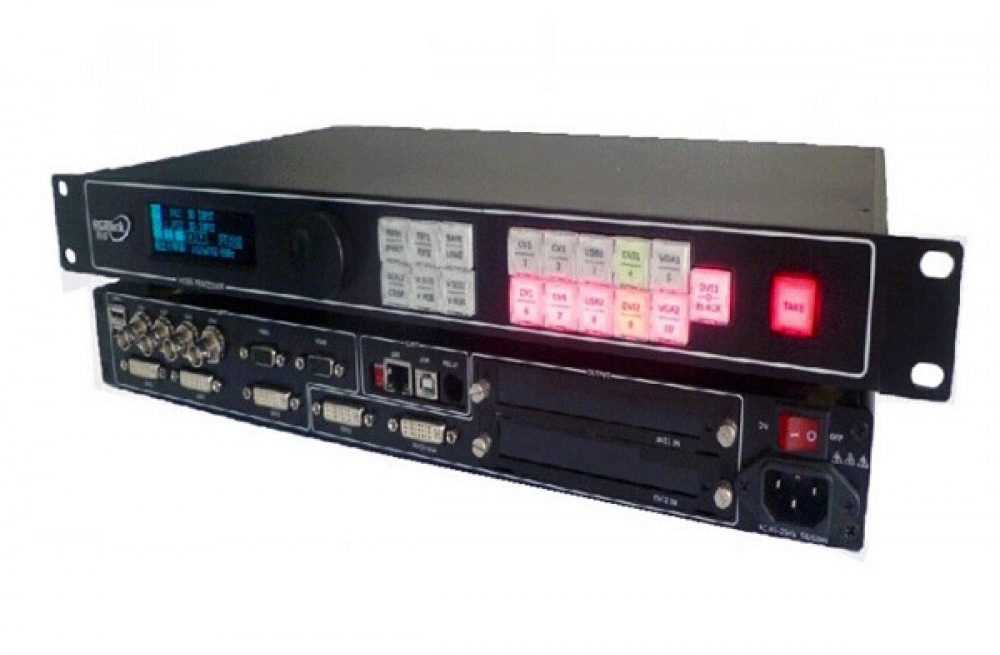
| Operation | Front-panel buttons and adjustment knob |
Standard, Wi-Fi and SDI Versions
- AMS-MVP300: standard model with the five inputs listed above.
- AMS-MVP300W: version with Wi-Fi wireless projection expansion.
- AMS-MVP300S: version with SDI input/output expansion, including the documented loop-out function.
Wi-Fi and SDI are optional, version-dependent features. Do not assume they are included with the standard unit. The specification sheet uses inconsistent channel-count wording in its summary; its detailed connection descriptions identify five standard inputs and two DVI video outputs.
Video Processing and On-Site Control
Use the input controls to change sources and the adjustment knob to configure the image. The processor offers selectable output resolutions and point-to-point adjustment, helping match the output to the connected system. Check the sending card’s supported resolution and the LED screen’s pixel layout before choosing an output mode.
Black screen and freeze controls support presentation changes, while keypad lock helps prevent accidental adjustments. Ten user presets allow saved configurations to be recalled for repeated setups. Parameter settings are retained in EEPROM after power is switched off.
Image adjustment features include 24-bit scaling, brightness adjustment, 34-level gamma curves and ACC/ACM image filtering. Adjust these settings using the actual source and screen so the displayed image suits the installation.
Before You Order or Install
- List the source devices and identify which HDMI, DVI, VGA, composite AV or USB connections you need.
- Confirm the hardware version if the installation needs SDI or wireless projection.
- Check sending-card compatibility, screen dimensions in pixels and the required refresh rate. Video output resolution alone does not establish the complete LED system’s loading capacity.
- Confirm sending-card supply and installation requirements separately; processor specifications do not establish which accessories are included in the order.
For help checking the configuration, contact our team with the source type, screen pixel dimensions and sending-card model.
Frequently Asked Questions
What is the maximum output resolution of the AMS-MVP300?
The specified maximum is 1920 × 1080 at 60 Hz. Check that the connected sending card and display system support the selected output mode.
Does the standard MVP300 include SDI and Wi-Fi?
No. The specification identifies Wi-Fi expansion with the AMS-MVP300W and SDI expansion with the AMS-MVP300S. Confirm the exact version and fitted interfaces before ordering.
Can the AMS-MVP300 play content from a USB drive?
USB flash drive playback is supported. Check your intended file format with the supplied unit’s documentation before preparing playback content.
Where can I download AMS-MVP300 documentation?
The specification PDF below includes connection details, panel descriptions and model options. If you need an operating manual for a particular hardware version, contact our team to confirm the matching document.
AMS-MVP300 Product Images


Download the AMS-MVP300 Specification PDF
Amoonsky AMS-MVP300 LED Screen Video Processor Specification