Colorlight X12m LED Video Controller Overview
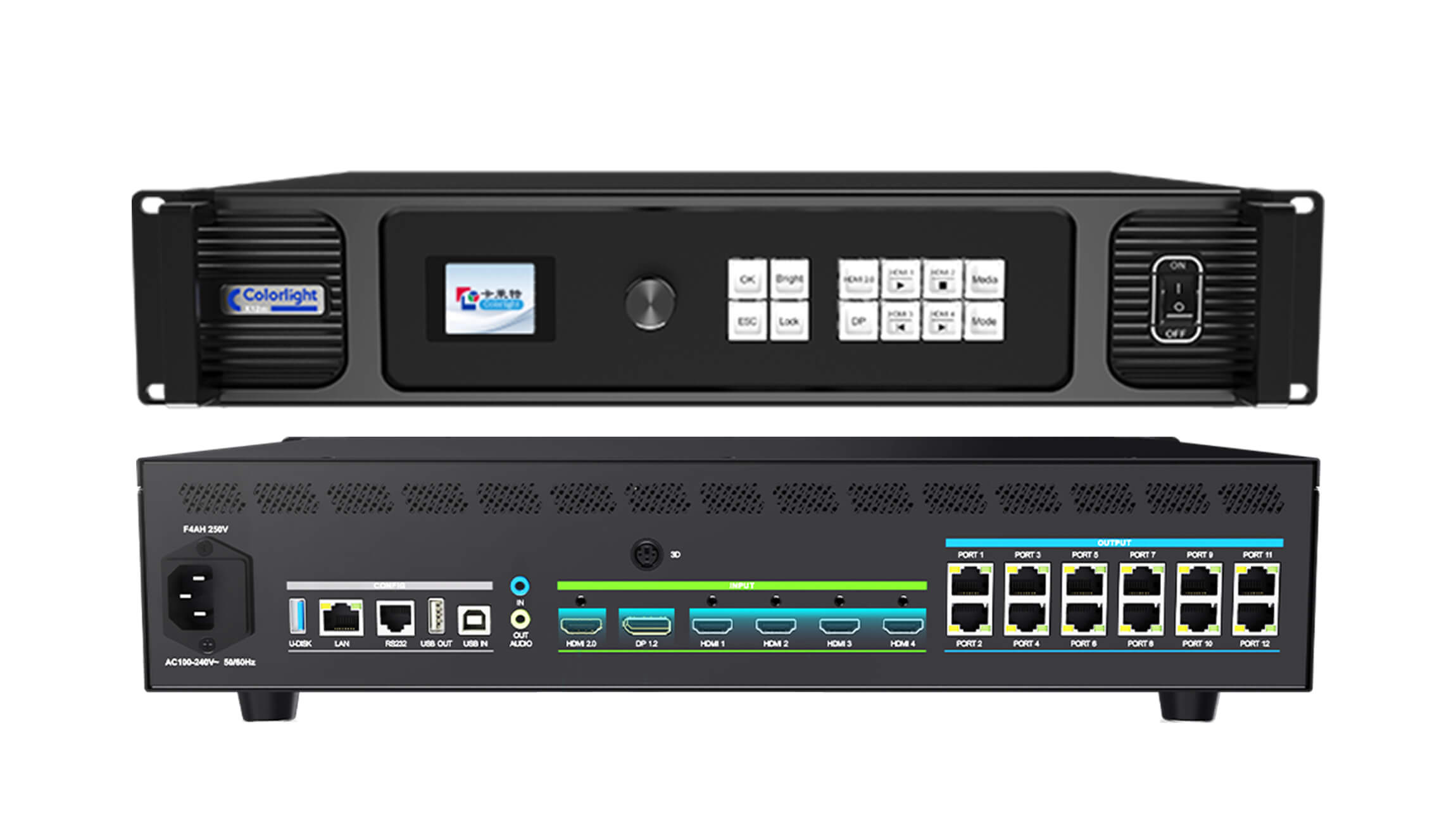
The Colorlight X12m combines video processing and LED sending through 12 Ethernet outputs. Its HDMI and DisplayPort inputs accept 4K sources, while adjustable windows let you arrange content for an LED wall. Use the specifications below to match the controller to your screen resolution, source devices and planned layouts.
Key Specifications
| Feature | Specification |
|---|---|
| 4K inputs | 1 × HDMI 2.0 and 1 × DP 1.2; up to 4096 × 2160 at 60 Hz |
| HD inputs | 4 × HDMI 1.4; up to 1920 × 1200 at 60 Hz |
| LED outputs | 12 × Gigabit Ethernet |
| Total loading | Up to 7.86 million pixels at 8-bit, 60 Hz |
| Canvas limits | Maximum width 16,384 pixels or height 8,192 pixels, within total capacity |
| Audio | Separate input/output; HDMI and DP audio decoding |
| Media and presets | USB image/video playback; 128 stored scenes |
| Control | Web, LAN, USB, RS232 and mobile app control |
Window Layouts and Playback
Window capacity depends on the input combination: up to six HD layers, five windows with one 4K source plus four HD sources, or two windows with two 4K sources. Windows can overlap, resize and crop, with a minimum size of 64 × 64 pixels. Save frequently used layouts as presets for quicker changes between presentation segments.
USB playback provides a way to show stored images and video. File compatibility depends on the codec and resolution, so check the linked specification against your actual media files before preparing a show. Independent audio connections help integrate external audio equipment.
Plan Your LED Screen Connection
- Count screen pixels. Multiply the physical LED wall width in pixels by its height, then check the required frame rate and port allocation.
- List your sources. Record each laptop, media server or other source, its connector and output resolution. Choose the window combination before finalizing the presentation layout.
- Check the receiving system. Confirm receiving card model, cabinet mapping and feature support. Color gamut adjustment requires compatible receiving cards; 3D and Bluetooth remote control are optional.
- Prepare the installation details. Share cabinet resolution, cabinet quantity, screen layout and cable plan when requesting a compatibility check.
For related hardware, browse our LED receiving cards or Colorlight products. Contact us with your screen specifications before ordering if the required configuration is uncertain.
Frequently Asked Questions
Can the X12m drive a full 3840 × 2160 LED wall?
A 3840 × 2160 wall contains 8,294,400 pixels, above the stated 7.86 million pixel capacity. Accepting a 4K input does not mean the controller can drive every pixel of that wall at its native resolution. Choose sufficient output capacity for the physical screen, or review a different system design.
Does X12m always support six windows?
No. Six is the maximum for an HD layer configuration. Adding 4K sources changes the available window count as described above. Plan the exact source combination for your event.
What should I check before buying?
Confirm total screen pixels, frame rate, receiving card compatibility, source connections and optional accessories. For a project quote, send these details through our contact page.
Product Image and Documentation
Download Specification:
Colorlight X12m LED Display Video Controller Specification
Manufacturer reference: Colorlight X12m/X8m product overview. The specifications above describe the X12m model.
Conclusion
Choose the Colorlight X12m when its output capacity, input connections and supported window combinations match your LED wall. Checking the complete screen configuration before purchase helps you select the right controller and receiving hardware together.