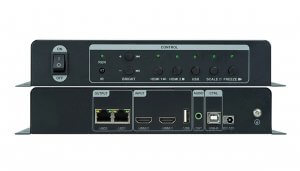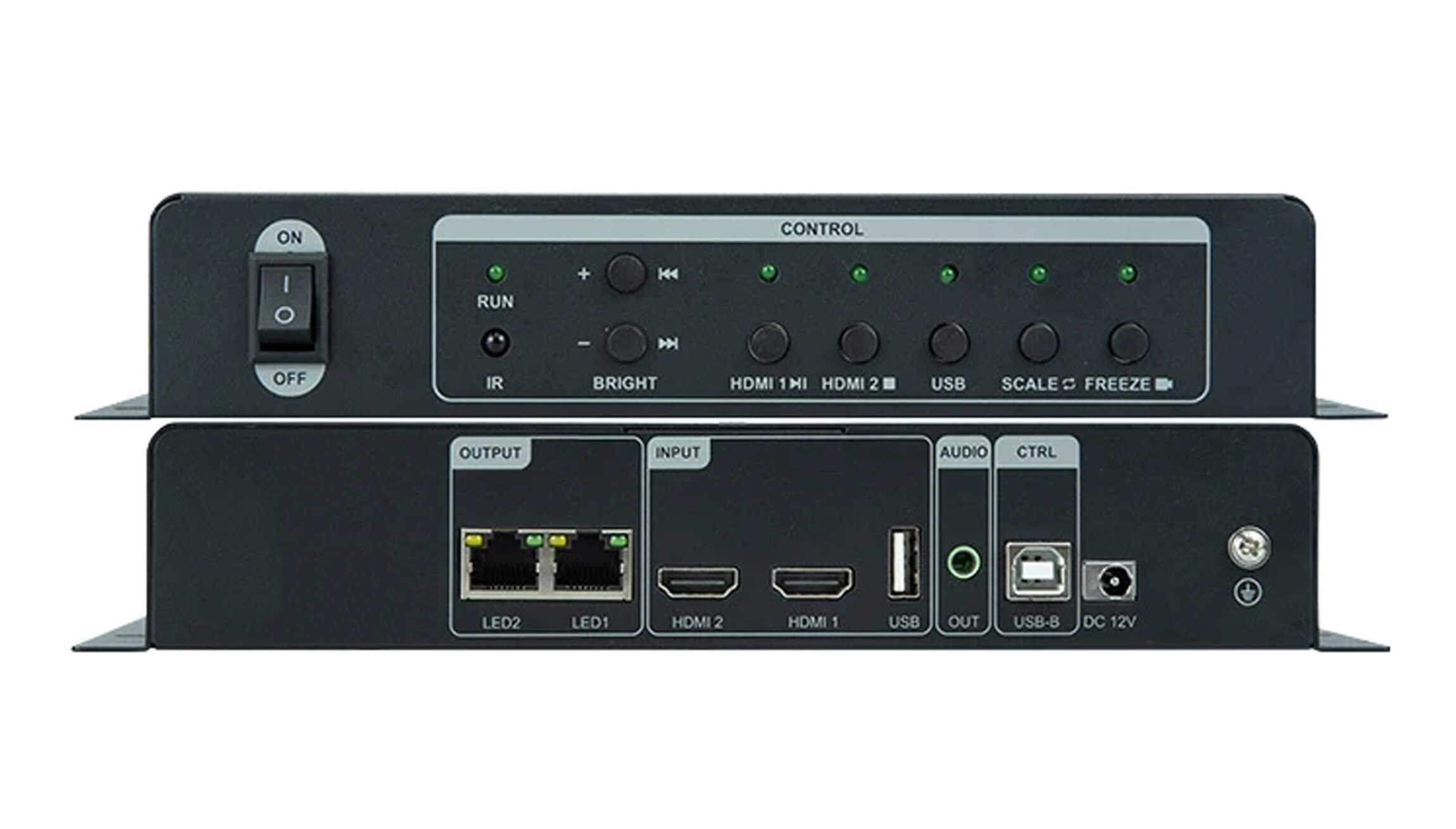
Huidu HD-KV210 LED Video Processor Overview
The Huidu HD-KV210, also known as the KV210, is a 3-in-1 LED display controller combining video processing, a sending function and USB media playback. Two HDMI inputs provide selectable live sources, while a USB flash drive provides local video or picture playback. Its two Gigabit Ethernet outputs connect to receiving cards, with a total LED loading capacity of up to 1.3 million pixels.
For a meeting room, shop or exhibition display, choose the source workflow first: use HDMI for live presentations or USB for prepared promotional content. Then check the actual screen resolution and receiving-card configuration before ordering.
HD-KV210 Specifications
| Item | Specification |
|---|---|
| HDMI inputs | 2 × HDMI; up to 1920 × 1080 at 60 Hz |
| USB playback | 1 × USB media input; video up to 1920 × 1080 at 30 Hz |
| LED outputs | 2 × Gigabit Ethernet ports to receiving cards |
| Total LED loading capacity | Up to 1.3 million pixels |
| Maximum dimensions | Width up to 3840 pixels or height up to 2500 pixels, within total loading capacity |
| Audio | Selectable HDMI audio; 1 × 3.5 mm TRS two-channel output |
| Configuration connection | USB-B connection to a computer |
| Remote control | Optional infrared remote |
Screen-sizing note: Maximum width and height are separate limits, not a supported 3840 × 2500 canvas. Multiply the screen width by its height to check total pixels, then check each output’s allocation. Accepting a 1080p source also does not mean the processor can drive a native 1920 × 1080 LED wall: that wall contains 2,073,600 pixels, above the stated total capacity.
Playback and Image Control
Switch between HDMI and USB sources from the front panel. Scale a source to the screen, use point-to-point display, or crop the input to suit the content. Brightness controls, image freeze and button lock help with everyday operation. The optional infrared remote offers another control method.
For USB playback, place compatible video or picture files in the drive’s root directory. Check both the media encoding and resolution before preparing a playlist; a familiar file extension alone does not guarantee compatibility.
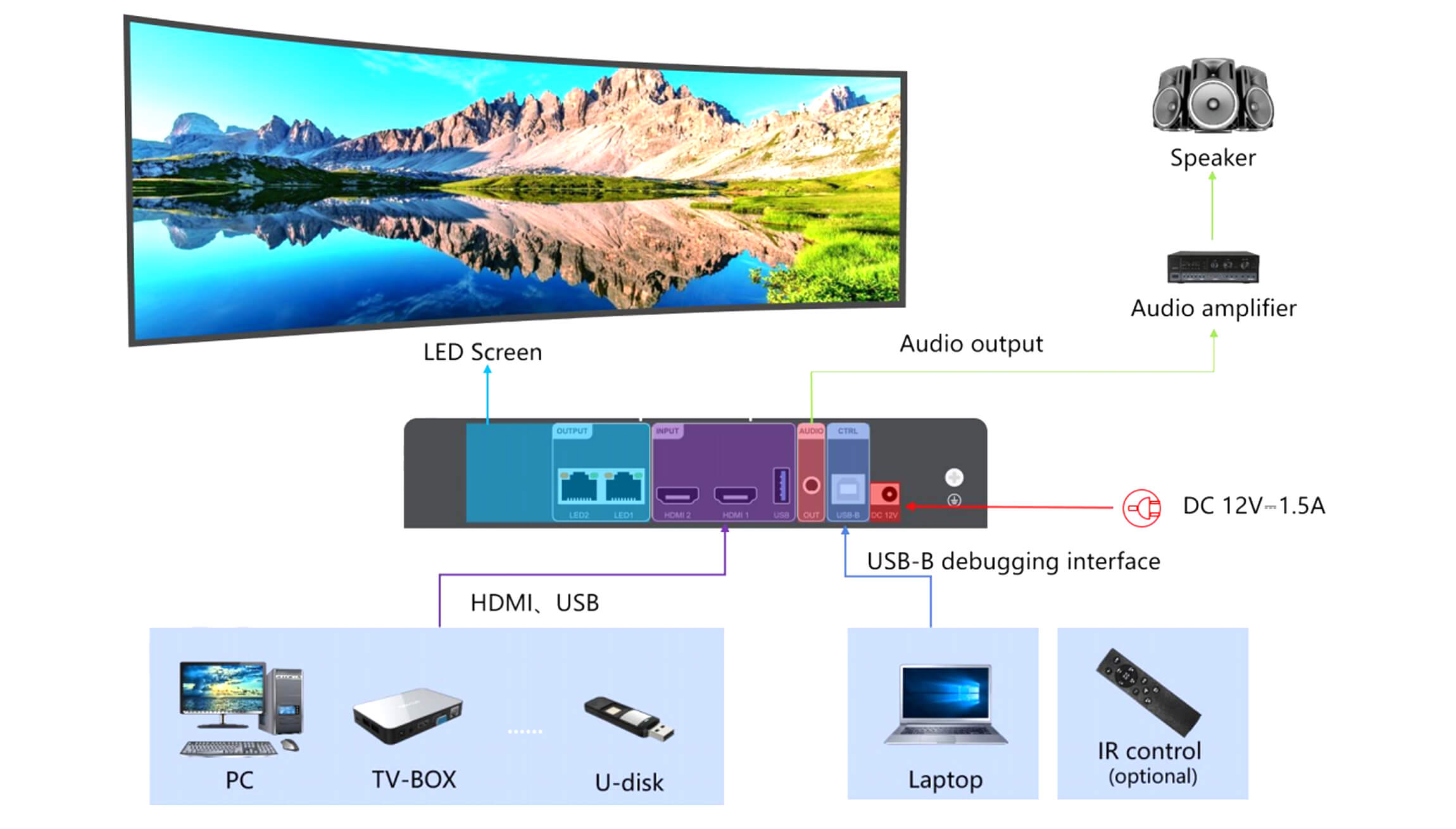
Connection Diagram
Planning Your LED Display Installation
- Record the screen’s pixel width and height, cabinet layout and receiving-card model.
- Plan the cabinet load on each Ethernet output; total capacity alone is not a complete wiring plan.
- Connect the chosen HDMI source or USB media, and configure the screen through the USB-B computer connection using HDSet.
- Check source selection, image mapping and audio before putting the display into service.
Browse our Huidu products or contact us with your screen resolution and receiving-card model for help checking the configuration.
Frequently Asked Questions
Does the HD-KV210 have two or four Ethernet outputs?
The HD-KV210 has two Gigabit Ethernet outputs. Use the exact model’s port count when planning cabinet connections.
Can the KV210 play content without a live HDMI source?
Yes. Its USB playback function handles compatible videos and pictures from a flash drive. A computer is used for screen configuration; a live HDMI feed is not required for USB playback.
Does a 3840-pixel maximum width mean 4K HDMI input?
No. Screen width, source resolution and total LED pixels describe different limits. HDMI input is specified up to 1920 × 1080 at 60 Hz.
Download the HD-KV210 Specification
Huidu HD-KV210 3-in-1 video processor specification (PDF)
Conclusion
The HD-KV210 suits projects that need selectable HDMI sources and local USB playback in one LED controller. Match the screen’s total pixel count, dimensions and output mapping to its limits before purchase.