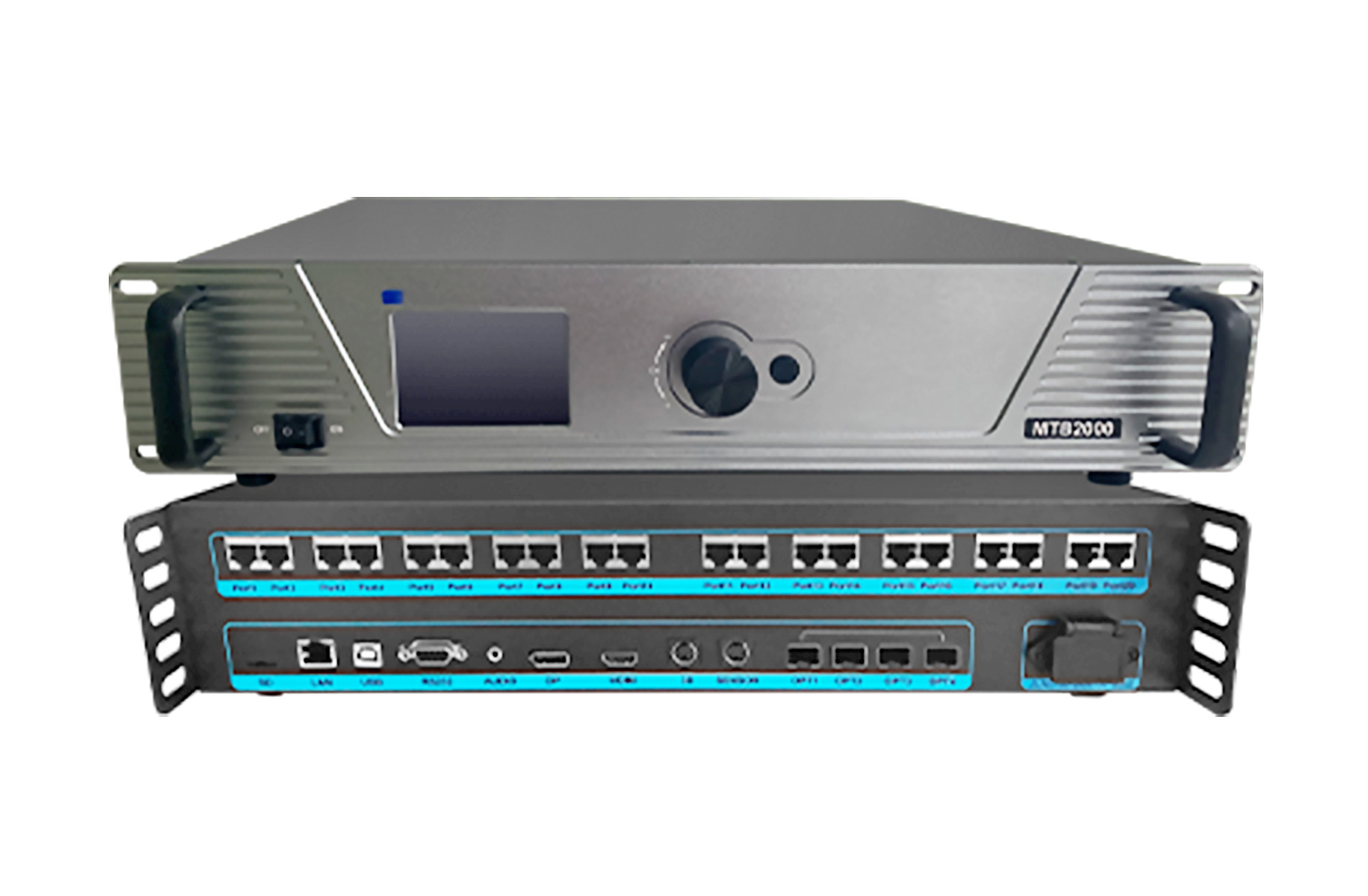
The Mooncell MTB2000 4K LED master controller receives HDMI 2.0 or DP 1.2 video and sends display data through Ethernet or optical connections. Its 20 Gigabit Ethernet outputs and four fiber ports provide connection options for larger LED installations.
MTB2000 specifications
| Parameter | Specification |
|---|---|
| Video inputs | 1 HDMI 2.0 and 1 DP 1.2 |
| Input resolution | Up to 3840 × 2160 at 60 Hz |
| LED Ethernet outputs | 20 Gigabit ports |
| Total load stated in PDF | 10.04 million pixels |
| Single-port load | 650,000 pixels with 8-bit input |
| Optical interfaces | 4 × 10G fiber ports |
| Fiber port allocation | OPT1/OPT2 main; OPT3/OPT4 subsidiary, as described in the manual |
| Audio input | 1 × 3.5 mm |
| Control interfaces | USB, RS232 and 100M LAN |
| Backup support | Network-port loop backup and dual-master backup |
| Power input / rated power | AC 100–240 V, 50/60 Hz / 70 W |
The linked PDF consistently states 10.04 million pixels for the whole unit. Keep this model-specific value separate from the 4K input resolution and from other MTB-series controllers.
System configuration and backup
Use the available PC and control interfaces to set the display layout and monitor operation. The controller supports preset and custom resolutions, network-loop backup and dual-master backup. Plan the source timing, receiving-card connections and backup routing together before commissioning the screen.
Frequently Asked Questions
Does the MTB2000 accept 4K at 60 Hz?
Yes. Both HDMI 2.0 and DP 1.2 inputs are specified for up to 3840 × 2160 at 60 Hz. Match the source output settings and cable connection to the selected input.
What pixel load is specified for the MTB2000?
The linked MTB2000 PDF states 10.04 million pixels for the entire unit. This value is reproduced as written and should not be replaced with a rating from MTB2000E or another model. Confirm the exact unit configuration for your screen.
Can the MTB2000 send video over optical fiber?
Yes. It has four 10G optical interfaces. The manual describes OPT1 and OPT2 as main ports and OPT3 and OPT4 as subsidiary ports. Confirm the matching optical equipment and connection plan.
How do I control or diagnose the MTB2000?
USB, RS232 and LAN provide communication options. The listed software functions include operating-status monitoring, configuration readback and Gigabit network error-rate detection.
Is 3D support standard on the MTB2000?
The PDF marks the 3D connector as reserved and requiring customization for the transmitter connection. Confirm the required configuration before ordering for 3D use.
Product photo and specification PDF
Manual Download: