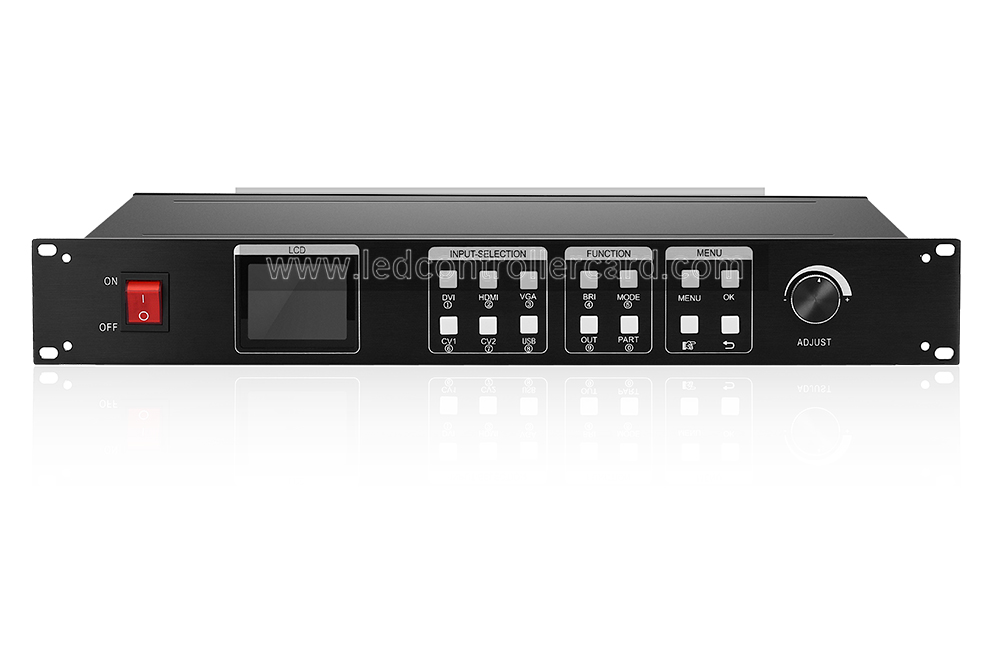
Kystar KS600PLUS 3-in-1 LED Display Controller
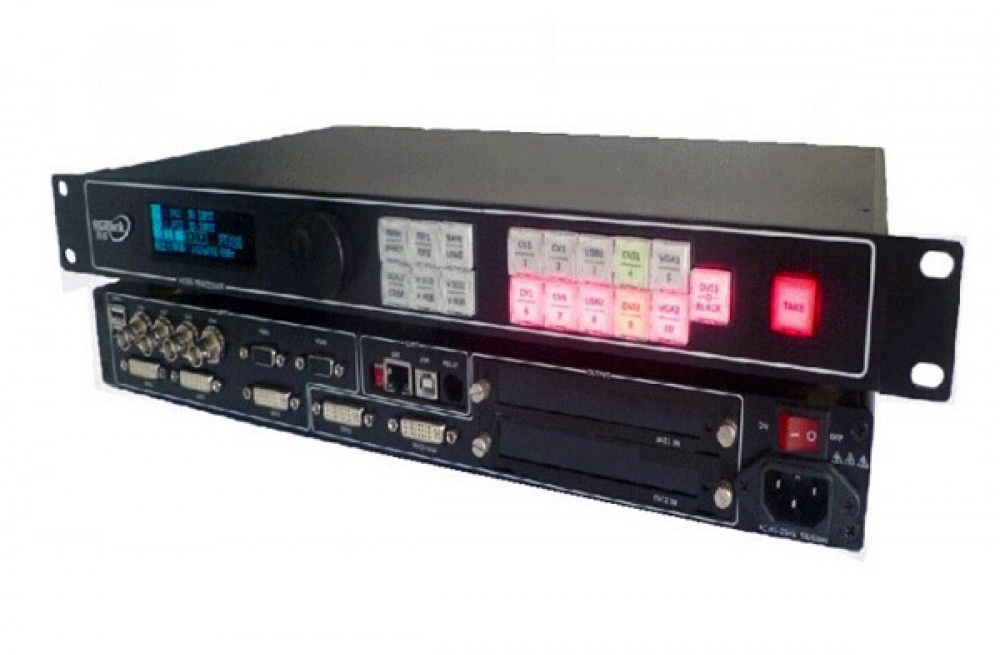
The Kystar KS600PLUS combines a video processor, an LED sender and an offline media player in one unit. It brings live video sources and USB media playback into a single LED display control workflow.
Production status: KS600PLUS is out of production. Before ordering a legacy unit or choosing a replacement, contact our team with your LED screen resolution, receiving-card model and required source connections.
Interfaces and Legacy Configuration Reference
The following connections and output details reflect this product’s original listing. Confirm the installed sending hardware, firmware and receiving-card combination for the actual unit before planning a screen.
| Item | Listed configuration |
|---|---|
| Core functions | Video processing, LED sending and offline media playback |
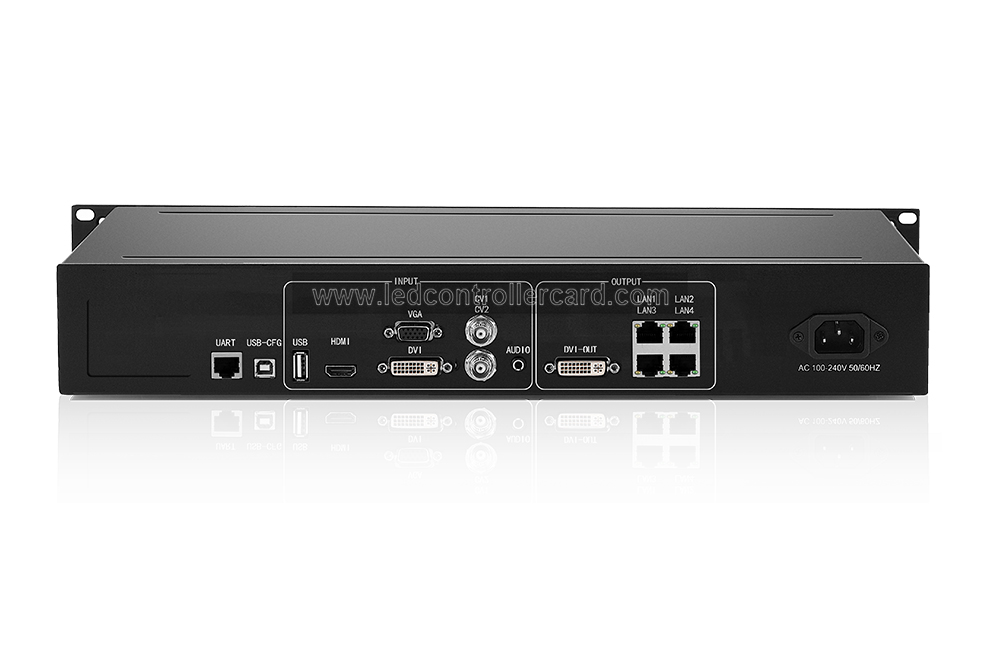
| Live video connections | 1 × HDMI, 1 × DVI, 1 × VGA and 2 × CVBS |
| Local media | 1 × USB connection for media playback |
| LED sending outputs | 4 output ports; confirm the fitted sender configuration |
| Screen resolution reference | 1920 × 1200 pixels in the original listing; verify the supported load and timing for your unit |
| Additional video output | Separate DVI output for a sending card or monitor |
Video Processing and Source Selection
Use HDMI or DVI for digital sources, VGA for an analog computer source, and CVBS for composite video. USB serves the media playback function; it should not be counted as another live HDMI-style video input. CVBS carries standard-definition composite video.
The original feature set includes fade transitions and adjustable picture scaling. These controls help fit source content to the LED screen. Source resolution, the processor’s output timing and the receiving-card pixel load are separate limits; confirm all three for your installation.
LED Sending and Receiving-Card Compatibility
The integrated sender connects processed content to the LED receiving system. The original listing names Linsn, Colorlight, NovaStar and Mooncell receiving cards, but compatibility must be checked for the specific card, sender and firmware. Do not assume every card from a named brand is interchangeable.
Screen setup without a PC is also described in the original listing. Confirm the available setup method on your unit and retain the existing screen configuration before replacing control equipment.
Offline USB Playback
The listed player functions include video and image playback from a USB drive, plus scheduled playback or signal switching. Confirm the required file format, codec and schedule options on the actual unit before relying on unattended playback.
Choosing a Replacement
- Record the screen width and height in pixels, receiving-card model and port mapping.
- List the live sources you need, especially whether VGA or CVBS must be retained.
- Specify whether USB playback and scheduled operation are required.
- Ask for a confirmed controller and receiving-card combination before changing the system.
Browse our Kystar controllers or discuss your requirements with our team. A suitable replacement depends on your screen and workflow.
Frequently Asked Questions
Is the Kystar KS600PLUS still in production?
No. This product is marked as out of production. Contact us to confirm any remaining availability or discuss a replacement.
Does KS600PLUS have a VGA connection?
Yes. The original interface listing includes one VGA input, alongside HDMI, DVI, two CVBS connections and USB playback.
Can I use the linked KS600 manual for every KS600PLUS setting?
Do not assume that. The retained PDF is labeled KS600. Check the exact model and hardware revision before applying specifications or setup instructions to a KS600PLUS.
Product Image and Related Manual
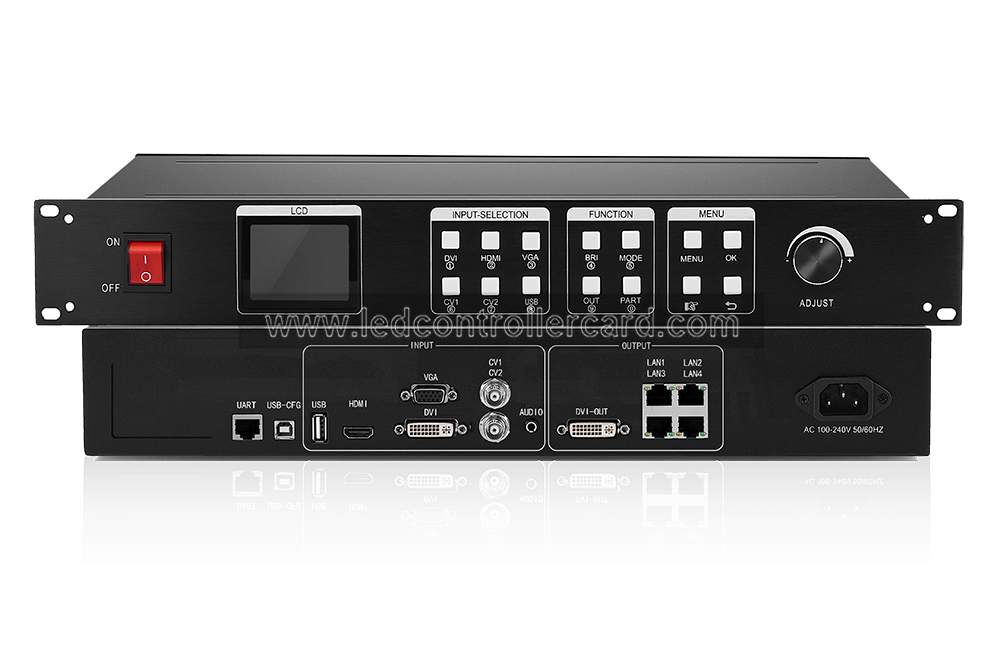
Download the related KYSTAR KS600 manual (PDF). This is a KS600 reference document, not a verified KS600PLUS specification sheet.
Conclusion
KS600PLUS combines LED video processing, sending and USB playback in a legacy controller. For an existing installation or a replacement, confirm the exact hardware, screen load and receiving-card compatibility first.