Kūlike NovaStar DH7512-S vs MRV328 (along with the 16-port DH7516-S and 8-port MRV208-N) boils down to how many HUB75E ribbon headers sit on the PCB and how many pixels one card needs to carry. Use an 8-port card e like me NovaStar MRV328 or MRV208-N (both up to 512 x 512 pixels) when your cabinet has 4 to 8 module rows; step up to the 12-awa NovaStar DH7512-S (up to 512 x 512 pixels at 8-bit) when an outdoor 960 x 960 mm (37.8 x 37.8 in) or tall indoor cabinet needs 9 to 12 HUB75E outputs without an extra hub board; and pick the 16-awa NovaStar DH7516-S when a dense fine-pitch or tall 16-row cabinet requires 16 direct ribbon feeds from a single receiver.
Open the back door of an LED wall installed three or four years ago, and there’s a fair chance the original receiving card silkscreen says MRV328, MRV308, MRV208-1, or non-S DH7512. Because chip supply chains shifted and NovaStar updated several standard HUB75 receiving cards to newer -S a -N hardware revisions, maintenance techs constantly ask us the same question: “Can I drop a DH7512-S or MRV208-N into a single dead cabinet on an older wall without the replacement cabinet standing out like a sore thumb?”
Sometimes you can swap it in ten minutes. Sometimes a mismatch in scan-group pin mapping, NovaLCT version, or firmware brightness curves turns that one cabinet slightly pink or dim at 20% brightness. Evaluating NovaStar DH7512-S vs MRV328 before you pull out a screwdriver saves you from ordering an 8-port board for a 12-ribbon cabinet—or getting stuck at midnight with an older NovaLCT installation that refuses to detect a newer -S hardware ID. Let’s go through the exact pinout, port count, and .rcfgx rules that separate the DH series from the MRV series on a real service call.
1. Spec breakdown: NovaStar DH7512-S vs MRV328, DH7516-S, and MRV208-N
Unlike NovaStar’s high-density Armor series cards (such as the A10s Hoʻohui or A10s Pro, which plug into a cabinet hub backplane via miniature board-to-board connectors), every card in a NovaStar DH7512-S vs MRV328 comparison has standard 16-pin HUB75E male headers soldered directly onto the board. You plug your flat 16-conductor gray ribbon cables straight from the receiving card into the LED modules—no separate hub board required.
| Receiving Card Model | Onboard HUB75E Ports | Nā Pūʻulu ʻIkepili RGB | Max Pixel Capacity (8-Bit @ 60 Hz) | Ana (L x W) | Best Cabinet Match & Lifecycle Note |
|---|---|---|---|---|---|
| NovaStar DH7512-S | 12 x HUB75E poʻomanaʻo | 24 groups parallel RGB | Up to 512 x 512 px (262,144 px) | 145.6 x 91.5 mm (5.73 x 3.60 i) | Current 12-port workhorse replacing original DH7512 on 6-to-12-row cabinets |
| NovaStar DH7516-S / DH7516 | 16 x HUB75E poʻomanaʻo | 32 groups parallel RGB | Up to 512 x 512 px (262,144 px) | 145.6 x 91.5 mm (5.73 x 3.60 i) | 16-row fine-pitch or tall outdoor cabinets where each module needs a dedicated ribbon |
| NovaStar MRV328 | 8 x HUB75E poʻomanaʻo | 16 groups parallel RGB (expandable to 24/32 per mode) | Up to 512 x 512 px (262,144 px) | 145.6 x 91.5 mm (5.73 x 3.60 i) | Classic 8-port rental and fixed-install card with pixel-level calibration support |
| NovaStar MRV308 | 8 x HUB75E poʻomanaʻo | 16 groups parallel RGB | Up to 256 x 256 px (65,536 px) | 145.6 x 91.5 mm (5.73 x 3.60 i) | Legacy 8-port card commonly found in older P3.91, P4.81, and P6 cabinets |
| NovaStar MRV208-N / MRV208-1 | 8 x HUB75E poʻomanaʻo | 16 groups parallel RGB | Up to 512 x 512 px (MRV208-N) / 256 x 256 px (MRV208) | 145.6 x 91.5 mm (5.73 x 3.60 i) | Cost-effective current 8-port replacement for standard 4-to-8-row commercial cabinets |
01. Why HUB75E matters on modern 1/32-scan and 1/64-scan modules
Notice that all of these boards specify HUB75E rather than older HUB75A or HUB75B. Standard 16-pin HUB75 uses pins 1–6 for two sets of RGB data (R1, G1, B1, R2, G2, B2), pins 13–15 for row-address lines (A, B, C, D), plus clock (CLK), latch (LAT), and output enable (OE). When indoor fine-pitch modules (like P1.86, P2.0, and P2.5) moved from 1/16 scan to 1/32 scan and 1/64 scan, they needed a fifth row-address line—Pin 8 (E line), which used to be tied to ground on older 1/16-scan outdoor modules. Every board in our NovaStar DH7512-S vs MRV328 lineup supports the E address pin on HUB75E, so it drives both 1/4-to-1/16 scan outdoor modules and 1/32-to-1/64 scan indoor modules without an adapter.
2. Why 8-port, 12-port, and 16-port HUB75E counts dictate cabinet wiring
A lot of buyers look at the 512 x 512 pixel rating on both the 8-port MRV328 and the 12-port DH7512-S and ask: “If both cards hold 512 x 512 pixels, why would I ever need 12 or 16 HUB75E ports?”
Because pixel total is only half the story. Inside an LED cabinet, you try to avoid chaining more than 2 or 3 LED modules on a single flat ribbon cable, and many indoor fine-pitch modules don’t allow vertical ribbon daisy-chaining at all—each module (or each horizontal pair of modules) demands its own dedicated HUB75E plug on the receiving card.
| Cabinet Size & Module Grid | Nui Module | Typical Ribbon Topology | HUB75E Ports Needed | Best Receiving Card Match |
|---|---|---|---|---|
| 500 x 500 mm (19.7 x 19.7 i) — 2 wide x 4 high (8 modules) | 250 x 125 mm | 1 port per horizontal pair (4 rows) OR 1 port per module (8 modules) | 4 a i ʻole 8 mau awa | MRV328 or MRV208-N (8 ports) |
| 640 x 640 mm (25.2 x 25.2 i) — 2 wide x 4 high (8 modules) | 320 x 160 mm | 1 dedicated port per module (zero module-to-module ribbon jump) | Nā kahawai 8 | MRV328 or MRV208-N (8 ports) |
| 960 x 960 mm (37.8 x 37.8 i) — 3 wide x 6 high (18 modules) | 320 x 160 mm | 1 port per 3-module horizontal row (6 ports) OR 2 ports per row for high refresh (12 ports) | 6 a i ʻole 12 mau awa | NovaStar DH7512-S (12 ports) |
| 640 x 960 mm (25.2 x 37.8 i) — 2 wide x 6 high (12 modules) | 320 x 160 mm | 1 dedicated HUB75E ribbon to every single module (12 modules) | Nā kahawai 12 | NovaStar DH7512-S (12 ports) |
| 640 x 1,280 mm (25.2 x 50.4 i) — 2 wide x 8 high (16 modules) | 320 x 160 mm | 1 dedicated HUB75E ribbon to every single module (16 modules) | Nā kahawai 16 | NovaStar DH7516-S (16 ports) |
Look at that 960 x 960 mm (37.8 x 37.8 in) outdoor P4 cabinet in row three of the table: it holds 18 modules (3 columns x 6 rows, 240 x 240 = 57,600 pixels per cabinet). If you wire one ribbon across all three modules in a row, you only use 6 ports. But on high-refresh 3,840 Hz outdoor P3.91 or P4 modules where each module draws two RGB data groups—or where chaining 3 modules wide drops refresh rate—splitting each row across two HUB75E headers uses Nā kahawai 12. That is why in a NovaStar DH7512-S vs MRV328 cabinet audit, the 12-port DH7512-S is ubiquitous inside 960 x 960 mm cabinets, whereas the 8-port MRV328 dominates 500 x 500 mm (19.7 x 19.7 in) and 640 x 640 mm (25.2 x 25.2 in) four-row rental panels.
01. Why keeping ribbon runs short matters in a NovaStar DH7512-S vs MRV328 layout
Whenever a technician tries to force an 8-port card into a tall 12-row cabinet by daisy-chaining 4 or 5 LED modules onto a single flat HUB75E ribbon cable, two things degrade right away: first, the scan refresh rate and grayscale depth drop because one RGB data group is now time-sharing across twice as many pixels; second, the 16-pin ribbon cable acts like an unshielded antenna inside the cabinet. Above roughly 600 to 800 mm (23.6 to 31.5 in) of ribbon travel, clock (CLK) and data edges skew relative to each other, producing faint ghosting trails or random sparkling dots on the last module in the chain. Matching the physical port count in your NovaStar DH7512-S vs MRV328 selection lets every ribbon run stay under 400 to 500 mm (15.7 to 19.7 in) from the card to the module input header.
3. Inside the NovaStar DH7512-S and DH7516-S: built for high-row cabinets without hub cards
When NovaStar rolled out the DH series (DH7512-S, DH7512, DH7516-S, a DH7516), the goal was simple: pack 12 or 16 HUB75E headers onto the exact same 145.6 x 91.5 mm (5.73 x 3.60 in) PCB footprint as an 8-port MRV card while retaining pixel-level brightness/chroma calibration and quick-seam brightness adjustment in NovaLCT.
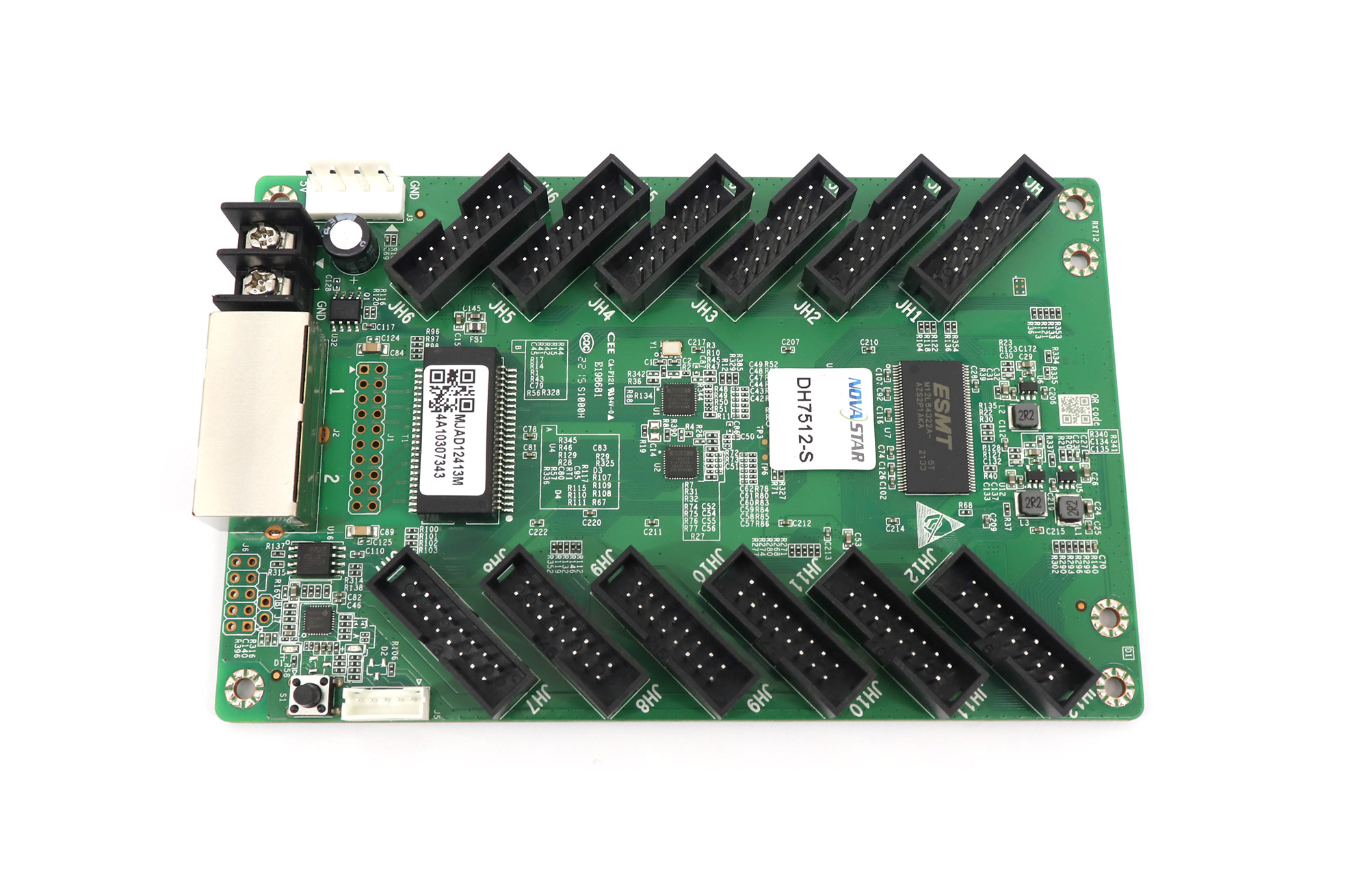
01. DH7512-S vs discontinued non-S DH7512
If your existing screen was built with the original non-S NovaStar DH7512 (now discontinued), the NovaStar DH7512-S is NovaStar’s direct pin-compatible successor. Both share the same 12-header physical layout (JH1 through JH12), dual auto-switching Gigabit RJ45 ports, 3.8 V to 5.5 V DC operating range (~2.5 W consumption), and up to 512 x 512 pixel loading at 8-bit 60 Hz.
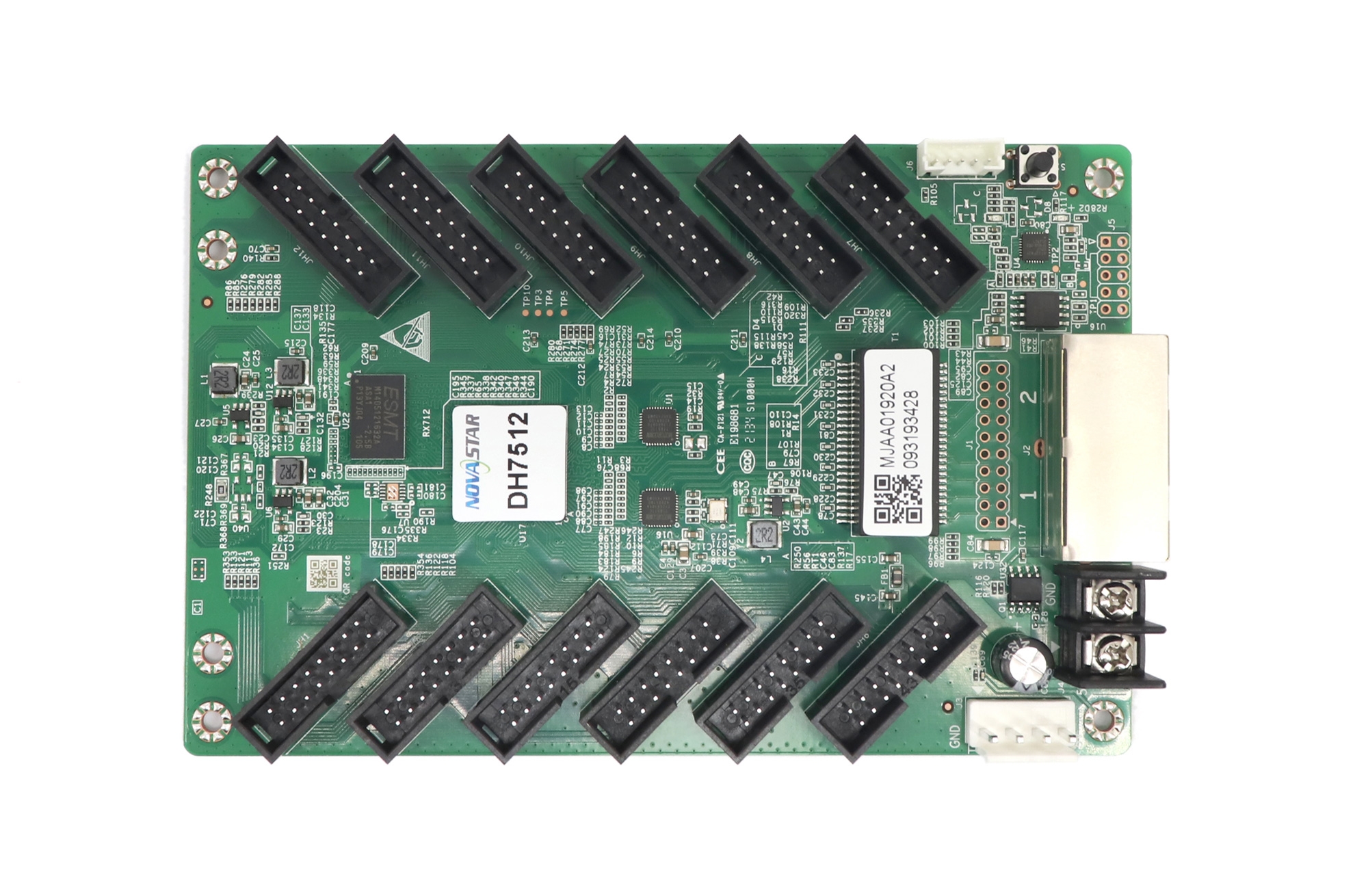
Two practical field habits when dropping a DH7512-S into an older DH7512 wall—or when weighing a NovaStar DH7512-S vs MRV328 spare-part swap on site:
- Update NovaLCT to v5.4.4.6 or v5.5.0+: Older copies of NovaLCT (such as v5.2.0 or v5.3.0) installed on an old control-room PC may not recognize the -S hardware ID properly until you upgrade NovaLCT from our ʻO ka ʻaoʻao hoʻoiho polokalamu NovaStar.
- Read back .rcfgx from a healthy neighboring cabinet: Never click “Send to All Receiving Cards” with a guessed configuration file. In NovaLCT, go to Screen Configuration → Receiving Card → Read from Receiving Card, pick a working cabinet coordinates (for example, Column 1, Row 1), and push that exact .rcfgx exclusively to the replaced cabinet’s coordinate.
- Check power-rail sag under full-white test patterns: Both boards in a NovaStar DH7512-S vs MRV328 comparison are rated for 3.8 V to 5.5 V DC, but if a corroded VH4 plug or overloaded 5 V power supply drops below 4.2 V when the wall hits full white, the receiving card’s Gigabit PHY chip can momentarily lose link lock and drop downstream cabinets. Always measure DC voltage at the receiving card’s screw terminals while displaying a white test screen.
02. When to step up to the 16-port DH7516-S
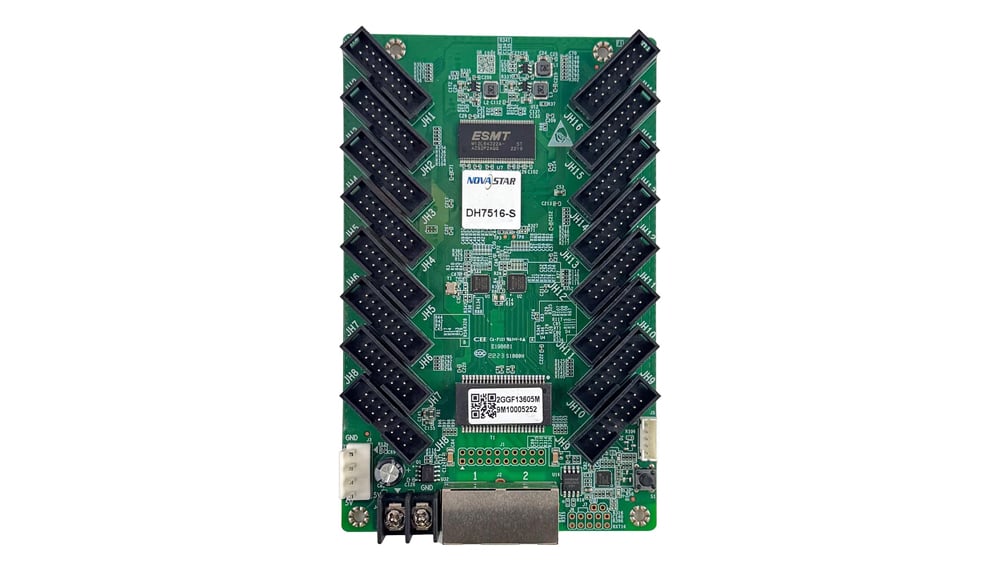
On 16-module-high cabinets—or 640 x 640 mm (25.2 x 25.2 in) fine-pitch P1.56 / P1.86 walls where every single 320 x 160 mm module needs two RGB data groups and zero module-to-module daisy-chaining—the 16-port NovaStar DH7516-S (replacing the original DH7516) gives you 16 x HUB75E poʻomanaʻo (JH1–JH16, 32 RGB data groups) on a single board.
4. Inside the NovaStar MRV328, MRV308, and MRV208-N family
Now let’s look at the other half of a NovaStar DH7512-S vs MRV328 comparison: the 8-port MRV family. For standard 500 x 500 mm (19.7 x 19.7 in), 500 x 1,000 mm (19.7 x 39.4 in), and 640 x 640 mm (25.2 x 25.2 in) rental and commercial fixed panels that only need up to 8 x HUB75E ports (JH1–JH8), the MRV series has been the industry staple for years.
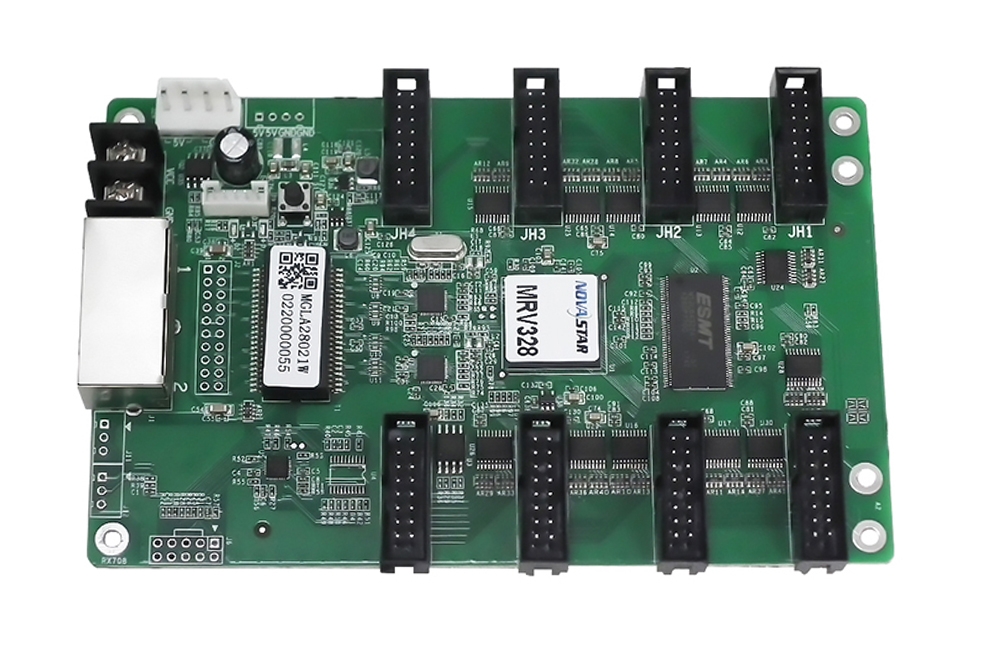
01. MRV328 vs MRV308: why pixel ceiling and calibration differ
Technicians frequently confuse the NovaStar MRV328 with the older NovaStar MRV308 because both carry 8 HUB75 headers along the right edge. Underneath, the MRV328 doubles maximum loading from 256 x 256 pixels (on MRV308) up to 512 x 512 pixels, adds full pixel-by-pixel brightness and chroma calibration, supports quick dark/bright seam correction, and includes onboard temperature and supply-voltage readback plus bit-error-rate network diagnostics.
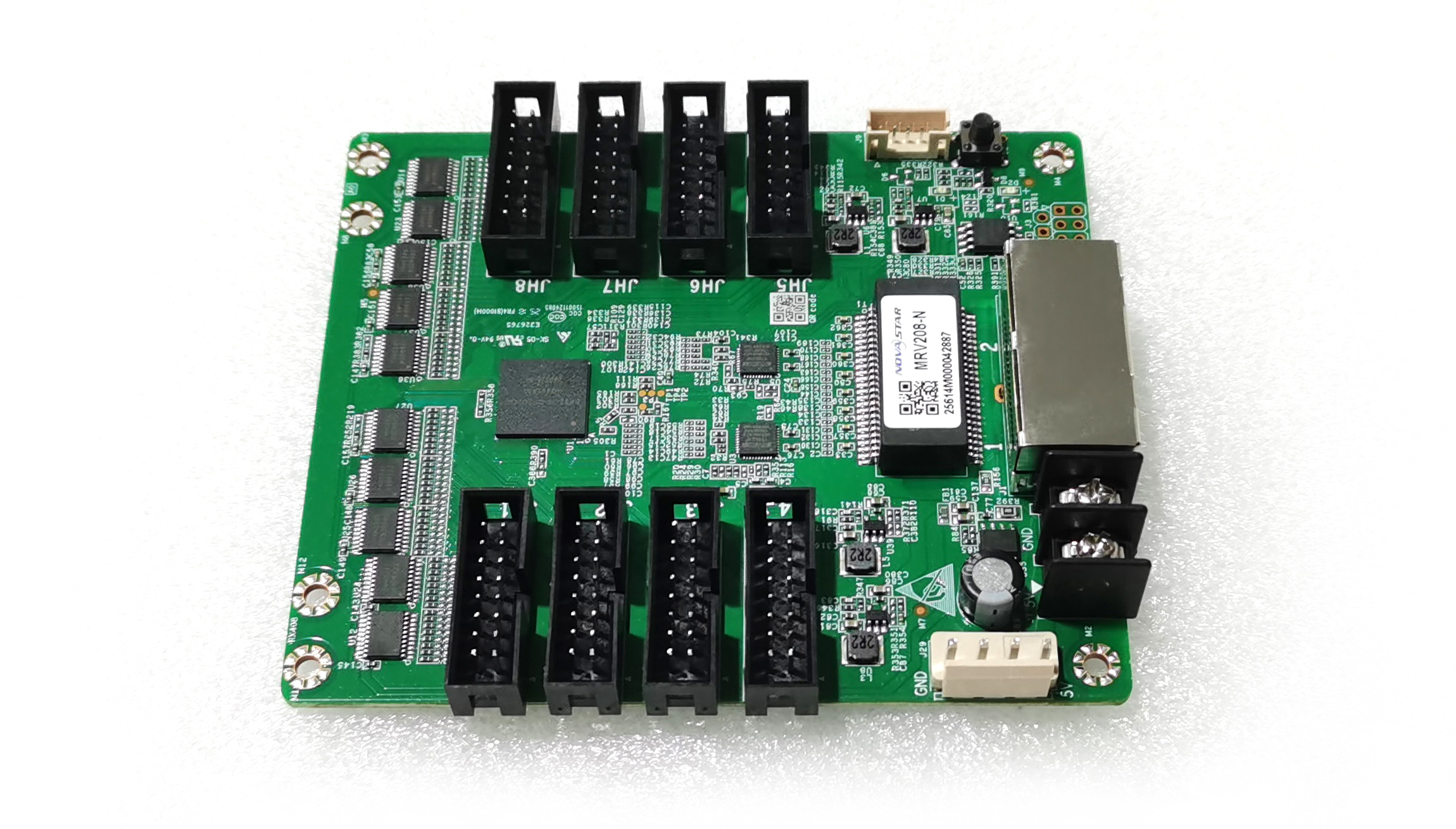
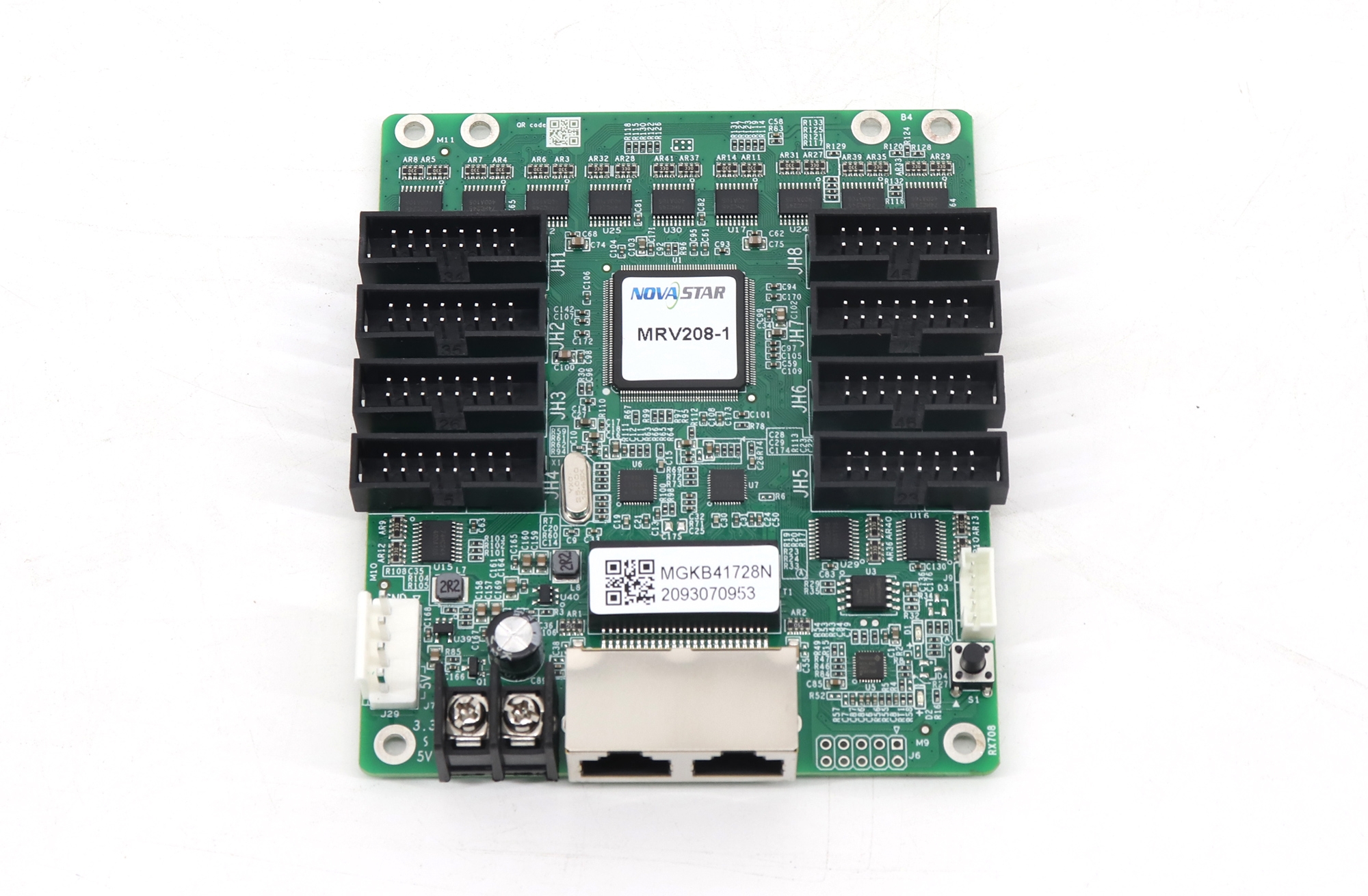
02. MRV208-N and MRV208-1: the 8-port commercial workhorses
When a commercial display doesn’t require the specialized multi-card backup or high-tier rental features of an Armor card, the NovaStar MRV208-N (and its sibling MRV208-1, evolved from the earlier 256 x 256 MRV208) hāʻawi 512 x 512 pixel capacity across 8 x HUB75E ports at a lower cost per cabinet.
All MRV and DH receiving cards pair cleanly with any standard NovaStar synchronous controller (such as the VX400 Pro, VX600 Pro, VX1000 Pro, or VX2000 Pro), smart conference processor (TU15 Pro, TU20 Pro, or TU4K Pro), or asynchronous Taurus player (TB20, TB40, or TB60). When rental shops stock spare drawers for touring crews, keeping a small batch of both models from our NovaStar DH7512-S vs MRV328 breakdown—specifically 12-port DH7512-S boards for 960 mm outdoor frames and 8-port MRV328 or MRV208-N boards for 500 mm die-cast rental panels—covers nearly 90% of standard ribbon-cabled cabinets without tying up budget in board-to-board Armor cards. In any NovaStar DH7512-S vs MRV328 bench test, remember to label your backup .rcfgx files clearly by cabinet batch and driver IC (such as ICN2038S, ICN2153, or MBI5124), since two identical-looking P3.91 cabinets bought a year apart often use different PWM driver chips that require completely different .rcfgx timing files.
5. Field replacement rules: swapping discontinued DH7512, MRV328, or MRV208 cards on an existing wall
Can you use a 12-port DH7512-S to replace a broken 8-port MRV328 or MRV208-1 in an emergency? Or put an 8-port card where a 12-port card used to sit? Keep four shop-tested rules in mind whenever you’re weighing a NovaStar DH7512-S vs MRV328 cross-replacement on an existing LED wall:
- You can leave extra HUB75E ports empty on a 12-port card, provided port numbering and .rcfgx mapping match: If a cabinet only uses 8 ribbon cables (JH1–JH8) and you install a 12-port DH7512-S in place of an 8-port MRV card, ports JH1 through JH8 can drive the 8 ribbon lines while JH9–JH12 remain unconnected. However, you must load the working .rcfgx configuration file in NovaLCT and verify that the RGB data group assignment (Group 1–16) maps to JH1–JH8 in the exact same order.
- You cannot replace a 12-ribbon cabinet card with an 8-port MRV328 unless you re-chain the modules: If the cabinet physically has 10 or 12 HUB75E ribbon cables plugged into the old card, an 8-port MRV328 or MRV208-N simply doesn’t have enough headers. Order a 12-port DH7512-S (or 16-port DH7516-S).
- Check calibration coefficients on fine-pitch indoor walls: If your indoor wall had camera-based pixel-level calibration turned on inside NovaLCT, swapping in a brand-new receiving card will leave that one cabinet uncalibrated (or holding blank calibration memory), making its color temperature look slightly different from the 50 cabinets around it. Either disable calibration temporarily to test, upload the cabinet’s backed-up calibration coefficient database, or use NovaLCT’s Adjust Brightness of Mismatched Cabinets / Seam Correction tool to blend it in.
- Always click “Save to Hardware” after sending the .rcfgx: Pushing an .rcfgx file in NovaLCT loads it into volatile RAM first so you can preview the image. If you close your laptop without clicking Save to Hardware (Save), the replaced cabinet will scramble or go black the moment the venue turns off the main breaker at night. (Need common .rcfgx backups? Check our NovaStar RCFG and RCFGX file download library.)
6. Bench walkthrough: reading back and loading RCFGX files in NovaLCT
The video above walks through the exact NovaLCT screen sequence (admin login unlock → Hoʻonohonoho pale → Kāleka Loaʻa pā → Load from File or Read from Receiving Card → Send to Receiving Card → Save) that every field tech uses after swapping a DH7512-S, DH7516-S, or MRV328 board.
Pinepine ninau ninau
What is the practical difference in a NovaStar DH7512-S vs MRV328 comparison?
Both cards handle up to 512 x 512 pixels at 8-bit 60 Hz and share the same 145.6 x 91.5 mm (5.73 x 3.60 in) mounting footprint, but the NovaStar DH7512-S hoʻolako 12 onboard HUB75E ports (24 RGB data groups) whereas the NovaStar MRV328 hoʻolako 8 onboard HUB75E ports (16 standard RGB data groups). Choose the MRV328 (or MRV208-N) for 4-to-8-ribbon cabinets, and choose the DH7512-S for 9-to-12-ribbon cabinets such as 960 x 960 mm outdoor enclosures.
Can I replace an original discontinued DH7512 directly with a DH7512-S on an existing LED screen?
Yes. The DH7512-S is NovaStar’s official replacement for the discontinued non-S DH7512. Make sure your control PC runs a current release of NovaLCT (v5.4.4.6 or v5.5.0+), read back the .rcfgx file from a working DH7512 cabinet on the same screen, send it strictly to the new DH7512-S cabinet coordinate, and save to hardware.
What do the green and red LED indicator blinks on a NovaStar DH or MRV receiving card mean?
ka red LED (Power) should stay solid whenever clean 5 V DC power reaches the board. The green LED (Status/Data) tells you what the Ethernet link is doing: fast blinking (roughly 4–5 times per second) means normal video data is arriving from the sending card; slow blinking (once every ~1–2 seconds) means no Ethernet signal or cable disconnected; blinking 3 times with a pause means Ethernet cable connected (or backup loop active) but no video input source is locked on the sending controller.
Are the two Gigabit Ethernet ports on a DH7512-S or MRV328 directional (Input vs Output)?
No. Both Gigabit RJ45 ports on a NovaStar DH7512-S, DH7516-S, MRV328, or MRV208-N are auto-sensing bidirectional ports. You can plug the incoming Cat5e/Cat6 cable from the sending card (or previous cabinet) into either RJ45 jack and use the remaining jack to daisy-chain out to the next cabinet.
Can a NovaStar DH7512-S or MRV328 work with a Colorlight, Huidu, a Linsn kāleka hoʻouna?
No. NovaStar receiving cards only communicate with NovaStar sending controllers, VX/MX video processors, TU conference processors, and Taurus TB media players. For cross-brand compatibility rules, check our Alakaʻi kāleka loaʻa LED vs. alakaʻi kāleka hoʻouna a NovaStar vs Colorlight vs Huidu alakai.
What to check on your broken card before ordering replacements
Before placing a spare-part order in a NovaStar DH7512-S vs MRV328, DH7516-S, or MRV208-N repair, take thirty seconds with your phone flashlight inside the open cabinet and record five things: a clear photo of the existing receiving card showing its white barcode sticker and exact silkscreen model (DH7512, DH7512-S, MRV328, MRV308, MRV208-1), how many flat HUB75E ribbon cables are actually plugged into the board (8, 12, or 16), the model of your NovaStar sending box or video processor in the rack, whether you already have a saved backup of the screen’s .rcfgx file, and whether the cabinet’s 5 V power supply is outputting a steady 4.9 to 5.1 V DC (since a dying 5 V power supply often mimics a bad receiving card).
If you’re not sure which current NovaStar revision replaces an older discontinued card in your wall, send a photo of your existing receiving card and cabinet label through our contact page so our bench technicians can verify compatibility before shipping. And if an aging wall has suffered enough water or lightning damage that replacing full cabinets makes more sense than swapping individual boards, you can compare complete indoor, outdoor, and rental LED displays over at EagerLED.