
Quick answer: An LED display for business is a modular digital screen used to attract attention, communicate information, and show scheduled or live content. The right system depends on location, viewing distance, ambient light, content type, installation conditions, and the control equipment behind the screen.
Businesses use LED displays because they remain visible at scale, can be updated quickly, and work in formats that ordinary televisions cannot cover. A well-specified screen can support advertising, wayfinding, menus, presentations, safety notices, live events, and internal communication from one centrally managed platform.
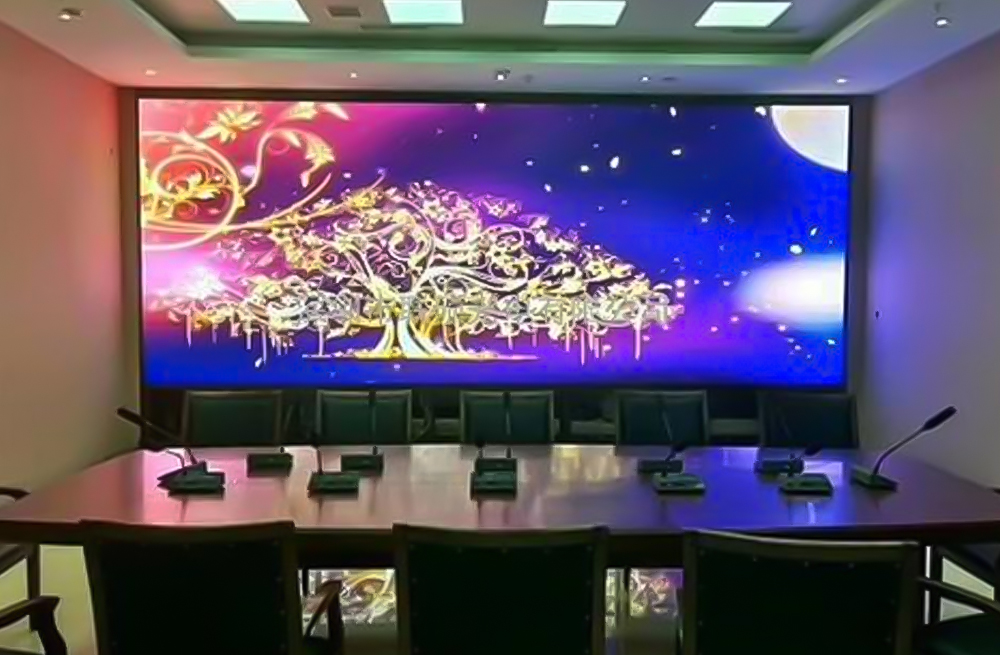
What Is a Business LED Display?
An LED display for business use is a direct-view screen made from LED modules, cabinets, power supplies, receiving cards, and a controller or video processor. Multiple cabinets can be combined into a custom size or aspect ratio. Unlike an LCD video wall, a direct-view LED screen does not need visible bezels between panels, which makes it suitable for large, continuous images.
Indoor and outdoor systems use the same basic display principle but are engineered for different conditions. Indoor screens prioritize fine pixel pitch and close viewing. Outdoor screens require higher brightness, weather protection, durable cabinets, and thermal management.
Why Businesses Use LED Displays
- High visibility: Bright, large-format content is easier to notice in busy stores, venues, lobbies, and public spaces.
- Fast content updates: Promotions, schedules, prices, announcements, and alerts can be changed without printing new signs.
- Flexible formats: Modular cabinets support standard 16:9 screens, wide banners, columns, curved layouts, and large video walls.
- Centralized control: One operator can schedule content for a single display or a network of screens when the control system supports remote management.
- Multiple uses: The same screen can move between advertising, live video, presentations, wayfinding, dashboards, and internal messages.
An LED display should complement, not replace, required alarms, signs, or other safety systems. For urgent communication, connect display procedures to the organization’s approved emergency plan.
Common LED Display Applications by Industry
Retail Stores and Shopping Centers
Retailers use window screens, in-store video walls, shelf-area displays, and large atrium screens to present campaigns and product information. For a storefront exposed to strong daylight, brightness and reflection control matter as much as pixel pitch. Indoor locations can use a fine-pitch indoor SMD LED display when customers will stand close to the screen.
Corporate Offices and Education
Reception displays can show brand content and visitor information, while meeting-room screens can present dashboards, video, and event feeds. In staff areas or campuses, scheduled messages can reduce reliance on long emails for routine announcements. Content should still be accessible through other channels for people who cannot see the display.
Hotels, Restaurants, and Event Venues
LED screens can serve as digital menu boards, event backdrops, ballroom displays, welcome boards, and directional signs. Venues benefit from systems that accept several video inputs and switch sources quickly without interrupting the audience experience.
Transportation and Public Spaces
Airports, stations, control rooms, and civic facilities use LED displays for schedules, operational information, wayfinding, and public notices. These projects often require redundancy, around-the-clock operation, controlled brightness, and easy front or rear maintenance.
Sports and Entertainment
Arenas and stadiums use scoreboards, ribbon displays, replay screens, and stadium perimeter LED displays. Refresh rate, camera performance, impact protection, viewing angle, and reliable signal distribution are especially important in these environments.
Indoor vs. Outdoor LED Displays
| Selection factor | Indoor LED display | Outdoor LED display |
|---|---|---|
| Typical priority | Fine detail at short viewing distances | Visibility, durability, and weather resistance |
| Ambient light | Controlled to bright indoor lighting | Direct sunlight and changing daylight |
| Pixel pitch | Usually finer for close viewing | Often larger for longer viewing distances |
| Protection | Designed for a controlled environment | Requires a suitable IP rating and sealed outdoor construction |
| Maintenance | Front or rear access depending on the wall | Service access must account for weather, structure, and safe working space |
| Typical uses | Retail, lobbies, meeting rooms, control rooms, events | Building facades, roadside signs, stadiums, transport hubs |
Do not choose an indoor product for a semi-outdoor location just because it sits under a roof. Wind-driven rain, dust, temperature, humidity, and direct sunlight can still affect the screen. For exposed projects, compare purpose-built outdoor LED display screens.
How to Choose an LED Display for Business Use
1. Define the Viewing Distance and Pixel Pitch
Pixel pitch is the center-to-center distance between adjacent pixels, measured in millimeters. A smaller pitch provides more detail at a short distance but normally costs more per square meter. As an early planning guide, a pitch of P2.5 is often considered around a 2.5-meter minimum comfortable viewing distance, while P5 is commonly viewed from farther away. Actual image quality also depends on content, screen size, eyesight, and installation, so confirm the final choice with a viewing test.
2. Match Brightness to the Environment
Brightness is measured in nits. Indoor screens may need roughly 600-1,200 nits, bright shop windows may need about 2,500-5,000 nits, and outdoor screens can require approximately 5,000-10,000 nits. These are planning ranges, not universal specifications. The correct level depends on orientation, sun exposure, local rules, and whether automatic brightness adjustment is available. Excess brightness wastes energy and can make viewing uncomfortable.
3. Plan the Screen Size, Resolution, and Aspect Ratio
Start with the available wall or structure, then calculate cabinet layout and total pixel resolution. A physically large screen can still look soft if its resolution is too low for the content. Match the canvas to the intended media, especially when showing 16:9 video, detailed data, small text, or multiple content zones.
4. Select the Control System
The control chain determines how content reaches the screen. A synchronous system shows a live source, while an asynchronous controller or media player stores and schedules content. Complex projects may also need source switching, scaling, cropping, multi-window layouts, or backup inputs from an LED video processor. Confirm that the controller’s output capacity exceeds the screen’s total pixel load and that the LED receiving cards are compatible with the modules and configuration.
5. Check Installation and Service Access
Review cabinet weight, structural support, power distribution, ventilation, cable routes, grounding, front or rear maintenance, and safe access before ordering. A low purchase price can be offset by difficult installation or expensive service work. Outdoor installations may also require local permits and an engineer-approved structure.
6. Evaluate Image and Camera Performance
For events, broadcast, showrooms, or social-video production, confirm refresh rate, grayscale performance, color calibration, scan mode, and camera compatibility. A screen that looks acceptable to the eye may show scan lines or flicker on camera if its settings and hardware are not suitable.
Content Practices That Improve Results
- Lead with one clear message instead of filling the screen with small text.
- Use strong contrast and type that remains readable from the intended distance.
- Design content at the screen’s native aspect ratio and resolution.
- Keep important text away from cabinet edges, structural gaps, and cropped areas.
- Schedule content by location, audience, and time of day.
- Use motion deliberately; constant rapid movement can reduce comprehension.
- Check every campaign on the real screen before it goes live.
For advertising, track a specific action such as store visits, QR scans, inquiries, sales, or event registrations. For operational displays, measure update time, message accuracy, staff reach, and downtime. These metrics make it easier to judge whether the display is delivering business value.
LED Display Buying Checklist
Before buying an LED display for business use, document these project requirements:
- Indoor, semi-outdoor, or fully outdoor location
- Minimum and typical viewing distance
- Screen dimensions, aspect ratio, and total resolution
- Required brightness and automatic brightness control
- Viewing angle and camera requirements
- Live, scheduled, or mixed content workflow
- Controller, processor, receiving card, and input compatibility
- Power capacity, signal redundancy, and backup strategy
- Front or rear maintenance access
- Spare modules, power supplies, and receiving cards
- Warranty, technical support, commissioning, and training
Frequently Asked Questions
Is an LED display better than an LCD video wall?
It depends on the application. Direct-view LED is scalable, seamless, bright, and suitable for custom shapes or large viewing areas. LCD can be economical for smaller screens and close viewing but introduces panel bezels. Compare total size, viewing distance, brightness, resolution, service access, and lifetime cost.
What pixel pitch is best for a business LED screen?
There is no single best pitch. Choose it from the closest important viewing distance and the detail in the content. Fine-pitch options suit close indoor viewing; larger pitches can be cost-effective for outdoor or long-distance viewing. Request a sample or live demonstration before final approval.
Can one LED display show both live video and scheduled content?
Yes, when the controller or video processor supports the required inputs, layouts, and playback workflow. Specify every source, resolution, frame rate, and failover requirement before selecting the control equipment.
How long does a commercial LED display last?
Service life varies with component quality, operating hours, brightness, heat, humidity, maintenance, and power conditions. Ask suppliers for documented component specifications and warranty terms rather than relying on one lifetime number.
What information is needed for an accurate quotation?
Provide the installation location, screen width and height, viewing distance, photos or drawings, indoor or outdoor conditions, mounting method, content sources, required resolution, service access, power standard, delivery country, and project schedule. Clear requirements reduce redesign and compatibility problems.
Plan the Complete System, Not Just the Screen
A successful LED display for business use combines suitable modules and cabinets with the right controller, processing, structure, power, installation, content workflow, and maintenance plan. Define the viewing conditions and business objective first, then compare systems on total project value rather than pixel pitch or price alone.
For help matching screen size, pixel pitch, brightness, and control equipment to your project, contact our LED display team with your installation details.

