
Quick answer: In this Novastar vs LINSN comparison, NovaStar is usually the safer choice when a project prioritizes point-by-point correction, fine-pitch image tuning, and a broad sending/receiving-card ecosystem. LINSN is often the more practical fit when a buyer needs a straightforward sender-card workflow, a large-format processor, or an existing LINSN installation that must stay compatible. The right decision is less about brand prestige and more about pixel load, signal format, service method, and the controller already installed in the cabinet.
- Choose NovaStar for calibration-led image quality, modular control cards, and projects that may grow.
- Choose LINSN for familiar TS-series sender cards, direct setup, and S3000-class multi-window processing.
- Do not mix receiving cards, configuration files, or software ecosystems until the wiring and protocol have been verified.
Editorial note: This comparison uses product information published in the LED Controller Card catalog and practical selection criteria used by LED display integrators. Prices, stock, firmware, and supported cabinets can change, so confirm the exact model before ordering.
Table of contents
- NovaStar vs LINSN: the short answer
- 1. Compare the control architecture first
- 2. NovaStar vs LINSN specifications
- 3. Software and commissioning workflow
- 4. Which brand fits your project?
- 5. Common buying mistakes
- 6. A buyer’s seven-point checklist
- FAQ
NovaStar vs LINSN: the short answer
Both NovaStar and LINSN are established LED display control-system manufacturers. Both can carry video from a source device to sending hardware, receiving cards, and the LED modules. They are not interchangeable by default: each brand has its own configuration tools, file formats, card families, and recommended signal paths.
For a new installation, start with the display’s physical requirements: total pixels, scan mode, refresh target, cabinet wiring, input sources, and whether the wall is fixed, rental, or fine-pitch. Then match the controller. A controller that is oversized for the wall wastes budget; one that is undersized creates compromises that are difficult to repair after the cabinets are installed.
1. Compare the control architecture first
NovaStar: correction and modularity
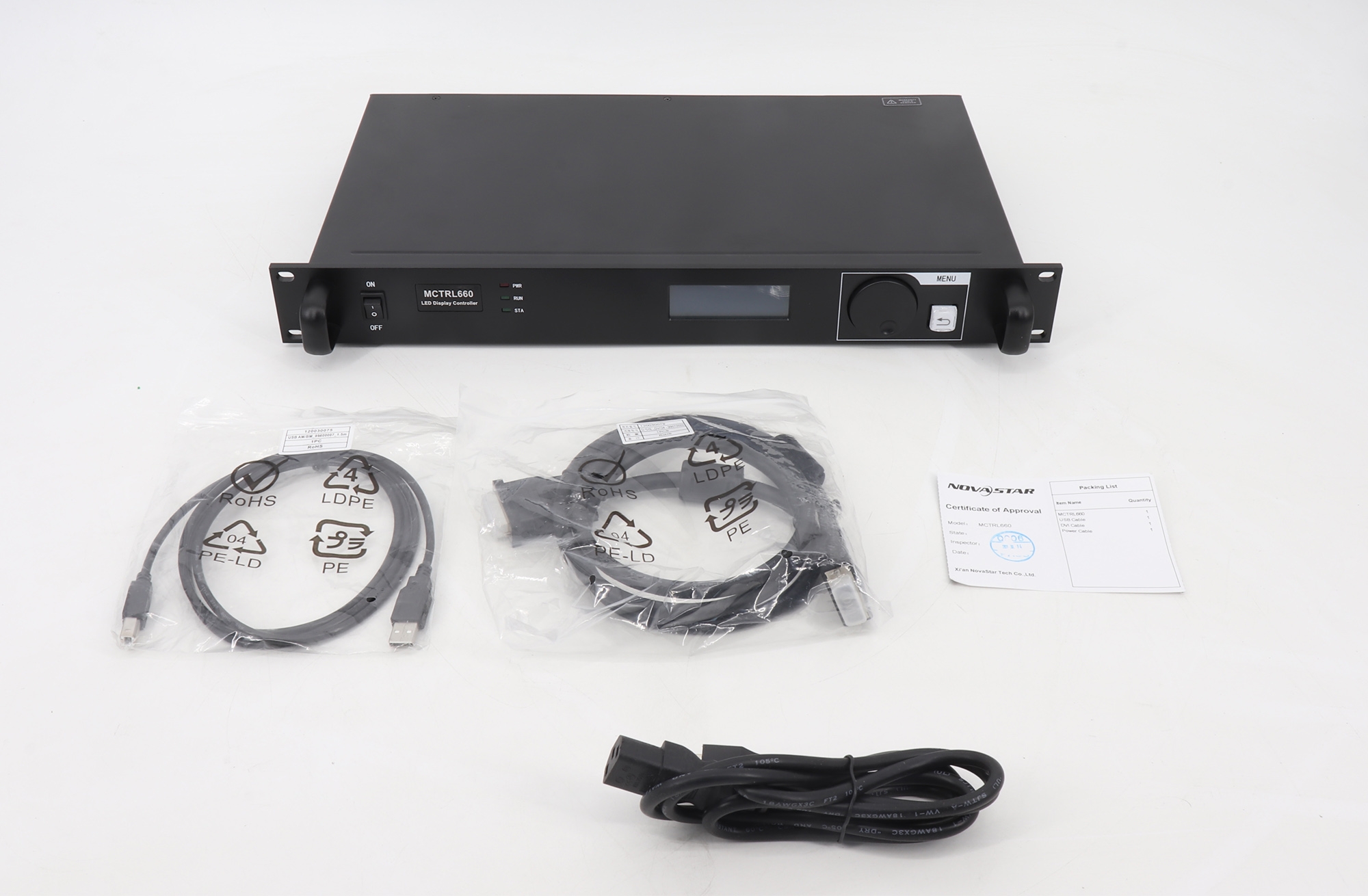
NovaStar’s catalog is built around a modular path: a sender or multimedia player feeds receiving cards, while software handles cabinet mapping, parameters, and calibration. The MCTRL660 listing describes Nova G4 processing, point-by-point correction, white-balance calibration, color-gamut mapping, manual brightness control, cascading, and 18-bit grayscale presentation. It also lists 12-bit, 10-bit, and 8-bit HD video-source support.
That combination matters on fine-pitch, rental, broadcast, and camera-facing walls. Calibration is not a marketing extra; it is the step that keeps modules from looking like separate islands after a replacement. NovaStar is therefore attractive when the integrator expects regular maintenance or multiple cabinet batches.
LINSN: direct sender-card and processor paths
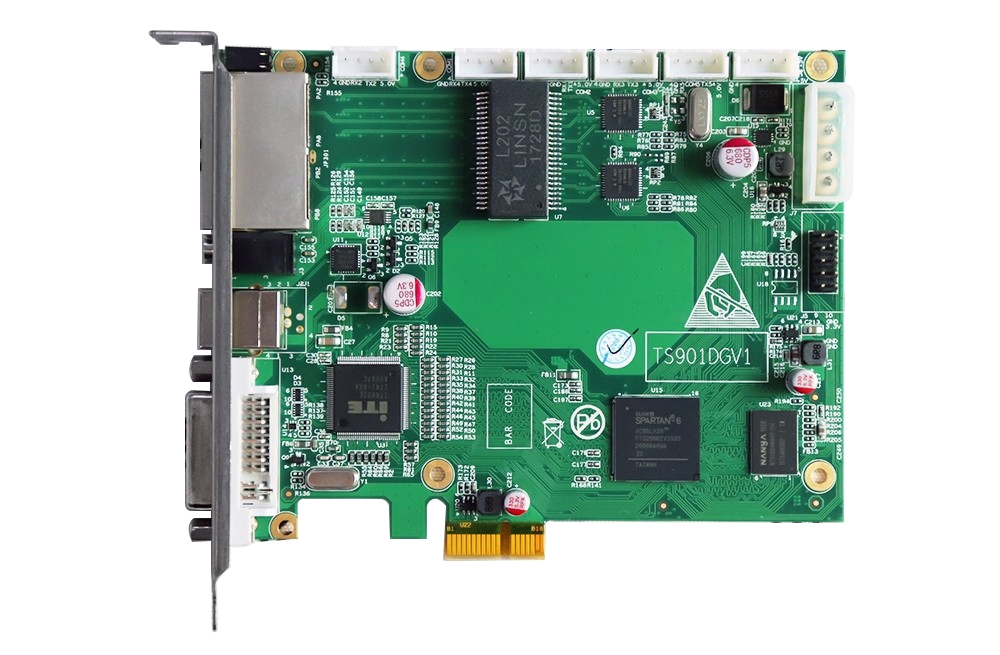
LINSN is well known for direct sender-card workflows and for processors that combine switching, scaling, and splicing. The LINSN TS901 product description lists one DVI input, one audio input, two network outputs, a maximum of 655,360 pixels, and configurable 60 Hz or 30 Hz output modes. It also documents configuration-file and display-connection-file broadcasting, which is useful when a team is replacing several receiving cards in the field.
For larger productions, the LINSN S3000 page states support for 9.8 million pixels, up to 15,360 pixels horizontally or 3,840 pixels vertically, DP 1.2 and HDMI 2.0 4K at 60 Hz input, seamless channel switching, EDID management, pixel-to-pixel splicing, backup output, PIP, four independent images, and custom resolutions.
2. NovaStar vs LINSN specifications
The table below turns the headline features into a selection conversation. It is a planning aid, not a promise that every model in a brand family has the same limits.
| Decision point | NovaStar example | LINSN example | What it means on site |
|---|---|---|---|
| Processing emphasis | Nova G4, 18-bit grayscale, point-by-point correction | S3000 scaling, switching, splicing and multi-image tools | Pick image uniformity or presentation flexibility as the first priority. |
| Input and resolution | MCTRL660 lists HDMI/DVI and 2048×1152, 1920×1200, 2560×960 and 1440×900 modes | S3000 lists DP1.2, HDMI2.0 and 4K@60Hz input | Match the source frame rate and aspect ratio before buying. |
| Pixel load | Confirm the exact sender and receiving-card combination | TS901 lists up to 655,360 pixels; S3000 lists 9.8 million pixels | Calculate the wall’s total pixels, not only its cabinet count. |
| Maintenance | Calibration and color-gamut tools | RCG/CON file broadcasting and direct card replacement workflow | Choose the process your service team can execute consistently. |
| Redundancy | Depends on the selected sender, receiver, and topology | S3000 lists backup output | Define what must stay on air before specifying backup. |
Notice the key limitation: a brand-level comparison cannot replace a model-level calculation. A 3,840 x 1,080 wall contains 4,147,200 pixels before you account for reserve capacity, mapping, and spare outputs. A 2,048 x 640 sender limit is not enough for that wall, even if the cabinets are physically compatible.
3. Software and commissioning workflow
Commissioning is where many NovaStar vs LINSN decisions succeed or fail. NovaStar projects commonly use NovaLCT or SmartLCT-style parameter and mapping workflows, while LINSN installations often rely on LEDStudio and the matching sender/receiver configuration files. Names change by generation, so verify the software version against the exact hardware label.
Use this five-step handover sequence:
- Record the cabinet scan mode, module data group, hub wiring, and receiving-card model.
- Confirm the sender input format, output frame rate, and total pixel canvas.
- Save the original configuration file before changing brightness, gamma, or mapping.
- Test a full-white field, gray ramp, moving text, and camera feed at the intended refresh rate.
- Export a site pack containing the final files, firmware versions, wiring diagram, and a photo of each rack.
The most reliable brand is the one your team can restore at 2 a.m. without guessing. A lower-cost sender is not a saving if the service team has never used its mapping workflow.
4. Which brand fits your project?
Choose NovaStar when…
- The wall is fine-pitch or frequently photographed, so calibration and grayscale behavior matter.
- You expect cabinet replacement, multiple batches, or a future expansion.
- The project needs a familiar NovaStar sender/receiver ecosystem and structured mapping.
- Operators value local brightness adjustment and repeatable correction files.
Browse the NovaStar brand collection and compare the MCTRL660 sender box with the pixel load of your actual wall.
Choose LINSN when…
- The site already uses LINSN receiving cards and the priority is compatibility.
- You need a processor-led workflow with 4K input, switching, PIP, or multi-image layouts.
- The service team is experienced with TS-series sender cards and RCG/CON files.
- A straightforward sender-card replacement is more valuable than a new ecosystem.
Start with the LINSN brand collection, then check the LINSN S3000 processor or a compatible RV320 receiving card.
5. Common buying mistakes
- Comparing prices before pixel capacity. The cheapest controller can become the most expensive after a second sender, scaler, or replacement card is added.
- Mixing ecosystems casually. Matching connectors do not guarantee matching data protocols or configuration files.
- Ignoring the source chain. A 4K@60 source is useful only when the processor, sender, cable path, and wall mapping can carry it end to end.
- Skipping a spare plan. Write down which card is the spare, where its configuration file lives, and how the team will verify it.
- Publishing unsupported promises. Always label the exact model and firmware; brand families contain several generations.
6. A buyer’s seven-point checklist
Before sending a purchase order, answer these seven questions in writing:
- What is the wall’s exact pixel count and aspect ratio?
- Which input sources and frame rates must be accepted?
- Is the wall fixed-install, rental, fine-pitch, outdoor, or camera-facing?
- Which receiving-card protocol and hub wiring are already installed?
- Does the operator need calibration, multi-window switching, or both?
- What is the tested backup path if the sender or cable fails?
- Who owns the final mapping files and commissioning record?
If the answers point to calibration and a modular ecosystem, NovaStar is the stronger starting point. If they point to existing LINSN cards, direct file replacement, and processor-led layouts, LINSN is the lower-risk route. For a mixed estate, keep each wall on its validated control chain and document the boundary.
FAQ
Is NovaStar better than LINSN for an LED screen?
Neither is universally better. NovaStar is often selected for calibration, grayscale presentation, and modular maintenance. LINSN is often selected for established TS-series compatibility and processor features. Model, pixel load, and service capability decide the result.
Can NovaStar and LINSN receiving cards be mixed?
Do not assume they can. Treat sender, receiving card, hub card, firmware, and configuration file as one validated chain unless the exact documentation proves interoperability.
Which is easier to set up, NovaStar or LINSN?
Ease depends on your team’s experience. A technician familiar with NovaLCT-style mapping may commission NovaStar faster; a team maintaining TS802D or TS901 systems may be faster with LINSN.
Is LINSN S3000 suitable for 4K LED walls?
The catalog description lists DP1.2 and HDMI2.0 4K@60Hz input, 9.8 million pixels, custom resolutions, PIP, four independent images, and backup output. Confirm the final canvas and receiving-card topology before ordering.
What should I buy for a replacement project?
Buy the same validated ecosystem when possible. Record the installed sender, receiving card, hub wiring, firmware, and configuration files first; then choose an equivalent or documented upgrade.
Final recommendation
Use NovaStar vs LINSN as a workflow decision, not a popularity contest. NovaStar is the practical default for calibration-heavy and expandable walls; LINSN is compelling for processor-led layouts and existing LINSN infrastructures. Share the seven-point checklist with your integrator, verify the exact model limits, and keep a tested configuration backup with the spare hardware.
Last updated: September 1, 2026. Specifications should be checked against the exact model and firmware before purchase.

