The CMS260 SDI input supports specified SD, HD and 3G-SDI signals up to 1920 × 1080 at 60 Hz, but NovaStar’s archived specification explicitly excludes Level B sources. A source labeled “1080p60 SDI” therefore needs a further format check before you treat it as compatible. Resolution and frame rate alone do not describe the complete interface requirement.
For an AV integrator matching an existing source to an LED controller, obtain the source’s exact SDI output setting and the controller document that applies to the supplied unit. This explanation focuses on that compatibility boundary. It does not supply a camera-specific menu procedure or establish that every device with a matching headline format has been tested together.
Why the CMS260 SDI input needs more than a resolution
A video-source specification has several parts. Frame dimensions describe the image matrix, while frame rate describes how frequently pictures are delivered. The SDI signal format adds another requirement. If the source uses a format the receiving interface excludes, matching the image dimensions does not remove that exclusion.
The CMS260 All-in-One Controller Specifications retained in the store’s archive identifies support for ST-424, ST-292 and ST-259 input families and a maximum SDI input resolution of 1920 × 1080 at 60 Hz. In the same rear-panel section, it states that Level B sources are not supported. Keep that limitation beside the resolution statement in the purchase requirement.
For the CMS260 SDI input, “the source has an SDI connector” is consequently an incomplete compatibility answer. Ask for the source’s output format as configured for the job. The available settings may depend on the source model or upstream equipment; this article does not assume that an operator can change the format on every device.
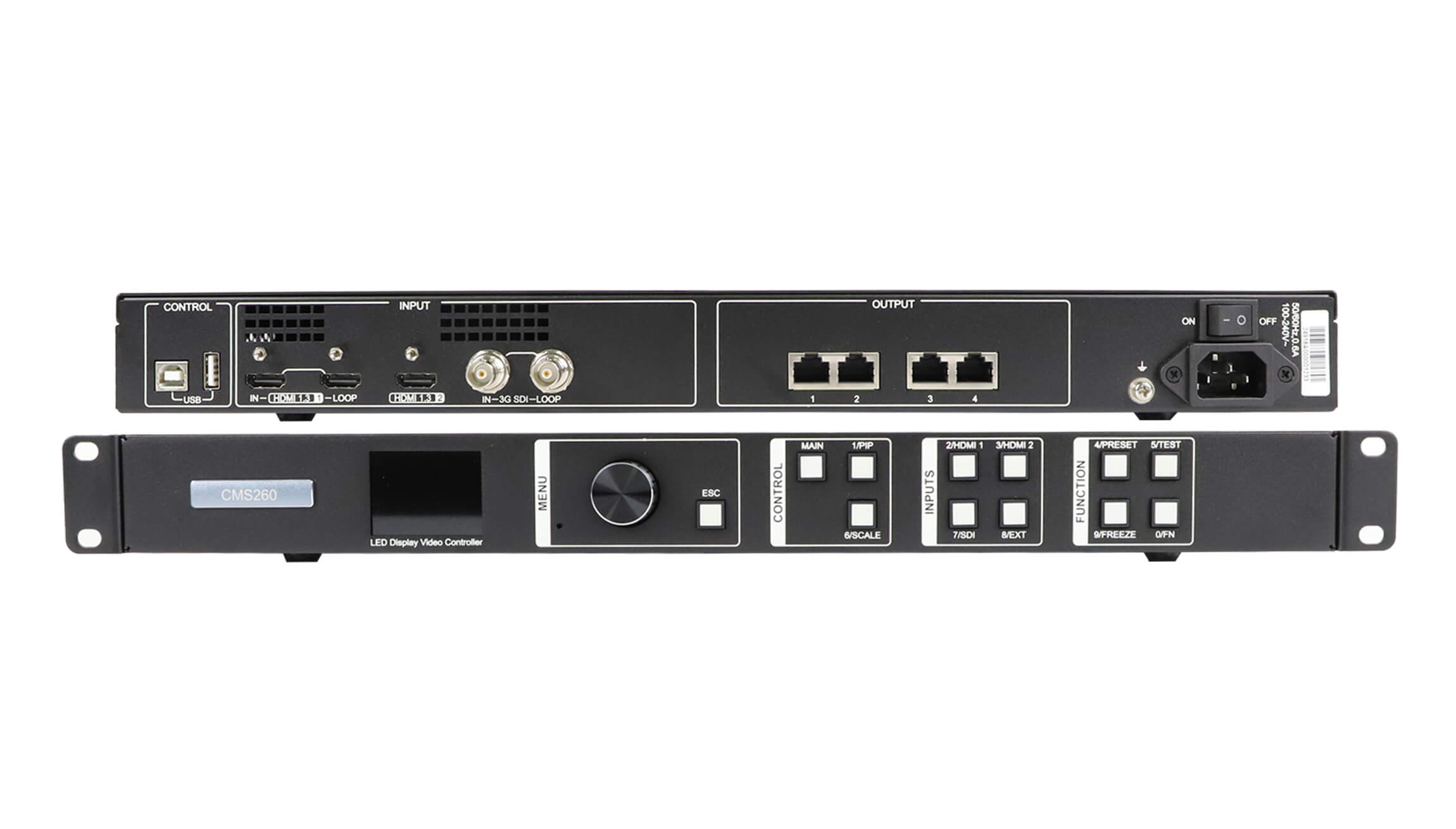
Use the actual rear-panel photograph on the CMS260 product page to identify the input socket. Record the source model and controller identification with the proposed connection. Photographs can establish which physical interface is being discussed, but a connector photograph cannot establish the signal’s Level A or Level B setting.
Confirm CMS260 SDI input compatibility at the source
The most useful evidence is a record of the output setting that the source will use during operation. A general camera or converter brochure may list several possible formats without identifying the selected one. A quotation that repeats every supported format from that brochure still leaves the actual connection unresolved.
For a CMS260 SDI input inquiry, provide the source’s model, available firmware identification, frame dimensions, frame rate and SDI format designation. Where an upstream switcher or converter sits between the original source and the controller, describe that final output. The signal entering the controller is the one that must meet the controller’s documented conditions.
If the source can provide a candidate format outside the excluded Level B case, ask the supplier to confirm the complete combination. Do not treat changing one setting as proof that the entire signal path is now approved. Preserve the final agreed settings with the project record, so a later source replacement can be evaluated against the same requirements.
The CMS260 SDI input specification also says that input resolution and bit-depth settings are not supported for this interface. Do not assume the controller can force an unsuitable source into a compatible format from its own input menu. Resolve the source requirement or propose a separately verified signal-conversion path before accepting the installation plan.
Keep the format check separate from the LED output check
The following handover record separates the evidence needed for an SDI compatibility decision. It is not a claim that a particular camera, converter or cable has passed a test with this controller. Fill the fields using the equipment and settings actually proposed for the project.
| Item to confirm | Useful evidence | Reason for retaining it |
|---|---|---|
| Final SDI source | Model identification and the active output-format setting | The original content source may differ from the last device feeding the controller |
| Frame dimensions and rate | The source’s actual output status or documented configuration | A generic capability list does not identify the selected operating mode |
| SDI format designation | The source’s Level A or Level B setting where applicable | The archived CMS260 specification explicitly excludes Level B sources |
| Controller and screen arrangement | Controller identification, LED pixel matrix and receiving-card layout | An accepted video input does not establish a suitable LED output configuration |
Check the CMS260 SDI input and the LED canvas as separate parts of the order. The controller’s four Gigabit Ethernet outputs serve the LED receiving-card system. Their total loading capacity is a different specification from the SDI source timing, and the screen dimensions and output routing still require their own confirmation.
This separation makes fault descriptions more useful. “No picture” does not say whether the source format was accepted, whether the intended input was selected or whether the LED output was configured correctly. Record the visible status and the agreed settings without assigning a cause that has not been established.
Identify IN and LOOP before planning the connection
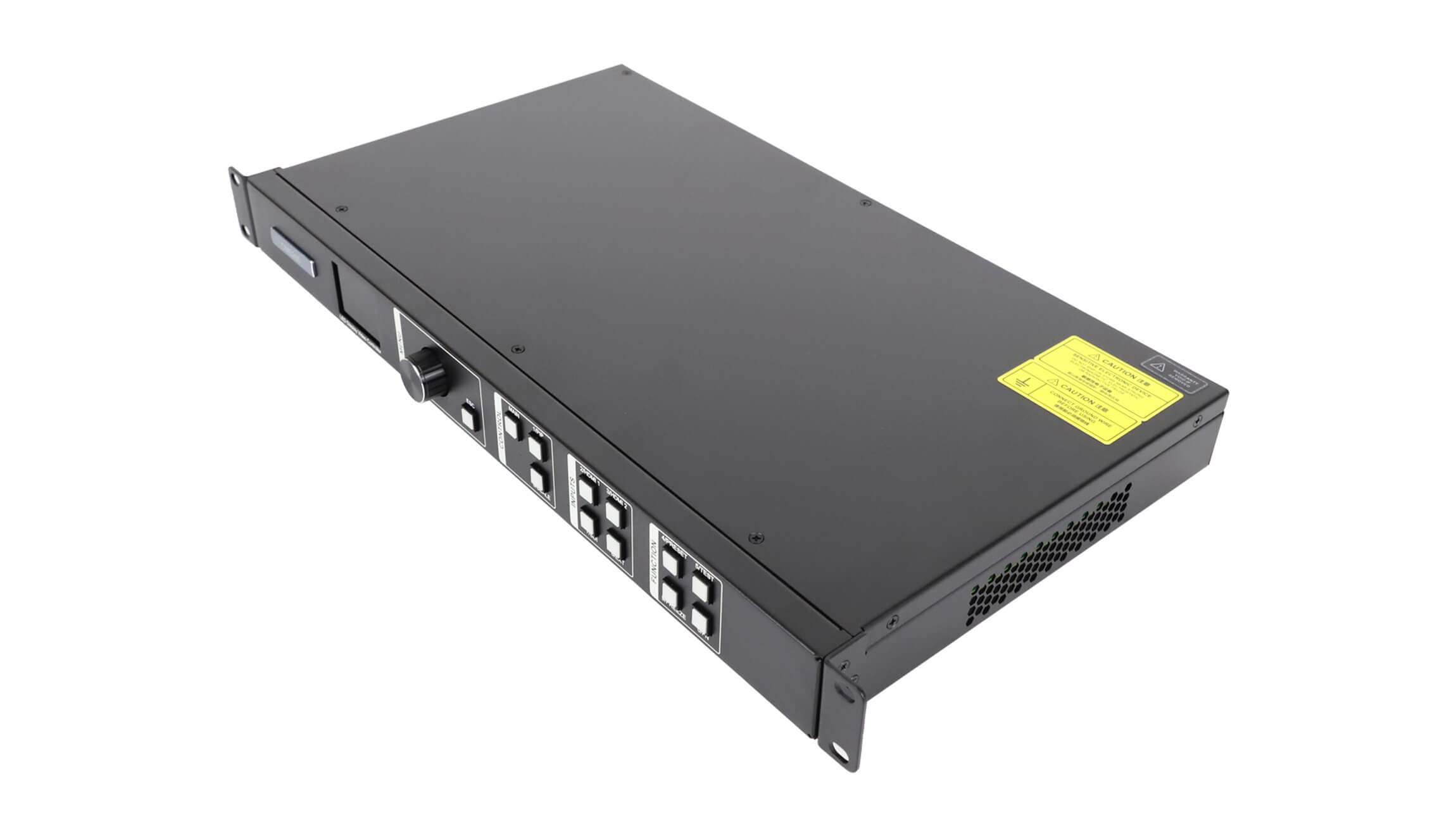
The rear panel has separate SDI IN and LOOP sockets. The archived specification lists SDI loop output alongside the input interface, while it lists the four Ethernet ports under output connectors for the LED screen. Use those documented roles when drawing the connection path.
The CMS260 SDI input is the connection to assess for an incoming source. The presence of a LOOP socket does not establish a second independent SDI input, an extra receiving-card output or a documented format-conversion function. If the project needs another feed, state what that feed must carry and obtain the relevant behavior from the matching operating instructions.
Do not assume a loop-connected device proves that the controller has accepted the source for its own image-processing path. Record what was observed at each relevant endpoint. Where loop behavior, downstream compatibility or signal timing is essential to the design, ask for confirmation of those conditions rather than deriving them from a socket label.
For a larger system review, the store’s LED video processor category provides a starting point for comparing available interfaces. Check any alternative against the same source requirements. Selecting a different processor without resolving the source format can carry the original uncertainty into a new parts list.

Define the compatibility result before installation
For the CMS260 SDI input, a useful acceptance record identifies the final source format, the controller revision and the intended screen configuration. State which sample content will be used and which observations will count as a satisfactory result. Fine text, motion and the required operating duration may matter to the project; agree the actual requirements rather than inventing a universal test duration.
Keep the archived specification with this record. The copy consulted here was checked on November 14, 2026; no revision identifier is visible in its extracted text. Its archive upload directory does not establish its release date. If the supplier provides a newer document, compare the relevant interface statements before transferring any revised capability to the supplied hardware.
A conversion device, when required, needs its own input and output verification. Include its exact model and proposed settings in the signal path. A product described only as “SDI converter” is too broad to resolve an excluded source format, and adding another box does not by itself prove compatibility.
Frequently asked questions
Does an HDMI input specification describe the SDI input limits?
No. The archived CMS260 document lists the interfaces separately and gives different conditions for them. Do not apply HDMI custom-resolution figures or HDMI color-format support to SDI when preparing the purchase requirement.
Does deinterlacing support mean that every SDI format is accepted?
No. Deinterlacing is a documented processing capability, while the source-format exclusion remains a separate interface condition. Retain the Level B restriction even when a project also requires deinterlacing.
Does a supported video picture prove that SDI audio is available through the proposed system?
No. Audio needs a separately confirmed path. The archived specification describes HDMI-associated audio input and multifunction-card audio output; it does not establish the project’s SDI audio behavior. State the required audio source and destination explicitly.
Send the exact source format with your inquiry
To review the CMS260 SDI input for your installation, send the source identification, actual output format, frame dimensions and frame rate. Add a simple connection description, the controller identification and the LED pixel matrix. Mention any required loop feed, conversion device or audio path so those requirements receive separate answers.
Use the EagerLED technical inquiry page to discuss the proposed combination. Ask for a configuration-specific compatibility response and the applicable document. This gives your installation team a clearer acceptance basis than a quotation that says only “1080p60 supported.”