CMS130 USB playback supports a USB drive through the Type A input, but the drive’s file system and the media encoding must match the controller specification. The archived CMS130 specification lists NTFS, FAT32 and FAT16 as supported, excludes exFAT, and specifies video files up to 1080p at 30 frames per second. A file playing on your laptop does not establish that the controller can decode it.
For an AV integrator preparing a replacement controller or a repeat signage installation, these are useful acceptance conditions. Keep a copy of the exact delivery file and its encoding details, rather than ordering against the description “USB video supported.” This explanation covers that compatibility question; it does not replace the operating instructions for your installed hardware and firmware.
Start with the drive format for CMS130 USB playback
The drive format is a separate compatibility check from the video file format. A USB drive can hold a supported media file while using an unsupported file system. In that situation, changing the filename or exporting the same video again leaves the underlying storage mismatch unresolved.
NovaStar’s CMS130 All-in-One Controller Specifications, retained in this store’s download archive, identifies three supported file systems and explicitly excludes exFAT. The document does not state a maximum drive capacity in the USB section. Consequently, a procurement request should name the proposed drive and its format, without treating a familiar capacity as a guarantee of compatibility.
Before anyone changes the drive format, preserve the source files and have the person responsible for the content approve the working copy. Formatting can erase stored data. For a venue with several controllers, label the prepared media and record the controller model beside it. A drive that belongs to a different player should not become the acceptance reference for this unit.
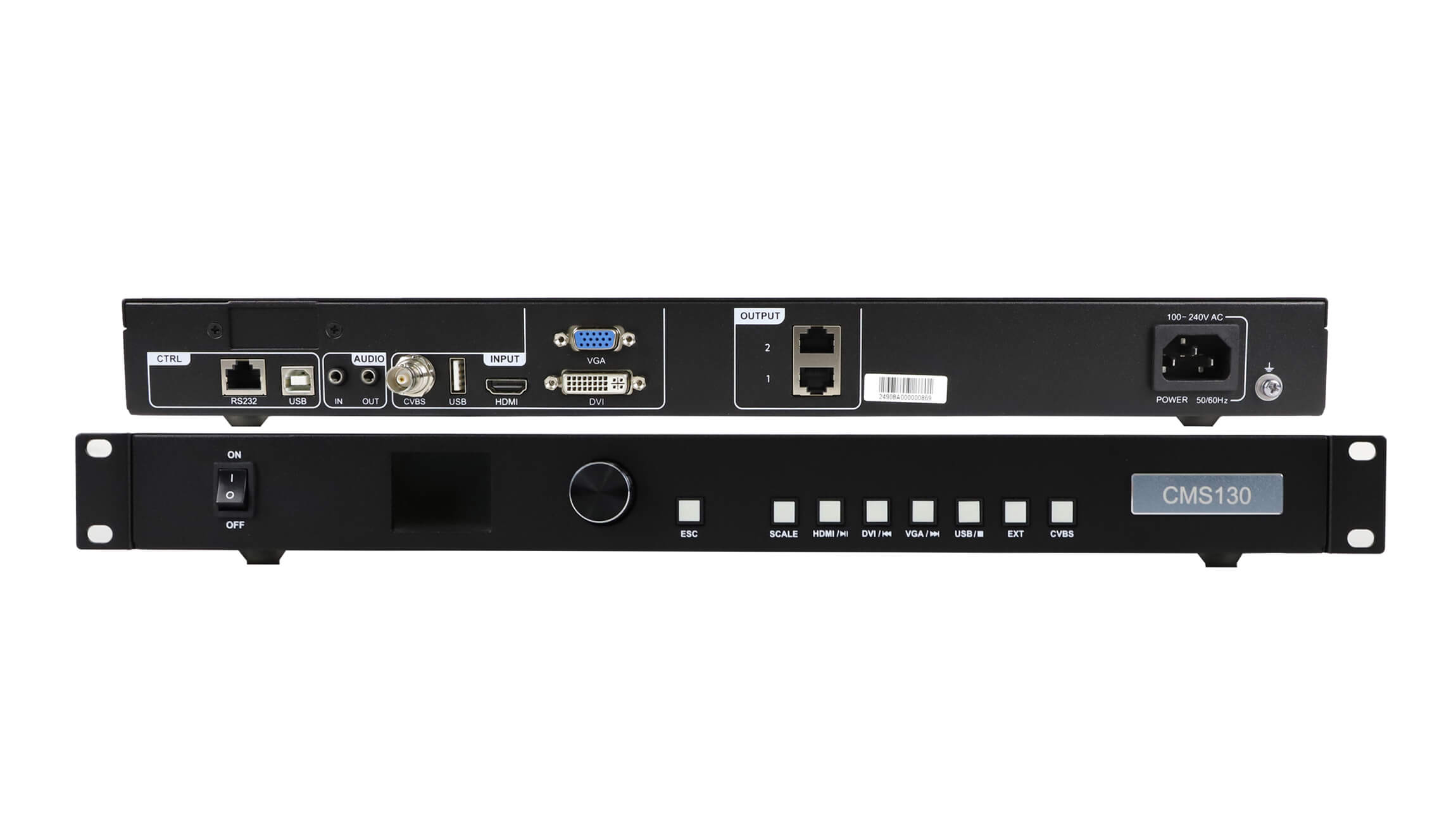
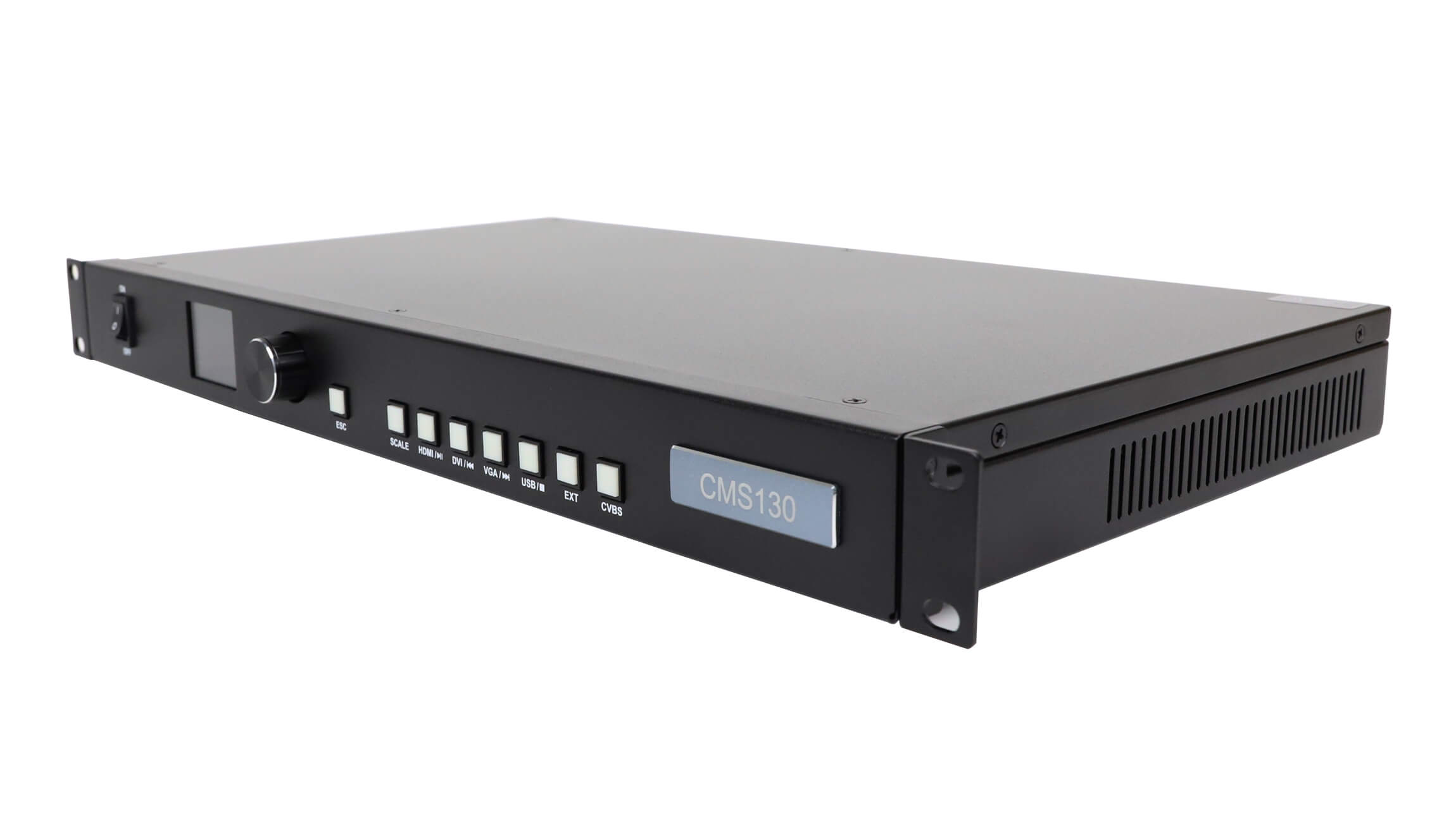
Compare the hardware with the photographs on the CMS130 product page. The rear panel separates the media input from the control connections. That distinction matters before diagnosing a file problem: the right file in the wrong connection is still the wrong connection.
Why an MP4 filename is not enough
CMS130 USB playback depends on the encoded streams, not simply the letters after the filename. A container such as MP4 can carry different video and audio formats. Renaming a file does not convert those streams, and laptop playback may rely on decoding software that the controller does not provide.
The archived specification lists several video coding families, including H.264 and H.265, and several audio coding families. It does not document every combination of profile, level, bitrate and container. A listed codec should therefore be treated as one compatibility condition, rather than a promise that every export using that codec will work.
Ask the content producer for the original export settings or a media-information report. Useful fields include frame dimensions, frame rate, video codec, audio codec and container. If the report is unavailable, keep the original delivery file so the supplier can investigate the actual media. A screenshot of a filename alone contains too little information for a reliable assessment.
For CMS130 USB playback, the documented video-file ceiling is 1080p at 30 frames per second. This is different from the specification’s HDMI input allowance of 1920 × 1080 at 60 Hz. Do not transfer the HDMI timing figure to the USB decoder when writing the purchase specification. Identify the input path beside each resolution and frame-rate requirement.
What belongs in a CMS130 USB playback acceptance record?
Record the proposed media before ordering a repeat installation. The following table is a handover checklist, not a list of settings that have been tested on every controller. It lets the content producer, integrator and supplier discuss the same file and the same hardware.
| Evidence to retain | What it establishes | What it does not establish |
|---|---|---|
| Drive model and file system | The storage device and formatting proposed for the installation | Universal compatibility for other drives of the same capacity |
| Original video and export report | The actual resolution, frame rate, container and encoded streams | Successful decoding based only on a file extension |
| Controller identification and document copy | Which CMS130 hardware and specification were reviewed | That another model or later revision behaves identically |
| Written acceptance observations | What the supplied sample did on the specified system | Guaranteed behavior for files that were never checked |
Use a short, representative delivery sample rather than a file selected only because it opens quickly on a computer. Where the finished content contains fine text or audio, include those elements in the acceptance material. Record the sample’s name and revision so a later content change cannot be mistaken for the version originally reviewed.
CMS130 USB playback checks should distinguish recognition, decoding and display presentation. Recognition asks whether the controller can access the prepared media. Decoding asks whether the streams are playable. Presentation asks whether the resulting image is positioned and scaled appropriately on the LED canvas. These observations help describe a fault without assuming its cause.
The two USB connector roles are different
CMS130 USB playback uses the Type A connection for the drive, while USB Type B is identified for the control computer and program updating or debugging. The archived specification does not describe the Type B control connection as a laptop video input. Use the documented video inputs when a laptop must supply a live picture.
For CMS130 USB playback, also check the instructions associated with the actual front-panel buttons. The archived document describes playback functions for the HDMI, DVI and VGA buttons when media files are being played. In the same document, the USB and EXT buttons are marked reserved. A button label alone is therefore insufficient evidence of the selection procedure.
This is a reason to obtain the operating instructions for the supplied revision, rather than improvise a sequence from the panel photograph. If a supplier proposes different behavior, ask for the matching document and firmware identification. Preserve that answer with the project record. It is more useful than combining instructions from two similar-looking products.
The rear panel also has two Ethernet outputs for the LED receiving-card path. Those output connectors do not make the USB drive into a network content-management system. If the project needs remote scheduling or another publishing workflow, specify that separately and review an appropriate player. The store’s asynchronous LED control products provide a separate category to investigate, with model-specific capabilities to confirm.

Keep the specification and the installed unit together
The technical basis here is the store’s archived CMS130 specification, checked on November 14, 2026. Its USB section supplies the storage, file and connector limits discussed above. The PDF does not display a revision identifier in the extracted text; its upload directory is not proof of its publication date. Retain the actual document when comparing a quotation with an installed unit.
If CMS130 USB playback is essential to the project, make the proposed media part of the pre-delivery discussion. State whether the content will be supplied once or regularly changed, who prepares the exports, and who is responsible for confirming successful playback. These responsibilities prevent a hardware quotation from silently becoming a promise about unknown future files.
For an existing installation, provide clear photographs of the rear connections and identification label. Include the available firmware information without changing it just to perform a compatibility inquiry. An update should follow the instructions and approval applicable to that system, with its current configuration preserved. This article does not establish that an update is necessary or that it will resolve a particular file.
Frequently asked questions
Can the same USB drive contain still images?
The archived specification lists JPG, JPEG, PNG and BMP as supported image formats. It does not establish every image size or mixed-media playlist behavior. Include the actual still images and intended playback order in the material submitted for compatibility review.
Does a silent picture prove that the controller has a hardware fault?
No. Audio requires its own checks, including the file’s audio encoding and the intended audio path. Provide the media file and describe the connected audio equipment before attributing missing sound to a defective controller.
Does scaling a video increase the controller’s LED pixel capacity?
No. Image scaling and the LED output capacity are different specifications. The CMS130 product specification lists a total loading capacity of up to 1.3 million pixels through two Ethernet outputs. Confirm the receiving-card layout and actual canvas independently of the media-file dimensions.
Send the media details with your controller inquiry
For CMS130 USB playback compatibility, send the controller identification, the drive model and file system, and the proposed video’s export details. Describe the required result on the LED screen, including any audio requirement. Keep the original file available for a sample review; do not include confidential content in a public inquiry field.
Use the EagerLED contact page to discuss the controller and the evidence available. Ask which media and hardware checks are included in the proposed supply. A useful answer should identify the reviewed configuration and any remaining conditions, so your content producer and installation team can work from the same acceptance record.