
LED screens for schools are digital displays used to share announcements, emergency messages, event information, wayfinding, student work, and live video across campuses. The right school LED display depends on viewing distance, location, ambient light, content type, safety requirements, and the total cost of ownership.
Quick answer: For close indoor viewing, schools typically need a finer pixel pitch and moderate brightness. Outdoor scoreboards and entrance signs need weather protection, higher brightness, and a structure engineered for local wind loads. Choose the screen only after defining the audience, viewing distance, installation location, content workflow, and maintenance access.
What Is a School LED Display?
A school LED display is a modular electronic screen that uses light-emitting diodes to show text, images, video, schedules, alerts, and live feeds. Unlike a printed notice board, content can be updated in seconds from a connected computer, media player, or cloud-based control platform.
Schools use these displays both as communication tools and as shared visual infrastructure. A single system can support daily notices, assemblies, sports events, visitor guidance, safety messages, and community activities.
Where Are LED Screens Used in Schools?
The best format changes with the location and the distance from which people will view the content.
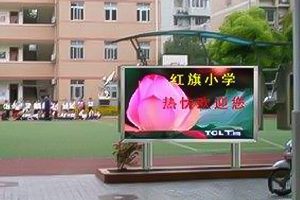
- Entrances and roadside signs: Welcome messages, enrollment dates, event reminders, and emergency notices.
- Auditoriums and multipurpose halls: Presentations, ceremonies, performances, live camera feeds, and digital backdrops.
- Gymnasiums and sports fields: Scores, timers, team graphics, sponsor messages, and instant replay.
- Cafeterias and common areas: Menus, schedules, student achievements, and campus announcements.
- Libraries and learning spaces: Educational media, dashboards, exhibitions, and collaborative content.
- Hallways and reception areas: Wayfinding, room changes, visitor information, and short-form notices.
Benefits of LED Screens for Schools
Faster campus communication
Authorized staff can update a digital display without printing and replacing posters. This is useful when schedules change, an event moves, or a safety message must reach a large audience quickly.
High visibility in bright and large spaces
LED technology can produce a bright, high-contrast image at sizes that are practical for auditoriums, gymnasiums, courtyards, and roadside installations. Content remains readable when the screen size and brightness are matched to the environment.
One display, many uses
A school LED display can move from morning announcements to a lesson presentation, then to an assembly or sporting event. This flexibility can increase utilization compared with a single-purpose sign.
Long service life and modular maintenance
LED displays are assembled from modules, power supplies, receiving cards, and cabinets. When a component fails, technicians can often replace the affected part instead of replacing the entire screen.
School LED Screen Specifications to Compare
| Specification | Why It Matters | Selection Guidance |
|---|---|---|
| Pixel pitch | Controls image detail and suitable viewing distance. | Use a finer pitch for close indoor viewing; a wider pitch may be economical at longer outdoor distances. |
| Brightness | Determines readability under room lighting or sunlight. | Match brightness to measured ambient light and include automatic dimming where appropriate. |
| Refresh rate | Affects smooth video and appearance on camera. | Choose a higher refresh rate for filmed events, livestreams, and broadcast use. |
| Ingress protection | Indicates resistance to dust and water. | Outdoor screens need an enclosure and rating suitable for the installation environment. |
| Viewing angle | Affects visibility from side seats and wide public areas. | Check sightlines from the edges of the intended audience area. |
| Service access | Determines how technicians reach modules and electronics. | Use front service where rear clearance is limited; allow safe rear access when required. |
| Control method | Defines how content is scheduled and sent. | Choose synchronous control for live video and asynchronous control for scheduled signage. |
Indoor vs. Outdoor School LED Displays
| Factor | Indoor School LED Screen | Outdoor School LED Screen |
|---|---|---|
| Typical audience | Students and staff at short to medium distances | Drivers, pedestrians, spectators, and the community |
| Environment | Controlled lighting and temperature | Sunlight, rain, dust, heat, cold, and wind |
| Priority | Fine detail, quiet operation, close-view image quality | Daylight readability, weather protection, structural safety |
| Common applications | Auditoriums, halls, cafeterias, libraries, gymnasiums | Entrance signs, stadiums, fields, courtyards, building facades |
For outdoor campus projects, review our outdoor LED display screen options.
How to Choose an LED Screen for a School
- Define the main use. Decide whether the screen is primarily for text notices, presentations, live video, sports, performances, or a combination.
- Measure the viewing area. Record the closest and farthest viewing distances, available wall or structure dimensions, and audience sightlines.
- Assess ambient light. Note direct sunlight, windows, stage lighting, and how conditions change throughout the day.
- Select pixel pitch and screen size together. A very fine pitch may add cost without visible benefit at long distances, while a pitch that is too wide can make close-view content look coarse.
- Plan the content workflow. Identify who can publish, who approves urgent messages, which file formats are used, and whether remote scheduling is required.
- Confirm installation and safety requirements. Use qualified engineers and installers. Consider wall loading, wind loading, ventilation, electrical protection, cable routes, access control, and applicable local codes.
- Compare lifetime support. Ask about spare modules, compatible replacement parts, technical documentation, training, warranty terms, and response times.
What Components Does a School LED Display Need?
A complete system includes more than LED panels. Depending on the project, it may use an LED video processor, LED receiving cards, a sending device, media player, data cabling, and regulated LED power supplies. Live-event systems may also require cameras, switchers, audio integration, and redundant signal paths.
The controller must support the screen’s total pixel load, input formats, resolution, and content workflow. Matching components as a tested system reduces setup problems and simplifies future service.
Accessibility, Safety, and Content Practices
- Use large text, plain language, strong color contrast, and short messages that can be read within the available viewing time.
- Avoid rapid flashing and distracting motion, especially in learning areas and emergency communications.
- Do not rely on color alone to communicate status or instructions.
- Place the display where it does not block exits, signs, sprinklers, ventilation, or accessible routes.
- Limit publishing permissions and keep an approval process for emergency or campus-wide messages.
- Schedule brightness changes so outdoor displays remain legible without creating unnecessary glare after dark.
How Much Does a School LED Screen Cost?
There is no single price because cost depends on screen area, pixel pitch, indoor or outdoor construction, brightness, cabinet design, mounting structure, controller, electrical work, installation, and service access. A useful budget should include the complete installed system rather than only the LED panels.
For a fair comparison, ask each supplier to quote the same scope: display hardware, controller, mounting, cables, shipping, installation, commissioning, training, spare parts, warranty, and ongoing support. Also consider energy use and the availability of replacement modules over the expected service life.
School LED Display Procurement Checklist
- Primary applications and content types
- Indoor or outdoor location
- Screen dimensions and aspect ratio
- Minimum and maximum viewing distance
- Ambient-light conditions and brightness control
- Required inputs, resolution, and refresh rate
- Mounting, electrical, ventilation, and structural plan
- Front or rear maintenance access
- Content-management roles and network requirements
- Warranty, spare-parts package, training, and support
Frequently Asked Questions
What is the best LED screen for a school?
The best screen is the one matched to its location and use. Indoor close-view applications generally prioritize a fine pixel pitch and image quality. Outdoor signs and sports displays prioritize brightness, weather protection, structural design, and long-distance readability.
What pixel pitch should a school LED display use?
Pixel pitch should be selected from the closest normal viewing distance and the detail in the content. Ask suppliers to demonstrate the proposed pitch at the actual viewing distance before approval.
Can a school LED screen show emergency alerts?
Yes, if the control workflow allows authorized staff to publish urgent content quickly. The display should complement, not replace, the school’s approved emergency notification systems.
Are LED displays suitable for classrooms?
They can be suitable for large classrooms, lecture halls, and collaborative learning spaces when viewing distance, brightness, acoustics, and resolution are properly planned. Smaller rooms may be better served by other display technologies.
How is content updated?
Content can be sent from a computer, media player, or networked platform. Synchronous systems show live sources, while asynchronous systems store and play scheduled content without a continuous video feed.
How long does a school LED display last?
Service life depends on component quality, operating hours, brightness settings, heat management, environment, and maintenance. Regular cleaning, ventilation checks, electrical inspections, and timely module replacement help preserve performance.
Plan Your School LED Display
A successful school LED display begins with a clear brief, not a model number. Document the audience, content, viewing distance, environment, installation constraints, and maintenance plan before requesting proposals.
EagerLED supplies LED display products and system components for indoor and outdoor campus applications. Contact our team with your screen dimensions, installation photos or drawings, viewing distance, and intended content for a project-specific recommendation.

