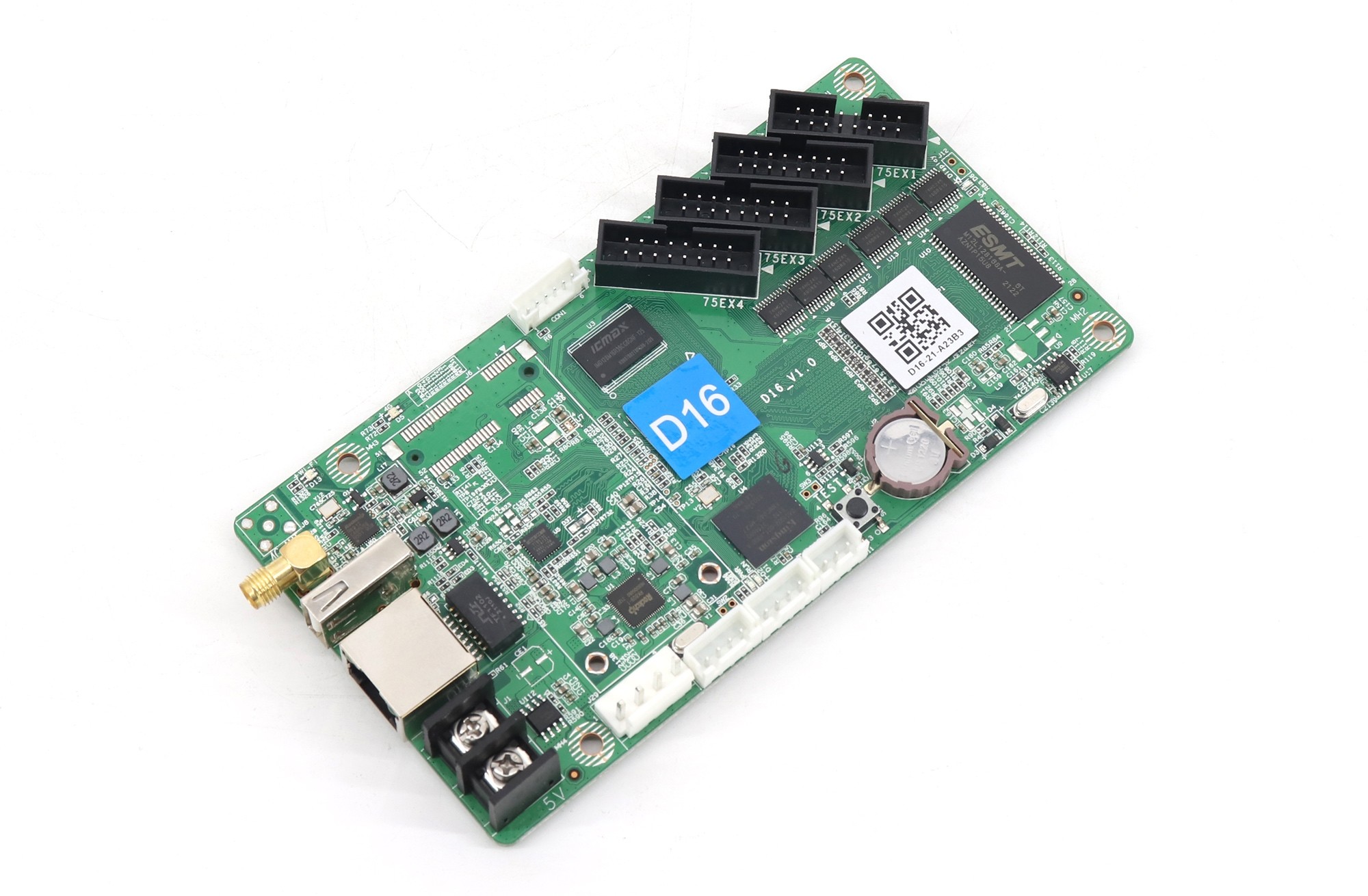
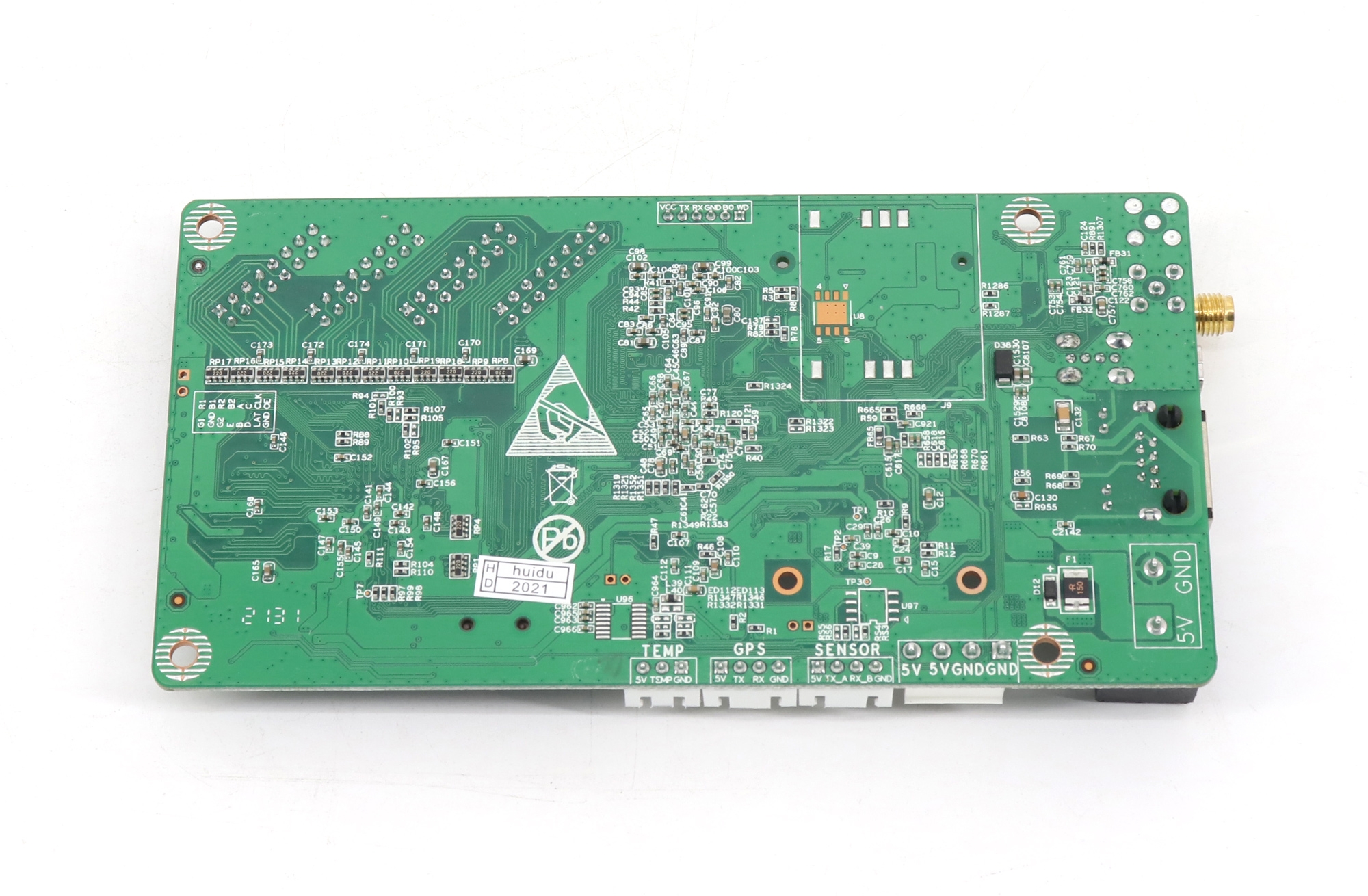
The HD-D16 Ethernet port is a communication connection for the controller, not an LED data output for a chain of receiving cards. The HD-D16 connects to compatible LED modules through its four HUB75E outputs. An RJ45 socket does not, by itself, identify a sending-card output.
This distinction matters for a sign installer replacing a small asynchronous controller. A network cable from a computer can carry setup or program communication, while ribbon cables serve the module side. Before ordering a spare, identify which job each existing connection performs instead of selecting a replacement by the shape of its sockets.
What the HD-D16 Ethernet port is for
Huidu lists a 10/100M RJ45 connection under the HD-D16’s communication interfaces and lists four HUB75E connections separately. The HD-D16 product listing identifies the controller as an asynchronous card for stored programs. Those descriptions explain why its network connection should not be treated like an Ethernet output on a larger LED sending device.
For a replacement inquiry, describe the communication route in ordinary terms: a setup computer connected locally, a connection through the site’s network, or another documented management arrangement. Then identify the separate route from the card to the LED modules. This gives the supplier something more useful than a photograph of a loose network cable.
The HD-D16 Ethernet port does not become a receiving-card output when the same type of cable fits both sockets. A cable’s connector is a physical interface; the connected equipment determines what the connection does. Do not move a cable from an unrelated controller’s output into the D16 and assume that the system architecture remains unchanged.
The LED side needs its own identification
The HD-D16’s module connections are the HUB75E interfaces, not its RJ45 socket. A suitable replacement therefore depends on the actual modules, their wiring and their configuration. A small screen with four ribbon-cable connections is not automatically compatible with every board that has four superficially similar headers.
Photograph the module labels and the controller’s printed model identification before disconnecting anything. Include a view that shows the ribbon-cable orientation and which header each cable uses. A replacement supplier may also need the original configuration file or the module manufacturer’s parameter information. Keep those records attached to the same sign’s service file.
An HD-D16 Ethernet port photograph helps identify the communication interface, but it cannot establish the module scan arrangement or driver configuration. If those details are unknown, mark them as missing. Do not fill the gap with a file intended for a different sign merely because the module dimensions or pixel pitch seem similar.
The following table is a practical way to organize a service inquiry. It separates observations that a technician can collect from assumptions that a purchasing colleague should avoid. It does not replace the wiring instructions for the supplied board and modules.
| Observation from the existing sign | Record for the supplier | Avoid this assumption |
|---|---|---|
| Network cable enters an RJ45 socket | Controller model, socket label and the cable’s other endpoint | Every RJ45 connection carries LED output data |
| Ribbon cables leave the control board | Header labels, module identification and cable orientation | Matching header count proves module compatibility |
| A stored advertisement keeps playing | How the program was transferred and which file belongs to this sign | The setup computer must provide live video continuously |
| The seller offers several controller variants | The exact selected model and optional networking hardware | A shared product listing means all variants have identical specifications |
Program transfer is different from live video
The HD-D16 Ethernet port belongs to a stored-program control workflow. Updating an advertisement over a network is not the same task as feeding a live HDMI picture into a video processor. If the customer expects to show a laptop presentation or a camera feed in real time, describe that requirement explicitly before choosing a replacement controller.
Consider a hypothetical shop sign that plays a prepared opening-hours message. Its content can be updated during maintenance, then left to run from the controller’s stored program. Now consider a customer asking for live presentation output from a laptop. The second request changes the required signal path; it is not resolved by adding an ordinary network cable to the first arrangement.
Do not infer live input support from a video-file decoding claim. Playing an uploaded video file and accepting an external live video source are separate capabilities. Likewise, a quoted decoding resolution does not establish the physical LED screen’s supported pixel canvas. Ask the supplier to confirm each required function against the exact model and revision.
For broader background, the site’s Huidu synchronous and asynchronous control explanation distinguishes these workflows. Use that distinction to write the requirement, then return to the specific controller documentation. A family-level guide does not certify an individual board’s interfaces.
Separate local communication from Internet access
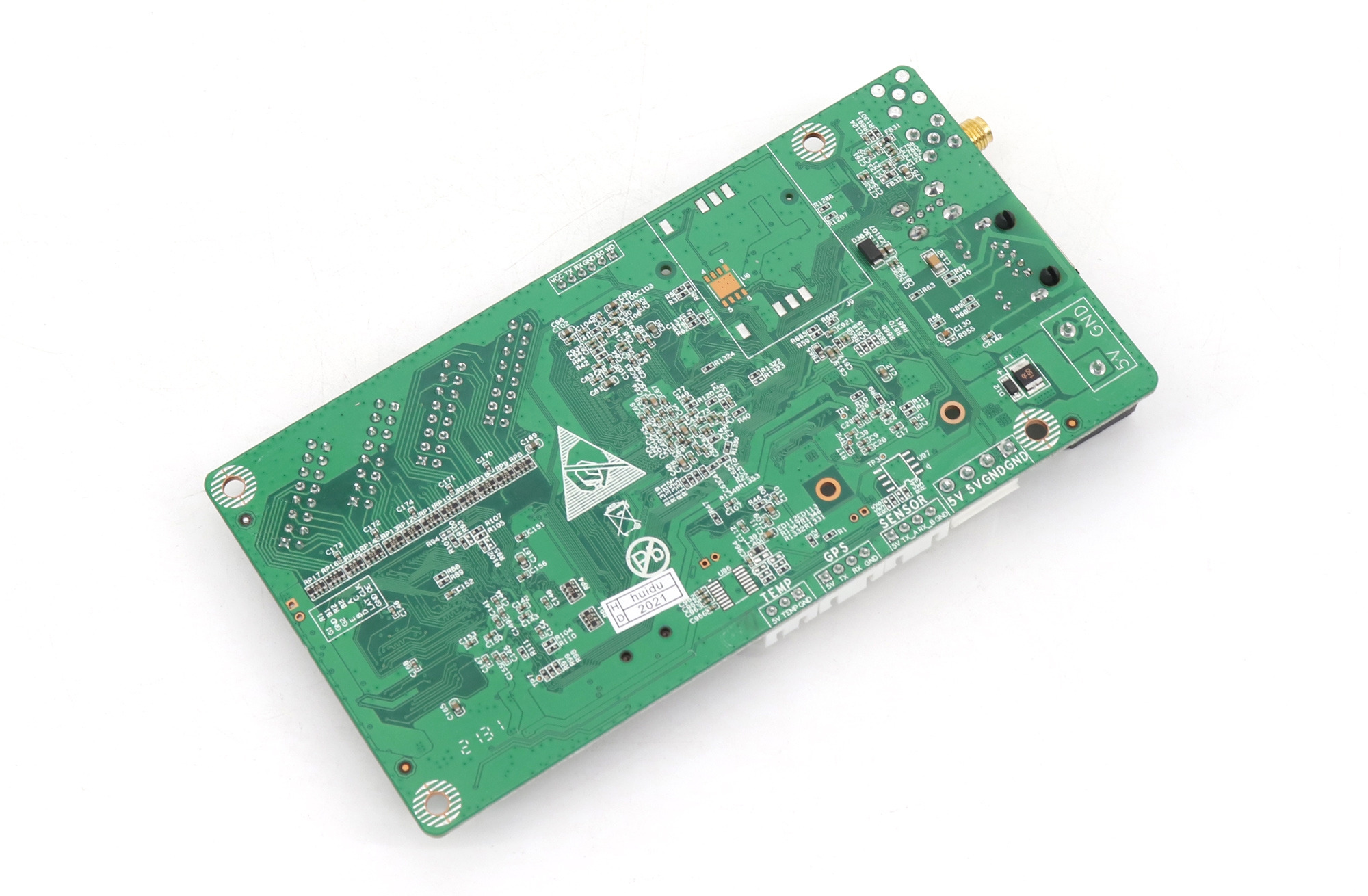
Using the HD-D16 Ethernet port locally and managing a sign remotely over the Internet are different project conditions. Document where the maintenance computer will connect, whether the sign has an approved network route and who administers that route. A network socket on the board does not confirm that a building provides Internet access at the installation location.
Huidu lists USB drive, Wi-Fi and LAN communication for the D16, with 4G as an option. An optional cellular configuration should be named in the order, not inferred from a general product-family description. Confirm the supplied hardware and the management arrangement before promising a customer that a sign can be updated from another location.
When diagnosing the HD-D16 Ethernet port, separate the symptoms. Can the maintenance software identify the controller? Can a prepared program reach it? Does the module display remain wrong even though communication succeeds? These observations point to different parts of the system and are more useful than the single description “network problem.”
Do not change a building’s network security settings as an initial compatibility test. Ask the responsible administrator to confirm the permitted connection method. If a local maintenance arrangement is required, agree on it with the equipment supplier and site operator. The controller inquiry should describe the intended route without including private network passwords.
Check the revision before specifying a spare
The HD-D16 Ethernet port explains one interface role, not the entire replacement specification. The store retains an older V0.1 specification, while the manufacturer’s currently accessible product table gives different control-range dimensions. That difference is a reason to identify the installed and proposed revisions, rather than silently combining the most favorable figures from several documents.
Ask for the exact board model, the applicable specification revision and a confirmation that the intended module arrangement is supported. Keep the model name from the physical board in the inquiry, especially when a shopping page contains multiple options. The board received must match the model and options agreed in the quotation.
For an existing installation, preserve the working parameter backup before any changes and retain photographs of the connections. A qualified technician should follow the supplier’s power-isolation and wiring instructions when replacing an internal board. The communication interface does not establish the correct supply connection or make an unverified module arrangement safe to energize.
Frequently asked questions
Will a faster network cable increase the sign’s pixel capacity?
No. A faster cable on the HD-D16 Ethernet port does not raise the controller’s documented output limits. Check the specification that applies to the exact board, the required screen dimensions and the compatible module arrangement. Network communication speed and LED loading capacity describe different constraints.
Can I select the 4G option later without checking the hardware?
Do not assume that every installed board already has the required optional parts. Ask the supplier to identify the available upgrade arrangement for the actual revision and intended management service. An option shown in a catalog is not proof that the hardware is fitted in an existing sign.
Is an HD-D36 option a substitute for the HD-D16 specification?
No. Keep the selected model’s documentation separate even when several options share one shopping page. Ask the supplier to confirm the replacement against the module connections and configuration for the specific sign. A different model name requires its own compatibility check.
Include both sides of the connection in your request
For an HD-D16 Ethernet port question, send EagerLED a board photograph, the module labels, the ribbon-cable arrangement, the existing program or parameter records and a brief description of the desired update method. State whether you need a like-for-like spare or a change in operating workflow. Request a controller compatibility check with those details so the reply can address the equipment actually in your sign.