An LED module vacuum tool does not release screws, locks or other mechanical restraints that still hold a module in place. It can assist front removal only when the display’s approved service method permits vacuum handling and the tool, contact surface and module are compatible. Confirm the fixing method before selecting the tool.
For a maintenance contractor buying equipment for an existing wall, the useful first question is how that particular module is released. “Front service” describes access from the front; it does not identify every fastening detail. A screen photograph and a tool photograph cannot establish that the two are suitable for use together.
What an LED module vacuum tool cannot release
Suction provides a way to hold a compatible module surface. It is not a substitute for releasing the module’s documented restraints. If the service instructions call for a screw, latch or lock to be released, complete that procedure as directed by the display supplier. Do not interpret resistance as a reason to keep increasing the pulling effort.
The HX05 vacuum front-maintenance tool listing describes use with compatible LED modules and explicitly calls for compatibility confirmation. It also distinguishes gaining access to a module from diagnosing or repairing a pixel fault. Those are useful limits when defining what a maintenance-tool purchase is expected to accomplish.
A contractor should ask the display supplier to identify the release method for the exact installed cabinet and module revision. If the original records are missing, arrange identification before a removal attempt. Do not treat the position of a visible seam as evidence that the module can simply be pulled out from that point.
Three details to identify before ordering
First, identify the module and cabinet. Record the model, dimensions and any available rear-label photographs from the original installation records or an accessible spare. A pixel-pitch description is useful background, but it does not identify the mounting arrangement. Keep the sign’s location or service reference with the photographs so the information cannot be mixed with another wall.
Second, identify the fixing and release method. Ask whether the module uses magnets, screws, locks or a combined arrangement, and obtain the applicable service instructions. A magnetic fixing description still needs the supplier’s confirmation of the approved removal method. Avoid treating a general description of a product family as the service procedure for an individual installation.
Third, identify the available contact area on the front surface. Send a clear photograph and the module dimensions when asking about an LED module vacuum tool. The supplier needs to assess the proposed cup and the actual module face together. A module that fits within a cup’s outer dimensions is not automatically an approved suction application.
Use the table below to prepare a useful inquiry before the maintenance visit. Each row asks for information that can change the tool selection or the proposed service method. Unknown items should remain open questions rather than being filled in from a visually similar display.
| Item to confirm | Useful evidence | Decision before purchase |
|---|---|---|
| Module release method | Exact cabinet and module service instructions | Whether vacuum-assisted removal is an approved method |
| Front contact area | A clear front photograph and module dimensions | Which cup arrangement, if any, is suitable |
| Retaining and supporting arrangements | The supplier’s removal and handling procedure | How the module remains supported during access |
| Tool package | Written list of supplied cups, battery and charger | Whether the order includes the approved configuration |
| Existing damage or contamination | Photographs and a description for the service supplier | Whether inspection is needed before using a suction tool |
A suction cup has to suit the actual module face
An LED module vacuum tool relies on its contact with the module surface, so compatibility needs more than a matching catalog category. Do not assume that an indoor label, an outdoor label or a small pixel pitch settles the question. Describe any coating, mask, visible damage or unusual surface construction when requesting advice.
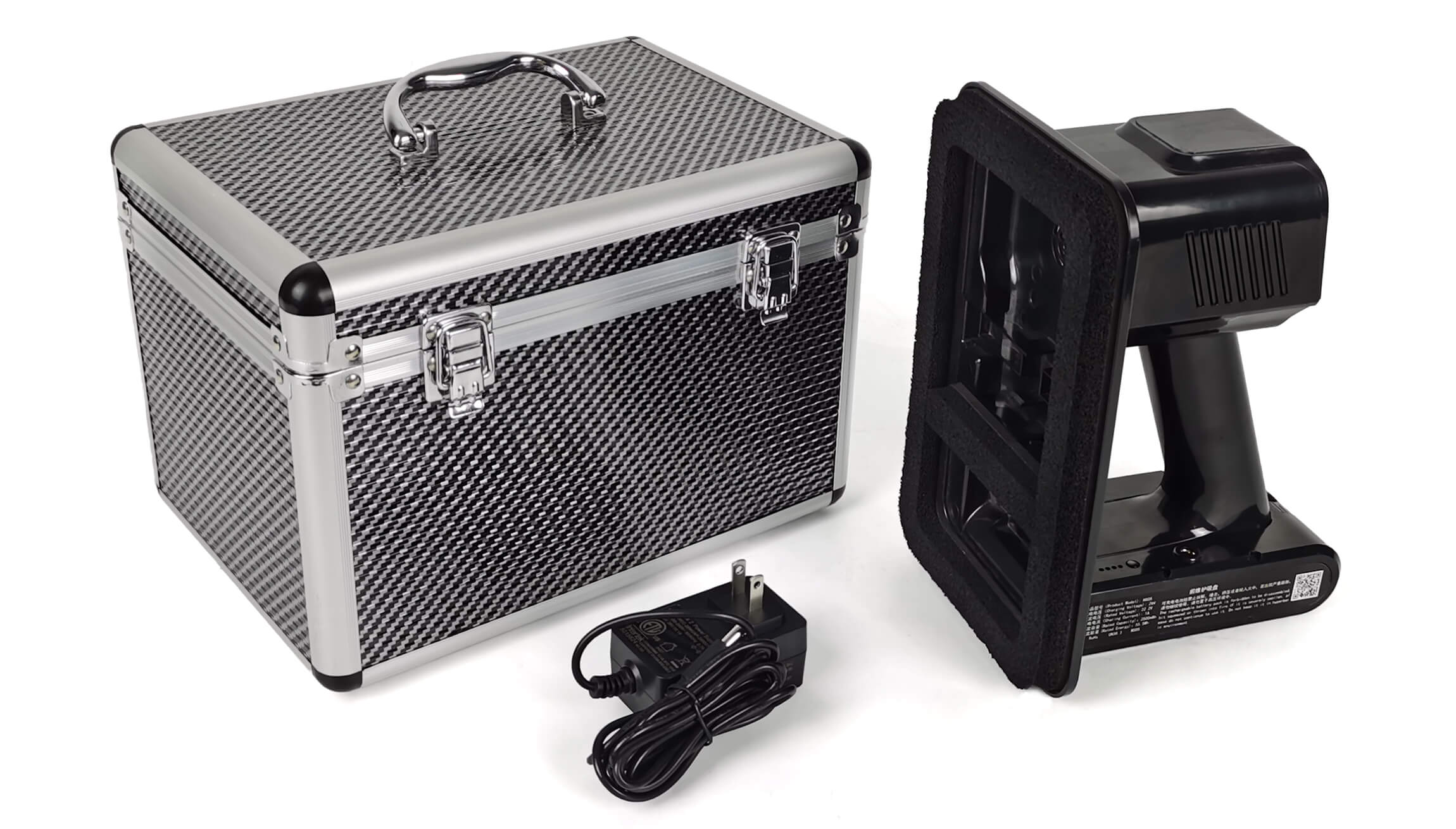
The HX05 listing asks customers to confirm module dimensions, the front-service fixing method and suitability for vacuum removal. It refers to several cup sizes in the manual, but a list of available sizes is not a statement that every size is included in every order. Ask the supplier to specify the selected cup and accessories in the quotation.
Do not apply an unapproved solvent, lubricant or adhesive to obtain a seal. Surface preparation must follow the display and tool suppliers’ instructions. If the surface condition is uncertain, provide photographs and stop short of a removal trial until the responsible service supplier confirms a suitable approach.
The wider front-maintenance tool category can help you identify the equipment type being discussed. It does not replace a compatibility check. A tool that belongs in the correct category can still be unsuitable for a particular module or fixing system.
What a useful compatibility demonstration should show
Request a demonstration using the intended module type and the proposed tool configuration. A video of an LED module vacuum tool lifting a different display shows an application example, not a test of your wall. Ask the supplier to identify the module model, cup and release method used in any demonstration offered as evidence.
The demonstration should follow the actual display’s approved service procedure and show the release, support and handling arrangements clearly. A close view of a tool touching the front face is insufficient if the important fixing steps happen off camera. For a service quotation, ask who is responsible for supplying the display-specific instructions and who will carry out the work.
Agree on an acceptance description rather than inventing a universal pulling-force target. The module should be handled using the approved method without relying on unreleased restraints, cables or adjacent modules to support it. Do not use a successful attempt on one module as permission to ignore different construction elsewhere on the same wall.
Internal electrical access and work at height need the site’s approved maintenance arrangements and qualified personnel. Plan isolation, access and handling with the responsible contractor before the visit. This purchasing explanation does not provide a substitute electrical procedure or authorize an improvised removal method.
Order the approved configuration, not just the handle
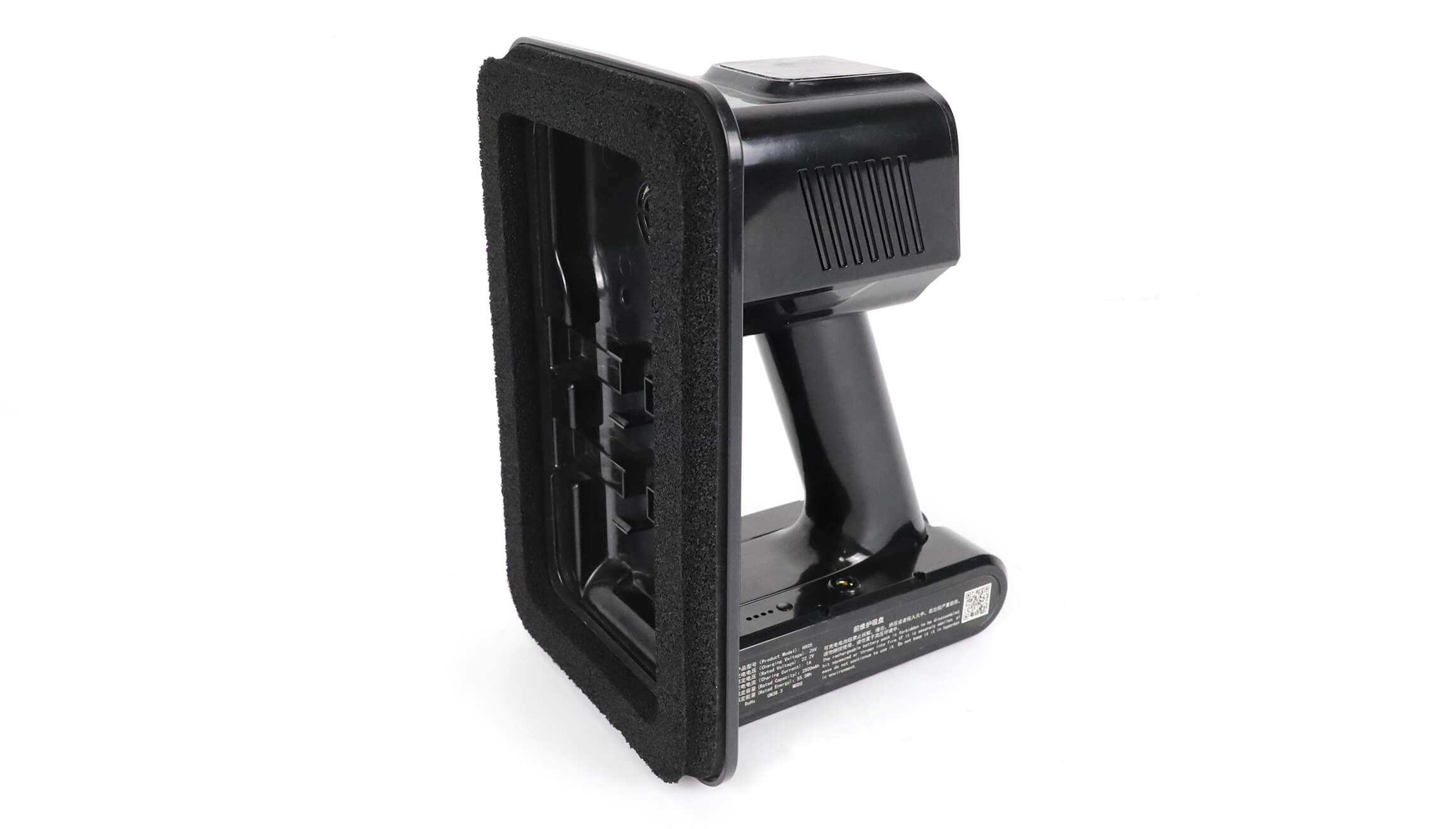
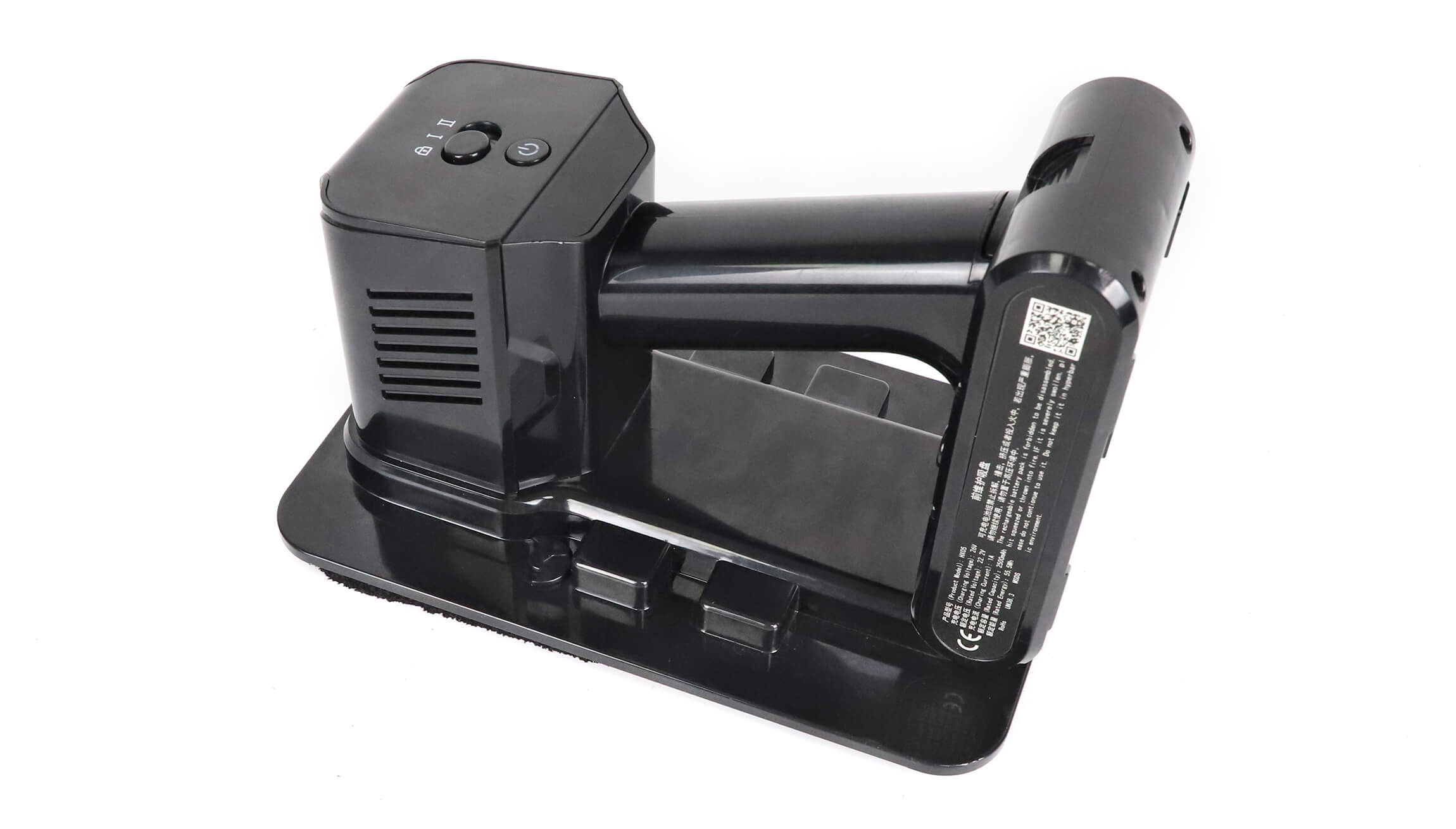
Once an LED module vacuum tool has been confirmed suitable, record the exact package to be supplied. Name the tool model, selected cup arrangement, battery, charger and any required accessories. The HX05 is described as having a removable battery and adjustable high/low settings; those features do not remove the need to follow its operating instructions.
Check the charger identification and the required mains connection for the service location. Do not select a charger solely because its plug fits. If the procurement team needs a local mains plug or replacement battery, request those details in the quotation so the site team receives the intended equipment.
Keep expected working time separate from a laboratory endurance figure. The product listing labels its continuous-discharge duration as laboratory data and says actual use varies. A service plan should account for the work conditions and the supplier’s charging instructions rather than assuming that a headline duration guarantees completion of an entire maintenance visit.
Frequently asked questions
Can this tool repair a module with dead pixels?
No. An LED module vacuum tool can help provide access to a compatible module for inspection or replacement. It does not identify the cause of a display fault or repair the LED electronics. Describe the symptom separately when requesting service support so that access equipment and repair requirements are not confused.
Does a product photograph prove which accessories are included?
No. A photograph can show the equipment’s appearance, but the written order should state the supplied cup, battery, charger and other agreed accessories. Ask for confirmation of the actual package before buying, especially when several cup options are mentioned in the documentation.
Should I use the higher setting when a module does not move?
Do not use a higher setting as a substitute for identifying an obstruction or unreleased fixing. Stop and follow the display supplier’s troubleshooting and service instructions. The correct operating setting and removal method need to be confirmed for the particular tool and module combination.
Send the fixing details with your tool inquiry
To select an LED module vacuum tool, send EagerLED the module model, dimensions, a front-surface photograph, the cabinet’s fixing information and any available service instructions. State whether the request is for a new service kit or a replacement part for an existing kit. Ask about maintenance-tool compatibility and the supplied package before assigning the equipment to a service visit.