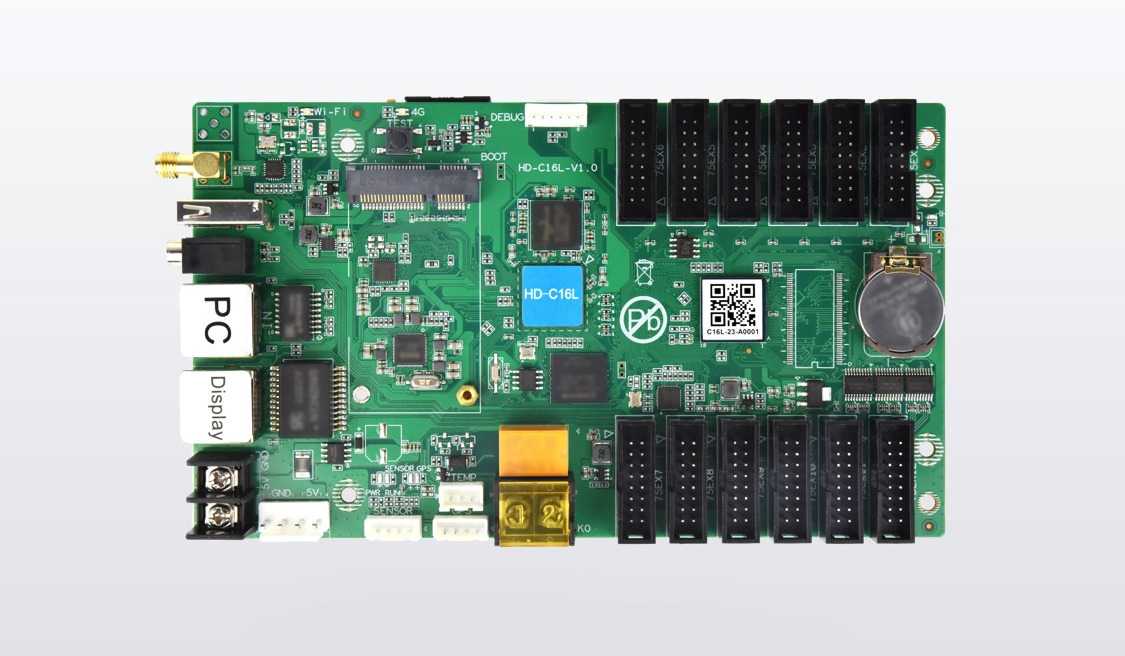
The HD-C16L direct load is up to 200,000 pixels through 12 onboard HUB75E ports. Buy the controller alone when your LED modules are compatible and the approved ribbon layout fits those ports and the usable load. If the design needs more than 200,000 pixels, evaluate a cascade with compatible Huidu HD-R receiving cards. Huidu rates that arrangement for up to 650,000 pixels, subject to the screen geometry and receiver layout.
Start with the sign’s native width and height in pixels, then count the module chains on the wiring drawing. A long, narrow sign can pass a total-pixel check and still need confirmation of its width or ribbon layout. These checks help a sign builder decide whether to quote one board, add receiving cards, or specify another controller.
Calculate the HD-C16L direct load for your sign
Multiply the number of active columns by the number of active rows. For a rectangular sign with identical modules, multiply the number of modules across by the pixels per module across. Do the same for height, then multiply the results. Use the actual LED map. A video file can have a different resolution from the sign that displays it.
For example, a sign built with 20 modules across and 3 modules high, using 64 × 32-pixel modules, measures 1,280 × 96 pixels. That is 122,880 pixels, within the nominal HD-C16L direct load. The 60 modules may still need several chains. Ask the module or cabinet supplier for a port map that lists each chain, its first module and how many modules it drives. The connector count by itself does not tell you how many modules can go on each ribbon.
Use this table to decide what to ask for before you buy. The resolutions are illustrative. Final approval depends on the module and wiring design.
| Native sign size | Total pixels | What to quote or verify |
|---|---|---|
| 1,280 × 96 | 122,880 | Direct drive is a candidate. Verify module pinout, scan settings and the chain map against the 12 ports. |
| 2,048 × 64 | 131,072 | Ask for the applicable width limit and any capacity reduction before approving either topology. |
| 1,536 × 192 | 294,912 | Above the direct limit. Quote the C16L with a confirmed HD-R cascade and receiver allocation. |
| 3,200 × 240 | 768,000 | Above the single-controller cascade limit. Request a different controller or an engineered split. |
Confirm the width and module layout
The HD-C16L direct load and the maximum canvas width are separate checks. Huidu’s HD-C16L Specification V1.0 describes reduced capacity above 1,920 pixels wide. Its V2.0 document uses a threshold above 2,048 pixels. The specifications list width up to 8,192 pixels and height up to 1,920 pixels as separate limits. They should not be multiplied together to size an order. For a wide sign, confirm which documentation applies to the supplied hardware and request its approved width, height and usable load in the proposed mode.
A 2,048 × 64-pixel strip illustrates the difference. Its 131,072 pixels are below the published HD-C16L direct load ceiling. Its width falls above the V1.0 threshold and exactly at the V2.0 threshold. A seller should confirm the usable layout for the actual board and modules before you approve the direct configuration. The HD-C16L product page links the older specification, which is relevant if it matches the delivered board or an existing installation.
For each LED module, record the exact model, pixel dimensions, driver IC, scan pattern and connector pinout. Compare the installer’s map with the module’s input and output markings. Two ribbon connectors can have the same shape and use different signals. If the HD-C16L direct load works on paper but the module type or chain layout is unconfirmed, make a one-chain demonstration part of the purchase approval.
For a double-sided sign, state whether each face needs its own program and when each face must be serviceable on its own. Give the supplier a drawing of both faces. A width and height for only one face leave the load and the output map incomplete. Ask the supplier to show how both faces are mapped and where a board or cable failure would interrupt service. If independent playback is required, have the integrator price a control system for that requirement.
Decide which parts to order
When the HD-C16L direct load fits the design, quote the controller, the approved ribbons and the mounting and power connections needed for the enclosure. Locate the controller so the proposed first modules are reachable with their specified ribbon runs. If the controller is remote from the module groups, ask the designer whether nearby receivers would give a better service layout even when the total pixels are below 200,000.
When the sign exceeds the HD-C16L direct load or needs a distributed layout, quote the C16L plus compatible receiving cards. The Gigabit display output feeds the HD-R chain. The separate 100 Mbps communication port connects to the LAN or setup computer. In a quote, name the output port and show the first receiver, receiver order, all ribbon runs and the local power connections.
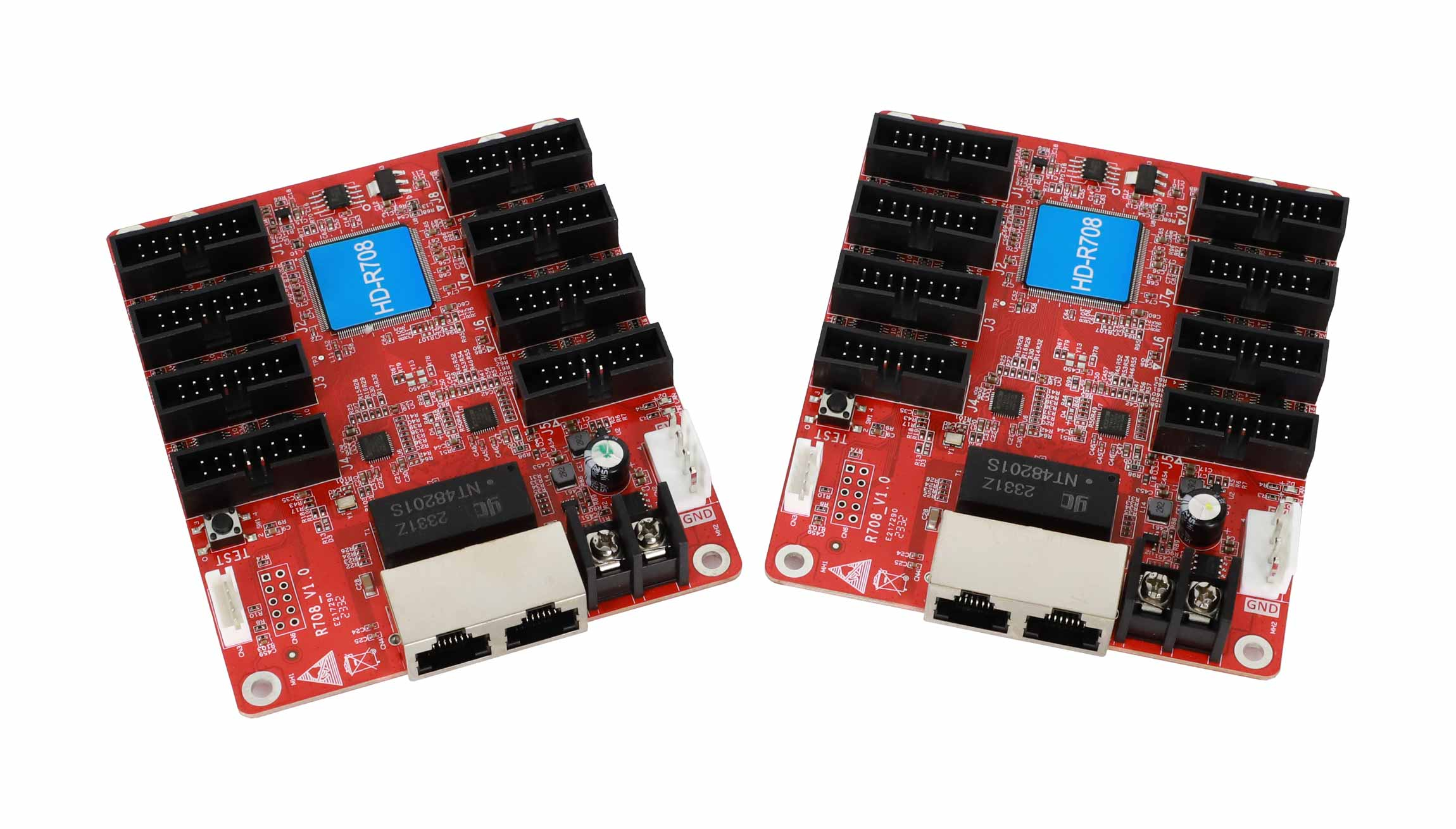
Compare the eight-port HD-R708 and the twelve-port HD-R712 if both are supported by your module setup. Decide card quantity using the supported chain map for each receiver, the size of its assigned section, and the overall C16L cascade capacity. Dividing the sign’s pixels by 200,000 cannot tell you how many receivers to order. That figure describes the HD-C16L direct load, and a 650,000-pixel cascade rating applies to the system as a whole.
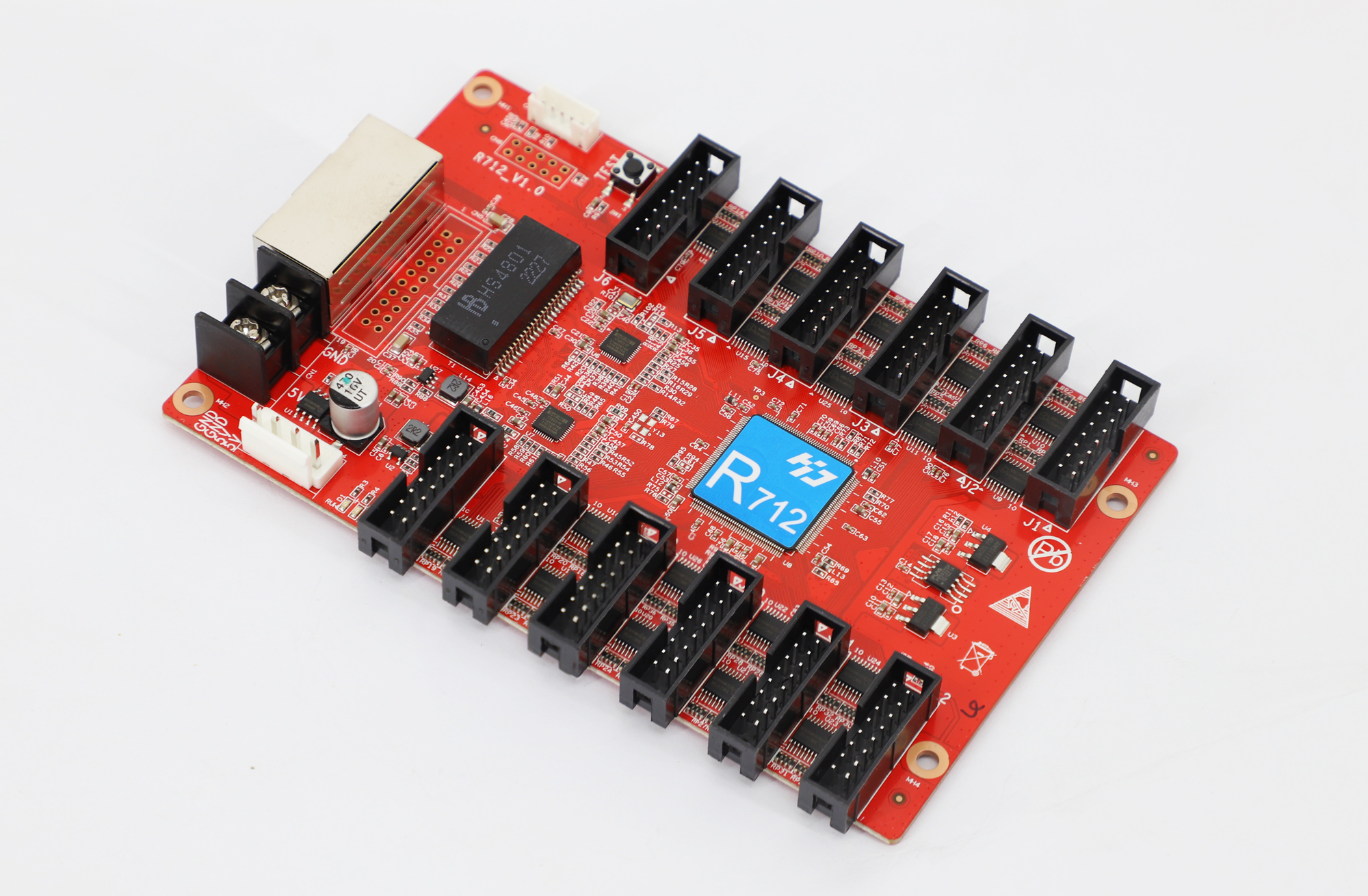
Ask the supplier to list each receiver model and revision and to provide a matching module configuration. Request a cabinet drawing identifying the receiver serving each section. Compare bids using the same display map, including the control-to-receiver cables and a commissioning check on one repeating cabinet group. If you are keeping existing modules, use the module replacement checklist to gather evidence for setting up the new controller.
For acceptance, ask the installer to show a pattern with clear borders and numbered sections before loading the sign’s regular program. Verify that the full width is addressable, that rows are in the right order and that content crosses any receiver boundaries without missing sections. Keep a copy of the approved port map and screen configuration with the order. If the actual board revision differs on arrival, those records give the installer a way to check the substitution before fitting it.
Frequently asked questions
Does adding a receiving card change how I publish content?
Keep sending the program to the HD-C16L using the supported management or update method. The receiving cards distribute the display signal to their assigned modules. Record who manages the player and who maintains the receiver configuration so a later content update does not overwrite screen settings.
Does a USB drive increase the HD-C16L direct load?
USB storage can provide more space for programs. Pixel capacity comes from the controller and the display topology. If you need to drive more LEDs, confirm the cascade design or choose a higher-capacity controller.
Can I use spare receiving cards from another LED control brand?
Ask for confirmed sender-to-receiver compatibility and the exact supported firmware and module setup. The C16L specification identifies Huidu HD-R receivers for its Gigabit display output. An Ethernet-shaped connector alone is insufficient to approve a spare receiver for this link.
Request a quote for your sign
Send the width and height in pixels, module model and scan details, a photo of both controller network-port labels, and a sketch of the module chains. If you already have receivers, include their labels and configuration. Request a confirmation and quote for the HD-C16L direct load or a supported cascade, with the required receivers and cables listed by model.