
Quick answer: NovaPro, NovaStar H2, and NovaStar H5 improve an LED display by processing incoming video before it reaches the screen. NovaPro simplifies operation in an all-in-one controller, while the modular H2 and H5 add flexible signal routing, multi-window composition, and room to expand. The right choice depends on pixel load, source count, output format, redundancy needs, and future growth.
For viewers, the result is sharper scaling, cleaner motion, consistent color, and fewer interruptions. For operators, it means faster source switching, easier screen mapping, reusable presets, and more predictable control. This guide explains where each processor fits and how to choose between them without overbuying.
Specification note: Exact input formats, output capacity, layer count, connector options, latency, and backup functions vary by model, installed cards, firmware, and system configuration. Confirm the current data sheet and project design before ordering. For current manuals and product notices, also check NovaStar’s official website.
What are NovaPro, NovaStar H2, and NovaStar H5?
NovaPro: an all-in-one LED video controller
NovaPro combines video processing and LED display control in one chassis. Depending on the specific NovaPro model, the workflow can include source selection, scaling, image adjustment, screen configuration, and data output to the LED receiving system.
This integrated design reduces the number of devices in the signal chain. It is useful when fast setup, compact installation, and straightforward operation matter more than extensive modular expansion.
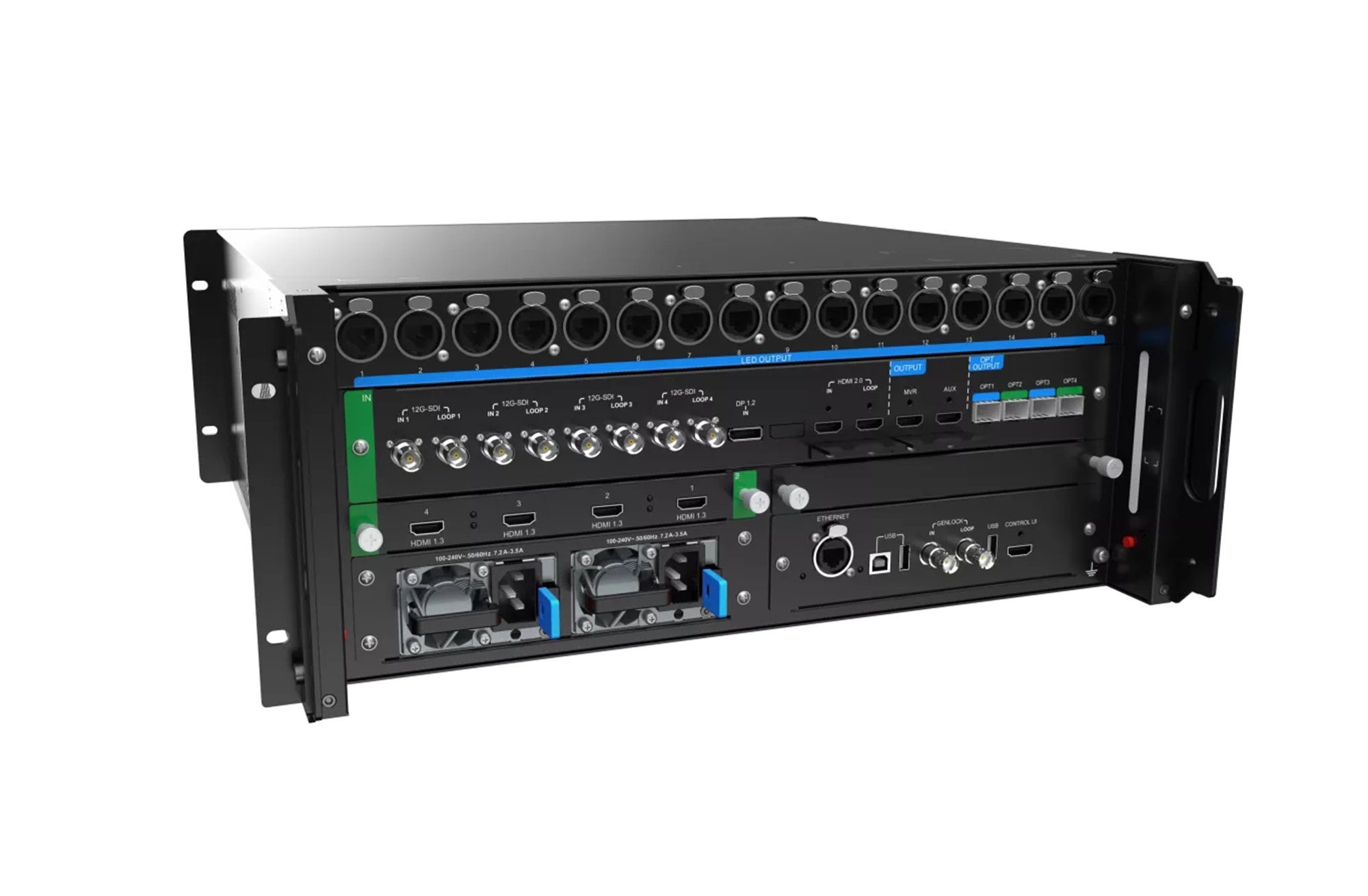
NovaStar H2 and H5: modular video wall processors
NovaStar H2 and H5 are modular processors in the H Series. Their chassis accept compatible input and output cards, allowing a system designer to match the processor to the required signals and display layout.
The H2 is suited to compact or medium-scale systems. The H5 offers more expansion space for larger source counts, more complex canvases, or future capacity. They are alternatives within the same product family; they do not normally need to be paired with each other.
NovaPro vs NovaStar H2 vs H5 at a glance
| Comparison point | NovaPro | NovaStar H2 | NovaStar H5 |
|---|---|---|---|
| Product approach | All-in-one LED video controller | Compact modular video wall processor | Larger modular video wall processor |
| Best fit | Rental events, stages, conference rooms, and streamlined LED systems | Control rooms, showrooms, studios, and medium multi-source video walls | Large command centers, broadcast systems, venues, and complex fine-pitch LED walls |
| Signal flexibility | Model-specific built-in connectors | Configured with compatible input and output cards | More expansion room for compatible cards and larger designs |
| Multi-window work | Available functions depend on the NovaPro model | Designed for layered, multi-window layouts | Designed for more demanding layouts and expansion |
| Deployment priority | Speed, simplicity, and fewer devices | Modularity in a compact chassis | Scale, flexibility, and growth headroom |
The table shows the architectural difference, not a universal capacity ranking. A fully specified system must be checked against total pixels, card configuration, source resolution, refresh rate, color depth, output interfaces, and backup design.
How does NovaPro enhance the display experience?
NovaPro is strongest when an operator wants one device to handle the core video-processing and LED-control workflow. This can improve both the audience experience and daily operation in five ways.
- Cleaner scaling: Source content can be resized for the actual LED canvas, reducing distortion and helping text, logos, and fine details remain legible.
- Consistent image adjustment: Centralized brightness, contrast, color, and related controls make it easier to keep content visually balanced across the screen.
- Simpler signal paths: Fewer separate boxes mean fewer cables, conversions, and possible points of failure.
- Faster setup: An integrated workflow is valuable for rental teams and venues that change screen configurations often.
- Easier operation: Source switching, presets, and screen configuration can be managed from a more unified control environment.
NovaPro is therefore a practical choice for a single LED canvas or a project where the input and output requirements are already well defined. Before selecting a model, verify that its connector set, pixel capacity, supported resolutions, and layer features match the design.
How does the NovaStar H2 improve a video wall?
The H2 brings modular processing to projects that need more routing and composition flexibility than a fixed-format controller provides. Instead of accepting one predetermined connector set, the chassis can be configured with compatible cards for the required sources and outputs.
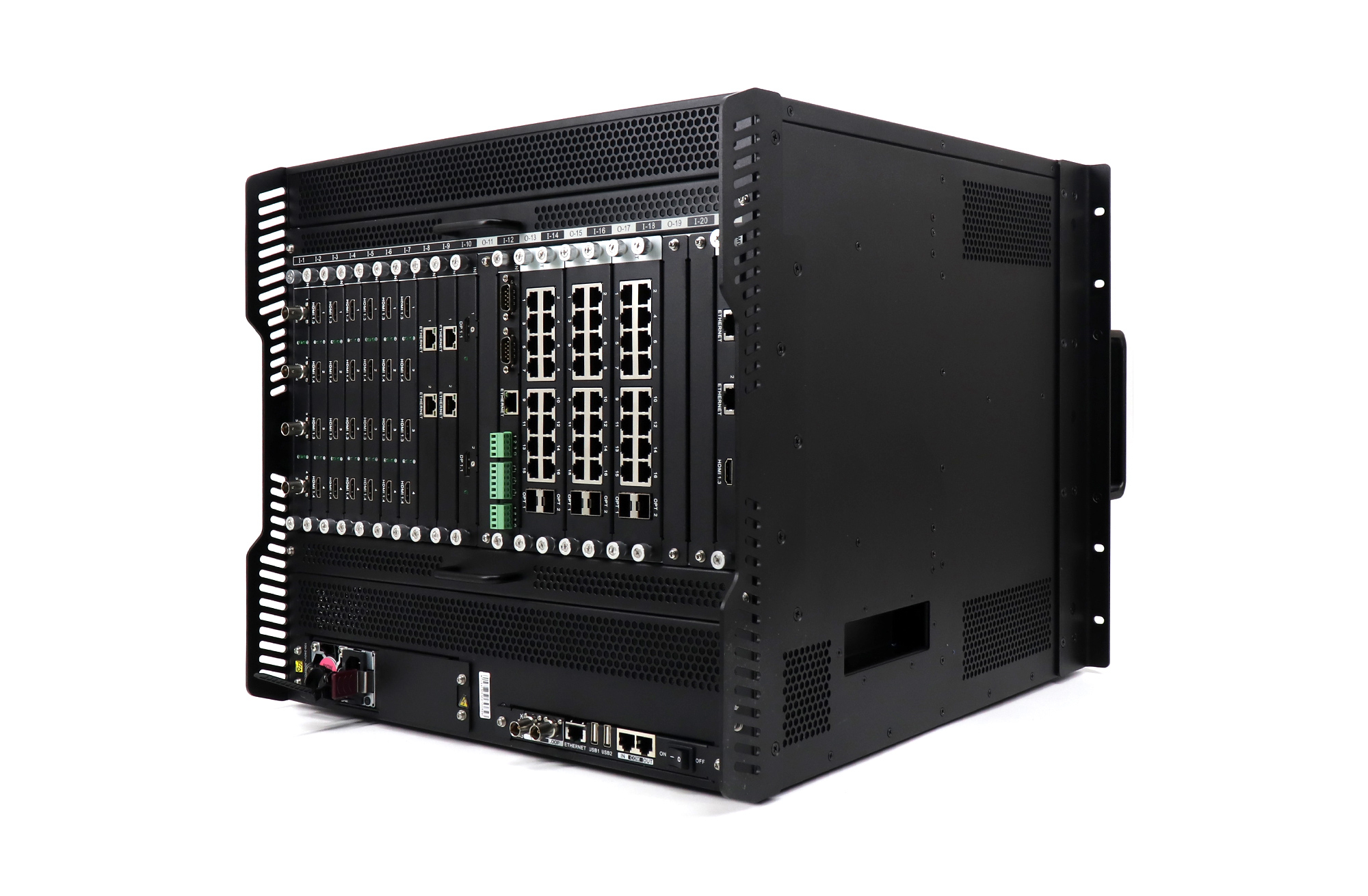
- Flexible source integration: A planned card configuration can accommodate the computers, cameras, media servers, and other sources used by the project.
- Multi-window composition: Operators can arrange multiple sources on one canvas for dashboards, monitoring, presentations, or live production.
- Precise canvas mapping: Content can be positioned and scaled for unusual LED resolutions and aspect ratios.
- Preset-based operation: Saved layouts help teams move between common scenarios with less manual adjustment.
- Serviceable architecture: A modular design can make expansion and maintenance more practical when the supported configuration is planned correctly.
These capabilities make the H2 a strong fit for a control room, corporate showroom, studio, or medium fine-pitch LED wall. It is often the efficient choice when the project needs modular I/O but does not require the expansion space of a larger chassis.
How does the NovaStar H5 handle larger systems?
The H5 follows the same modular H Series concept but provides more room for demanding system designs. The benefit is not simply better picture quality. Its real advantage is the ability to support a larger or more complex signal architecture when equipped with the appropriate cards.
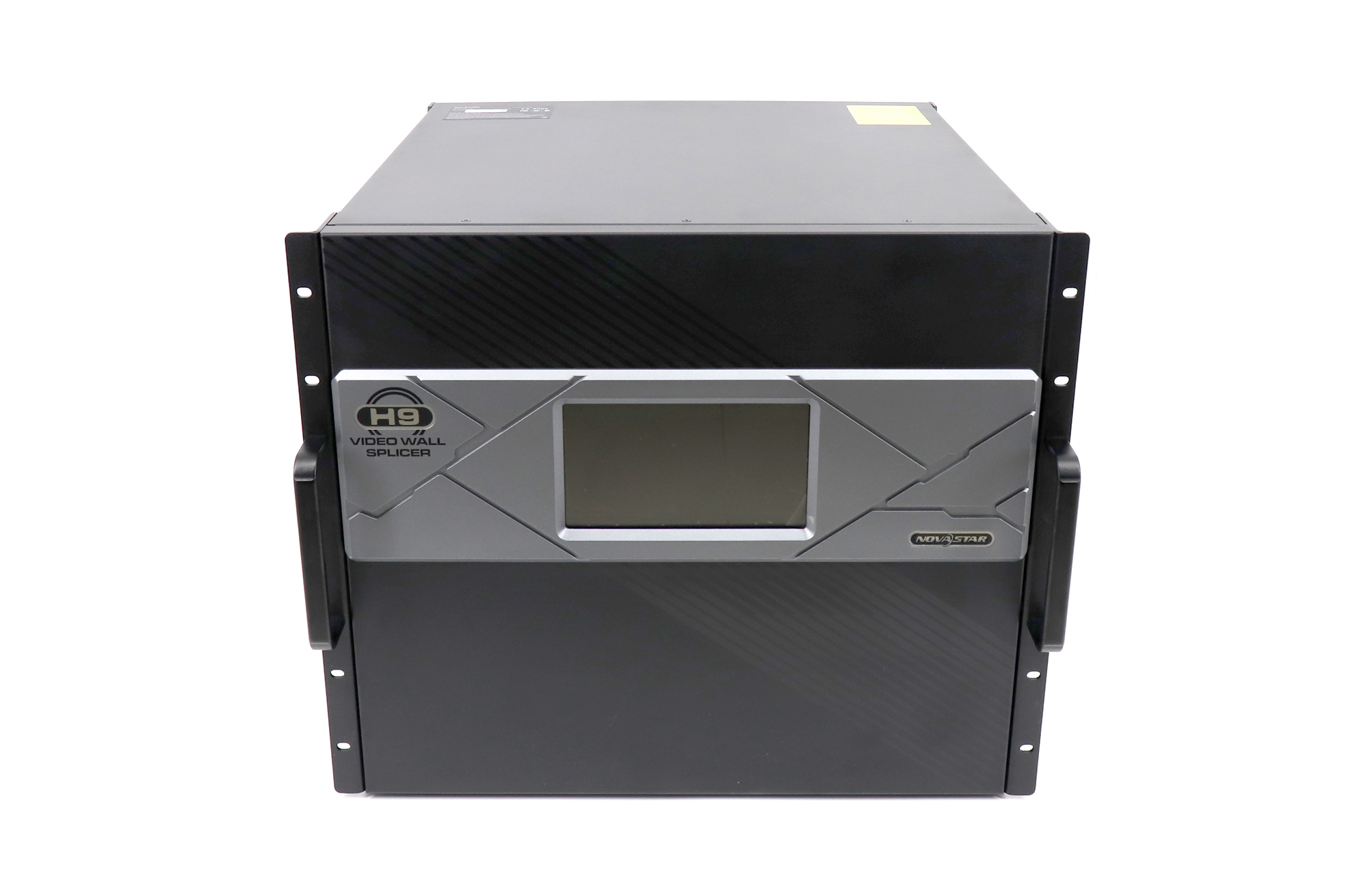
- More expansion headroom: The chassis is better suited to projects with more sources, outputs, or future growth.
- Complex canvas management: Large video walls can combine several windows, regions, or operational views in a coordinated layout.
- Centralized routing: Multiple signals can be managed from one processing platform, which simplifies changes during operation.
- Operational resilience: Supported monitoring and backup options can be designed into critical installations. Redundancy is not automatic; it must be specified, cabled, and tested.
- Long-term adaptability: A modular design lets the system evolve within the compatibility limits of the chassis, cards, and firmware.
The H5 is appropriate for command centers, large broadcast environments, sports venues, transport hubs, and high-value fixed installations where downtime or reconfiguration is costly.
NovaStar H2 vs H5: which processor should you choose?
Choose the H2 when:
- The source and output count fits a compact modular chassis.
- You need multiple windows or flexible routing on a medium LED canvas.
- Rack space, power use, and budget are important constraints.
- The planned card configuration leaves reasonable service capacity.
Choose the H5 when:
- The project requires more card slots or expansion room.
- The canvas, source count, or window layout is more complex.
- Future inputs and outputs are likely to be added.
- The installation needs a carefully engineered monitoring and backup plan.
Choose NovaPro instead when:
- You prefer an all-in-one controller with a shorter signal chain.
- The system has a defined set of sources and a simpler canvas.
- Rapid setup and operator convenience are more important than modular expansion.
- The selected NovaPro model already meets the complete pixel-load and connector requirements.
For other NovaStar options, see our guide to VX16S, VX1000, TB50, and H9 selection.
What display improvements will viewers actually notice?
Sharper, better-proportioned content
A processor maps standard video sources to a custom LED resolution. Correct scaling and cropping prevent stretched faces, distorted logos, and unreadable small text.
Smoother live switching
Well-configured switching and presets reduce black frames, incorrect layouts, and delays when an operator changes sources. This is especially important for presentations, live events, and broadcast workflows.
More consistent color and brightness
Central image controls help align different sources before they reach the display. Final uniformity also depends on LED module quality, calibration, receiving-card settings, and camera requirements.
More useful screen layouts
Multi-window processing lets one wall show a live feed, data dashboard, remote participant, and branded content at the same time. This turns the LED wall into an information workspace rather than a single-source monitor.
Higher uptime when redundancy is designed correctly
Critical systems can include backup sources, processors, signal paths, power, and receiving routes. A processor contributes to resilience, but the entire chain must be designed and tested as one system.
How to specify the right LED processor
- Calculate the true pixel load. Record the complete canvas width and height, including every output region.
- List every source. Include connector type, resolution, frame rate, color format, and whether protected content is involved.
- Define the layout. Count simultaneous windows and note cropping, roaming, overlays, and seamless-switching requirements.
- Plan the outputs. Confirm how processed video reaches the LED sending and receiving system.
- Set a latency target. Live cameras, image magnification, and interactive content require closer attention than ordinary signage.
- Design redundancy explicitly. Identify which failures must be covered and how operators will test the backup path.
- Allow growth without oversizing blindly. Reserve practical capacity for known changes, while avoiding unused complexity.
- Verify compatibility. Check the exact chassis, cards, firmware, software, and downstream LED hardware as one bill of materials.
Our LED video processor catalog can help you compare available options. For project matching, send the screen resolution, source list, required windows, output interfaces, and backup needs through the contact page.
Setup checklist for reliable results
- Update only to a validated firmware and software combination.
- Set source resolution and refresh rate deliberately rather than relying on automatic negotiation.
- Create the LED canvas at its exact pixel dimensions.
- Check aspect ratio, crop, and scaling with real content.
- Save and label presets for normal operation and emergency recovery.
- Test every input, output, and backup path before the event or handover.
- Record the final card layout, cable map, firmware, and configuration file.
Frequently asked questions
Is NovaStar H5 simply a newer version of H2?
No. H2 and H5 are different chassis sizes in the modular H Series. The H5 generally provides more expansion space, while the H2 can be more efficient for a smaller design. Choose by required capacity and card configuration, not by model number alone.
Do NovaPro and H2 or H5 need to work together?
Usually not. NovaPro is an all-in-one LED controller, while H2 and H5 are modular video wall processors. A system may include more than one processing device for a specific engineering reason, but the default goal should be the simplest architecture that meets the requirement.
Can these processors accept 4K sources?
Support depends on the exact NovaPro model or the input cards installed in an H2 or H5. Check connector type, resolution, frame rate, color depth, and firmware support. Accepting a 4K input does not by itself define the total LED output capacity.
Which model is best for a fine-pitch LED wall?
For a simple fine-pitch wall with defined sources, a suitable NovaPro model may be enough. Choose H2 when you need compact modular routing and multi-window layouts. Choose H5 when the same workflow requires more expansion or a larger signal architecture.
Does a video processor improve a low-resolution source?
It can scale and optimize the source for the LED canvas, but it cannot recreate detail that was never captured. The best result comes from high-quality source material, correct scaling, calibrated LED modules, and appropriate viewing distance.
What information is needed before requesting a quotation?
Provide the full screen resolution, number and type of sources, simultaneous window count, preferred outputs, latency target, redundancy requirements, installation type, and planned future expansion. These details are more useful than screen size alone.
Conclusion
NovaPro, NovaStar H2, and NovaStar H5 enhance an LED display in different ways. NovaPro streamlines a defined system with integrated processing and control. H2 adds compact modular routing and multi-window flexibility. H5 extends that modular approach for larger and more expandable installations.
The best viewer experience comes from correct system sizing, clean source signals, precise mapping, tested presets, and a complete reliability plan. Select the architecture first, then confirm the exact model and card configuration against the current technical documentation.

