
To choose the right rental LED screen, start with the event environment, minimum viewing distance, audience size and content format. Then confirm pixel pitch, brightness, weather protection, screen dimensions, camera requirements, installation method, power, signal redundancy and the supplier’s support plan. The best screen is not simply the largest or brightest option; it is the system that keeps every viewer able to read the content safely and reliably.
This guide explains the 12 factors that matter most when selecting an LED screen for concerts, conferences, exhibitions, weddings, sports events and temporary outdoor installations. It also answers a question seen in our Google Search Console data: how do you choose between renting and buying an event LED screen?
Quick Rental LED Screen Selection Guide
| Decision | Practical starting point | What to confirm with the supplier |
|---|---|---|
| Indoor or outdoor | Use an outdoor-rated display when rain, dust or direct sun is possible | Front and rear IP rating, operating temperature and wind plan |
| Pixel pitch | A smaller pitch suits closer viewing; a larger pitch is usually adequate at longer distances | Native resolution at the proposed screen size |
| Brightness | Indoor events need less brightness than daylight outdoor events | Rated and calibrated brightness in nits |
| Screen size | Base dimensions on the farthest viewer, content detail and venue sightlines | Exact width, height, aspect ratio and total resolution |
| On-camera use | Specify a high refresh rate and camera-friendly processing | Refresh rate, scan mode, shutter tests and color calibration |
| Reliability | Plan backup power, signal paths and spare modules for critical events | Redundancy design, spare percentage and technician response time |
12 Factors to Consider When Choosing a Rental LED Screen
1. Define the Event and Viewing Environment
Begin with where and how the display will be used. An indoor conference, a touring concert and an outdoor festival place very different demands on an LED wall. Record the event dates, daily operating hours, installation location, audience capacity, minimum and maximum viewing distances, ambient light and whether cameras will capture the screen.
For an outdoor event, choose equipment designed for outdoor operation rather than assuming a temporary cover is enough. The screen, power distribution, connectors, structure and ballast must all suit expected rain, dust, temperature and wind conditions. Browse our outdoor LED display screen options to understand the type of hardware commonly used for exposed installations.
2. Match Pixel Pitch to Viewing Distance
Pixel pitch is the center-to-center distance between adjacent pixels, measured in millimeters. A smaller number places pixels closer together and produces a finer image at short range, but it normally costs more. A larger pitch can be economical when viewers are farther away.
As a simple planning rule, the pixel-pitch number in millimeters is often close to the minimum comfortable viewing distance in meters. For example, a P3.9 rental panel is commonly considered from roughly four meters away. This is only a starting point. Text size, image detail, camera framing and viewer expectations can justify a finer pitch. Ask the supplier to calculate the complete wall’s native pixel resolution, not just quote the cabinet pitch.
3. Choose Sufficient Brightness, Not Maximum Brightness
Brightness is measured in nits. Indoor stages and exhibition halls usually need much less output than an outdoor wall in daylight. Excessive brightness indoors can cause eye discomfort, reduce perceived detail and make the screen difficult to film. Insufficient brightness outdoors causes content to look washed out.
Typical indoor rental screens may operate around 800 to 1,500 nits, while outdoor daylight applications often require several thousand nits. Treat these as broad reference ranges, because direct sun, screen orientation, time of day and venue lighting change the requirement. Confirm that the system can be adjusted smoothly and calibrated for consistent brightness and color across every cabinet.
4. Verify Weather Resistance and Environmental Limits
For outdoor use, ask for the ingress protection rating of both the front and rear of the cabinet. An IP65 front rating is common for outdoor rental panels, but the rear rating can be different. Check the exact specification rather than relying on the word “outdoor.”
Also review the safe operating temperature, humidity limits, ventilation, rain management and wind-load procedure. IP ratings describe resistance to solids and water under defined tests; they do not replace engineered rigging, ballast, drainage or a weather shutdown plan.
5. Calculate the Right Screen Size and Aspect Ratio
Screen size should be driven by audience sightlines and content, not by audience count alone. Inspect the venue for columns, low ceilings, lighting trusses, stage scenery and viewing angles. A wide room may benefit from two side screens instead of one oversized central wall.
Use a 16:9 aspect ratio when most content is standard presentation or video material. Other shapes can work for stage design, but the creative team must produce content at the wall’s exact pixel dimensions. Confirm the finished width, height, cabinet layout and resolution before content production begins.
6. Confirm Image Quality and On-Camera Performance
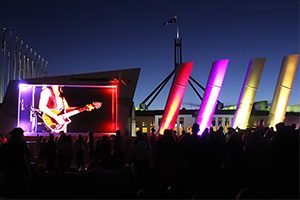
Resolution is only one part of image quality. Ask about refresh rate, grayscale performance at low brightness, color temperature adjustment, scan mode and calibration. For events that will be filmed or live-streamed, a refresh rate of 3,840 Hz or higher is a common preference, but compatibility still depends on the camera’s frame rate, shutter angle and exposure settings.
Arrange a camera test using the production team’s actual settings whenever the screen is prominent on video. Look for scan lines, flicker, moire patterns and color shifts at different brightness levels. A capable LED video processor also helps scale and switch sources cleanly.
7. Plan Installation, Rigging and Service Access
Rental cabinets should support fast, repeatable assembly with dependable locks, alignment pins and accessible power and data connections. Decide whether the wall will be ground-stacked, flown from a truss or mounted on another temporary structure. This decision affects cabinet type, structural calculations, ballast, labor, setup time and venue approval.
Installation and rigging should be handled by qualified personnel following the manufacturer’s instructions and local rules. Leave enough rear or front service access for technicians to replace a power supply, receiving card or LED module without dismantling the entire wall.
8. Check Power Capacity and Distribution
Ask the supplier for both average and maximum power consumption for the complete configuration. Maximum demand is essential for circuit planning; average demand helps estimate normal operating load. Include processors, distribution equipment, cooling and backups in the calculation.
Confirm the venue voltage, available phases, connector types, cable routes, grounding and who is responsible for electrical distribution. Outdoor connections require suitable protection from water and public access. Never base the plan only on the wattage of one cabinet multiplied by an approximate cabinet count.
9. Design Signal Control and Redundancy
The source equipment must provide the required inputs, output resolution, scaling, switching and low-latency performance. Map the complete signal path from playback computers and cameras through the processor, sending system, fiber or network links and LED receiving cards.
For a business-critical show, request backup signal paths, a spare processor or sender, redundant power where supported and preconfigured replacement parts. Determine whether failover is automatic or requires a technician. A backup that has not been configured and tested is not a reliable backup.
10. Review Content and Playback Requirements
Tell the rental company what the screen will show: presentations, live cameras, sponsor graphics, scoreboards, social feeds or prerecorded video. Provide the number and type of sources, desired switching behavior and whether audio synchronization is required.
Create graphics at the LED wall’s native resolution and keep important text within a safe area. Use large type, strong contrast and concise messages for distant viewers. Test real content before the event, because a demo reel may hide problems that become obvious in slides, spreadsheets or fine text.
11. Compare the Total Rental Cost
A useful quote separates the LED panels from all services needed to run them. Compare like for like across suppliers, including:
- LED cabinets, processors, senders and playback equipment
- Ground support, truss, motors, ballast and safety hardware
- Power distribution, data cables and fiber converters
- Transport, loading access and local permits
- Installation, testing, operation and dismantling labor
- On-site technician hours, overtime and travel
- Spare modules, backup equipment and insurance
The lowest panel price can become the most expensive option if essential rigging, labor or redundancy appears later as an extra charge. Request a written scope showing what is included, what is excluded and who is responsible for every part of the installation.
12. Evaluate the Rental Supplier’s Support
Ask how often the inventory is inspected and calibrated, whether all cabinets in the wall come from a matched batch, and how many spare modules and power supplies will be on site. Verify the setup schedule, testing window, technician coverage and response plan for failed equipment.
A good supplier should request venue drawings and event details before recommending a product. They should be able to explain why a particular pitch, brightness and screen size fits the application rather than simply offering the inventory that happens to be available.
Should You Rent or Buy an Event LED Screen?
Renting is usually better for one-off events, short campaigns, changing venues or projects that need specialist installation and operation. It reduces storage and maintenance obligations and lets you choose different screen specifications for each event.
Buying may be more economical when the same organization uses a similar screen frequently, has trained technicians and can manage storage, transport, maintenance and spare parts. Compare total ownership cost rather than purchase price alone.
| Choose rental when | Consider purchase when |
|---|---|
| Use is occasional or seasonal | Use is frequent and predictable |
| Screen size and venue change often | The same configuration is reused |
| You need turnkey setup and operators | You have trained technical staff |
| You want current equipment without maintenance | You can store, transport, service and insure the system |
A simple financial comparison is: annual rental spend versus purchase price plus financing, storage, transport, labor, repairs, spare parts, calibration, insurance and expected depreciation. Include the cost of equipment sitting idle between events.
Questions to Ask an LED Screen Rental Company
- What pixel pitch, dimensions and native resolution are you proposing, and why?
- What are the rated brightness, refresh rate and front/rear IP ratings?
- Is this configuration suitable for our minimum viewing distance and cameras?
- How will the wall be supported, secured and approved for the venue?
- What are the maximum power demand and connection requirements?
- Which processor, sending system and playback inputs are included?
- What signal, power and hardware backups will be available?
- How many spare modules, receiving cards and power supplies will be on site?
- Who handles installation, content testing, operation and dismantling?
- What costs or responsibilities are excluded from the quote?
Frequently Asked Questions
What is the best pixel pitch for a rental LED screen?
There is no single best pitch. Choose it from the minimum viewing distance, required screen resolution, content detail, camera use and budget. P2.6 to P3.9 is common for many indoor event walls, while wider pitches may suit large outdoor screens viewed from farther away.
How bright should an outdoor rental LED screen be?
It depends on ambient light and screen orientation. Outdoor screens often need several thousand nits for daylight visibility, but shaded or evening events may run at lower output. Ask for a site-specific recommendation and adjustable brightness.
What IP rating should an outdoor LED screen have?
An IP65 front rating is common, but verify both front and rear ratings. Also confirm operating limits, protected connections, ventilation and the event’s rain and wind procedures. An IP rating alone does not make an installation safe in severe weather.
How large should an event LED screen be?
Size the wall so the farthest viewer can read the smallest important content while the nearest viewer remains at a comfortable distance. Venue sightlines, aspect ratio, pixel pitch and native resolution are more useful inputs than audience count alone.
Do rental LED screens need an on-site technician?
For large, live or business-critical events, on-site technical support is strongly recommended. A technician can monitor power and signal health, adjust image settings and replace failed parts without disrupting the program.
Final Rental LED Screen Checklist
Before approving a rental, document the environment, viewing distances, screen dimensions, pixel pitch, brightness, IP ratings, total resolution, refresh rate, mounting method, power demand, signal diagram, backup plan, content test, staffing and complete cost. When these items are agreed in writing, it is much easier to compare proposals and avoid surprises on event day.
Need help matching LED display hardware and control equipment to your project? Contact LedControllerCard.com with your venue, viewing distance, screen size and source requirements for a practical recommendation.

