
Short answer: In an MCTRL300 vs MCTRL600 comparison, choose the NovaStar MCTRL300 for a compact, DVI-based LED display that needs a straightforward and cost-conscious controller. Choose the NovaStar MCTRL600 when you need HDMI and DVI inputs, higher supported pixel layouts, 8/10/12-bit video sources, 18-bit grayscale processing, or controller cascading.
Both models send video and control data to a NovaStar LED display system. They are LED display controllers, often called sending boxes. They are not general-purpose video wall processors, so functions such as multi-window composition, source switching, and arbitrary image scaling may require a separate video processor.
MCTRL300 vs MCTRL600 at a Glance
| Feature | MCTRL300 | MCTRL600 |
|---|---|---|
| Primary role | Compact LED display controller / sending box | Higher-capacity 1U LED display controller |
| Video input | 1 x DVI | HDMI and DVI |
| Listed resolution profiles | 1024 x 1200, 1280 x 1024, 1600 x 848, 1920 x 712, 2048 x 640 | 2048 x 1152, 1920 x 1200, 2560 x 960; 1440 x 900 for 10/12-bit sources |
| Video source depth | Standard DVI workflow | 8-bit, 10-bit, and 12-bit sources |
| Grayscale processing | Standard controller processing | 18-bit grayscale processing and presentation |
| Audio | Integrated audio input | HDMI audio and external audio input |
| Light sensor | Integrated interface | Integrated interface |
| Cascading | Not a highlighted feature | Supported |
| Best fit | Simple DVI-based, small or medium LED screens | Wider or larger layouts and more demanding event or fixed-install workflows |
Resolution support depends on the selected timing, color depth, receiving-card configuration, and mapped LED canvas. Confirm the exact design before purchase.
What Do the MCTRL300 and MCTRL600 Actually Do?
A NovaStar controller sits between the video source and the LED display receiving cards. It accepts a digital video signal, packages the image data, and sends that data across network cables to the LED cabinets. NovaLCT software is normally used to configure the cabinet map, receiving-card parameters, brightness controls, and screen connection.
This distinction matters when comparing the MCTRL300 and MCTRL600. A controller manages the LED screen signal path, but it does not automatically replace a video processor. If the source resolution does not match the LED canvas, or if the project needs cropping, seamless switching, picture-in-picture, or multiple windows, place a compatible processor before the controller.
Where the NovaStar MCTRL300 Stands Out
1. A simple DVI signal path
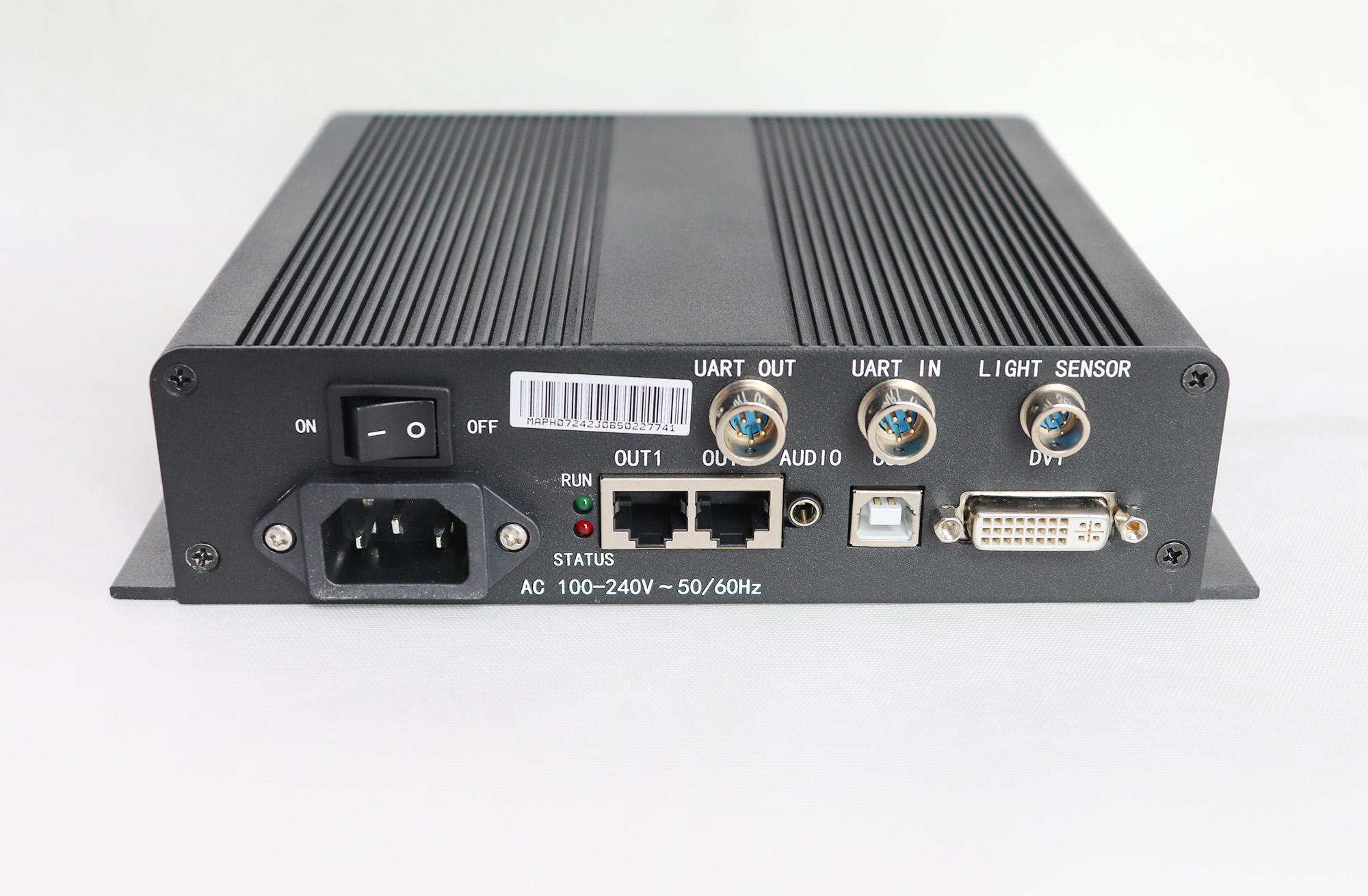
The MCTRL300 uses one DVI video input. That makes it a practical match for installations that already use a PC, matrix, or video processor with DVI output. A simpler signal chain can reduce setup time and make troubleshooting easier for fixed installations.
2. Useful wide-screen resolution profiles
The supported profiles include 1024 x 1200, 1280 x 1024, 1600 x 848, 1920 x 712, and 2048 x 640. These options suit many non-standard LED canvases, especially wide banners and medium-size screens. They do not mean that the controller scales every incoming format automatically. The source timing still needs to match the configured canvas.
3. Built-in monitoring and brightness support
The controller includes USB communication, an audio input, and an integrated light-sensor interface. It can also detect Ethernet communication status and power-supply voltage. These functions help technicians monitor a fixed LED screen and support brightness adjustment when a compatible sensor and system configuration are used.
4. A compact choice for focused installations
The MCTRL300 is best when the design is known, the signal source is DVI, and the screen does not need the MCTRL600’s expanded input and color-depth features. Typical projects include retail signage, meeting-room displays, information boards, and small event screens.
Review the MCTRL300 specification sheet before finalizing the signal timing and cabinet map.
Where the NovaStar MCTRL600 Stands Out
1. HDMI and DVI input flexibility
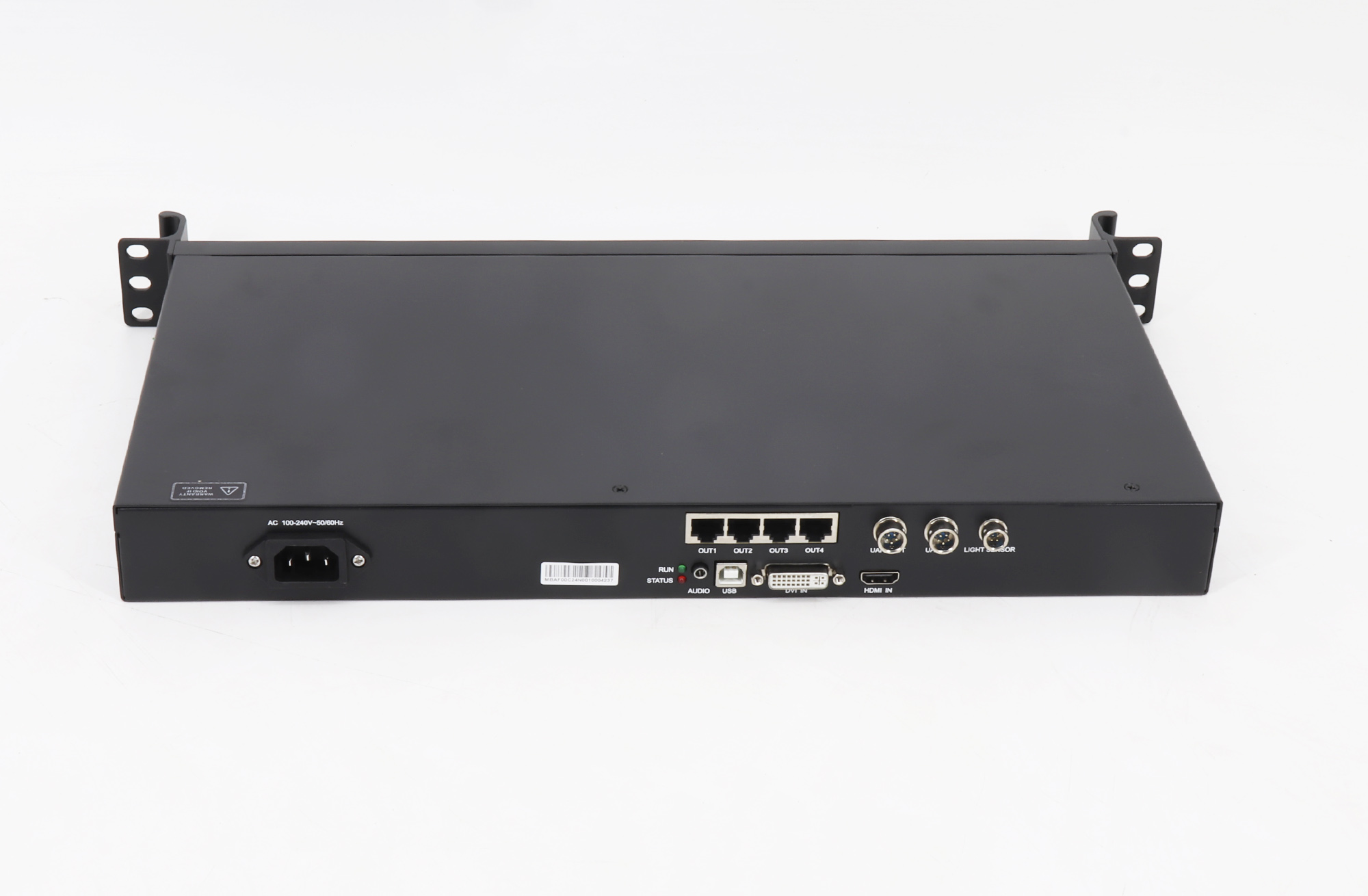
The MCTRL600 accepts both HDMI and DVI video. HDMI is useful for modern laptops, media servers, cameras, and switchers, while DVI keeps the controller compatible with established professional AV systems. HDMI audio and an external audio input provide additional routing flexibility.
2. Higher supported pixel layouts
Listed resolution profiles include 2048 x 1152, 1920 x 1200, and 2560 x 960. For 10-bit or 12-bit sources, the listed profile is 1440 x 900. This makes the MCTRL600 the stronger option for many larger or wider LED canvases, but the total pixel map and timing must still be checked against the project design.
3. Better support for high-bit-depth content
The MCTRL600 supports 8-bit, 10-bit, and 12-bit video sources, plus 18-bit grayscale processing and presentation. Higher bit depth can produce smoother tonal transitions when the complete signal chain supports it. The source, processor, controller settings, receiving cards, and LED modules must all be configured correctly to realize that benefit.
4. Cascading and a standard 1U chassis
Cascading helps system designers coordinate more complex LED installations. The standard 1U housing also fits a professional equipment rack, which is valuable in touring, broadcast, command-room, and venue environments. An independent power supply supports a clean rack-based deployment.
Review the MCTRL600 specification sheet for the exact video formats and operating limits.
MCTRL300 vs MCTRL600: How to Choose
Choose the MCTRL300 when:
- Your source or upstream video processor provides DVI output.
- The LED canvas fits one of the MCTRL300’s supported resolution profiles.
- You want a compact controller for a stable, single-screen installation.
- Advanced high-bit-depth input and cascading are not required.
- Budget and operational simplicity are priorities.
Choose the MCTRL600 when:
- You need direct HDMI input as well as DVI.
- The screen uses a larger or wider listed pixel layout.
- Your workflow requires 10-bit or 12-bit video-source support.
- You need controller cascading for a more complex system.
- A rack-mount 1U device is better for the installation.
Decision rule: do not choose by screen size alone. Start with total pixel width and height, then check the source connector, required color depth, cabinet map, and whether a separate video processor will handle scaling or switching.
Compatibility Checklist Before You Buy
- Calculate the LED canvas: multiply cabinet resolution by the number of cabinets across and down.
- Confirm the input connector: MCTRL300 is DVI-based; MCTRL600 supports HDMI and DVI.
- Match the timing: verify that the source can output a supported resolution and refresh rate.
- Check color depth: high-bit-depth operation changes the supported timing and requires compatible equipment throughout the chain.
- Verify receiving-card compatibility: confirm the receiving cards, firmware, and NovaLCT configuration for the specific LED modules.
- Plan scaling and switching: add a video processor when the project needs source scaling, cropping, multi-window layouts, or seamless transitions.
- Allow for expansion: if the canvas or workflow may grow, the MCTRL600’s broader inputs and cascading support provide more headroom.
Common Applications
MCTRL300 applications: retail displays, menu boards, corporate information screens, meeting rooms, and compact rental setups with a known DVI source.
MCTRL600 applications: event stages, houses of worship, theaters, broadcast environments, control rooms, sports venues, and larger fixed LED installations that benefit from HDMI, higher pixel layouts, or a rack-based system.
Application labels are only a starting point. The correct controller is the one that matches the exact canvas, signal format, and operational workflow.
Frequently Asked Questions
Which is better, the MCTRL300 or MCTRL600?
The MCTRL600 offers more capability, but it is not automatically the better purchase. The MCTRL300 is often the better fit for a straightforward DVI-based screen. The MCTRL600 is better when you need HDMI, higher listed resolutions, high-bit-depth sources, cascading, or a 1U rack format.
Can the MCTRL300 accept HDMI?
Not directly. Its video input is DVI. Use a compatible converter or an upstream video processor with DVI output, and verify the resulting resolution and timing before deployment.
Does the MCTRL600 support 4K input?
Do not treat the MCTRL600 as a general 4K scaler. Its listed profiles include 2048 x 1152, 1920 x 1200, and 2560 x 960, with 1440 x 900 listed for 10/12-bit sources. A 4K workflow may require an upstream processor or a newer controller designed for that signal and pixel load.
Can the MCTRL300 or MCTRL600 scale an image?
These models primarily function as LED display controllers. For arbitrary scaling, multi-window composition, seamless source switching, or advanced image processing, use a dedicated video processor before the controller.
Does the MCTRL600 support cascading?
Yes. Cascading is a listed MCTRL600 feature and can support more complex controller arrangements. The screen map and data-routing plan should still be validated in NovaLCT.
What should I check before replacing an existing controller?
Record the current source resolution, cabinet map, receiving-card model, firmware, output-port routing, brightness-control method, and color-depth settings. Back up the existing NovaLCT configuration before changing hardware.
Final Recommendation
For a defined DVI-based LED screen, the MCTRL300 remains a simple and economical controller. For HDMI connectivity, higher listed pixel layouts, high-bit-depth video, cascading, and rack installation, the MCTRL600 is the more capable choice.
Before ordering, compare the exact LED canvas and source timing with the relevant specification sheet. If the design also needs scaling, switching, or multiple video windows, include a compatible video processor in the signal chain. This prevents overspecifying the controller while ensuring the LED display receives the format it needs.

