
LED screen maintenance protects image quality, prevents avoidable downtime, and extends the useful life of the display. The essentials are simple: keep the screen dry and dust-free, control heat, inspect power and data connections, use suitable brightness settings, and fix small faults before they spread. The checklist below applies to indoor and outdoor LED display panels, although outdoor systems need more frequent weatherproofing checks.
LED Screen Maintenance Schedule at a Glance
| Frequency | Maintenance task | What to check |
|---|---|---|
| Before each use | Visual and startup check | Black pixels, color differences, flicker, unusual noise, error messages, and loose cabinet doors |
| Weekly | Surface cleaning | Dust, fingerprints, blocked air inlets, and debris around the screen |
| Monthly | Power and signal inspection | Loose cables, hot connectors, unstable power supplies, receiving-card warnings, and fan operation |
| Every 3-6 months | Detailed preventive service | Cabinet seals, grounding, corrosion, moisture, module alignment, ventilation, and brightness uniformity |
| After severe weather or transport | Immediate inspection | Water entry, impact damage, shifted modules, damaged connectors, and cabinet deformation |
This schedule is a practical baseline. Adjust it for operating hours, local dust and humidity, installation height, weather exposure, and the display manufacturer’s service manual.
1. Power Down Safely Before Maintenance
Turn off the content source and LED control system, then isolate the display from mains power. Allow hot modules and power supplies to cool before opening a cabinet or cleaning the screen. For a fixed commercial installation, follow the site’s lockout procedure and use a qualified technician for live electrical testing. U.S. workplaces can also reference OSHA’s control of hazardous energy guidance.
- Never connect or disconnect power plugs with wet hands.
- Do not open energized cabinets unless the work requires it and the technician is trained to do so.
- Confirm that protective earth connections are secure.
- Use antistatic protection when handling receiving cards, hub boards, or LED modules.
2. LED Screen Maintenance: Clean Without Damage
Use a clean, soft, lint-free microfiber cloth for routine cleaning. Remove loose dust gently before wiping so trapped particles do not scratch the module mask or protective surface. If dry cleaning is not enough, lightly dampen the cloth with a cleaner approved by the display manufacturer.
Never spray liquid directly onto the LED screen. Liquid can run through module gaps and reach LEDs, connectors, power supplies, or control electronics. Do not use paper towels, abrasive pads, scouring powder, wax, ammonia, benzene, paint thinner, strong alcohol solutions, or ordinary window cleaner unless the manufacturer specifically approves the product.
For rental displays, also clean cabinet locks, locating pins, connectors, and air paths after dismantling. For outdoor displays, remove leaves, insects, salt deposits, and other debris without forcing water into cabinet seams.
3. LED Screen Maintenance for Heat and Ventilation
Heat is one of the main factors that accelerates LED, driver IC, and power-supply aging. Higher brightness normally means higher power consumption and more heat, so running a display at maximum brightness when it is not required can shorten component life.
Keep fans, vents, filters, heat sinks, and air-conditioning paths clear. During operation, look for hot spots, fans that have stopped, unusually warm connectors, or cabinets with different temperatures. Persistent overheating should be investigated rather than masked by lowering brightness alone.
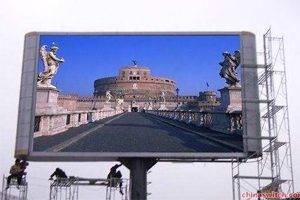
4. Protect the Display From Moisture and Corrosion
Moisture can corrode components, create leakage paths, and cause intermittent faults. Check outdoor cabinet seals, cable glands, drainage paths, doors, and ventilation membranes. Replace cracked gaskets and damaged waterproof connectors promptly. In coastal or chemically aggressive environments, inspect metalwork and circuit boards more often for oxidation.
If water has entered a cabinet, disconnect power and do not restart the display until the source of the leak is corrected and the affected parts are fully dry and inspected. Powering wet electronics can turn a repairable problem into extensive module or power damage.
5. LED Screen Maintenance for Power and Grounding
Unstable voltage and loose high-current connections can cause flicker, random black areas, rebooting, excessive heat, and premature failure. Inspect AC input, DC output, terminal blocks, circuit breakers, distribution boxes, and cabinet-to-cabinet power cables for discoloration, odor, looseness, or heat damage.
- Verify input voltage is within the display and power-supply specifications.
- Keep power and data cables properly supported, labeled, and separated where required.
- Replace damaged plugs, cables, terminals, and LED power supplies with compatible parts.
- Confirm grounding and surge protection, especially for outdoor installations.
- After electrical work, verify that cabinet current loads remain balanced.
6. Check the LED Control System and Signal Path
A screen fault is not always an LED module fault. A damaged network cable, loose ribbon cable, incorrect receiving-card file, or unstable video processor can affect a row, cabinet, or the entire display. Review control-system status and event logs when available, then inspect the signal path from the source to the sending device, receiving cards, hub boards, and modules.
Back up working configuration files before making changes. Keep a known-good copy of receiving-card parameters, screen mapping, calibration data, firmware versions, and processor settings. When replacing a component, confirm compatibility before applying firmware or configuration files. Browse compatible LED receiving cards and LED video processors when a verified hardware replacement is required.
7. Use Appropriate Brightness and Operating Hours
Set brightness for the actual ambient light instead of leaving the display at full output. Indoor screens usually need far less brightness than outdoor displays in daylight. Automatic brightness control, scheduled dimming, and a complete power-off period can reduce heat and unnecessary operating hours.
Avoid displaying the same high-brightness image continuously for long periods. Rotate content and use balanced colors to reduce uneven aging. Calibration can correct moderate differences in brightness and color, but it cannot restore LEDs that have physically degraded.
8. Inspect Modules and Cabinets
Look across the screen from a normal viewing distance and at close range. Record the location of dead or stuck pixels, dark modules, color shifts, loose masks, warped cabinets, and uneven seams. A maintenance log with dates and photos helps technicians identify recurring faults and decide whether a module, cable, power supply, or control component is responsible.
For front-service displays, confirm that magnetic modules and safety restraints are secure. For rear-service displays, keep access routes clear and cabinet doors locked after service. Rental cabinets should be checked for bent corners, damaged locks, and connector wear after every event.
Common LED Screen Maintenance Problems and First Checks
| Symptom | First checks |
|---|---|
| Entire screen is black | Main power, distribution box, sending device, processor output, and primary data cable |
| One cabinet is black | Cabinet power, network cable, receiving card, hub board, and configuration mapping |
| One module or row is abnormal | Ribbon cable, module power, connector seating, hub output, and the module itself |
| Flicker or random restarts | Input voltage, loose terminals, overloaded or aging power supply, grounding, and signal integrity |
| Uneven brightness or color | Brightness settings, calibration data, replacement-module batch, heat, and LED aging |
| Condensation or corrosion | Cabinet seals, drainage, ventilation, humidity control, and evidence of water entry |
Stop using the display and arrange professional service if there is smoke, a burning smell, repeated breaker trips, visible water inside a cabinet, severe overheating, or exposed conductors.
How Long Does an LED Screen Last?
Many LED components are marketed with a rated life of up to 100,000 hours, but rated LED life is not the same as the useful life of a complete display. Real-world lifespan depends on brightness, daily operating hours, temperature, humidity, dust, power quality, installation quality, and how quickly failed parts are repaired. Power supplies, fans, connectors, and control electronics may need replacement before the LEDs reach their rated life.
Preventive maintenance cannot eliminate normal aging, but it can reduce avoidable failures and keep brightness, color, and reliability acceptable for longer. The best measure is not a single hour figure; it is stable performance with an accurate maintenance history and readily available spare parts.
LED Screen Maintenance FAQ
How often should an LED screen be cleaned?
Inspect it weekly and clean it when dust or marks are visible. Displays in dusty, humid, coastal, roadside, or rental environments may need more frequent cleaning. Always follow the manufacturer’s cleaning instructions.
Can I use water to clean an LED display?
Do not apply water directly to the screen. Use a dry microfiber cloth for routine cleaning or a lightly dampened cloth with an approved cleaner when necessary. Isolate power first and prevent liquid from entering module gaps or cabinets.
Should an LED screen run 24 hours a day?
It can be designed for long operating periods, but scheduled dimming and downtime reduce heat and accumulated hours. Match operating schedules and brightness to the installation’s actual needs.
What spare parts should I keep?
Keep compatible LED modules from the same batch when possible, power supplies, receiving cards, hub boards, ribbon cables, network cables, fuses, fans, and cabinet hardware. Store configuration and calibration backups with the spare-parts inventory.
When should I call a professional technician?
Use a qualified technician for internal electrical work, repeated power faults, water entry, extensive pixel failure, overheating, configuration recovery, structural damage, or any issue that cannot be isolated safely.
Final LED Screen Maintenance Checklist
- Power down and allow the display to cool before cleaning or opening cabinets.
- Use a soft lint-free cloth and never spray cleaner onto the screen.
- Keep ventilation paths clear and investigate hot spots.
- Check weather seals, moisture, corrosion, grounding, and surge protection.
- Inspect power and data connections for looseness or heat damage.
- Back up controller configuration and calibration files.
- Use suitable brightness schedules and log every fault and repair.
- Contact an experienced LED display technician when safety or diagnosis is uncertain.
Need help identifying a controller, receiving card, processor, or power-supply fault? Contact LED Controller Card with the display model, control-system brand, fault photos, and a description of when the issue occurs.

