
Short answer: the right LED display screen for events is the one that matches the venue, closest viewing distance, ambient light, content, camera requirements and installation method. For most rental events, start with P2.6-P3.9 indoors or P3.9-P6.7 outdoors, then confirm brightness, weather protection, refresh rate, total resolution and structural safety with the supplier.
Quick Answer: Which Event LED Screen Should You Choose?
| Event type | Typical pixel pitch | Brightness starting point | Key priority |
|---|---|---|---|
| Conference or exhibition | P1.9-P3.9 | 800-1,500 nits | Close viewing and readable text |
| Indoor stage or concert | P2.6-P4.8 | 1,000-2,000 nits | Camera-friendly refresh rate and fast setup |
| Outdoor daytime event | P3.9-P6.7 | 4,500-7,000+ nits | Sunlight visibility and weather resistance |
| Large festival or long-distance viewing | P6-P10 | 5,000-8,000 nits | Large image area and efficient budget use |
These ranges are planning guides, not universal specifications. Final values depend on the actual venue, screen direction, show time, audience layout and camera plan.
Table of Contents
- 1. Indoor or outdoor environment
- 2. Viewing distance and pixel pitch
- 3. Screen size and resolution
- 4. Brightness and weather protection
- 5. Content and camera requirements
- 6. Rental, fixed and mobile installation
- 7. Control system and reliability
- 8. Budget and supplier checklist
- Frequently asked questions
1. Decide Whether the Screen Is for Indoor or Outdoor Use
Start with the environment because it determines brightness, protection level, cooling, weight and safe installation. An indoor panel is designed for controlled light and dry conditions. An outdoor panel needs a weather-resistant enclosure, stronger brightness and hardware suited to wind and temperature changes.
Choose an indoor LED display when:
- The venue is enclosed and protected from rain.
- The audience is relatively close to the screen.
- Fine text, presentation slides or detailed product visuals are important.
- Lower brightness is preferred for comfortable viewing and accurate camera exposure.
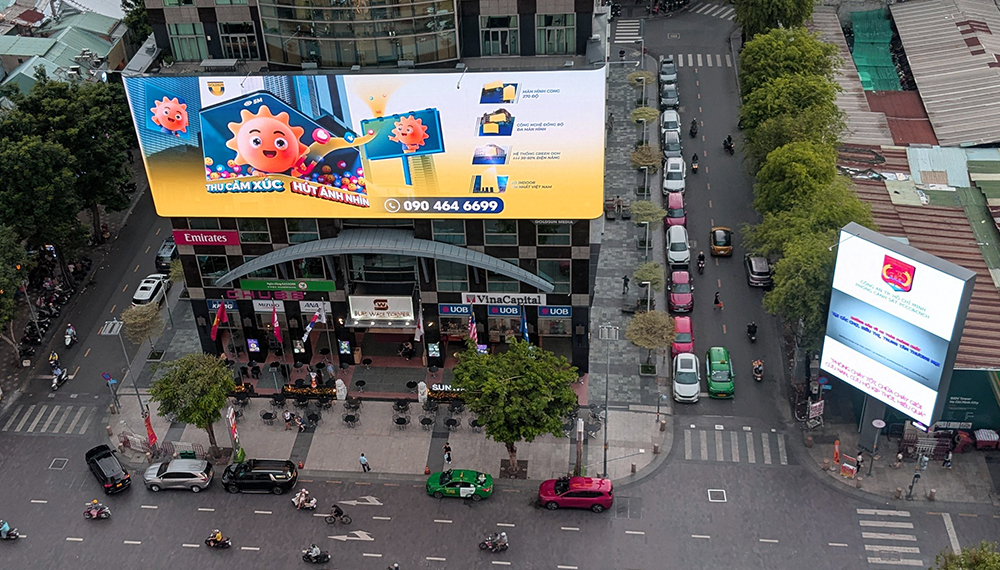
Choose an outdoor LED display when:
- The screen will face daylight, rain, dust or large temperature changes.
- The audience is farther away and the screen must be larger.
- The installation requires weatherproof power and signal connections.
- The front of the cabinet needs at least an appropriate outdoor IP rating, commonly IP65 for exposed rental applications.
Never assume an indoor panel can be covered with a temporary roof and treated as an outdoor screen. Water can enter through the rear, connectors or ventilation path. Explore purpose-built outdoor LED display screens when the installation is exposed.
2. Match Pixel Pitch to the Closest Viewing Distance
Pixel pitch is the center-to-center distance between adjacent LED pixels, measured in millimeters. A smaller number means more pixels in the same area and a smoother image at close range. It also usually increases panel cost, data load and processing requirements.
A practical rental-event shortcut is: minimum comfortable viewing distance in meters is approximately equal to the pixel pitch in millimeters. For example, P3.9 is a reasonable starting point when the closest viewer is about 4 meters away. This is a planning rule, not a guarantee; detailed text, camera close-ups and premium content may justify a finer pitch.
| Pixel pitch | Approximate closest viewing distance | Typical use |
|---|---|---|
| P1.9-P2.5 | About 2-3 m | Executive events, showrooms and detailed presentations |
| P2.6-P3.9 | About 3-4 m | Conferences, exhibitions and indoor stages |
| P4-P5 | About 4-6 m | Medium stages and many outdoor events |
| P6-P8 | About 6-10 m | Large outdoor audiences, sports and festivals |
| P10 | About 10 m or more | Long-distance viewing and very large screens |
Do not buy the smallest pitch automatically. If every viewer is 15 meters away, the visible improvement from a very fine pitch may be limited while the cost and processor load increase. Compare options such as a P4 rental LED panel, an outdoor P5 LED module, a P8 outdoor display or a P10 outdoor rental panel against the real audience layout.
3. Calculate Screen Size and Native Resolution
Screen size should be based on the farthest viewer, the type of content and the available structure. Video tolerates a smaller screen than spreadsheets, schedules or presentation text. Ask the content team for the smallest text that must remain legible, then test it at the farthest seat.
Calculate native resolution before selecting the controller:
Horizontal pixels = screen width in millimeters / pixel pitch in millimeters
Vertical pixels = screen height in millimeters / pixel pitch in millimeters
For example, a 6 m x 3.5 m P3.9 screen is approximately 1,538 x 897 pixels before the cabinet layout is rounded to actual module dimensions. The final cabinet count determines the exact resolution. Share that number with the video processor supplier so the system has enough loading capacity and suitable outputs.
Also confirm the aspect ratio. A 16:9 canvas simplifies standard video playback, but scenic stage designs may use ultra-wide, portrait, curved or separated screens. In those cases, produce content at the exact mapped canvas rather than stretching a normal video.
4. Specify Brightness, Contrast and Weather Protection
Brightness is measured in nits (cd/m²). More is not always better. Too much brightness indoors can fatigue viewers, wash out dark content and make camera exposure difficult. Too little brightness outdoors produces a dull image, especially when the screen faces direct sun.
- Indoor controlled lighting: about 800-1,500 nits is often sufficient.
- Indoor stage with strong lighting: about 1,000-2,000 nits may provide more headroom.
- Outdoor shade or evening use: roughly 3,500-5,000 nits may be adequate.
- Outdoor daytime and direct sun: 5,000-8,000 nits is a common planning range.
Ask for automatic or manual brightness control so the operator can reduce output after sunset. For outdoor events, verify the complete cabinet IP rating, drainage, connector protection, operating temperature, wind-load plan and grounding. The IP code alone does not certify the whole structure or installation.
5. Check Content Type, Refresh Rate and Camera Performance
A screen used only for prerecorded video has different requirements from one displaying live camera feeds, sponsor graphics, sports timing or detailed text. Give the supplier sample files and the planned signal format before the event.
For filmed or live-streamed events, request a camera-friendly LED system. A refresh rate of 3,840 Hz or higher is a useful starting specification, but refresh rate alone does not prevent scan lines or flicker. Camera shutter speed, scan mode, PWM behavior, frame rate, grayscale performance and processor settings also matter. Run an on-camera test with the actual production camera whenever possible.
Content should be created at the screen’s native pixel canvas. Keep important text large, use strong contrast and avoid very thin lines. A capable LED video processor can scale sources and manage multiple inputs, but it cannot restore detail that was never present in the content.
6. Choose Rental, Fixed or Mobile LED Hardware
Rental LED panels
Rental cabinets are usually the best choice for concerts, conferences, exhibitions and touring events. They use quick locks, alignment hardware and modular cabinets for repeated assembly. Confirm cabinet weight, rigging points, service access, corner protection and whether spare modules can be replaced from the front or rear.
Fixed LED screens
Fixed cabinets suit permanent venues, stadiums and long-term installations. They can reduce cabinet cost but need a structure designed for ongoing service, ventilation and cable access.
Mobile LED trailers
A mobile screen can reduce setup time for roadshows and outdoor events. Check local transport limits, leveling area, wind restrictions, screen height and power requirements before booking.
Rigging and structural work must be approved by qualified professionals and follow venue rules and local regulations. Organizations such as AVIXA publish professional audiovisual standards and guidance, but the final engineering responsibility remains with the project team.
7. Plan the Controller, Power and Backup System
The screen is only one part of a reliable event system. The signal chain normally includes source devices, switcher or video processor, sending controller, receiving cards, network or fiber links, power distribution and monitoring.
- Confirm the controller’s total pixel-loading capacity and maximum width and height.
- Use redundant signal paths for mission-critical shows.
- Distribute power across separate circuits with correct headroom.
- Keep spare receiving cards, power supplies, modules and cables on site.
- Test every source, adapter and backup before doors open.
- Assign one trained technician to monitor temperature, power and signal status during the show.
For long cable runs, fiber transmission is often more reliable than copper Ethernet. The supplier should provide a signal diagram, power plan and cabinet map before installation.
8. Compare Total Event Cost, Not Only Panel Price
The lowest panel quote is not always the lowest project cost. Include transport, flight cases, structure, rigging, power distribution, processor, spare parts, technicians, content setup and dismantling. A finer pixel pitch can also increase processor capacity and power requirements.
Information to send when requesting a quote
- Event date, city and indoor/outdoor location
- Required screen width, height and shape
- Closest and farthest viewing distances
- Daytime, evening or mixed operating schedule
- Ground-supported, wall-mounted, hanging or mobile installation
- Content type, source resolution and number of inputs
- Live camera or broadcast requirements
- Available power and maximum cable distances
- Setup and rehearsal time
- Required spares, backup signal path and technical support
Common LED Screen Selection Mistakes
- Choosing by pitch alone: brightness, refresh rate, color, structure and support are equally important.
- Using indoor hardware outdoors: temporary weather cover does not replace a properly rated outdoor system.
- Ignoring native resolution: the controller may not support the final canvas or aspect ratio.
- Skipping camera tests: a screen can look excellent to the eye and still show artifacts on video.
- Underestimating setup time: power, signal mapping, calibration and content checks need a realistic rehearsal window.
- Buying without spares: even a small component failure can interrupt a live event.
Final Event LED Display Checklist
- Confirm indoor or outdoor use.
- Measure the closest and farthest audience distances.
- Select a practical pixel pitch.
- Calculate screen dimensions and native resolution.
- Specify brightness, refresh rate and camera requirements.
- Verify cabinet IP rating, structure and wind plan where applicable.
- Check controller capacity, inputs and backup signal paths.
- Plan power distribution, spares and on-site technicians.
- Test real content and cameras before the audience arrives.
Frequently Asked Questions
What pixel pitch is best for an event LED screen?
P2.6-P3.9 is a common choice for indoor events with viewers about 3-4 meters away. P3.9-P6.7 is common outdoors, while P6-P10 can be cost-effective for large audiences at longer distances. Choose from the closest viewing distance and content detail, not the event name alone.
How bright should an event LED display be?
Indoor events often need about 800-2,000 nits, depending on stage lighting. Outdoor daytime screens commonly start around 5,000 nits and may need more in direct sun. The operator should reduce brightness in darker conditions.
Can an indoor LED screen be used outdoors?
No, not in exposed conditions. Indoor panels normally lack the enclosure, sealed connectors and weather protection required for rain, dust and temperature changes. Use an outdoor-rated system and a professionally approved installation.
Is a higher refresh rate always better?
A high refresh rate helps camera performance, and 3,840 Hz or above is a useful starting point for filmed events. However, scan mode, PWM, camera shutter speed, frame rate and processor settings must also be tested together.
Should I rent or buy an LED screen for an event?
Renting is usually practical for one-off or occasional events because it includes transport, structure and technical support. Buying can make sense for frequent use when you have trained staff, storage, maintenance capability and a repeatable screen configuration.
What information does an LED screen supplier need?
Provide venue conditions, screen dimensions, viewing distances, content type, operating time, installation method, camera plan, power supply, cable distances and setup schedule. More complete input produces a more accurate technical proposal and quote.
Conclusion
The best LED display screen for an event is not simply the model with the smallest pixel pitch or highest brightness. It is a balanced system designed around the audience, environment, content, cameras, structure and operating plan. Define those conditions first, calculate the native resolution and then compare complete systems on reliability and total project cost.
For help matching pixel pitch, cabinet type and controller capacity to a specific venue, contact the LED Controller Card team with your screen dimensions, viewing distance and event schedule.

