
LED display panels turn promotions into bright, dynamic experiences that can be updated in seconds. Retailers, event organizers, shopping centers, transport hubs and corporate venues use them for product launches, brand campaigns, wayfinding and real-time announcements. The right screen, however, depends on where people will see it and how the environment affects visibility.
Quick answer: Indoor LED display panels prioritize fine pixel pitch, close viewing and image detail. Outdoor LED display panels prioritize high brightness, weather protection and long-distance visibility. Choose the environment first, then match pixel pitch, brightness, cabinet design and control system to the audience and content.
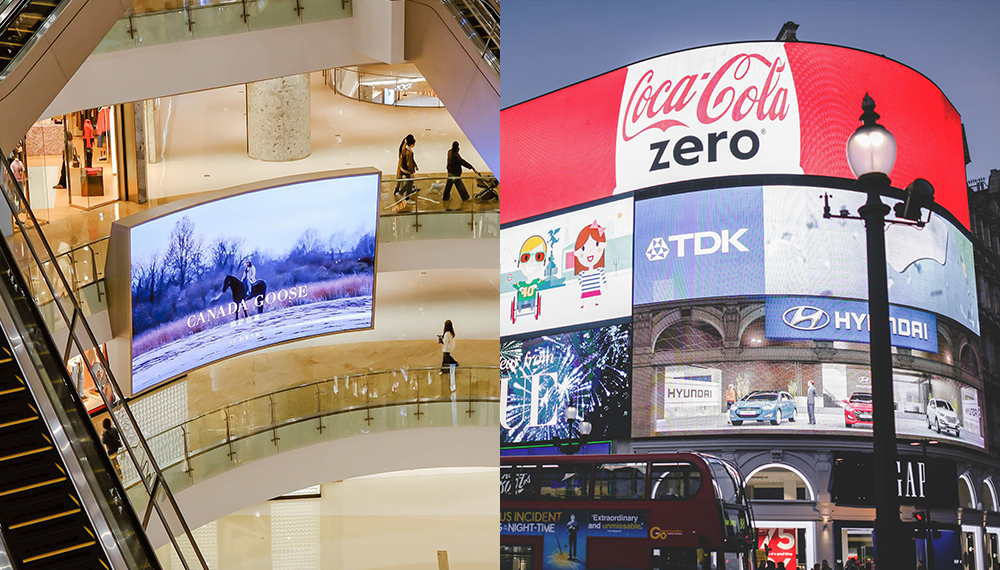
Indoor vs Outdoor LED Display Panels at a Glance
The table below summarizes the practical differences. Values are common planning ranges, not guarantees for every model, so confirm the final specification with the supplier.
| Factor | Indoor LED display | Outdoor LED display |
|---|---|---|
| Typical environment | Retail stores, malls, showrooms, meeting rooms, studios and indoor stages | Building facades, roadside signs, stadiums, outdoor stages and public plazas |
| Typical brightness | About 600-1,500 nits | About 3,500-8,000+ nits, depending on direct sunlight |
| Common pixel pitch | P1.2-P4 for closer viewing | P3.9-P10+ for longer viewing distances |
| Weather protection | Limited; designed for controlled environments | Weather-sealed cabinet with a rated level of dust and water protection |
| Cabinet priorities | Slim profile, quiet operation and fine image detail | Structural strength, drainage, cooling and service access |
| Typical promotion | Detailed product video, menu boards, brand stories and interactive retail content | High-impact campaigns, event visuals, traffic-facing messages and public information |
What Is an Indoor LED Display Panel?
An indoor LED display is engineered for controlled lighting and shorter viewing distances. Because it does not need to overpower direct sunlight or resist rain, the design can focus on a finer pixel pitch, lower operating noise and a slimmer cabinet. This makes indoor panels suitable for detailed images, small text and video viewed from nearby.
Common indoor applications include:
- Retail product launches and promotional video walls
- Shopping mall atriums, digital directories and wayfinding
- Corporate lobbies, control rooms and conference spaces
- Broadcast studios, museums and exhibition booths
- Indoor concerts, houses of worship and event stages
For a permanent installation, front-service modules can reduce the space needed behind the screen. For events, lightweight rental cabinets and fast locks can make setup faster. In both cases, check fan noise, heat output and the available power before installation.
What Is an Outdoor LED Display Panel?
An outdoor LED panel uses higher-output LEDs, a weather-resistant enclosure and a structure designed for wind, heat and changing temperatures. Automatic brightness control is especially useful: it keeps content visible in daylight and reduces glare and power use after dark.
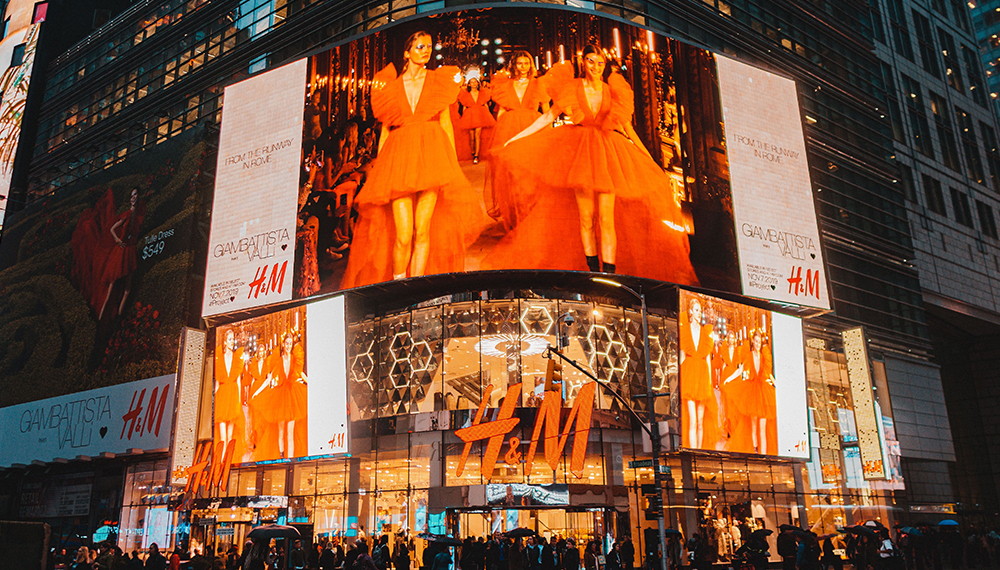
Outdoor installations include fixed billboards, storefront signage, building facades, stadium screens and temporary event walls. Browse our outdoor LED display screen range or compare outdoor rental LED screens when portability and fast assembly matter.
LED Display Panels: 8 Factors to Compare
1. Viewing distance and pixel pitch
Pixel pitch is the center-to-center distance between adjacent pixels, measured in millimeters. A smaller pitch provides more pixels in the same area and is better for close viewing. A larger pitch is usually more economical when the audience is farther away.
A useful starting rule is that the minimum comfortable viewing distance in meters is roughly equal to the pixel pitch in millimeters. For example, start evaluating a P2.5 display around 2.5 meters and a P6 display around 6 meters. Content type, screen size and viewer expectations can shift that distance, so review real samples whenever possible.
2. Brightness and ambient light
Indoor screens often operate effectively at 600-1,500 nits. Outdoor panels may need 3,500-8,000 nits or more in direct sun. More brightness is not automatically better: an excessively bright indoor screen can cause discomfort and reduce perceived image quality. Specify the brightest expected conditions and request automatic or scheduled brightness adjustment.
3. Weather and ingress protection
For an exposed outdoor screen, check the IP rating of both the front and rear of the cabinet. Under IEC ingress-protection ratings, the first digit describes protection from solid objects and the second describes protection from water. IP65 is common for an exposed front face, but the rear rating can differ. Also verify temperature range, corrosion protection, drainage and ventilation for the installation site.
4. Screen size, resolution and aspect ratio
Calculate resolution from physical size and pixel pitch. A 3.84-by-2.16-meter P4 screen, for example, is approximately 960 by 540 pixels. Align the final cabinet layout with the intended content ratio, such as 16:9, to reduce cropping or empty bands. The supplier should confirm the exact module and cabinet combination before production.
5. Refresh rate, grayscale and camera use
For live events, broadcast studios or social video, ask for a camera test. A high refresh rate can reduce scan lines and flicker on camera, while good grayscale performance preserves detail in shadows and smooth gradients at low brightness. Specify frame rate, shutter-speed conditions and whether the screen will appear in slow-motion footage.
6. Installation and maintenance access
Decide between front and rear service before approving the structure. Front service works well against walls or in shallow spaces. Rear service can be convenient when there is a safe maintenance corridor. Rental cabinets should also be checked for weight, handles, corner protection, fast locks and repeated assembly cycles.
7. Control system and content workflow
The system may include a media player, sending device, receiving cards, video processor, network connection and brightness sensor. Confirm input formats, maximum load, redundancy needs and remote monitoring. A clear signal-flow plan prevents last-minute compatibility problems and makes daily content updates easier.
8. Power, cooling and total cost
Compare average and maximum power consumption rather than using only one headline figure. Include electrical distribution, support structure, cooling, access equipment, spare modules and scheduled maintenance in the budget. A lower purchase price can become expensive if the installation is difficult to service or replacement parts are unavailable.
How to Match LED Display Panels to the Promotion
Use these ranges as a starting point for supplier discussions. The final choice depends on sightlines, ambient light, content detail and budget.
| Promotion setting | Main priority | Practical starting point |
|---|---|---|
| Retail shelf or showroom | Close-up detail and small text | Indoor P1.5-P2.5 with controlled brightness |
| Mall atrium or lobby | Architectural integration and wide viewing | Indoor P2.5-P4 with front service if rear access is limited |
| Sunlit storefront window | Daylight visibility without outdoor exposure | High-brightness indoor or window-facing model; check heat and reflections |
| Outdoor roadside promotion | Long-distance visibility and reliability | Outdoor P5-P10 with daylight brightness control and verified IP rating |
| Touring event or temporary stage | Fast assembly and camera performance | Rental P2.6-P3.9 with high refresh rate and durable cabinet hardware |
| Large facade or stadium | Scale, structure and serviceability | Outdoor P6-P10+ with engineered mounting, redundancy and maintenance access |
How to Plan LED Display Panels for a Promotion
- Define the audience. Record the closest and farthest viewing distances, typical dwell time and whether viewers are walking, seated or in vehicles.
- Survey the location. Measure the available area, ambient light, power supply, ventilation, access route and structural mounting points.
- Define the content. List the smallest text, video resolution, aspect ratio, live inputs, scheduling needs and frequency of updates.
- Request a technical proposal. Ask for pixel pitch, brightness, IP rating, refresh rate, cabinet layout, power data, signal diagram and service method.
- Compare lifetime support. Review warranty terms, spare parts, module calibration, remote support, installation guidance and delivery schedule.
Common Buying Mistakes for LED Display Panels
- Choosing pixel pitch from budget alone without checking viewing distance
- Using a standard indoor panel in direct sun, rain or an unconditioned enclosure
- Buying the brightest screen without planning automatic dimming
- Ignoring access for module, power-supply and receiving-card replacement
- Comparing only the screen price and omitting structure, power and maintenance
- Sending content before confirming the display’s native resolution and aspect ratio
- Skipping a camera test when the display will be filmed or livestreamed
LED Display Panels FAQ
Are outdoor LED panels better than indoor panels?
No. Outdoor panels are brighter and more weather-resistant, but indoor panels usually provide finer pixel pitch, quieter operation and better close-range detail. The better choice is the one designed for the actual environment.
Can an indoor LED panel be used in a shop window?
Sometimes. A window-facing screen may need higher brightness than a normal indoor display, plus careful heat and reflection control. If rain, dust or uncontrolled temperatures can reach the screen, use a model rated for those conditions.
What pixel pitch should I choose for advertising?
Start with the closest viewing distance. If viewers approach within 2-3 meters, evaluate approximately P2-P3. For a roadside screen viewed from much farther away, P6-P10 may provide enough detail at a lower cost. Confirm the choice with a content mock-up at the intended distance.
Does every outdoor LED display need IP65?
An exposed front face commonly uses IP65, but requirements vary by climate, canopy, cabinet design and rear exposure. Check the rating for each side of the cabinet and make sure the complete installation, including cable entries and ventilation, supports the required protection.
Should I choose a fixed or rental LED display?
Choose fixed cabinets for a permanent location where structure and service access can be optimized. Choose rental cabinets for repeated setup, transport or changing screen sizes. Rental systems prioritize low weight, fast locks and durable edges.
Can one content system manage both indoor and outdoor screens?
Usually, if the media players and control platform are compatible. Each screen still needs content mapped to its own resolution, aspect ratio and brightness schedule. Confirm load capacity and remote-management features before standardizing the system.
Final Selection Checklist
Before ordering, confirm the environment, minimum viewing distance, physical size, native resolution, brightness range, IP rating, refresh rate, service access, maximum power, controller compatibility, spare-parts plan and warranty.
Need help turning site measurements into a practical specification? Contact our LED display team with the installation location, screen dimensions, viewing distance, content source and target date. We can help compare indoor and outdoor LED display panels for your promotion.

