TB40 Ethernet backup assigns one of the NovaStar TB40’s two LED outputs to protect the path served by the other. With one primary and one backup, only the primary carries an independent share of the cabinet map in normal operation. Reserve the second output for the same protected load. Ask for the supported single-port load for your configuration before promising that the entire sign can stay on after a link failure.
This question comes up when a store sign integrator is asked to add redundancy to a quote based on two working outputs. The player can already drive the sign in the original design, so the extra backup cable may look like a small change. The actual change is to the number of paths available to carry separate groups of cabinets. Check that allocation before pricing the rest of the change.
How TB40 Ethernet Backup Changes Port Allocation
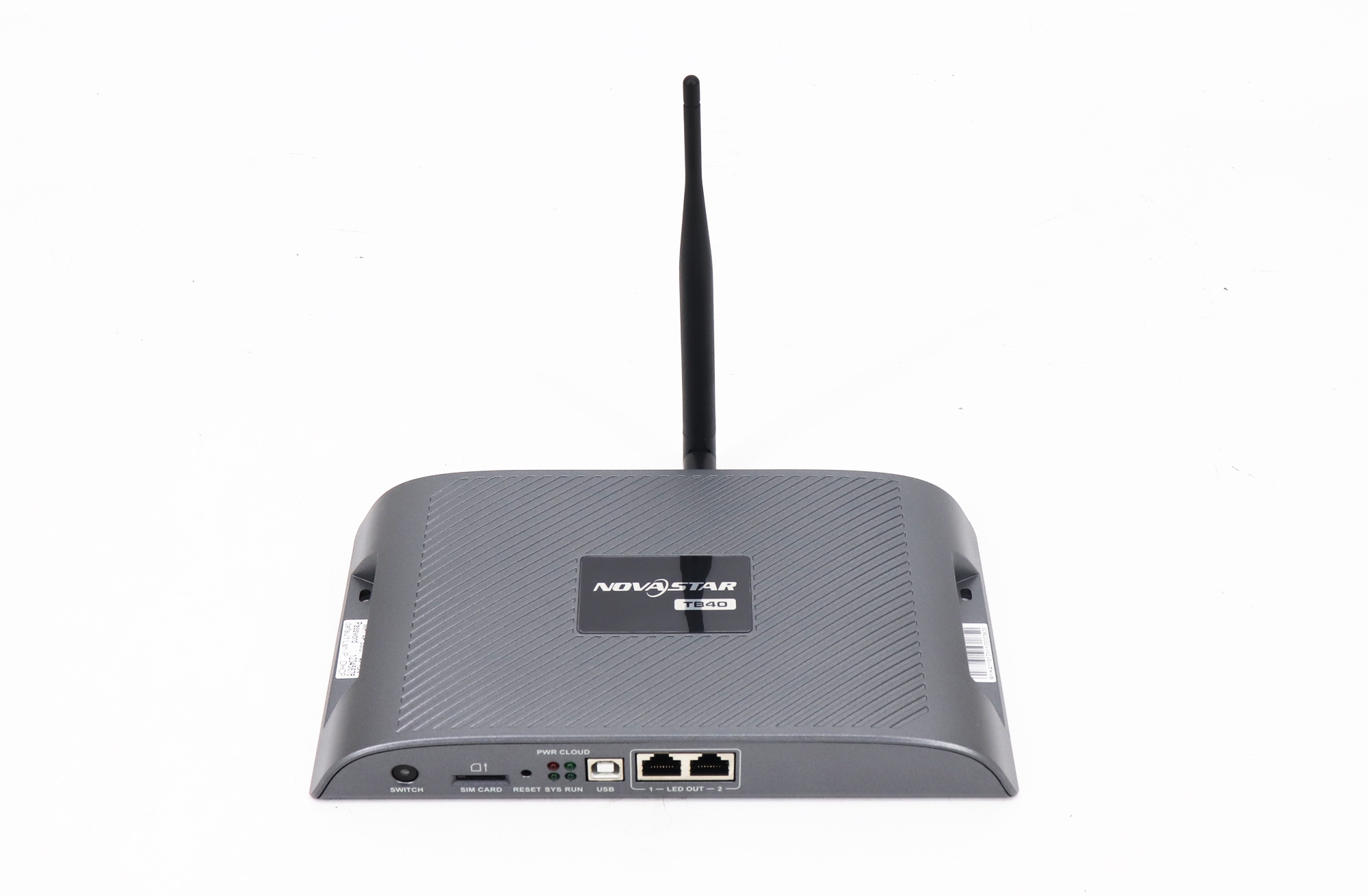
NovaStar’s TB40 Multimedia Player Specifications V1.2.5, dated August 31, 2026, describes two Gigabit Ethernet outputs under the LED OUT label. Both are primary by default. The same specification describes assigning one as primary and one as backup. A primary can be mapped to a group of receiving cards for normal operation. In a backup pair, the second output is available to deliver the protected data to the same group through the approved backup path.
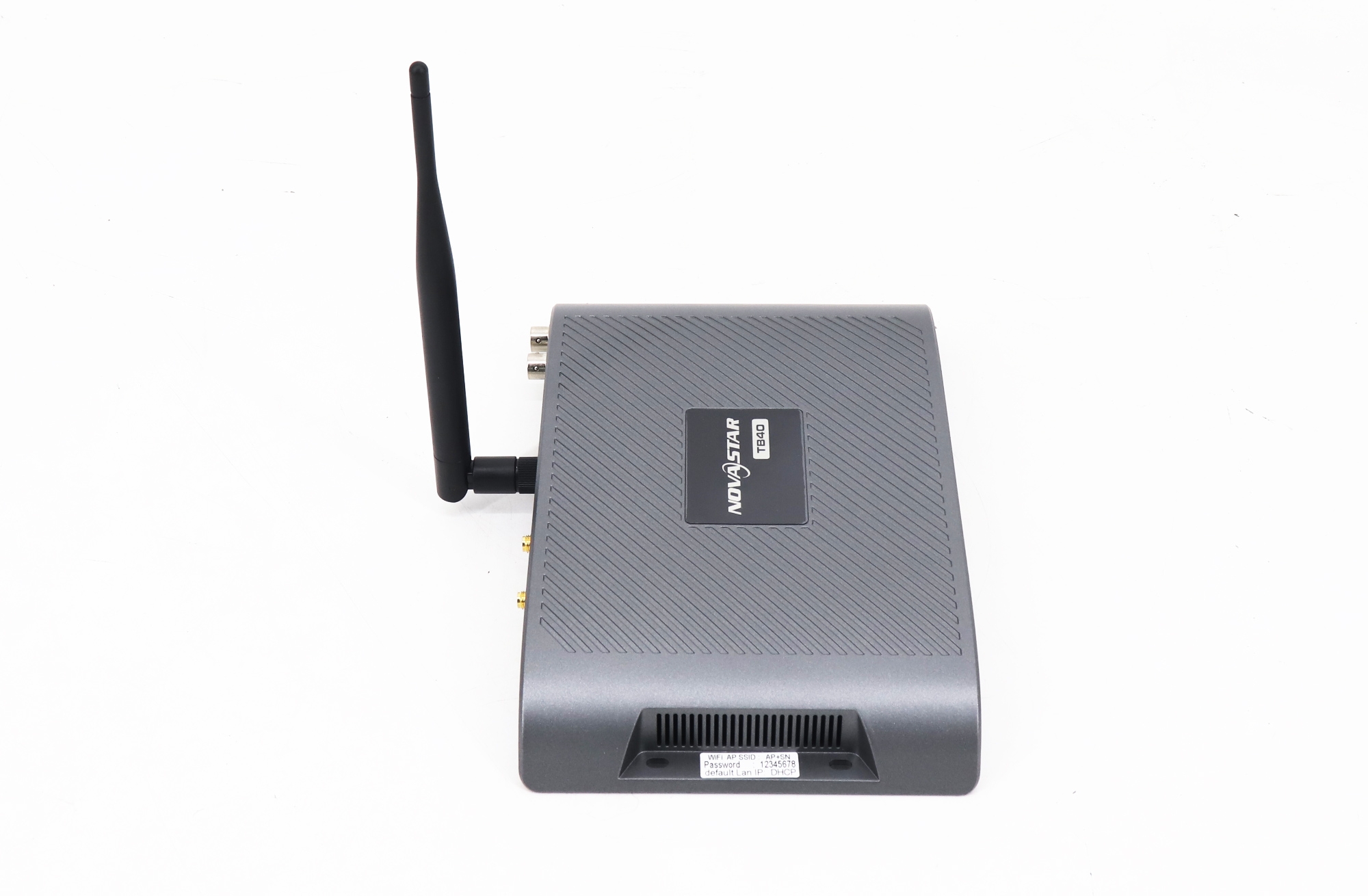
The housing also has a separate rear ETHERNET jack for communication with a computer, a local network or a public network. A plan that calls for three Ethernet runs may therefore include two LED paths plus a management link. Assign a role to each run in the schedule. Consult the TB40 product page and connector photos when checking labels on the unit to be supplied.
Specify a TB40 Ethernet backup pair by listing the cabinets it protects, which ends each run reaches, and which parts the two paths share. If the quotation simply says “redundant Ethernet,” the installer cannot tell whether the job requires protection against damage to one feed cable, loss of a controller, or failure of a receiving card. Those failures can affect different parts of the display.
| Proposed use | How to allocate the two LED outputs | What to verify |
|---|---|---|
| Two independent cabinet groups | Give each primary output its own group. | Confirm the two per-port loads and test the mapped boundary. Document which group is affected by a link failure. |
| One cabinet group with a backup path | Assign a primary output and reserve the other for the same protected group. | Confirm the full protected load is within one path’s supported limit and the alternate routing reaches that group. |
| Protection against a player or power-supply failure | Assess a design with a separate supported device or power path as applicable. | Test the stated equipment failure separately. Record any parts the design still shares. |
Before allocating TB40 Ethernet backup, agree whether the specification protects every cabinet or only part of the sign. A status message on the remaining section may be acceptable for one storefront, while another may require the entire display to continue operating. Record the exact area on a drawing. That gives the technician a clear pass condition after the failure is introduced.
Check the Cabinet Map Against One Working Output
Start with each cabinet’s native pixel width and height and multiply those values. Then total the pixels for each independent LED output in the existing design. For TB40 Ethernet backup, the relevant acceptance check is whether the full protected group can operate through a single LED output with the intended settings. The 1,300,000-pixel figure in the specification is the player’s overall limit. The published headline figure alone leaves the load of a particular port and cabinet arrangement unresolved.
Suppose a six-by-six cabinet layout uses cabinets measuring 160 by 160 pixels each. The sign totals 921,600 pixels. Two groups of eighteen cabinets would place 460,800 pixels on each output. If your supplier and bench test establish an allowable 600,000 pixels per path for this hypothetical project, both separate groups fit. A primary/backup arrangement for all thirty-six cabinets would require the surviving path to carry 921,600 pixels, beyond that assumed limit. The 600,000 figure is illustrative only.
For an existing sign, compare the actual cabinet map with the proposal drawing. A balanced split on a spreadsheet can become uneven if the two cables reach different numbers of cabinets. The useful evidence is the mapped pixel load and a test with the proposed receiver hardware, player firmware and display settings. Review the documented output and receiver constraints for the actual unit before approving a port assignment.
If one path cannot carry the required pixels, keep two active groups if partial display during a fault is acceptable, or qualify a design with enough independent and backup output paths. For example, a larger controller with the appropriate receiving cards and port allocation may be a better fit. Evaluate its exact model and topology before replacing the TB40 in the quote.
For a separately protected section, label that scope on the drawing and obtain approval for any cabinets that would go dark outside it. The total number of cabinets visible in normal operation does not define the TB40 Ethernet backup coverage. A cable schedule and an annotated map together show what the alternate path reaches.
Define the Failure to Rehearse Before Handover
A display lighting correctly with both cables connected does not show what it will do when a specified path fails. Ask the commissioning technician to test TB40 Ethernet backup on an agreed test rig or during an approved service window. Keep the player and cabinet power stable, show an identifiable moving test image across the protected cabinets, and simulate loss of the primary LED path using the method approved for that configuration. Watch the cabinets you expect the backup to cover.
Record whether all of that area continues to show changing content, whether a transition or interruption is visible, and what happens when the original path is restored. A frozen image may be easy to miss when the source shows only a static logo. List which endpoints and settings passed, then restore and recheck the normal arrangement before returning the sign to service.
A second output still shares the same player and its power source. If the project requires coverage for either of those failures, write that requirement separately and qualify a design that addresses it. Loss of the internet is also a separate test: the TB40 offline playback guide explains what can continue locally when the publishing network is unavailable.

Keep the saved settings and name the person responsible for restoring them after a change. A later reassignment from TB40 Ethernet backup to two primary outputs can look harmless while both feeds work. At the next service visit, compare the saved port roles with the drawing and repeat the relevant fault test before accepting the change.
TB40 Port Backup FAQs
Can I leave a patch lead in the rack and call the output redundant?
A spare patch lead is useful for a manual repair. To accept TB40 Ethernet backup, verify a configured pair and a connected alternate route to the receiving hardware. Agree on which failure requires automatic recovery and which failures the maintenance team will handle manually.
Does the number of working video programs tell me how many cabinets the backup can cover?
No. The program tells you what content the player processes. To evaluate backup coverage, use the native cabinet pixel dimensions, the actual receiving-card map and the approved output settings. Reevaluate the path if those settings or the layout change.
What should I ask for when receiving a replacement controller?
Request identification of the exact model and firmware version, a copy of the saved screen mapping and the port role list for your cabinet chain. Check those records against your installation. Include a repeat of the TB40 Ethernet backup acceptance test in the replacement plan.
Request a Quote Against a Defined Fault
When requesting a quotation, send the cabinet pixel dimensions and count, the receiving-card model and firmware, the current port map, and the failure event that the customer expects the sign to survive. List every cabinet that must remain active. Separating a failed data cable from a failed controller or power supply helps the integrator specify the right equipment and test.
Ask EagerLED to review the TB40 port allocation and proposed backup path. Include any expected cabinet additions so the configuration can be sized for handover and for the expected expansion.