
Quick answer: An outdoor LED display is a weather-resistant, high-brightness digital screen built for advertising, public information, events, stadiums, and building facades. To choose the right screen, match the pixel pitch to the viewing distance, confirm daylight brightness and IP protection, select the correct cabinet and service method, and calculate the complete installed cost rather than the panel price alone.
Outdoor LED screens can show video, images, live data, schedules, and emergency messages. Content can be updated remotely through a compatible LED controller and content management system, making the display more flexible than a printed billboard. This guide explains the main display types, specifications, costs, and buying decisions for a reliable installation.
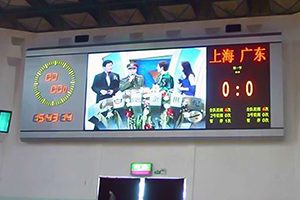
What Is an Outdoor LED Display?
An outdoor LED display is a modular video screen designed to remain visible in daylight and operate in rain, dust, heat, and cold. It consists of LED modules, cabinets, power supplies, receiving cards, a sending controller or media player, cabling, and a supporting structure.
Unlike an LCD video wall, an LED screen has no fixed bezel between panels and can be built in many sizes and aspect ratios. The right configuration depends on how far away viewers are, what content they will see, the local environment, and whether the installation is permanent or temporary.
Outdoor LED Display Types and Best Uses
| Display type | Best suited to | Main buying consideration |
|---|---|---|
| Fixed advertising display | Roadside billboards, malls, building walls, and commercial plazas | Daylight brightness, weather protection, maintenance access, and structural design |
| Rental outdoor LED screen | Concerts, festivals, touring events, and temporary stages | Lightweight cabinets, fast locks, corner protection, and quick setup |
| Stadium or perimeter display | Live scores, sponsor messages, replay, and field-side advertising | Viewing angle, impact protection, refresh rate, and broadcast performance |
| Outdoor LED poster or pole display | Storefronts, transport areas, wayfinding, and local promotions | Compact enclosure, remote content scheduling, and service access |
| Transparent or facade LED display | Glass walls, architectural media facades, and retail windows | Transparency, structural load, viewing distance, and installation geometry |
| Scrolling information display | News, traffic, stock data, notices, and public information | Text legibility, data integration, and reliable continuous operation |
How to Choose an Outdoor LED Display
1. Start with viewing distance and pixel pitch
Pixel pitch is the center-to-center distance between adjacent pixels, measured in millimeters. A smaller pitch produces a finer image at a shorter distance but usually increases cost. A practical starting point is that the minimum comfortable viewing distance in meters is often close to the pitch number in millimeters, although content, screen size, resolution, and eyesight all affect the result.
| Pixel pitch | Approximate starting viewing distance | Common applications |
|---|---|---|
| P2.5 | About 2.5-4 m | Premium outdoor retail and close-view installations |
| P4 | About 4-6 m | Storefronts, plazas, and compact advertising screens |
| P6 | About 6-10 m | General outdoor advertising and event screens |
| P8 | About 8-15 m | Medium-distance billboards and sports venues |
| P10 | About 10-20 m or more | Large roadside displays and long-distance viewing |
These distances are planning guidelines, not fixed rules. Confirm the required resolution with a content mockup and the actual nearest viewing position before ordering.
2. Confirm brightness for the installation
Outdoor screens generally require substantially more brightness than indoor displays. Many daylight-facing projects specify roughly 5,000-8,000 nits, while shaded locations may need less. Higher brightness is not automatically better: the screen should support automatic or scheduled dimming so nighttime content remains comfortable to view and power consumption is controlled.
3. Check front and rear IP ratings
The IEC explains how Ingress Protection (IP) ratings describe resistance to solids and water. For exposed installations, IP65 protection on the front face is common. The rear rating may be different, so verify both sides instead of relying on one number. Also review cabinet seals, cable entries, drainage, corrosion resistance, conformal coating, and the operating temperature range for the actual climate.
4. Choose front or rear maintenance
Front-service cabinets are useful when the screen is mounted close to a wall or when rear access is limited. Rear-service cabinets can be efficient where a safe maintenance corridor is available. The choice affects the structure depth, labor time, and how quickly modules, power supplies, and receiving cards can be replaced.
5. Specify refresh rate and image performance
For content that will be photographed or filmed, a high refresh rate helps reduce visible scan lines and flicker. Also compare grayscale performance, color calibration, viewing angle, scan mode, and consistency between modules. Ask the supplier to confirm specifications under the intended brightness and camera conditions.
6. Match the control system to the content workflow
A synchronous controller is suitable for live video and event production. An asynchronous LED media player can store and schedule content without a continuously connected computer. Network, Wi-Fi, or 4G management may be appropriate for remote signs, but remote access should be protected with controlled accounts, strong credentials, and a documented update process.
7. Plan power, structure, and safety
The display design must account for maximum power demand, average consumption, cable sizing, grounding, surge protection, ventilation, wind load, cabinet weight, and service access. Structural and electrical work should be reviewed by qualified professionals, and local permits or sign rules should be confirmed before installation.
8. Compare warranty and spare-parts support
Ask how brightness, pixel defects, water ingress, modules, power supplies, receiving cards, and labor are handled under warranty. A practical spare-parts package should include matching LED modules and critical electronics from the same production batch where possible.
What Determines Outdoor LED Display Price?
The search term outdoor LED display panel price sounds simple, but a useful quotation needs more than a price per square meter. Total project cost is typically:
LED panels or modules + control system + power and data equipment + supporting structure + installation + freight and taxes + commissioning + planned maintenance.
The largest price drivers are pixel pitch, total screen area, LED and driver quality, brightness, cabinet material, weather protection, refresh rate, redundancy, curved or custom shapes, and service method. A low panel price can produce a higher lifetime cost if the project later requires extra structure, difficult maintenance, or frequent component replacement.
For comparable quotations, give each supplier the same screen dimensions, pixel pitch target, viewing distance, installation location, brightness requirement, service access, power standard, control method, and delivery destination.
Benefits of Outdoor LED Advertising
- High visibility: Bright, large-format content can remain readable in daylight when the screen is correctly specified.
- Flexible content: Advertisements, schedules, prices, live feeds, and public messages can be changed without replacing printed material.
- Remote scheduling: Compatible software can publish different campaigns by time, location, or audience.
- Scalable format: Modular construction supports many screen sizes and aspect ratios.
- Multiple revenue opportunities: One display can rotate content for several advertisers or business departments.
- Long-term outdoor use: Properly designed cabinets, cooling, waterproofing, and maintenance improve reliability in demanding environments.
Outdoor LED Display Installation Checklist
- Measure the closest and typical viewing distances.
- Confirm screen dimensions, aspect ratio, resolution, and content format.
- Review sunlight direction, ambient brightness, temperature, rain, dust, salt, and wind exposure.
- Verify the front and rear IP ratings and the specified operating range.
- Calculate maximum and average power requirements.
- Design the supporting structure and maintenance access.
- Plan signal paths, controller capacity, network access, and backup content.
- Provide grounding, surge protection, ventilation, drainage, and safe cable routing.
- Confirm permits, local sign rules, installation responsibilities, and inspection requirements.
- Test color uniformity, dead pixels, brightness control, failover behavior, and remote publishing before handover.
How to Improve Outdoor LED Advertising Results
Hardware attracts attention, but content determines whether viewers understand the message. Use a short headline, large type, strong contrast, one clear visual, and a single action. Avoid dense paragraphs on roadside screens. Match the message duration to the time people can safely view the display, and test the content from the real viewing position.
Measure results with campaign-specific URLs, QR codes where appropriate, promotional codes, store visits, leads, or scheduled sales data. Compare performance by creative, time period, and location instead of judging the screen only by impressions.
Frequently Asked Questions
What is the difference between indoor and outdoor LED displays?
Outdoor LED displays use higher brightness and stronger protection against water, dust, temperature changes, and sunlight. Indoor displays usually prioritize finer pixel pitch and shorter viewing distance, but they are not designed for unprotected outdoor conditions.
Which pixel pitch is best for an outdoor LED screen?
The best pitch depends mainly on the nearest viewing distance and required image detail. P2.5 or P4 may suit close-view retail installations, while P6, P8, or P10 can be more economical for larger screens viewed from farther away.
How bright should an outdoor LED display be?
Many outdoor projects use approximately 5,000-8,000 nits for daylight visibility. The correct value depends on orientation, shade, local ambient light, and viewing hours. Automatic brightness adjustment is recommended for day and night operation.
Can outdoor LED display content be updated remotely?
Yes. With a compatible media player or controller, network connection, and content management system, authorized users can upload, schedule, and monitor content from a remote location.
How long does an outdoor LED display last?
LED component life is often specified in tens of thousands of operating hours, but real service life depends on brightness settings, heat, moisture, power quality, component quality, cleaning, and preventive maintenance. Ask for both the component specification and the warranty terms.
How do I get an accurate outdoor LED display quote?
Provide the installation address, screen width and height, nearest viewing distance, preferred pixel pitch, mounting method, service access, power standard, control requirements, and delivery destination. Photos or drawings of the installation area help the supplier identify structural and weather-related requirements.
Choose a Complete Outdoor LED Display Solution
LEDCONTROLLERCARD.COM supplies outdoor LED display screens and compatible control and display components. Compare available options online, or contact the team with your screen size, viewing distance, installation location, and content requirements for a project-specific recommendation.

