
Quick answer: The NovaStar VX400 Pro is a compact all-in-one LED display controller for small and medium screens requiring fast setup, scaling and up to 2.6 million output pixels. The NovaStar H2 and H5 are modular video splicers and LED controllers designed for larger displays, multiple signal sources and more complex system expansion. H2 suits medium-scale projects, while H5 provides more slots and processing capacity for large command centers, stages and multi-screen installations.
Specifications reviewed in August 2026. H2 and H5 capacities depend on the installed input and output cards, card models and system configuration.
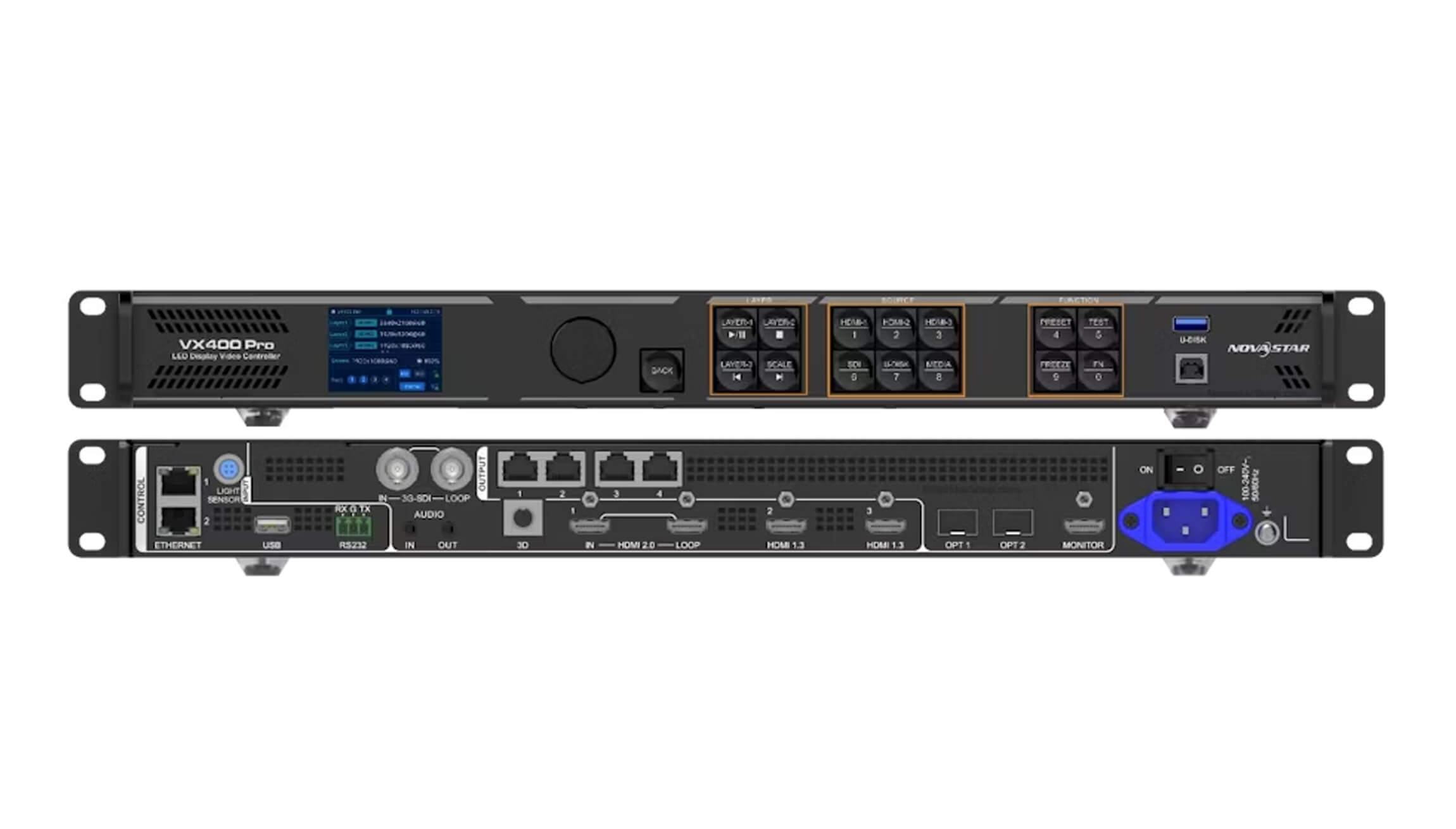
NovaStar VX400 Pro vs H5 vs H2 at a Glance
| Feature | VX400 Pro | H2 | H5 |
|---|---|---|---|
| System type | All-in-one video processor and LED controller | 2U modular video splicer and LED controller | 5U modular video splicer and LED controller |
| Best suited to | Small and medium LED displays, rental events and fixed installations | Medium-scale control rooms, stages and multi-source displays | Large command centers, broadcast systems and complex LED walls |
| Maximum pixel capacity | Up to 2.6 million pixels | Up to 20.8 million pixels with the appropriate cards | Up to 31.2 million pixels with the appropriate cards |
| Input capacity | Video input up to 4K×2K@60Hz | Configurations with up to 16 input channels | Configurations with up to 40 input channels |
| Output capacity | 4 Gigabit Ethernet outputs | Configurations with up to 8 output channels | Configurations with up to 12 output channels |
| Expansion | Fixed hardware configuration | Modular input and output cards | Larger modular chassis with greater expansion capacity |
What Is the NovaStar VX400 Pro?
The NovaStar VX400 Pro combines video processing, image scaling and LED screen control in a compact unit. It is intended for projects that need straightforward installation without a separate video processor and sending controller.
The controller provides four Gigabit Ethernet outputs and supports a total loading capacity of up to 2.6 million pixels. Its maximum configured width can reach 10,240 pixels, while the maximum height can reach 8,192 pixels. These are boundary values rather than dimensions that can be used simultaneously; the total output must remain within the controller’s pixel capacity.
VX400 Pro Key Specifications
- Four Gigabit Ethernet LED outputs
- Up to 2.6 million output pixels
- Maximum configured width of 10,240 pixels or height of 8,192 pixels
- Video input support up to 4K×2K at 60Hz
- Up to six 2K layers, or one 4K layer plus two 2K layers
- Video controller, fiber converter and ByPass operating modes
- Image scaling, presets, low-latency operation and USB media playback
- Support for pixel-level brightness and chroma calibration
Does 4K Input Mean 4K LED Output?
No. The VX400 Pro can receive a 4K video source, but its LED output capacity remains limited to 2.6 million pixels. A native 3840×2160 LED canvas contains approximately 8.29 million pixels, so one VX400 Pro cannot drive that full-resolution canvas by itself. The input signal can be scaled to a smaller LED canvas, or a larger system can use multiple controllers or a modular H-series solution.
When Should You Choose the VX400 Pro?
Choose the VX400 Pro when the LED canvas is within 2.6 million pixels and the project benefits from an integrated, portable controller. It is a practical choice for conference rooms, retail screens, exhibition booths, houses of worship, touring events and other installations with a limited number of video sources.
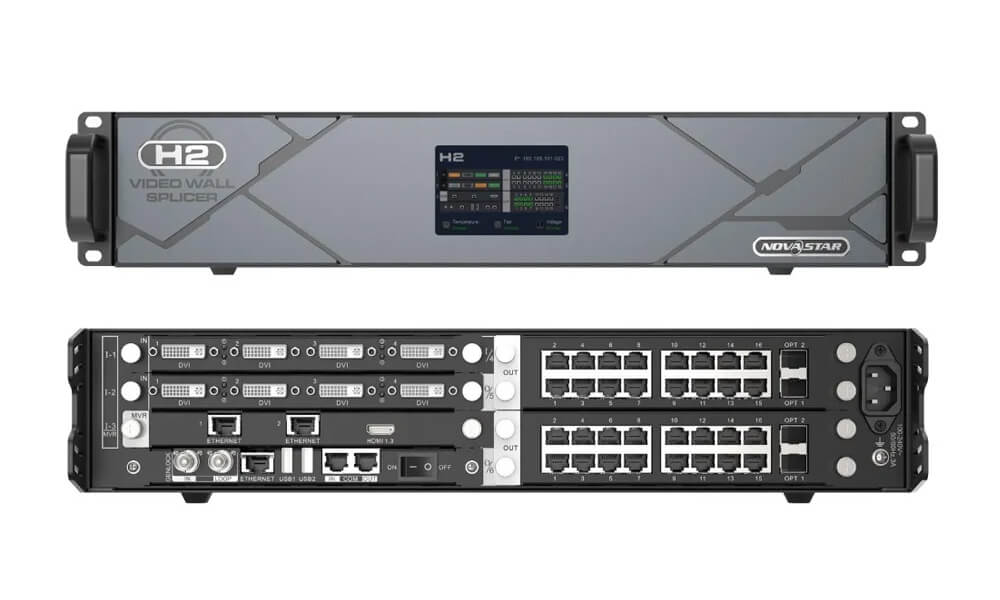
What Is the NovaStar H2?
The NovaStar H2 is a 2U modular video splicer and LED controller. Unlike the fixed configuration of the VX400 Pro, the H2 can be equipped with different input and output cards according to the signal interfaces, number of sources and LED loading capacity required by the project.
With the appropriate card configuration, the H2 supports up to 16 input channels, up to 8 output channels and a total loading capacity of up to 20.8 million pixels. Because it is modular, the exact interface count and output capacity must be calculated from the installed cards rather than the chassis name alone.
When Is the H2 a Better Choice?
- The LED canvas exceeds the capacity of one compact controller.
- Several video sources must be displayed, switched or combined.
- The installation requires modular input and output interfaces.
- The system may need future expansion without replacing the entire processor.
- The project requires centralized video processing and LED control.
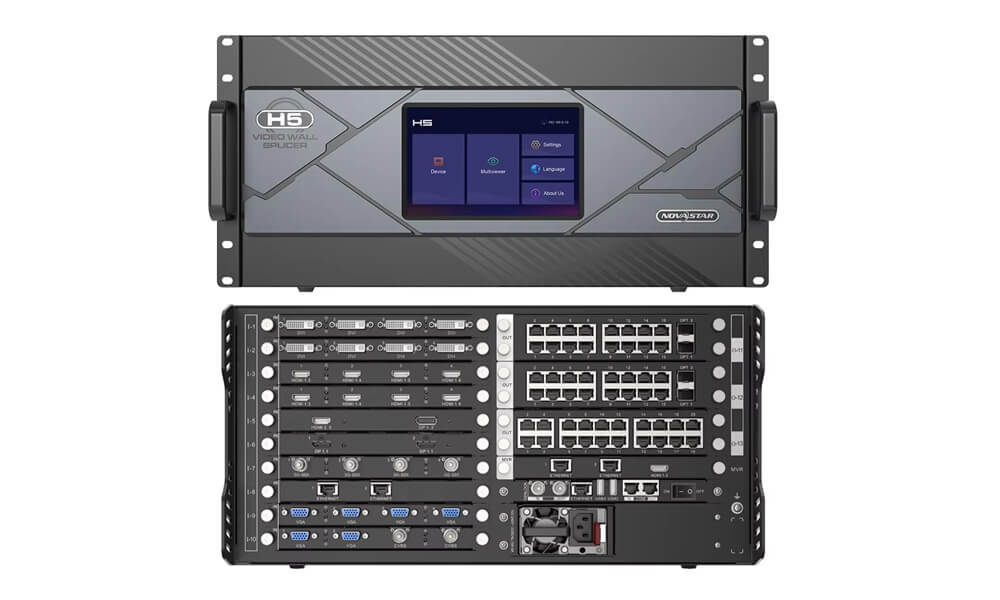
What Is the NovaStar H5?
The NovaStar H5 uses the same modular H-series concept in a larger 5U chassis. It is designed for systems that require more input sources, more output channels and greater processing capacity than an H2 configuration can provide.
Depending on the installed cards, the H5 can support configurations with up to 40 input channels, up to 12 output channels and up to 31.2 million pixels. This makes it suitable for large LED walls, command centers, broadcast facilities, virtual production environments, stage systems and multi-screen visualization projects.
Why Choose H5 Instead of H2?
Choose H5 when the project requires more expansion space or when future growth is likely. Its larger chassis can accommodate more cards and more complex signal routing. For a smaller system with moderate expansion needs, H2 is usually the more economical and space-efficient option.
How to Choose the Right NovaStar LED Controller
1. Calculate the Total LED Pixel Count
Multiply the screen’s total pixel width by its total pixel height. For example, a 1920×1080 LED canvas contains 2,073,600 pixels and falls within the VX400 Pro’s 2.6-million-pixel limit. A 3840×2160 canvas contains 8,294,400 pixels and requires multiple compact controllers or a higher-capacity modular system.
2. Check Port Loading and Screen Mapping
Total pixel capacity is only one limit. The load assigned to each Ethernet output, cabinet arrangement and maximum width or height must also satisfy the controller’s specifications. Prepare the final receiving-card map before selecting hardware.
3. Count the Required Video Sources and Layers
A simple display with one or two sources may only need the VX400 Pro. A control room or live production system may require many computers, cameras and media servers to appear simultaneously, making the modular H2 or H5 architecture more appropriate.
4. Consider Expansion and Redundancy
If the display is expected to grow, select a chassis with unused expansion capacity. Mission-critical installations should also include a documented backup strategy for video sources, controllers, network outputs and power.
5. Verify the Complete Card Configuration
For H2 and H5 systems, request a card-level bill of materials. Two chassis with the same model name can have different connectors and loading capacities because their installed input and output cards are different.
Practical Selection Examples
- 1920×1080 conference-room screen: VX400 Pro is normally sufficient, provided the Ethernet-port loading and cabinet mapping are valid.
- Large stage screen with several cameras and media sources: H2 provides modular input options and more processing capacity.
- 4K-native LED wall: A single VX400 Pro is insufficient because the canvas exceeds 2.6 million pixels. Use a properly configured H2, H5 or multi-controller design.
- Large command center with many sources and future expansion: H5 offers the greater chassis capacity and is generally the stronger long-term choice.
LED Controller Setup Checklist
- Confirm the total screen resolution and cabinet arrangement.
- Calculate the load assigned to every Ethernet output.
- Verify input resolution, frame rate and connector compatibility.
- Confirm the number of required layers, windows and presets.
- Check controller, receiving-card and software firmware compatibility.
- Plan primary and backup signal paths where reliability is critical.
- Save the final configuration file and test recovery before deployment.
- Perform brightness and color calibration after screen mapping is complete.
Frequently Asked Questions
Is the NovaStar VX400 Pro better than the H2 or H5?
Not universally. VX400 Pro is better for compact systems that need simple all-in-one operation. H2 and H5 are better for high-resolution canvases, multiple sources and modular expansion.
Can one VX400 Pro control a native 4K LED screen?
No. It can accept a 4K input signal, but its LED output capacity is limited to 2.6 million pixels. A native 3840×2160 screen contains about 8.29 million pixels.
What is the main difference between NovaStar H2 and H5?
The principal difference is chassis and expansion capacity. H2 is a compact 2U platform for medium-scale systems, while H5 is a 5U platform that supports more input and output cards for larger installations.
Do all H2 and H5 units have the same capacity?
No. Their usable inputs, outputs and pixel capacity depend on the installed cards. Always verify the complete configuration before purchasing or designing the system.
Which controller is easier to deploy at rental events?
VX400 Pro is generally easier to transport and configure for small and medium rental screens. Large stages with many sources or very high pixel counts may require an H2 or H5 system.
Conclusion
The correct choice depends on screen resolution, source count, processing requirements and expansion plans. Choose VX400 Pro for an efficient all-in-one system within 2.6 million pixels, H2 for a modular medium-scale installation, and H5 for a large system requiring more sources, outputs and future capacity.
Before ordering, provide the screen resolution, cabinet layout, number of video sources and required interfaces. This information allows the controller and card configuration to be checked as a complete system.

