
Quick answer: The NovaStar MCTRL700, VX16S, and TB50 solve different LED screen management needs. The MCTRL700 is a straightforward real-time LED display controller for sending an external video source to the screen. The VX16S combines 4K video processing, multi-input switching, scaling, and LED control in one unit. The TB50 is a Taurus multimedia player for scheduled, cloud-managed, and synchronous or asynchronous playback. They are not interchangeable, and most installations do not need all three.
This NovaStar MCTRL700 vs VX16S vs TB50 comparison explains the role, core specifications, ideal applications, and limitations of each device. Use it to choose the right controller for a rental stage, fixed LED display, control room, retail screen, or digital billboard.
NovaStar MCTRL700 vs VX16S vs TB50 at a Glance
| Model | Device type | Key capability | Best suited for |
|---|---|---|---|
| MCTRL700 | LED display controller / sending controller | 1 DVI and 1 HDMI input; 6 Gigabit Ethernet outputs; up to 650,000 pixels per Ethernet port | Real-time LED displays with an external video source or separate processor |
| VX16S | All-in-one video controller and processor | 4K x 2K at 60 Hz processing and sending; 16 Ethernet outputs; up to 10.4 million pixels; 3 layers | Large rental screens, live events, exhibitions, broadcast-style workflows, and fine-pitch displays |
| TB50 | Taurus LED multimedia player | H.264/H.265 4K at 60 Hz decoding; 16 GB storage; Wi-Fi; cloud publishing; synchronous and asynchronous modes | Digital signage, distributed screens, scheduled content, and remote management |
The main difference is workflow: choose the MCTRL700 for simple live signal sending, the VX16S for live video processing plus sending, or the TB50 for stored and remotely published content with optional live HDMI input.
What Is the NovaStar MCTRL700?
The NovaStar MCTRL700 is a real-time LED display controller. It receives a video signal, processes the screen configuration, and distributes data through six Gigabit Ethernet outputs to compatible receiving cards inside the LED cabinets.
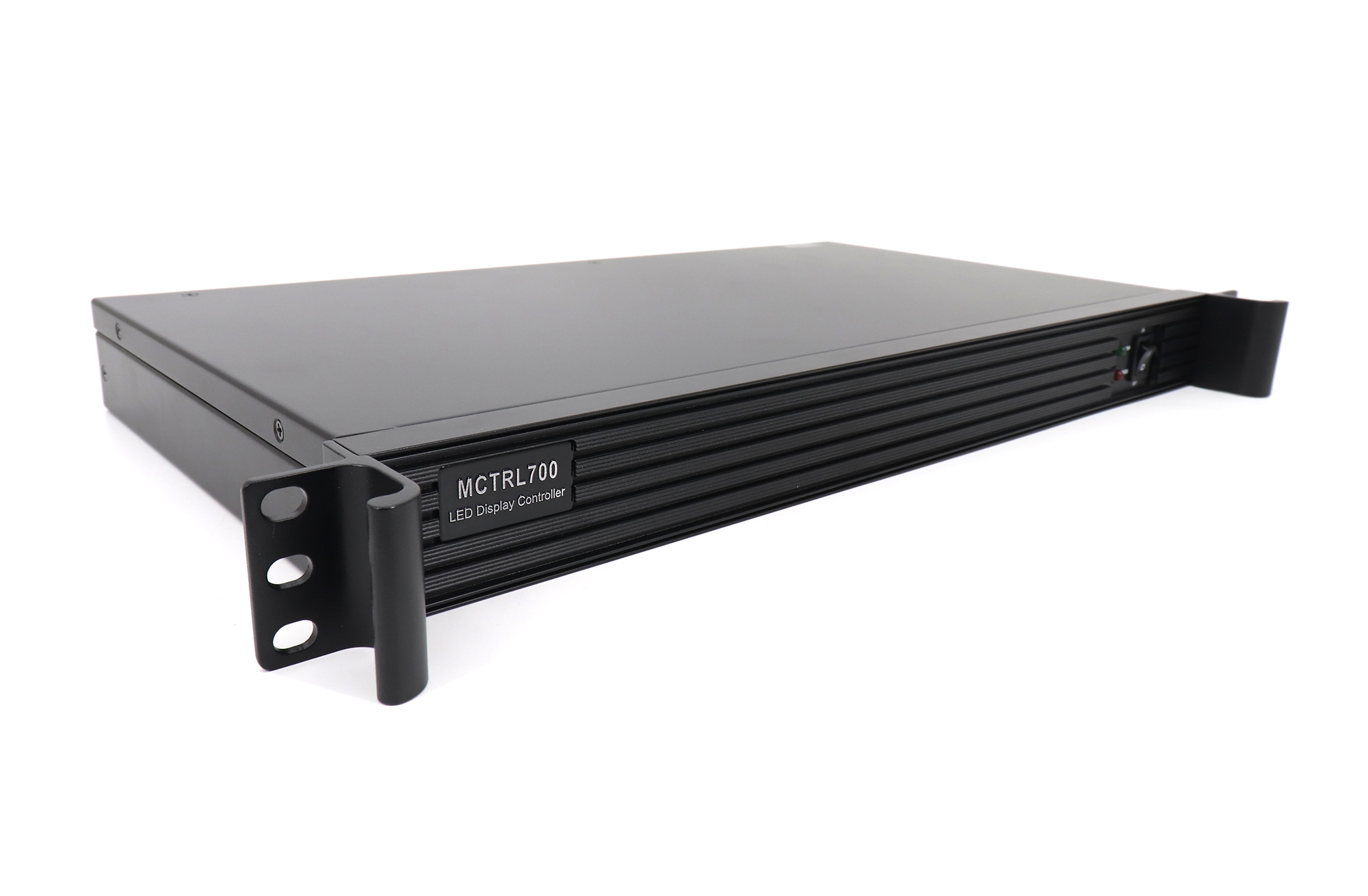
Key MCTRL700 Specifications
- 1 DVI video input and 1 HDMI video input
- 1 audio input
- 6 Gigabit Ethernet outputs, with up to 650,000 pixels per port
- DVI and HDMI outputs for monitoring or cascading
- USB and RS232 control connections for configuration and device cascading
- Maximum load resolution listed as 2048 x 1152 at 60 Hz or 1920 x 1200 at 60 Hz
When Should You Choose the MCTRL700?
Choose the MCTRL700 when the source signal is already prepared at the required resolution and the job mainly needs reliable real-time sending. Typical applications include fixed indoor screens, outdoor displays, conference screens, and rental systems that already use a separate video processor or switcher.
The MCTRL700 is a practical choice when you need a simple signal path, six Ethernet outputs, and familiar HDMI or DVI connectivity. It is less suitable when the project requires 4K input processing, multiple composited layers, built-in source switching, or stored content playback. In those cases, the VX16S or TB50 is usually a better match.
What Is the NovaStar VX16S?
The NovaStar VX16S is an all-in-one LED video controller that combines video processing, video control, and LED screen configuration. This reduces the number of separate devices in a live production system and gives an operator more control over sources, scaling, layers, and output from one chassis.
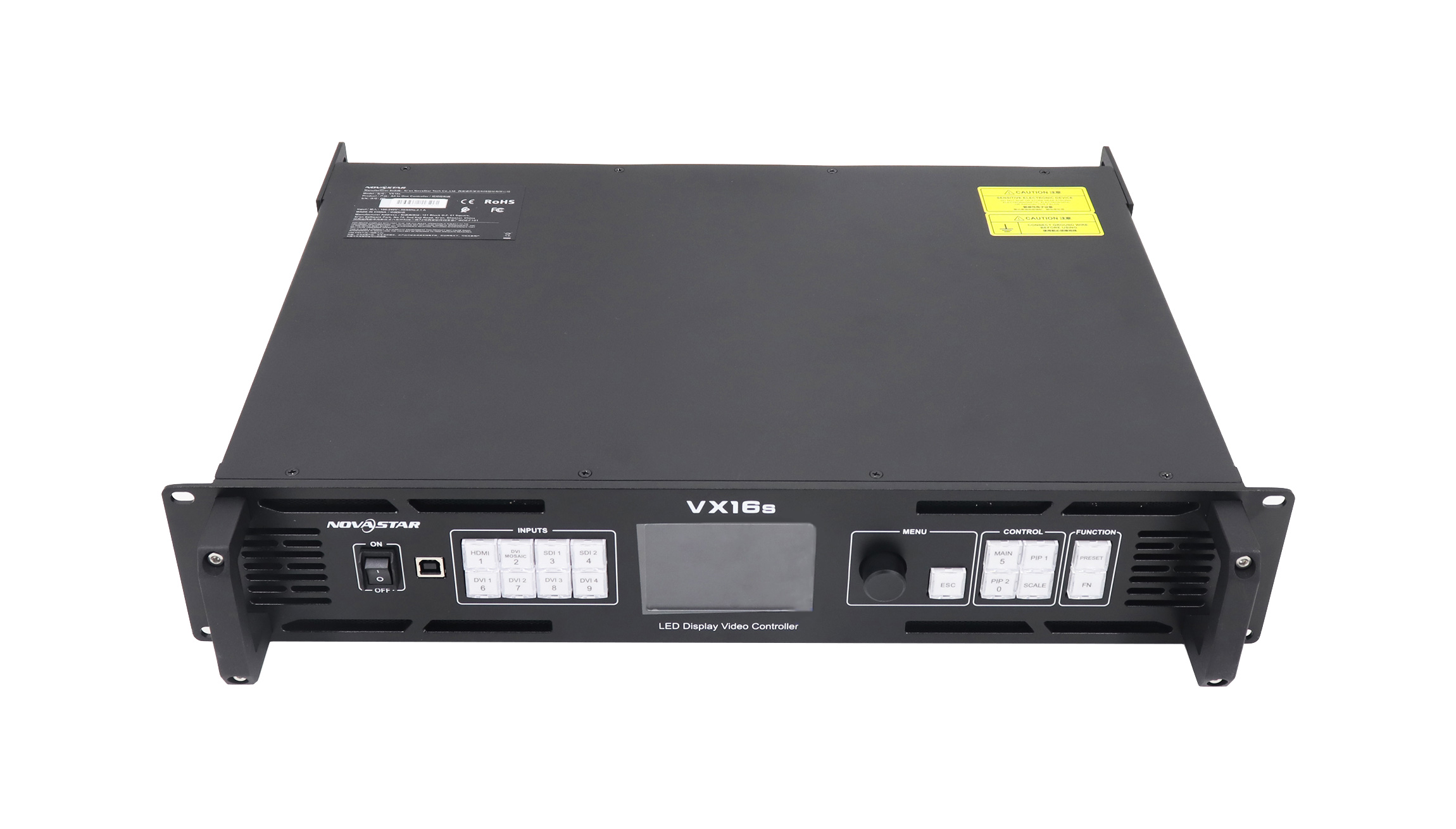
Key VX16S Specifications
- 2 3G-SDI inputs, 1 HDMI 2.0 input, and 4 SL-DVI inputs
- 4K x 2K at 60 Hz image processing and sending
- 16 Gigabit Ethernet outputs with a total loading capacity of up to 10,400,000 pixels
- 3 independent layers, including one 4K x 2K main layer
- Four-input DVI mosaic support
- Pixel-to-pixel, full-screen, and custom scaling modes
- Support for common decimal frame rates such as 23.98 Hz and 29.97 Hz
- 3D display support; output capacity is reduced when 3D is enabled
- Backup operation so a secondary unit can take over after a primary signal or Ethernet failure
When Should You Choose the VX16S?
Choose the VX16S when a project needs both high-capacity LED sending and professional video processing. It is well suited to concerts, touring productions, exhibitions, corporate events, large conference screens, television studios, and fine-pitch LED walls.
Compared with the MCTRL700, the VX16S provides more inputs, much higher pixel capacity, scaling, layers, and 4K processing. That makes it the stronger option for multi-source live production. The tradeoff is that it may be more capability than a simple fixed screen needs, and it does not replace the scheduled-content and cloud-management workflow offered by the TB50.
What Is the NovaStar TB50?
The NovaStar TB50 is a third-generation Taurus multimedia player for full-color LED displays. It combines media playback and LED sending functions, allowing content to be published and screens to be managed from a computer, phone, or tablet.
Important clarification: the TB50 is not an LED receiving card. It is a multimedia player and sending device. Compatible receiving cards are still installed inside the LED cabinets to receive and distribute the screen data.
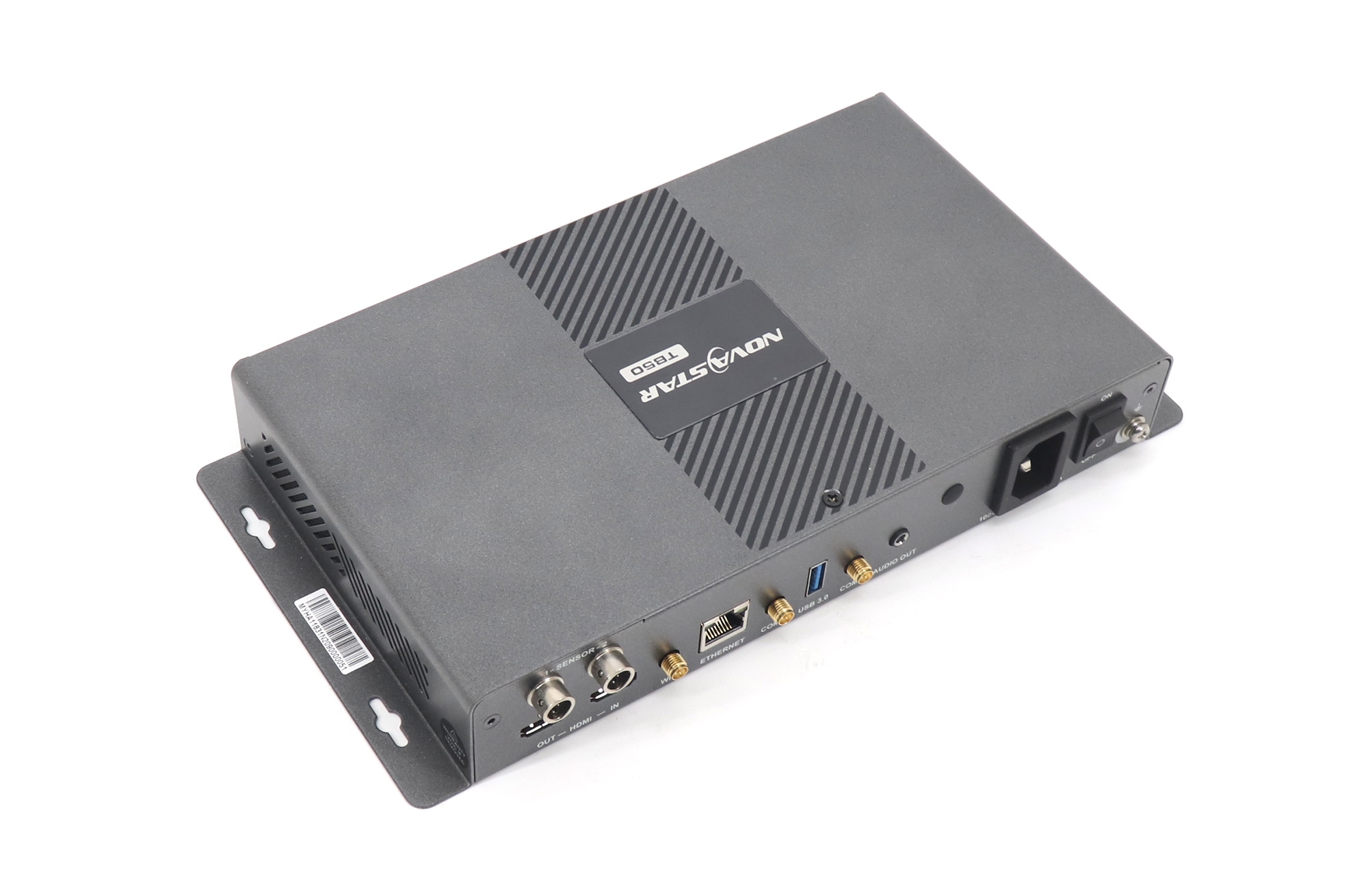
Key TB50 Specifications and Functions
- Quad-core ARM A55 processor running at 1.8 GHz
- 1 GB onboard RAM and 16 GB internal storage
- H.264 and H.265 4K at 60 Hz video decoding
- Playback of one 4K video or two 1080p videos
- Wi-Fi AP and Wi-Fi STA operating modes
- Remote content publishing and screen monitoring through supported cloud platforms
- Asynchronous playback from the internal media source
- Synchronous playback from an HDMI input
- Multi-screen synchronized playback using NTP, with GPS synchronization available when the specified 4G module is installed
- Optional 4G connectivity; the 4G module is purchased separately when required
When Should You Choose the TB50?
Choose the TB50 when the display must continue playing scheduled content without a dedicated computer connected at all times. It is especially useful for retail signage, transportation displays, campus screens, commercial billboards, information boards, and networks of screens managed from different locations.
The TB50 can also accept a live HDMI source in synchronous mode, but its main advantage is flexible media playback and remote publishing. If the project is centered on live source switching, multiple layers, or high-capacity event production, the VX16S is the more appropriate tool.
Do the MCTRL700, VX16S, and TB50 Work Together?
They can exist within the same broader NovaStar ecosystem, but they are not a required three-device signal chain. The MCTRL700 and VX16S normally occupy the controller or sending layer, with the VX16S adding integrated video processing. The TB50 occupies a different workflow as a multimedia player with sending capability.
In a typical installation, one of these devices sends screen data to compatible receiving cards in the LED cabinets. The correct architecture depends on content sources, required inputs, total pixel count, cabinet mapping, redundancy, and whether playback is live, scheduled, or cloud managed.
Which NovaStar Controller Should You Choose?
- Choose the MCTRL700 for a straightforward real-time HDMI or DVI source when external processing is already available and the screen fits its output limits.
- Choose the VX16S for large LED walls, 4K sources, multi-input switching, scaling, layers, or live-event redundancy.
- Choose the TB50 for scheduled content, cloud publishing, remote monitoring, Wi-Fi or optional 4G connectivity, and unattended playback.
Before ordering, calculate the LED wall’s total pixel count by multiplying total width by total height. Then confirm the load per Ethernet port, total device capacity, supported input resolution and frame rate, required number of outputs, receiving-card compatibility, and backup plan. Pixel capacity alone does not guarantee compatibility with every cabinet layout.
Common Application Scenarios
Rental Stage or Live Event
The VX16S is usually the best fit because it combines multiple professional inputs, scaling, layers, high pixel capacity, and backup support in one controller.
Fixed LED Screen With an External Processor
The MCTRL700 is a cost-effective sending controller when a separate processor already handles switching and scaling and the final signal stays within the MCTRL700’s supported limits.
Digital Billboard or Retail Signage Network
The TB50 is the strongest option when operators need to schedule content, publish remotely, monitor screens over a network, and keep playback running without a full-time source computer.
Conference Room or Control Room
Use the VX16S when the room needs several source types and flexible scaling. Use the MCTRL700 when the system has one prepared source or an existing upstream presentation switcher.
Installation Checklist
- Confirm the LED wall’s total width, height, and pixel count.
- Map cabinet pixels across Ethernet ports without exceeding the per-port limit.
- Match the source resolution, frame rate, connector type, and HDCP requirements.
- Verify receiving cards, firmware, configuration software, and controller compatibility.
- Plan primary and backup signal paths for mission-critical events.
- Test color, brightness, scaling, synchronization, and content playback before deployment.
- Keep the correct device specification and configuration files with the project documentation.
Frequently Asked Questions
Is the NovaStar TB50 a receiving card?
No. The TB50 is a Taurus multimedia player with playback and sending capabilities. The LED cabinets still need compatible receiving cards.
Does the MCTRL700 support 4K input?
The MCTRL700 product specification lists a maximum load resolution of 2048 x 1152 at 60 Hz or 1920 x 1200 at 60 Hz. For 4K x 2K at 60 Hz processing and sending, the VX16S is the appropriate model in this comparison.
Can the VX16S replace a separate video processor and sending controller?
Yes, in many supported installations. The VX16S combines video processing, screen configuration, and LED sending. Always confirm the required inputs, pixel load, output mapping, and redundancy before finalizing the system design.
Can the TB50 play content without a connected computer?
Yes. In asynchronous mode, the TB50 plays content from its internal media source. A computer, phone, or tablet can be used to publish and manage content rather than remaining connected as the live source.
Which model is best for a large live LED wall?
The VX16S is generally the best of these three for a large live LED wall because it supports up to 10.4 million pixels, 16 Ethernet outputs, 4K processing, multiple inputs, scaling, and layers.
Do all three models require receiving cards?
Yes. These controllers and players send data to compatible receiving cards installed in the LED cabinets. The receiving-card model and configuration must match the LED modules and system design.
Conclusion
The right choice depends on the content workflow, not simply on which model has the highest specification. The NovaStar MCTRL700 is a reliable real-time sending controller for prepared HDMI or DVI sources. The NovaStar VX16S is the most capable live-production option, combining 4K processing, multiple inputs, layers, and high-capacity sending. The NovaStar TB50 is designed for scheduled playback, cloud management, and unattended digital signage.
For a reliable LED screen system, match the controller to the total pixel load, input sources, receiving cards, playback method, and backup requirements. Review the linked product specifications before purchase or deployment.

