
A P3 indoor LED display is a fine-pitch video wall designed for close-to-medium viewing distances. With pixels spaced about 3 mm apart, it can show detailed text, presentations, live video and branded content more clearly than larger-pitch screens. It is a practical choice for meeting rooms, retail stores, control rooms, broadcast studios, auditoriums and indoor events where image detail matters.
This guide explains what P3 means, why it works well indoors, which specifications matter and how to decide whether P3 is the right pixel pitch for your project.
What Is a P3 Indoor LED Display?
The “P3” designation normally refers to an LED pixel pitch of approximately 3 mm: the center-to-center distance between adjacent pixels. A smaller pitch places more pixels in the same area, producing a higher-resolution image at a given screen size.
As a planning example, a screen that is 3,000 mm wide at an exact 3.0 mm pitch is about 1,000 pixels wide. The actual resolution depends on the precise pitch, module size and cabinet configuration, so always confirm the manufacturer’s pixel matrix before ordering.
Quick answer: Choose P3 when viewers will typically be about 3 metres (10 feet) or farther from the screen and you need a strong balance of image detail, screen size and budget. Treat viewing distance as a starting point, not a fixed rule; content, eyesight and installation conditions also affect perceived quality.
Why P3 LED Screens Work Well Indoors
1. Fine detail at practical viewing distances
A P3 LED screen can render small text, dashboards, presentation graphics and faces more cleanly than P4 or P5 at the same physical size. This makes it useful in spaces where the audience sits relatively close to the display.
2. Seamless, scalable screen sizes
LED modules and cabinets can be combined into a video wall without the bezels found between LCD panels. The system can be sized for the room, stage or wall rather than being limited to standard television dimensions.
3. High brightness with adjustable output
Indoor LED displays remain visible under conference-room, retail and stage lighting. Brightness should still be calibrated to the environment: excessive output in a dark room can be uncomfortable and reduce perceived contrast.
4. Smooth video and camera performance
A suitable refresh rate helps fast motion appear smooth and reduces visible scan lines or flicker on camera. For general indoor viewing, confirm the controller and receiving-card configuration support the required refresh rate. For broadcast, virtual production or frequent smartphone recording, a 3,840 Hz-class configuration is commonly preferred; verify the final value for the exact module and driver settings.
5. Strong contrast and colour consistency
Black-face LEDs and a dark module mask can improve perceived black levels and contrast. Good factory calibration also helps adjacent modules match in brightness and colour, which is essential for a uniform video wall.
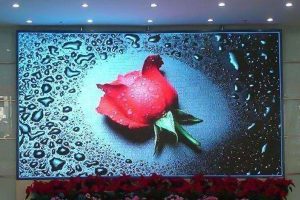
Typical P3 Indoor LED Display Applications
- Conference and meeting rooms: presentations, video calls and data dashboards.
- Control rooms: multi-source monitoring, command information and continuous operation.
- Retail stores and showrooms: product video, promotions and branded visual content.
- Broadcast studios: on-camera backgrounds when the system is configured for high refresh and reliable colour reproduction.
- Auditoriums and houses of worship: live camera feeds, lyrics, announcements and presentations.
- Exhibitions and rental events: modular screens that can be assembled, transported and reconfigured.
- Hotel ballrooms and banquet halls: event video, stage backgrounds and sponsor content.
P3 vs P2.5, P3.91 and P4
Pixel-pitch names are not interchangeable. In particular, P3 and P3.91 have different pixel densities and resolutions. Use the following ranges for early planning, then validate the result with a sample panel or pixel-pitch calculator.
| Pixel pitch | Typical closest viewing range | Relative detail | Common use |
|---|---|---|---|
| P2.5 | About 2.5 m and beyond | Highest of these options | Executive rooms, close-view retail, detailed dashboards |
| P3 | About 3 m and beyond | High | Meeting rooms, control rooms, studios and fixed indoor walls |
| P3.91 | About 4 m and beyond | Medium-high | Rental stages, exhibitions and event backdrops |
| P4 | About 4 m and beyond | Medium | Larger indoor venues with longer viewing distances |
A common rule of thumb is that the minimum comfortable viewing distance in metres is roughly similar to the pitch in millimetres. The best choice also depends on screen dimensions, content detail, budget and the distance of the closest viewer.
Key Specifications to Check Before Buying
- Exact pixel pitch and resolution: ask for the module and cabinet pixel matrix, not only the P3 product name.
- Screen dimensions and aspect ratio: design around the content source. A 16:9 canvas simplifies standard video playback.
- Refresh rate: match it to live video, camera use and broadcast requirements.
- Brightness and contrast: select an indoor brightness range that can be comfortably calibrated for the room.
- Scan mode and driver IC: these influence refresh performance, low-grey image quality and camera results.
- Front or rear service access: front maintenance is useful when the screen is mounted directly against a wall.
- Cabinet flatness and module alignment: precise mechanical installation prevents visible seams and uneven surfaces.
- Controller capacity: confirm total pixel load, input resolution, scaling, redundancy and the number of required network outputs.
- Power and heat management: plan dedicated circuits, ventilation and safe access for maintenance.
- Spare parts and calibration files: keep matching spare modules, power supplies and receiving cards for faster service.
How to Size a P3 LED Screen
- Measure the available wall or stage area and the nearest viewing position.
- Choose the required aspect ratio, usually 16:9 for standard video.
- Calculate approximate resolution by dividing each screen dimension in millimetres by the exact pixel pitch.
- Match the total pixel count to an LED video processor and controller with adequate capacity.
- Confirm cabinet dimensions, service access, power distribution and mounting structure with the supplier.
For example, an exact 3.0 mm display measuring 3.84 m by 2.16 m would be approximately 1,280 by 720 pixels. A P3.91 screen of the same physical size would have a lower pixel count, so request a project-specific resolution drawing before purchase.
Is P3 the Right Choice for Your Project?
P3 is a strong all-round option when the display must look sharp from around 3 m while covering a larger area than a conventional television. Choose P2.5 or a finer pitch when viewers are closer or must read very small text. Consider P3.91 or P4 when the audience is farther away and budget or rental flexibility is more important than maximum pixel density.
The final decision should be based on the closest viewer, required resolution, camera use, ambient light, installation method and maintenance plan. For a complete cabinet option, review this P3 indoor LED display cabinet, or contact our LED display team with your screen size, viewing distance and signal requirements.
Frequently Asked Questions
What does P3 mean on an LED screen?
P3 means the pixels are spaced approximately 3 mm apart. The exact pitch may vary by product, so check the technical specification and do not assume P3 and P3.91 are the same.
What is the recommended viewing distance for a P3 LED display?
About 3 m (10 ft) is a useful starting point for the nearest viewer. A longer distance generally makes the pixel structure less noticeable, while detailed text may require a finer pitch or a larger screen.
Can a P3 LED screen be used on camera?
Yes, if the modules, driver ICs and control system are configured for a sufficiently high refresh rate and stable low-grey performance. Test the final system with the intended camera frame rate and shutter settings.
Is P3 suitable for outdoor use?
This guide covers indoor P3 products. Outdoor installations require appropriate weather protection, brightness, cabinet construction and electrical safety ratings. Do not place an indoor-rated module outdoors.
How is P3 screen resolution calculated?
Divide the display width and height in millimetres by the exact pixel pitch. For an exact 3.0 mm pitch, a 3,000 mm-wide screen is about 1,000 pixels wide.

