
Short answer: Choose NovaStar when you need a broad, mature ecosystem for pixel-level calibration, receiving-card control and remote content management. Choose Mooncell when a compact video processor with fast scene recall, flexible windowing and built-in backup is the better fit. The right answer depends on the LED wall’s pixel count, signal workflow, service plan and the technicians who will maintain it.
This NovaStar vs Mooncell comparison turns those differences into a practical buying decision. It uses product information available in our NovaStar brand collection, Mooncell brand collection, and the linked product pages. Specifications can vary by firmware, driver IC and screen design, so confirm the final configuration before ordering.
Reviewed by: Shenzhen EagerLED technical editorial team
Last updated: September 1, 2026
Key takeaways
- NovaStar: stronger choice for pixel-level calibration, fine seam correction and a large receiving-card family.
- Mooncell: attractive for all-in-one processing, scene presets, window control and dual-backup features.
- Capacity matters first: the NovaStar T10 is rated up to 650,000 pixels, while Mooncell MTB200 and MVB2S pages list up to 1.3 million pixels.
- Signal depth matters: the NovaStar MRV532 page documents 8-bit, 10-bit and 12-bit source limits at 60 Hz.
- Best practice: match the controller, sending card, receiving card, cabinet wiring and software as one tested system.
Table of contents
- What really differs between NovaStar and Mooncell?
- NovaStar vs Mooncell: side-by-side comparison
- Where NovaStar is the safer choice
- Where Mooncell can be the better fit
- Decision guide by LED display scenario
- Common selection mistakes
- FAQ
What really differs between NovaStar and Mooncell?
NovaStar and Mooncell are both LED display control-system brands, but they emphasize different parts of the workflow. NovaStar’s product family spans multimedia players, video controllers and receiving cards. Mooncell’s products in our catalog focus on video processors and sending enclosures that combine signal handling with practical operator controls.
That distinction changes how you specify a system. A rental or fixed-installation team that spends most of its time on cabinet mapping, pixel calibration and receiver maintenance will usually value NovaStar’s receiving-card depth. A venue operator who changes layouts, switches sources and recalls prepared scenes every day may value Mooncell’s processor interface and preset workflow more.
NovaStar vs Mooncell: side-by-side comparison
The table below is a practical starting point, not a universal ranking. It compares capabilities documented on the product pages linked in this article.
| Decision factor | NovaStar | Mooncell | What it means for buyers |
|---|---|---|---|
| Typical role | Multimedia player, controller and receiving-card ecosystem | Video processor and sending enclosure | Choose the role before comparing model names. |
| Example pixel capacity | T10: up to 650,000 pixels | MTB200/MVB2S: up to 1.3 million pixels | Leave headroom for the actual canvas, not just the nominal cabinet count. |
| Playback | T10: 4K decoding; 1x 4K, 2x 1080p or 4x 720p playback | MVB2S: USB play and synchronous audio/video switching | NovaStar suits scheduled playback; Mooncell suits live switching plus playback. |
| Output and networking | T10: 1 Gigabit Ethernet output | MTB200/MVB2S: 2 Gigabit Ethernet outputs | Two outputs can simplify moderate-size routing and redundancy planning. |
| Signal workflow | Strong fit for receiver-side configuration and calibration | DVI input, audio input and flexible window control on MVB2S | Count sources, audio paths and operator actions. |
| Backup | Depends on the selected controller and system architecture | MTB200 page lists Ethernet port-loop dual backup and dual-master backup | Verify the complete failover path, including power and source devices. |
| Fine image tools | MRV532 lists pixel-level brightness/chroma calibration, seam correction, 3D and 90° rotation | MVB2S lists three zoom modes and eight user scenes | NovaStar favors pixel uniformity; Mooncell favors fast layout operation. |
Where NovaStar is the safer choice
1. You need receiver-level image consistency
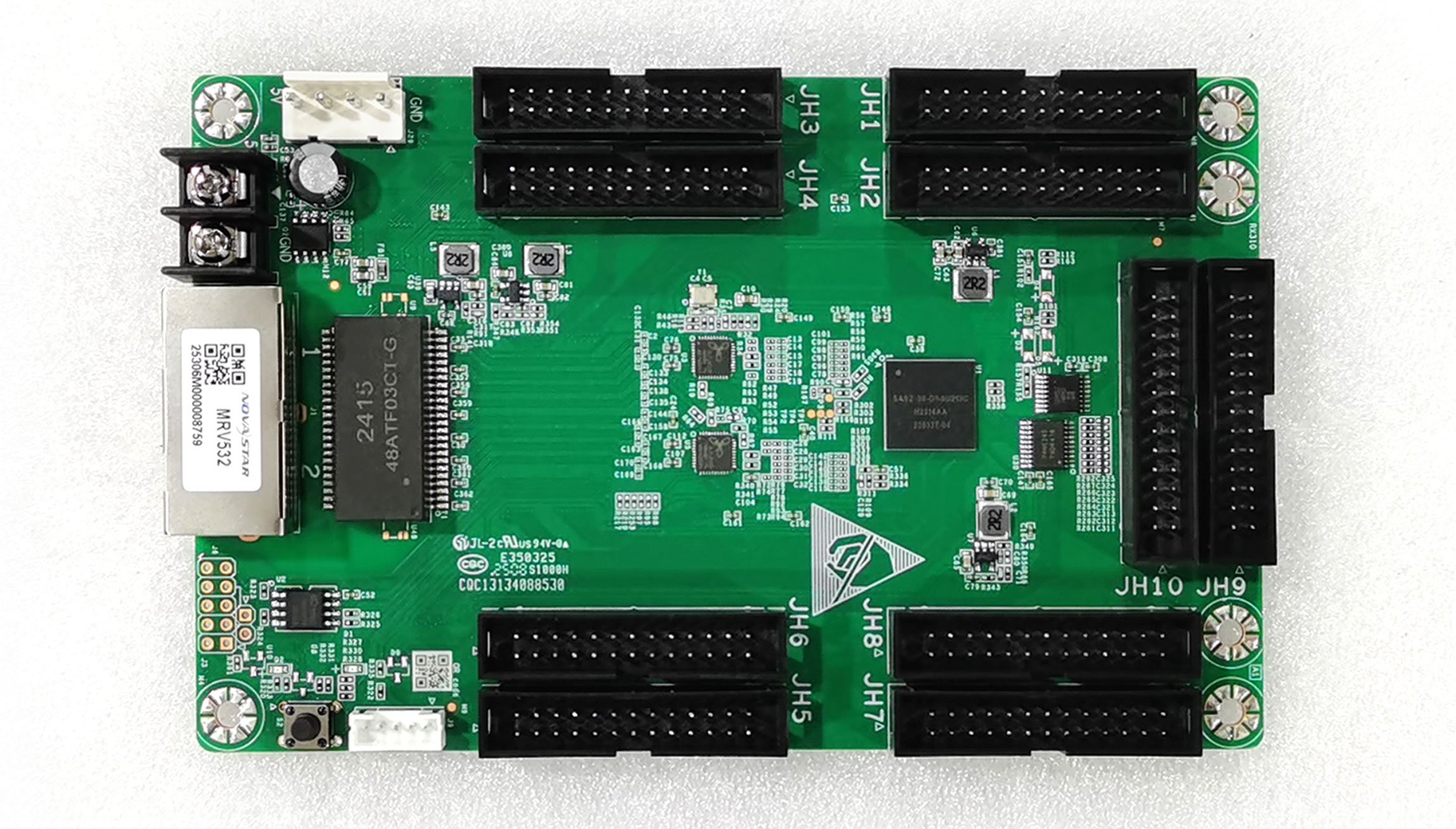
The NovaStar MRV532 receiving card is designed for PWM driver ICs and documents pixel-level brightness and chroma calibration. For an LED wall made from many cabinets, that matters because small module-to-module differences become obvious in large flat colors, skin tones and camera shots.
MRV532 specifications list up to 512 x 512 pixels at 60 Hz for 8-bit sources, and up to 512 x 384 pixels at 60 Hz for 10-bit or 12-bit sources. The card also lists a one-frame latency mode when used with modules whose driver IC includes built-in RAM, plus 90-degree image rotation. These are concrete checks for installers, not marketing labels.
2. You want a managed playback workflow
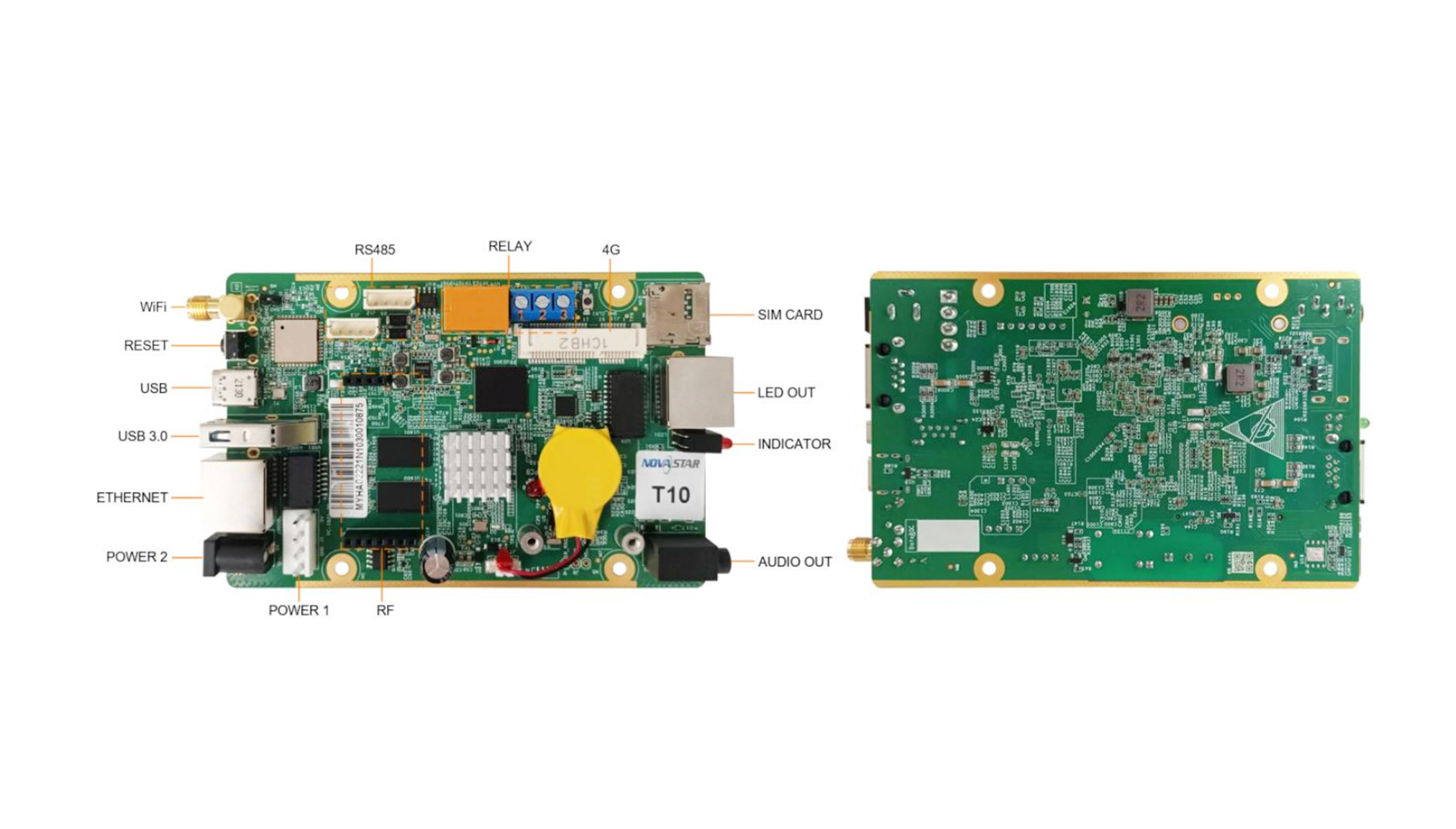
The NovaStar Taurus T10 combines playback and sending functions. Its page lists a quad-core processor at 1.3 GHz, 1 GB of RAM and 32 GB of internal storage. It supports one 4K, two 1080p or four 720p video playbacks, which is useful for retail networks, smart-city displays and other installations that need scheduled content without a separate playback computer.
For a T10 deployment, calculate the rendered canvas rather than adding cabinet pixel counts casually. The 650,000-pixel ceiling is a system limit; input resolution, refresh rate, content complexity and network topology still determine whether the installation feels reliable.
Where Mooncell can be the better fit
1. You operate a live presentation or venue wall
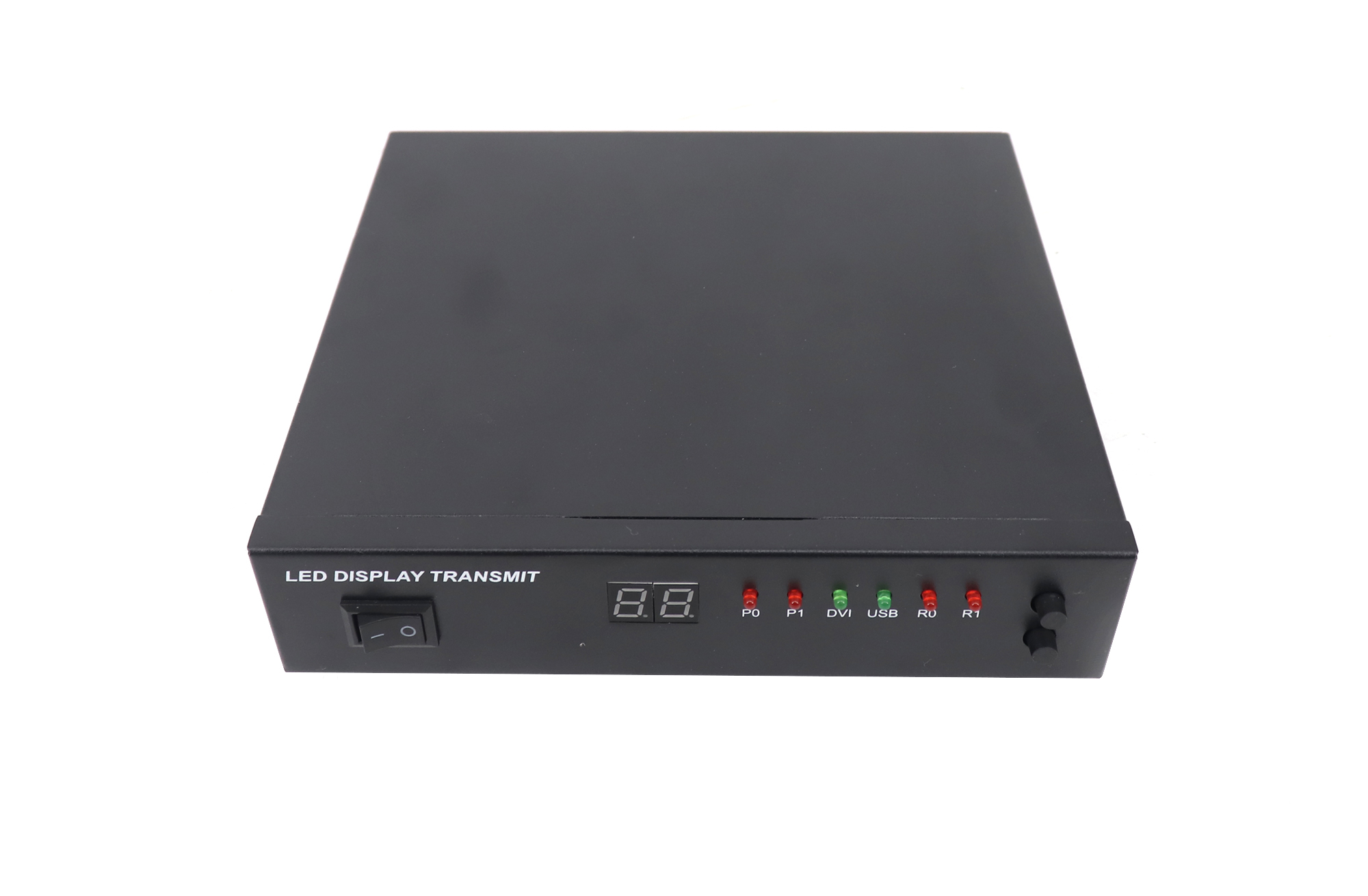
The Mooncell MVB2S is positioned for small and medium LED displays in shopping malls, hotels, exhibitions and TV studios. Its documented workflow includes DVI input, independent audio input/output, synchronous audio/video switching and three zoom modes: full-screen, point-to-point and custom.
That combination is valuable when an operator must move between a laptop, camera, media player and prepared background quickly. The front LCD and button indicators are also practical when the processor is mounted in a rack and the operator cannot rely on a large preview monitor.
2. You need repeatable layouts and backup options
MVB2S lists eight user scenes that can be saved and recalled directly. The MTB200 page lists two Gigabit Ethernet outputs, arbitrary splicing support and both Ethernet port-loop dual backup and dual-master controller backup. In a venue, those details can reduce the time needed to restore a known layout after a source or controller issue.
Decision guide by LED display scenario
- Fixed advertising or retail network: start with NovaStar T10 if remote publishing and scheduled playback are central. Confirm total pixels, maximum width and height, sensor requirements and the receiving-card match.
- Conference, exhibition or studio wall: start with Mooncell MVB2S when source switching, audio and scene recall dominate the daily workflow. Confirm the DVI path, audio connectors and the required custom output resolution.
- Large cabinet wall with visible seams: prioritize NovaStar MRV532 or a comparable receiver family when pixel calibration, seam correction and low latency are the deciding factors.
- Installations where failover is contractual: Mooncell MTB200 is worth evaluating because its product page explicitly lists loop and dual-master backup. Test the switchover under load before handover.
- Mixed-brand replacement: do not assume a sending card, receiving card and software are interchangeable. Map the data group count, connector type, driver IC, firmware and cabinet scan mode first.
For a complete bill of materials, browse the NovaStar products and Mooncell products on LED Controller Card Store, then ask for a compatibility check using your cabinet model and target resolution.
Common selection mistakes
- Comparing brand names instead of signal paths. A processor with more inputs is not automatically better if the receiver mapping is wrong.
- Using the maximum pixel number as the design target. Reserve capacity for refresh rate, redundancy, sensor data and future cabinet additions.
- Ignoring bit depth and driver IC. MRV532’s 8-bit versus 10/12-bit limits show why the source and module electronics must be specified together.
- Skipping a failure test. Pull the source, network link and primary controller separately. Record recovery time and what the operator sees.
- Leaving software ownership unclear. Name who will create screen files, save backups, update firmware and support the venue after installation.
FAQ
Is NovaStar better than Mooncell for every LED display?
No. NovaStar is often the stronger choice for calibration-heavy receiving-card work and managed playback, while Mooncell can be a better operational fit for live switching, window control and scene presets.
Can NovaStar and Mooncell components be mixed?
Sometimes, but compatibility is model-specific. Check the sending protocol, receiver card, HUB interface, driver IC, cabinet scan mode, firmware and configuration software before mixing components.
Which brand supports a larger pixel load?
In the products compared here, NovaStar T10 lists up to 650,000 pixels, while Mooncell MTB200 and MVB2S list up to 1.3 million pixels. Treat those as model specifications, not a blanket brand comparison.
Which controller is easier for live events?
Mooncell MVB2S is designed around fast source switching, three zoom modes, synchronous audio/video and eight saved scenes. That workflow can be convenient for event operators, provided the input and output requirements match.
What should I send a supplier before requesting a quote?
Send the cabinet resolution, total pixel canvas, refresh rate, input sources, audio needs, cabinet data group, driver IC, scan mode, redundancy requirement and preferred control method. A clear signal map prevents expensive rework.
Bottom line
NovaStar vs Mooncell is not a simple “winner” question. Select NovaStar for a calibrated, scalable ecosystem centered on receiving cards and managed playback. Select Mooncell for an operator-friendly processor workflow with flexible windows, scene recall and documented backup options. Once you have the screen’s pixel map and signal list, the choice becomes measurable instead of subjective.
Need help matching a controller card to your LED wall? Review our NovaStar and Mooncell ranges, then contact the LED Controller Card Store team with your cabinet model and target resolution.

