If CVT10 ports 9 and 10 are unavailable, first check the signal direction and the upstream sending device. In fiber-input, Ethernet-output operation, NovaStar’s CVT10 specification distinguishes senders with eight or sixteen Ethernet ports from senders with ten or twenty. The first group uses the converter’s first eight ports. Having ten sockets on the converter does not establish ten usable outputs in every system.
This is a narrow diagnostic question for an AV integrator receiving a service call. A wall may work through outputs one through eight while a newly added cabinet chain stays dark. Before ordering a spare, document the sender, the converter and the existing route. The checks below help determine what to ask the supplier and which observations belong in the service record.
Start with signal direction
Draw one arrow from the sending equipment toward the LED wall. Mark where the route uses fiber and where it uses Ethernet. A converter beside the sender may be accepting Ethernet and sending fiber, while the unit beside the wall is doing the reverse. Describe the unit where the symptom occurs by its location and role. Two identical boxes can occupy different positions in the same system.
Use the equipment labels to confirm the model, including the S or M suffix, and record whether the name includes Pro. This article follows the standard CVT10 specification. A similarly named product requires its own document. The CVT10-S listing identifies the single-mode model, while the CVT10-M listing covers multimode fiber. Neither suffix alone identifies the number of available output channels.
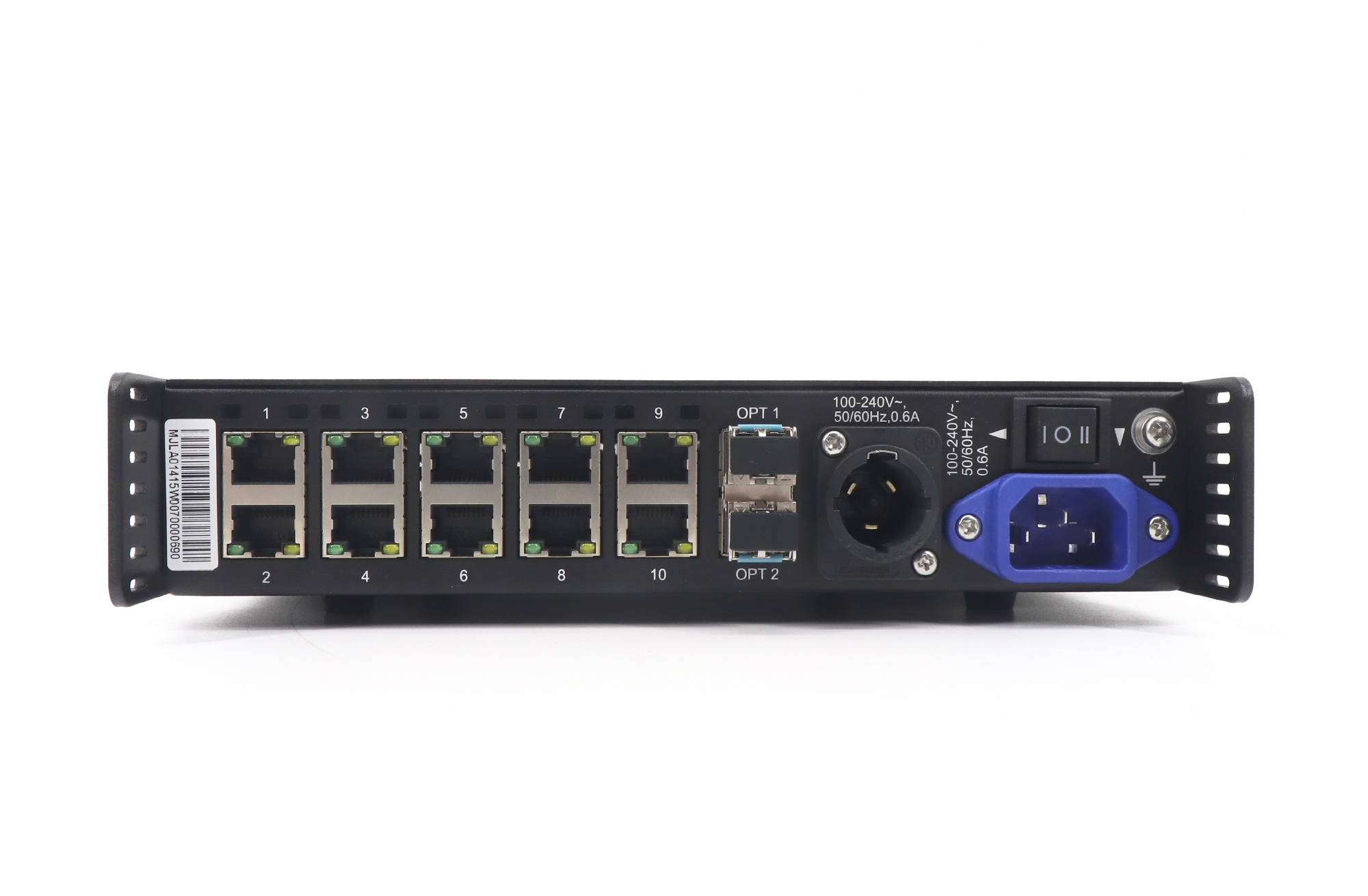
Read the sender before checking CVT10 ports 9 and 10
| Observed operation | Condition in the CVT10 specification | What to record |
|---|---|---|
| Fiber in, Ethernet out | Input device has eight or sixteen Ethernet ports; converter outputs one through eight are available | Exact sender model and the output group used |
| Fiber in, Ethernet out | Input device has ten or twenty Ethernet ports; all ten converter ports are described as available | Sender model, converter version and the configured route |
| Ethernet in, fiber out | All ten converter Ethernet ports are described as available | Location of the converter and which side of the optical run is being checked |
The table summarizes the port-availability conditions in NovaStar CVT10 Specifications V1.2.2. The document is dated May 31, 2021. Its note about future upgrades does not identify a current firmware package for your hardware. If the sender belongs to the ten- or twenty-port group and the last two outputs remain unavailable, ask for the supported version combination before scheduling a change.
Count the sending device’s relevant LED Ethernet outputs, using its own specification and the actual connection drawing. Do not add network-management sockets, unrelated connectors or ports on another device to reach the number you expected. Send a photograph with the drawing when a model has several similarly shaped connectors. A support engineer can then see what the installer counted and how the converter is connected.
Separate port availability from the cabinet symptom
A dark cabinet chain is an observation at the wall. An unavailable channel is a conclusion about the signal path. Keep those two statements separate in the service note until the path is checked. Record which converter output feeds the affected chain, whether adjacent chains display correctly and whether the symptom began after moving a cable, replacing equipment or changing the screen layout. The timeline helps the next technician choose a useful comparison.
The Ethernet connector indicators can add evidence. NovaStar describes green as a normal cable connection and flashing yellow as data transmission. Those indications do not identify the correct cabinet image, receiving-card configuration or physical screen mapping. Write the observed color and activity next to the port number instead of reporting that the whole system is good because a light is on.
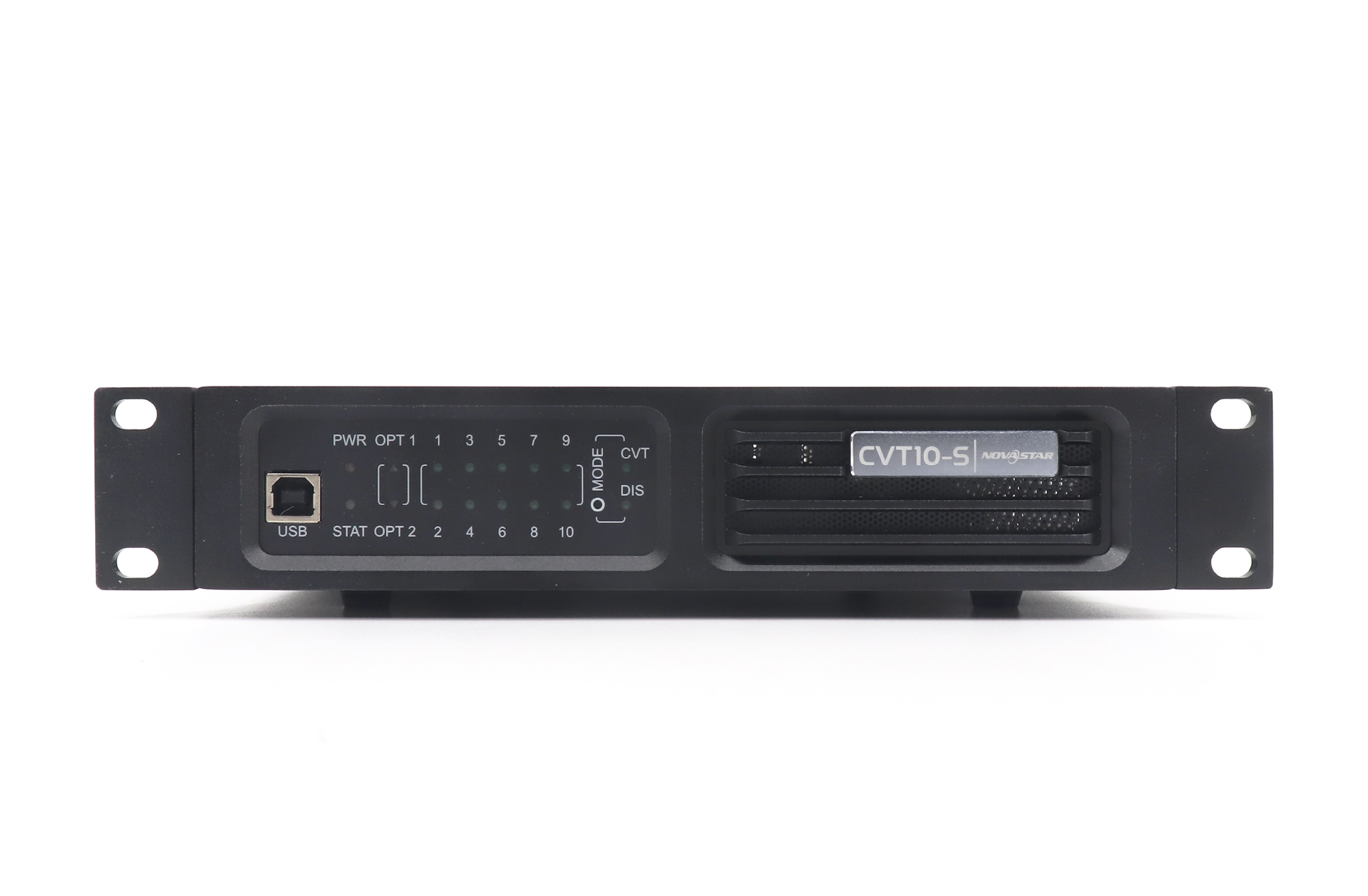
For CVT10 ports 9 and 10, a useful comparison is a documented working path in the same installation. During an agreed maintenance window, the integrator can plan a controlled check that changes one item at a time and preserves the original labels. Record exactly what moved and what happened to the symptom. Avoid rearranging several live chains together, because a subsequent improvement would leave the cause uncertain and the original mapping difficult to restore.
Suppose a contractor adds two chains to an existing installation and notices that the first eight still work. That sequence makes the upstream port rule worth checking early. It does not prove the new chains are correctly configured, or that the converter has failed. Have the contractor supply the original and revised output drawings. Compare them before deciding whether a spare converter, a layout correction or a different sender is the appropriate next step.
Retain the original cable labels in the service photographs. If several people work on the rack, designate one person to update the connection drawing. A correct diagnosis is difficult to repeat when the final cable arrangement differs from the recorded test.
Request a version decision before an upgrade
When discussing CVT10 ports 9 and 10 with a supplier, include the sender model, converter model, software and firmware versions that the technician can read, and the exact operating direction. Explain whether the converter was working in this system previously. If the supplier recommends an upgrade, ask which device needs it, which package applies to that hardware and what result the change is expected to produce.
Keep the approved maintenance window, configuration backup and rollback plan with the responsible integrator. The older specification’s upgrade note is not an instruction to install the newest file found in a download folder. A version can be newer and still be intended for a different device. Match the hardware first, then obtain the supported procedure and verify the planned change on the intended unit.
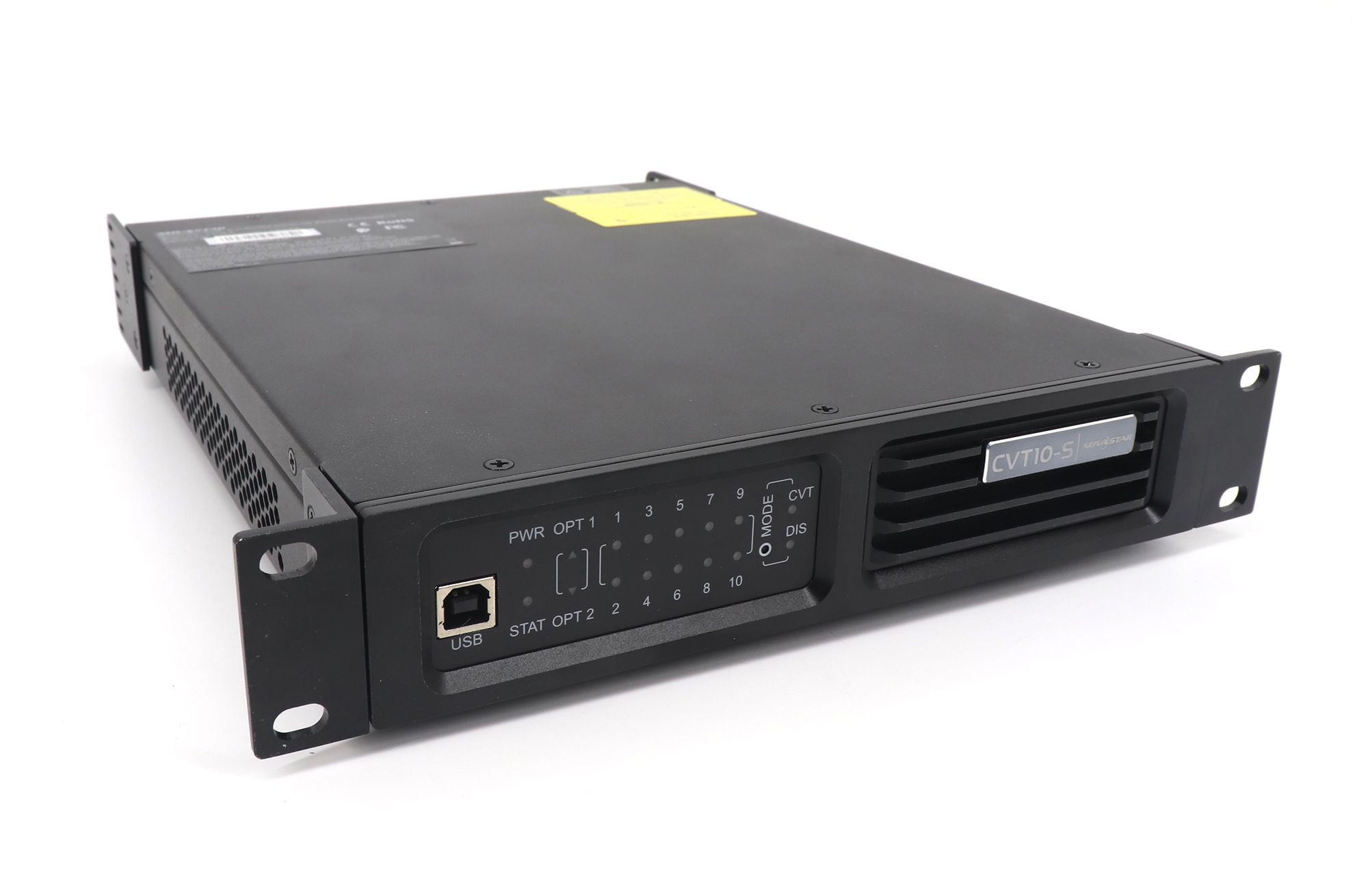
Questions before ordering a replacement
Does a ten-port converter turn an eight-port sender into ten outputs?
The cited fiber-input rule limits availability according to the input device. A connector count on the converter therefore cannot justify adding two output chains. Ask the system designer to confirm the sender and the full output layout before changing the purchase order.
Can I choose the M version to recover CVT10 ports 9 and 10?
The S and M versions distinguish single-mode and multimode fiber. The port-availability table depends on direction and the upstream device. Changing fiber type without checking the installed route introduces another compatibility question. Keep the matching fiber model and investigate the sender condition first.
What should I send when I cannot identify the installed version?
Send readable device labels, clear views of the connected ports, the sender model and a simple route drawing. State that the version is unknown. Ask how the installer can read it through the supported service method. An accurate unknown is more useful than a version copied from another rack.
Build a service request around the actual path
Before ordering a replacement for CVT10 ports 9 and 10, list the working outputs, affected outputs, sending device and observed indicators. Include the date the symptom began and any recent changes. If the fiber type itself is uncertain, use the installed fiber label checklist to document that part of the route.
Send EagerLED the service record and endpoint photos to discuss the equipment requirement. Ask for confirmation against the exact installed system and current device versions. A clear request lets the reply address the suspected channel limitation before a converter is purchased or the venue schedules another visit.