
LED display screen maintenance is a repeatable routine: use the correct startup and shutdown sequence, keep power and airflow stable, remove dust safely, control moisture, and inspect connections before small issues become failures. The checklist below applies to indoor and outdoor LED walls. Always follow the display manufacturer’s service manual, component ratings, and local electrical rules.
Short answer: Check the screen’s picture, temperature, fans, and cabinet condition every day. Clean vents and accessible dry surfaces regularly, inspect cables and fasteners monthly, and schedule a deeper electrical and structural inspection at least every three to six months. Outdoor screens or installations in humid, dusty, salty, or high-temperature environments need more frequent checks.
LED Display Maintenance Checklist at a Glance
| Frequency | What to check | Recommended action |
|---|---|---|
| Before each use | Cabinets, cables, moisture, unusual odor, and visible damage | Do not energize the screen if anything is wet, loose, burned, or damaged. |
| Daily | Image quality, brightness, temperature, fans, and error messages | Record abnormal modules, color shifts, flicker, noise, or overheating. |
| Weekly | Air inlets, exhaust paths, cabinet seals, and accessible surfaces | Remove dry dust with approved tools and keep every ventilation path clear. |
| Monthly | Power and signal cables, connectors, mounting hardware, and grounding | With power isolated, check for looseness, corrosion, discoloration, or wear. |
| Every 3-6 months | Power loads, protection devices, receiving cards, fans, structure, and waterproofing | Have a qualified technician test and document the complete system. |
1. Use the Correct Power-On and Power-Off Sequence
The safest operating sequence prevents uncontrolled output, electrical stress, and avoidable LED module damage.
How to turn on an LED display
- Inspect the display and surrounding area. Confirm that cabinets are dry, ventilation is open, and no cable or connector is visibly damaged.
- Switch on the control computer, media player, video processor, and control software. Confirm that the video source and configuration are ready.
- Apply power to the LED display. For a large installation, energize distribution circuits in stages according to the power design.
- Start with a moderate brightness level and a normal test image. Confirm that all cabinets and modules display correctly before running the scheduled content.
How to turn off an LED display
- Stop scheduled playback or change to a black image.
- Switch off the LED display power. Large screens should be powered down by distribution section if the system was designed for staged control.
- Close the control software, then shut down the controller or computer correctly.
- If maintenance is planned, isolate and lock out the relevant power circuit before opening a cabinet.
Stop immediately if you notice smoke, a burning smell, repeated breaker trips, arcing, water entry, or unusually hot cables. Isolate the power and ask a qualified technician to find the cause. Do not repeatedly reset a breaker or restart the screen.
2. Protect the Power System and Signal Chain
Reliable power is central to LED display maintenance. Use power supplies that match the voltage, current, efficiency, and cooling requirements specified for the installed modules. Many LED modules use low-voltage DC, but the exact rating varies. Never assume that every module is 5 V, never connect AC power directly to a DC module, and never reverse positive and negative terminals.
- Ground the system correctly. Protective earth, neutral, surge protection, and distribution must comply with the approved electrical design and local code.
- Avoid overloaded shared circuits. High-power motors, welding equipment, HVAC compressors, and other large loads can introduce voltage drops or electrical noise.
- Use staged power distribution. A large full-screen load can create substantial inrush current. Follow the distribution cabinet’s designed sequence.
- Inspect connectors while de-energized. Look for looseness, oxidation, cracked insulation, darkened terminals, or heat deformation.
- Keep spares compatible. Replacement LED power supplies, LED receiving cards, and modules should match the original system specifications and configuration.
Do not cycle the screen on and off repeatedly. After a shutdown, allow the power supplies and control equipment to discharge and stabilize before restarting, following the manufacturer’s specified delay.
3. Control Brightness, Heat, and Ventilation
Heat shortens the life of LEDs, driver ICs, capacitors, and power supplies. Set brightness for the actual ambient light rather than running maximum output all the time. Avoid prolonged full-white content at maximum brightness unless the screen, power system, and cooling design are rated for that load.
- Keep air inlets, exhaust openings, fans, and filters unobstructed.
- Check that every fan starts normally and runs without grinding or rattling.
- Keep the control computer and video equipment in a clean, ventilated space.
- Compare cabinet temperatures across the screen. One unusually hot cabinet can indicate a fan, power supply, connection, or load problem.
- For an outdoor LED display screen, inspect sun exposure, cabinet seals, drains, and air-conditioning or fan systems more frequently during hot weather.
4. Clean an LED Display Without Damaging It
Dust blocks airflow, reduces contrast, traps moisture, and can become conductive when contaminated. However, incorrect cleaning can damage LED packages, masks, coatings, and electronic components.
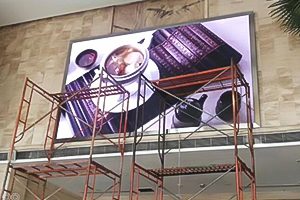
Safe cleaning procedure
- Shut down the display correctly, isolate power, and wait for components to cool.
- Use a clean, soft brush, lint-free cloth, or low-suction anti-static vacuum suitable for electronics.
- Work gently from top to bottom so removed dust does not fall onto cleaned areas.
- Clean vents, filters, fan guards, cabinet edges, and accessible dry surfaces without pushing debris into connectors.
- Inspect for loose LED packages, cracked masks, corrosion, water marks, and damaged seals.
- Confirm that the screen is completely dry and that no tools or debris remain before restoring power.
Do not spray water, alcohol, detergent, or cleaning solution directly onto LED modules. Do not use a wet cloth, compressed air at damaging pressure, stiff brush, metal tool, or household vacuum that creates static. If a manufacturer approves a specific cleaning fluid or machine for the product, follow that procedure exactly.
5. Prevent Moisture and Storage Damage
Moisture can corrode connectors, reduce insulation resistance, damage LEDs, and cause short circuits. Keep cabinet seals, doors, cable glands, drainage paths, and weatherproof covers in good condition. After rain or severe weather, inspect an outdoor screen for water entry before the next startup.
If a screen or spare module has been stored, transported, or left unused in a humid environment, do not immediately run it at full brightness. Let it reach a safe, dry condition and follow the manufacturer’s dehumidification or gradual warm-up procedure. Temperature and humidity limits differ by product, so use the specifications on the module, cabinet, and power equipment rather than a universal value.
- Store spare modules and cards in anti-static packaging in a clean, dry room.
- Keep products off the floor and away from walls where condensation may form.
- Use humidity monitoring and controlled dehumidification where required.
- Inspect stored spares periodically for corrosion, pests, dust, and packaging damage.
- Do not energize a screen that has visible condensation or suspected water inside a cabinet.
6. Indoor vs. Outdoor Maintenance Priorities
| Area | Indoor LED display | Outdoor LED display |
|---|---|---|
| Main risk | Dust, blocked ventilation, accidental impact, and HVAC changes | Rain, condensation, heat, wind, dust, salt, and ultraviolet exposure |
| Cleaning focus | Module faces, vents, filters, and equipment room | Cabinet faces, vents, drainage, seals, and external structure |
| Inspection focus | Signal cables, fan noise, temperature, and stable power | Waterproofing, corrosion, structure, grounding, lightning and surge protection |
| Service frequency | Based on operating hours and indoor dust level | More often after storms, high heat, heavy dust, or coastal exposure |
7. Common LED Display Problems and First Checks
| Symptom | Possible cause | Safe first check |
|---|---|---|
| Entire screen is black | Lost mains power, distribution fault, controller issue, or missing input signal | Check the approved power indicators and control-system status without opening energized cabinets. |
| One cabinet or module is black | Power connector, ribbon cable, receiving card, module, or configuration fault | Isolate power, then inspect the affected signal and power path against the wiring diagram. |
| Flicker or intermittent image | Loose signal connection, unstable power, grounding issue, or damaged data cable | Record when the fault occurs and have the relevant connections and voltages tested. |
| Color mismatch | Calibration, configuration, aging, temperature, or replacement-module differences | Confirm the correct receiving-card file and calibration data before replacing hardware. |
| Cabinet runs hot | Blocked airflow, failed fan, high brightness, overloaded supply, or poor connection | Reduce load if safe, shut down, and inspect cooling and electrical connections. |
| Breaker trips repeatedly | Short circuit, leakage, overload, moisture, or damaged power equipment | Leave the circuit off and arrange qualified electrical diagnosis. Do not keep resetting it. |
Keep a maintenance log with dates, symptoms, environmental conditions, photos, parts replaced, configuration backups, and test results. A consistent record makes recurring faults easier to diagnose and helps plan spare parts.
8. Maintenance Tasks for a Qualified Technician
Cabinet wiring, energized measurements, distribution equipment, structural fasteners, waterproofing repairs, and component replacement should be handled by trained personnel. A scheduled service should include:
For general isolation principles, see OSHA’s Control of Hazardous Energy (Lockout/Tagout) guidance. Local requirements and the site’s approved safety procedure still apply.
- Testing power distribution, protective devices, grounding, insulation, and load balance.
- Checking cabinet and supporting-structure fasteners for movement, corrosion, or deformation.
- Inspecting waterproof seals, door latches, cable glands, drainage, and ventilation systems.
- Testing power supplies, fans, receiving cards, data paths, and redundant signal links.
- Backing up the LED video processor and control-system configuration before changes.
- Replacing damaged cables or parts with correctly rated, compatible components.
LED Display Maintenance FAQ
How often should an LED display be maintained?
Perform a visual and operational check before use or daily, clean accessible areas weekly or as dust requires, inspect cables and hardware monthly, and arrange a deeper service every three to six months. Shorten the interval for outdoor, humid, dusty, coastal, high-temperature, or continuously operated screens.
What is the best way to clean an LED display screen?
Power down and isolate the screen, then use a clean soft brush, lint-free cloth, or approved anti-static low-suction vacuum. Never spray liquid directly onto modules, and only use a cleaning agent when the display manufacturer explicitly approves it.
Can an LED display run 24 hours a day?
Some commercial systems are designed for continuous operation, but acceptable duty cycle depends on the product, cooling, brightness, environment, and maintenance plan. Monitor temperature and fan operation, use brightness appropriate to ambient light, and follow the manufacturer’s rated duty cycle.
Why do LED modules turn black or flicker?
Common causes include loss of power, a loose data or power connection, a receiving-card or configuration problem, moisture, overheating, or a failed module. Document the affected area and isolate power before a trained technician checks the signal and power path.
Should an unused LED screen be powered on regularly?
Long idle periods can increase moisture risk, especially in humid environments. Follow the manufacturer’s storage and dehumidification procedure. Never energize a screen with visible condensation; dry and inspect it first, then use the specified gradual warm-up sequence.
When should I call a professional?
Call a qualified technician for repeated breaker trips, smoke, burning odor, water entry, arcing, overheating cables, internal wiring work, distribution faults, structural movement, or any problem that remains after basic external checks. You can also contact our LED display support team with the screen model, controller model, fault photos, and maintenance log.
Final Maintenance Rule
The most effective LED display screen maintenance plan is simple: keep the system dry, clean, cool, correctly powered, and regularly inspected. Use the correct operating sequence, avoid maximum electrical and thermal stress, document every abnormal condition, and let qualified personnel handle internal electrical or structural work. These habits improve reliability, image consistency, and service life without introducing unnecessary maintenance risk.

