
The Linsn RV320 receiving card is designed for fine-pitch and direct-connect LED modules that use the HUB320 interface. It combines eight onboard 26-pin HUB320 ports with a maximum stated loading capacity of 512 x 512 pixels, removing the need for a separate adapter or hub board in compatible designs. The result is a simpler signal path, fewer connectors and faster cabinet assembly.
This guide explains the RV320’s core specifications, practical benefits, installation workflow and compatibility points. It also answers common questions for engineers, integrators and buyers evaluating a receiving card for a small-pitch LED display.
Linsn RV320 receiving card specifications at a glance
| Specification | RV320 detail | Why it matters |
|---|---|---|
| Product type | LED receiving card | Receives display data from the sending system and drives LED modules |
| Module interface | 8 x 26-pin HUB320 ports | Compatible modules can connect without a separate adapter board |
| Maximum stated load | 512 x 512 pixels | A larger pixel area can reduce the number of receiving cards required |
| RGB output | Supports 32 groups of RGB parallel data output | Supports dense module layouts used in fine-pitch displays |
| Configuration protection | Configuration-file backup and readback with supported ninth-generation sending cards | Helps technicians restore working parameters during service |
| Image features | Pixel-level brightness/chromaticity correction and HDR support | Helps improve uniformity, tonal detail and perceived color depth when the full system supports these functions |
Always confirm the final loading area, scan mode, firmware and sending-controller compatibility for the exact LED module and project configuration. A receiving card’s usable load can be lower than its maximum stated capacity in demanding timing or scan-mode conditions.

Why the RV320 eliminates the adapter board
A conventional receiving-card layout often uses a separate hub or adapter board between the receiving card and LED modules. The RV320 integrates eight 26-pin HUB320 connectors directly on the card. When the module pinout and electrical requirements match, ribbon cables can run from the receiving card to the LED modules without an intermediate board.
- Fewer connection points: removing an adapter board reduces connectors that can loosen, oxidize or be installed incorrectly.
- Cleaner cabinet wiring: direct module connections make routing easier to inspect and service.
- Faster assembly: installers handle fewer components and cables.
- Lower component count: a compatible design can reduce the cost and space associated with a separate hub board.
This is most valuable in compact, non-cabinet or space-constrained fine-pitch LED assemblies. It is not a universal drop-in replacement: confirm the HUB320 pin definition and module requirements before connecting power or signal cables.
Key RV320 features
512 x 512-pixel loading capacity
The Linsn RV320 receiving card’s maximum stated loading capacity is 512 x 512 pixels. A larger load can reduce the number of receiving cards in a display, but the practical width and height depend on the module resolution, scan configuration, refresh-rate target and data timing. Plan the actual mapping in the Linsn control software rather than selecting a card only by the headline pixel count.
32-group RGB parallel output
The card supports 32 groups of RGB data parallel output, a useful characteristic for dense fine-pitch module layouts. This capability helps the receiving card deliver parallel data to multiple module rows while keeping the cabinet architecture compact.
Configuration-file backup and readback
With a supported Linsn ninth-generation sending card, the RV320 can participate in configuration-file backup and readback. This gives service teams a recovery path when the original receiving-card parameters are unavailable. Keep a verified project backup as standard practice; readback is a recovery aid, not a substitute for documented configuration management.
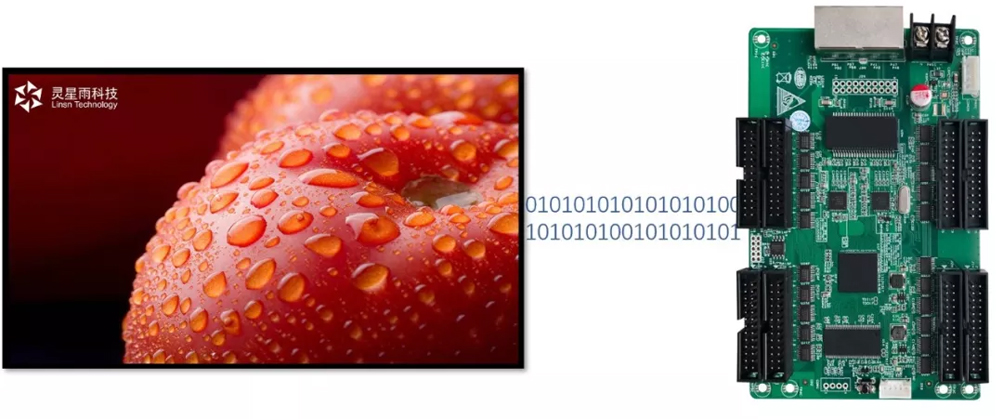
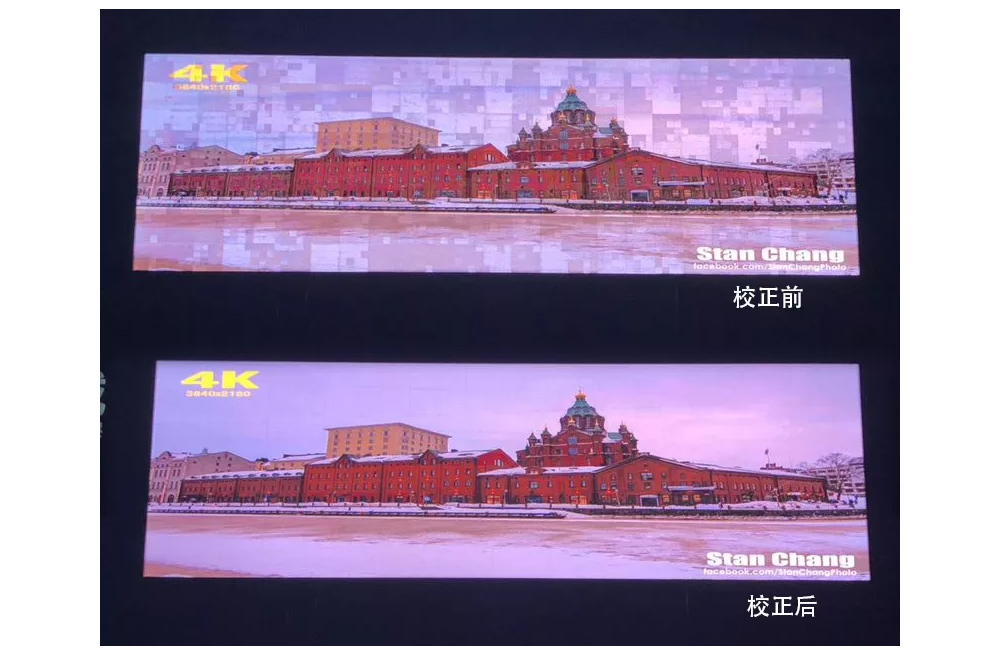
Brightness and chromaticity correction
The RV320 supports correction of individual LED points for brightness and chromaticity when used with a compatible calibration workflow. Calibration helps reduce visible color differences between pixels or modules and improves image consistency across the screen. The final result depends on the calibration equipment, correction coefficients, LED condition and controller settings.
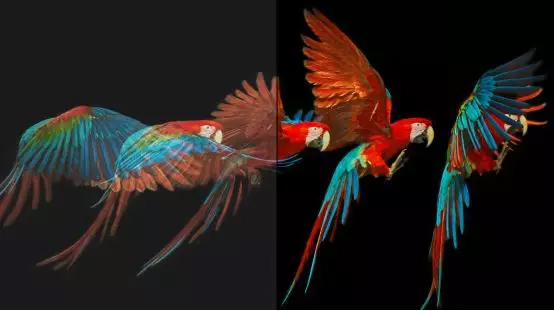
HDR support
In a fully compatible signal chain, the Linsn RV320 receiving card’s HDR support can provide a wider brightness range, smoother tonal transitions and greater perceived color depth. The receiving card alone does not create HDR content: the source, video processor or sending controller, software, firmware and LED display must all support the required HDR workflow.
How to plan an RV320 installation
- Confirm module compatibility. Verify the module uses the correct 26-pin HUB320 interface and matching pin definition. Do not connect a module based on connector shape alone.
- Calculate the real load. Map module width, height, scan mode and refresh requirements. Keep the design within the capacity supported by the selected configuration.
- Plan port assignments. Label the eight HUB320 outputs and document which module chain each port serves.
- Install power and signal wiring. Power off the cabinet before connecting cables, observe polarity and avoid sharply folded ribbon cables.
- Configure the receiving card. Load the correct receiving-card parameters through the compatible Linsn sending system and software.
- Test before full operation. Check mapping, color order, scan behavior, brightness, refresh performance and thermal stability at the intended operating settings.
- Back up the working file. Save a dated copy of the verified project configuration for maintenance and future card replacement.
Who should choose the Linsn RV320?
The Linsn RV320 receiving card is a strong candidate for LED display integrators who already use a compatible Linsn control platform and need direct HUB320 module connections. It is especially relevant when cabinet space, wiring simplicity and serviceability matter. For a retrofit, compare the current receiving card’s connector pinout, module mapping, loading area and controller generation before replacement.
Choose a different receiving card if the LED module uses another hub standard, requires a different output arrangement or cannot be validated with the project’s sending hardware and software. Compatibility should be established from the complete signal chain, not from the receiving-card model alone.
Frequently asked questions
What is the Linsn RV320?
The Linsn RV320 receiving card is designed for compatible fine-pitch LED modules. It provides eight onboard 26-pin HUB320 interfaces and a maximum stated loading capacity of 512 x 512 pixels.
Does the RV320 need a separate HUB adapter board?
No separate adapter board is required when the LED modules are electrically and mechanically compatible with the RV320’s onboard HUB320 interfaces. Always verify the pin definition before installation.
How many HUB320 ports does the RV320 have?
The RV320 has eight 26-pin HUB320 output ports.
What is the maximum RV320 loading capacity?
The maximum stated capacity is 512 x 512 pixels. The usable loading area depends on scan mode, timing, refresh requirements and the complete system configuration.
Does the RV320 have a universal default password?
The receiving card itself should not be assumed to have a universal default password. If Linsn software or a sending controller requests credentials, use the password assigned to that project or follow the documentation for the exact software and controller version. For an inherited system, contact the project administrator or qualified Linsn support rather than trying generic passwords.
Can the RV320 support calibration and HDR?
Yes, the RV320 supports pixel-level brightness and chromaticity correction and supports HDR in a compatible Linsn system. The source, sending hardware, software, firmware and display configuration must also support the intended feature.
Check compatibility or order the RV320
Review the Linsn RV320 receiving card product page for availability and purchasing information. Before ordering, send your LED module model, resolution, scan mode, connector pin definition and current controller model so the complete configuration can be checked.
For technical or sales questions, contact EagerLED at info@eagerled.com or use the website’s contact page.

