
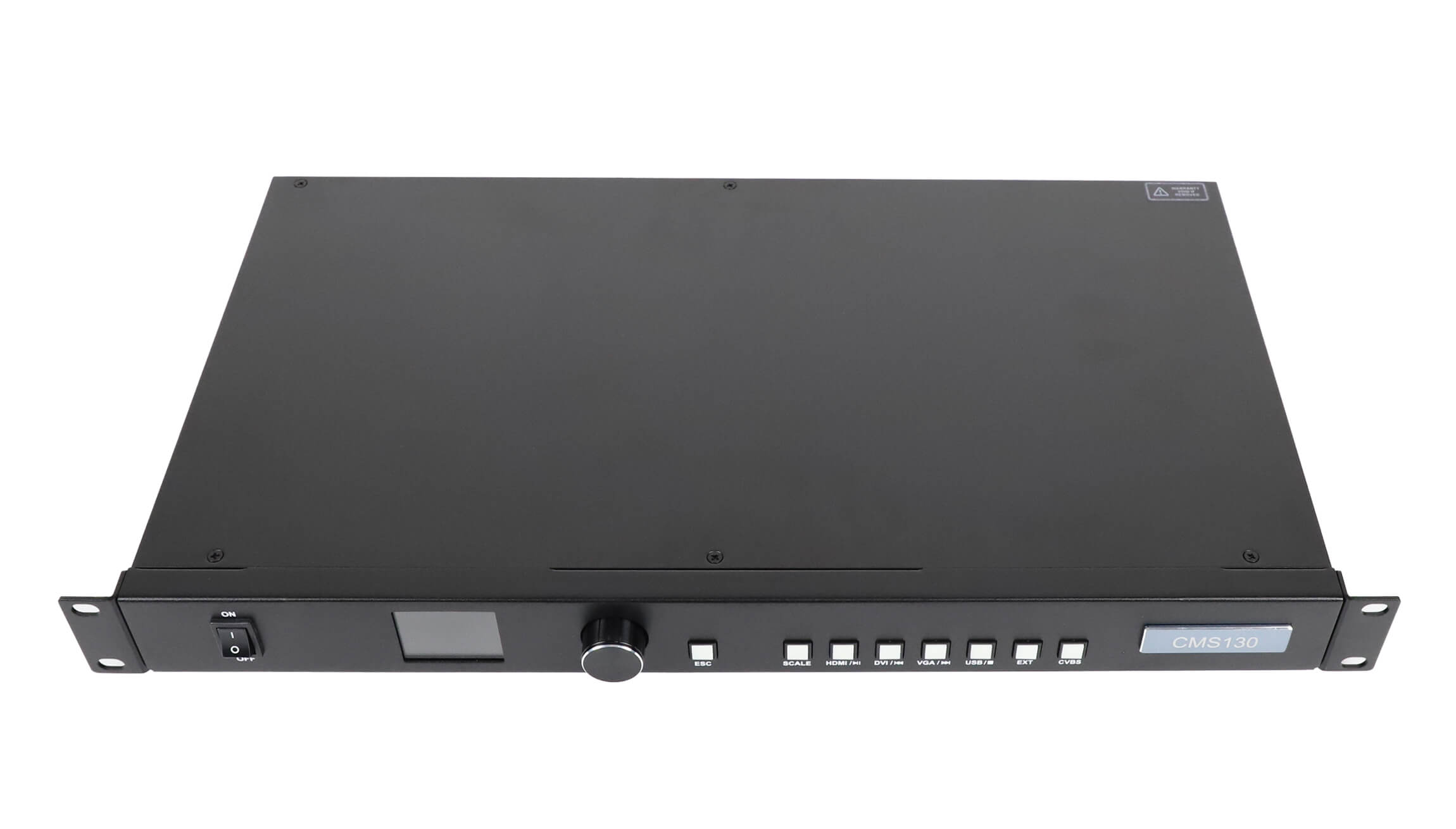
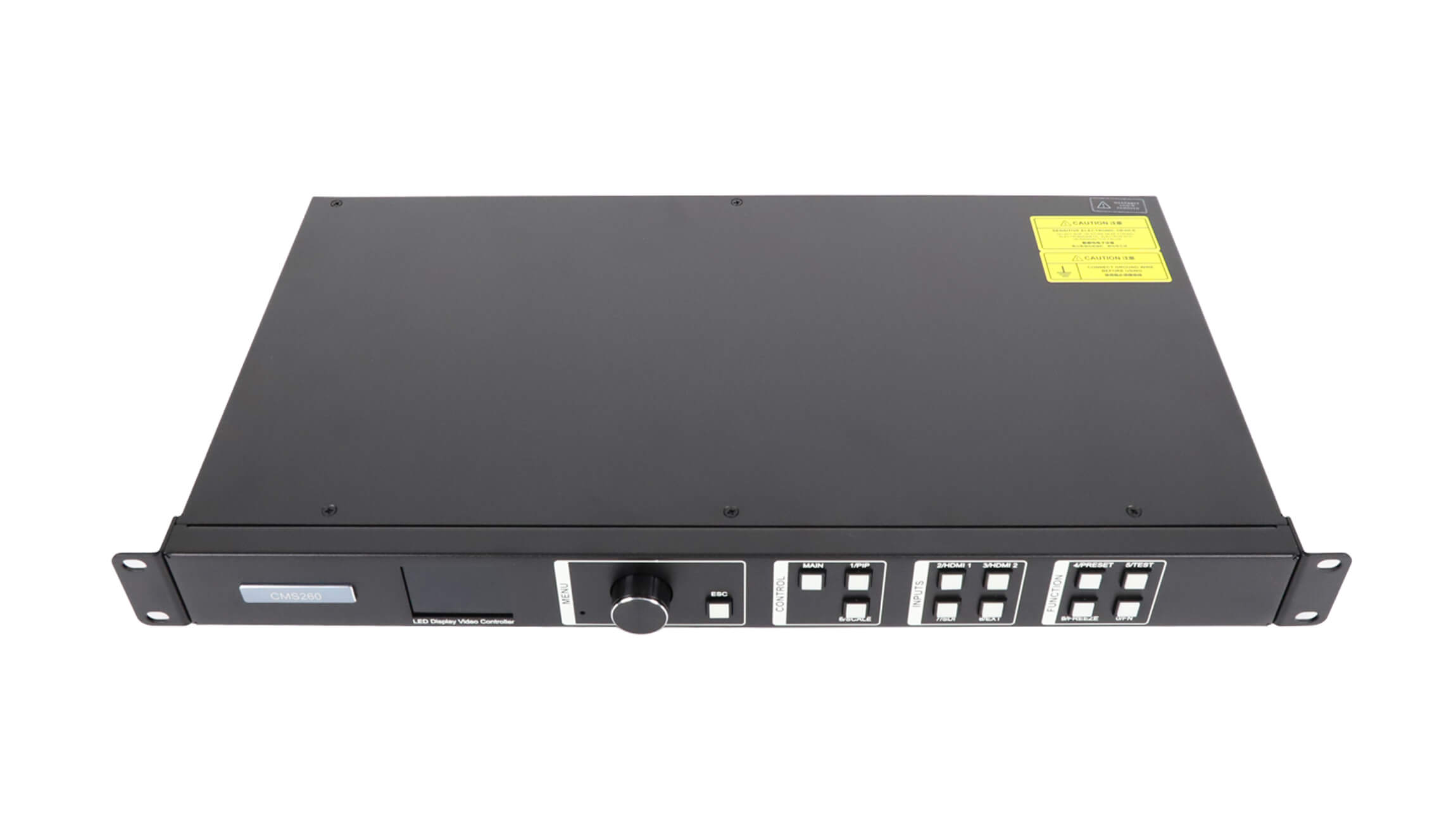
Quick answer: Choose the NovaStar CMS130 all-in-one controller when the LED canvas is no more than 1.3 million pixels and the job benefits from DVI, HDMI, VGA, USB, or CVBS inputs. Choose the NovaStar CMS260 LED video controller for up to 2.6 million pixels, four Gigabit Ethernet outputs, HDMI and 3G-SDI workflows, two layers, hot backup, 10 presets, or multi-controller cascading.
The CMS260 doubles the stated pixel capacity and Ethernet output count, but it also draws 28 W instead of 12 W and weighs about 3.2 kg instead of 2.8 kg. The right choice depends on the LED screen’s exact pixel map, source connectors, redundancy plan, and expected expansion, not its physical size alone.
Source note, checked September 1, 2026: This comparison cross-checks the current LED Controller Card product listings with independent reseller specification pages. The NovaStar English downloads catalog did not surface a CMS130 or CMS260 document during our check. Treat the figures below as version-specific reseller data and ask the supplier to confirm the datasheet, firmware path, and exact hardware revision before ordering.
NovaStar CMS130 vs CMS260 at a glance
The shortest useful comparison is this: CMS130 is the simpler, lower-capacity model for mixed legacy and digital sources, while CMS260 is the higher-capacity model for modern HDMI/SDI production, redundancy, and expansion. Both combine LED sending and video processing in a rack-mount unit, so either can replace a separate processor-plus-sender workflow in the right installation.
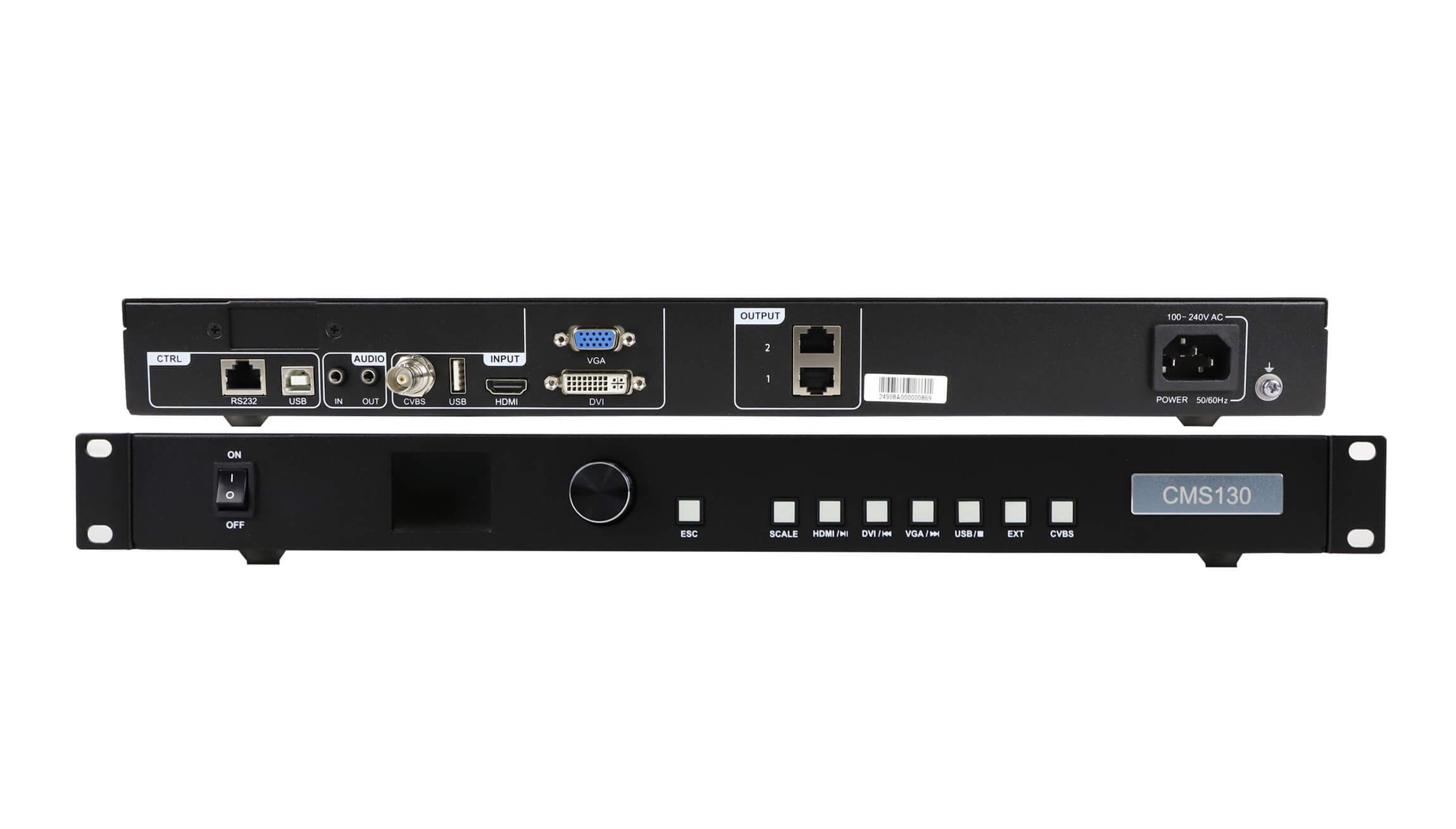
- Choose CMS130 for up to 1,300,000 pixels, two Gigabit Ethernet outputs, five common video input types, six presets, low 12 W power draw, and straightforward fixed-installation operation.
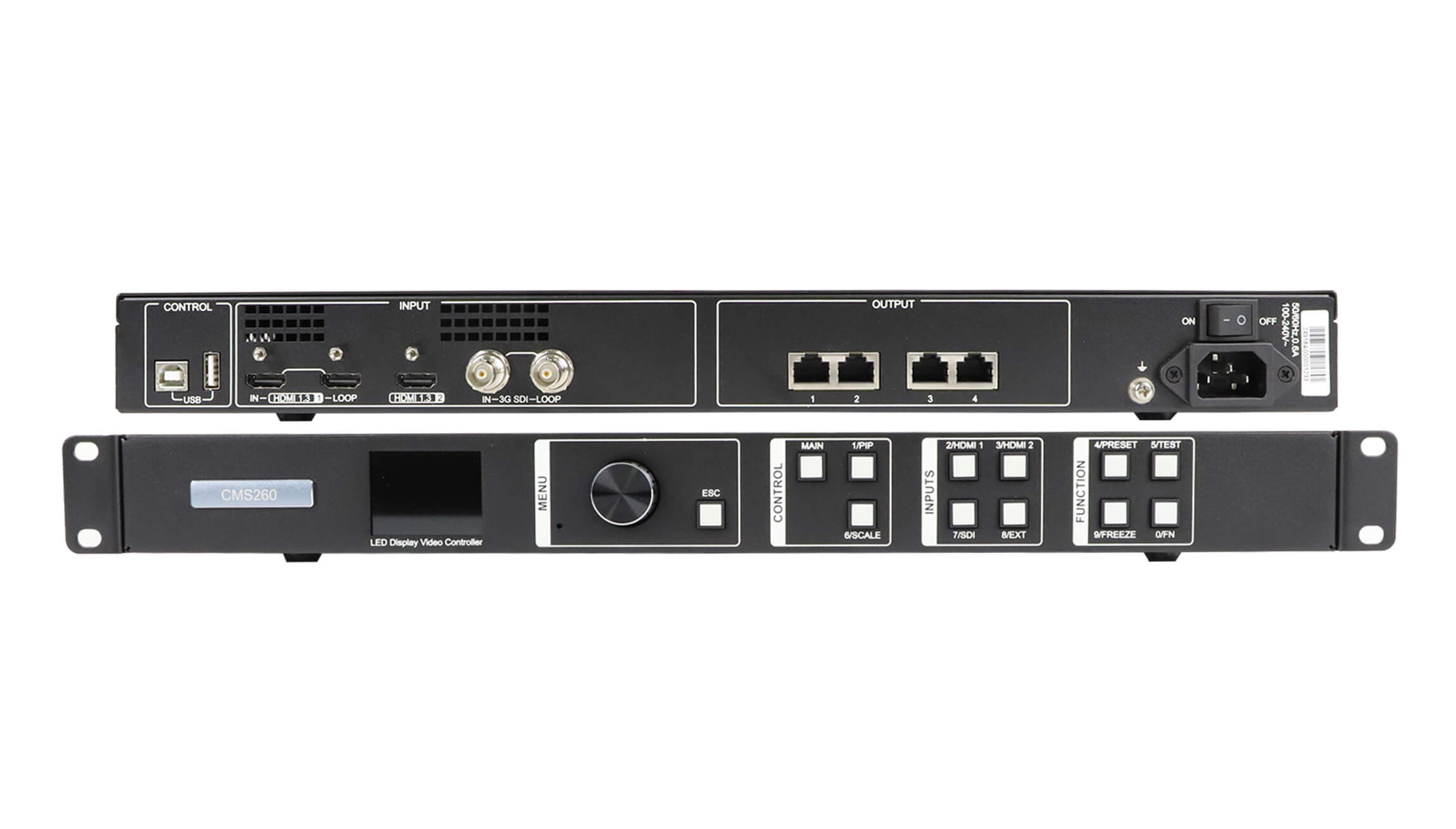
- Choose CMS260 for up to 2,600,000 pixels, four Gigabit Ethernet outputs, HDMI and 3G-SDI loop-through, two layers, 10 presets, hot backup, pixel-level calibration, and cascading of up to four units.
- Do not choose from the model name alone. Calculate the exact canvas resolution and check the widest and tallest output dimension, input timing, cabinet mapping, and backup requirement.
Full specification comparison
| Specification | NovaStar CMS130 | NovaStar CMS260 | What it means in practice |
|---|---|---|---|
| Stated loading capacity | Up to 1,300,000 pixels | Up to 2,600,000 pixels | CMS260 provides 2x the total pixel capacity. |
| Gigabit Ethernet outputs | 2 | 4 | CMS260 can distribute the LED load across twice as many output ports. |
| Video inputs | 1 x DVI, 1 x HDMI 1.3, 1 x VGA, 1 x USB 2.0 Type-A, 1 x CVBS | 2 x HDMI 1.3 inputs, including HDMI loop-through, plus 1 x 3G-SDI input with loop-through | CMS130 accepts more legacy formats; CMS260 is better aligned with digital and broadcast-style sources. |
| Standard stated input timing | Up to 1920 x 1080 at 60 Hz on HDMI, DVI, and VGA | Up to 1920 x 1200 at 60 Hz on HDMI; 3G-SDI up to 1920 x 1080 at 60 Hz | CMS260 supports a slightly taller standard HDMI raster and adds SDI. |
| Layers | Adjustable layer size and position | 2 layers with adjustable size, position, and priority | CMS260 is more flexible for picture-in-picture and multi-source layouts. |
| User presets | Up to 6 | Up to 10 | CMS260 stores four more frequently used configurations. |
| Backup and cascading | No comparable hot-backup or multi-unit cascading function is stated in the referenced CMS130 data | Device, Ethernet-port, and input-source hot backup; cascading of up to 4 units | CMS260 is the stronger fit where continuity and large mosaics matter. |
| Calibration and image adjustment | Brightness and gamma adjustment; EDID import/export | Pixel-level brightness and chroma calibration with NovaLCT/calibration software, plus brightness, saturation, contrast, hue, and gamma | CMS260 gives technicians a broader correction toolset. |
| Rated power consumption | 12 W | 28 W | CMS130 uses 16 W less at the stated rated load. |
| Net weight | About 2.8 kg | About 3.2 kg | Both are manageable 1U units; CMS260 is about 0.4 kg heavier. |
| Dimensions | 482.6 x 250.0 x 50.0 mm | 482.6 x 250.0 x 50.1 mm | Rack footprint is effectively the same. |
| Operating temperature | -20°C to +60°C | -20°C to +60°C | Published operating temperature range does not separate the models. |
| Typical noise at 25°C | 38 dB(A) | 45 dB(A) | CMS130 has the lower stated noise figure; verify room requirements for quiet installations. |
How to calculate the required pixel capacity
Controller capacity is based on the configured pixel canvas. Multiply the total LED screen width in pixels by its total height in pixels:
Total pixels = screen width in pixels x screen height in pixels
Use the final cabinet and receiving-card map, not a rough estimate from the physical dimensions. The following examples show why:
- 1920 x 600 = 1,152,000 pixels. This is below 1.3 million, so it fits the stated CMS130 total capacity and also fits CMS260.
- 1920 x 1080 = 2,073,600 pixels. This exceeds the CMS130’s 1.3-million-pixel limit but remains below the CMS260’s 2.6-million-pixel limit.
- 2560 x 960 = 2,457,600 pixels. This fits CMS260’s stated total capacity, with 142,400 pixels remaining. It does not fit CMS130.
- 2048 x 1280 = 2,621,440 pixels. This is only 21,440 pixels above 2.6 million, but it still exceeds the CMS260 headline capacity. A slightly smaller canvas or a higher-capacity controller is required.
The CMS260 source data also states a maximum output width or height of 3840 pixels. Therefore, total pixel count is not the only constraint. Confirm the current manual for custom-width timing and output mapping before committing to an unusually wide or tall screen.
Inputs and outputs: the practical difference
CMS130 favors broad source compatibility
CMS130 provides DVI, HDMI 1.3, VGA, USB, and composite CVBS inputs. That mix is useful when an installation must accept older computers, media players, cameras, or legacy AV infrastructure. Its two Ethernet outputs are appropriate when the total mapped canvas remains within 1.3 million pixels.
CMS260 favors HDMI and SDI production
CMS260 replaces the legacy-focused input mix with HDMI and 3G-SDI connections. Loop-through on HDMI and SDI makes it easier to pass a source to another device, monitor, recorder, or backup path. Four Gigabit Ethernet outputs also provide more flexibility when distributing a larger screen map.
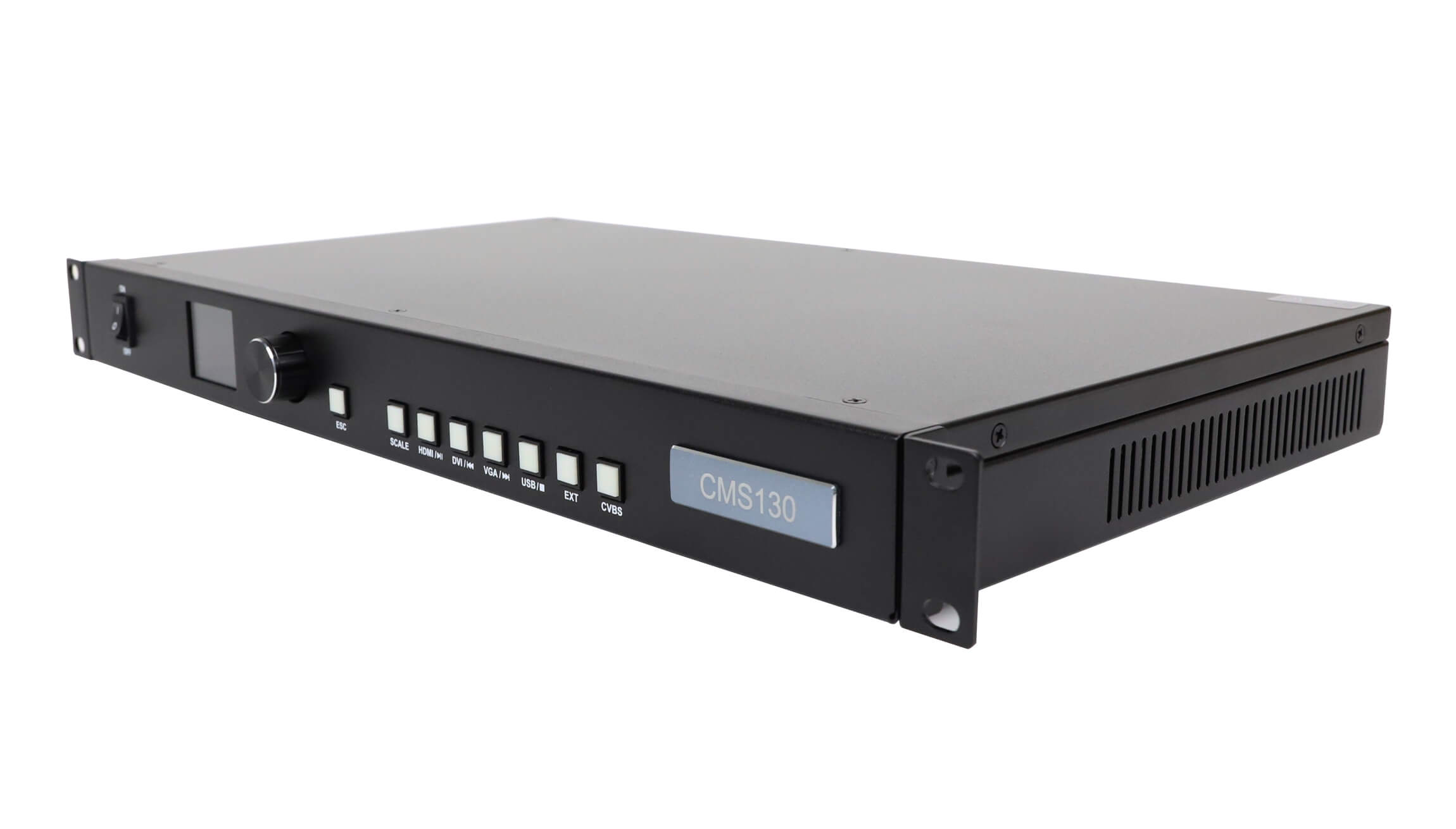
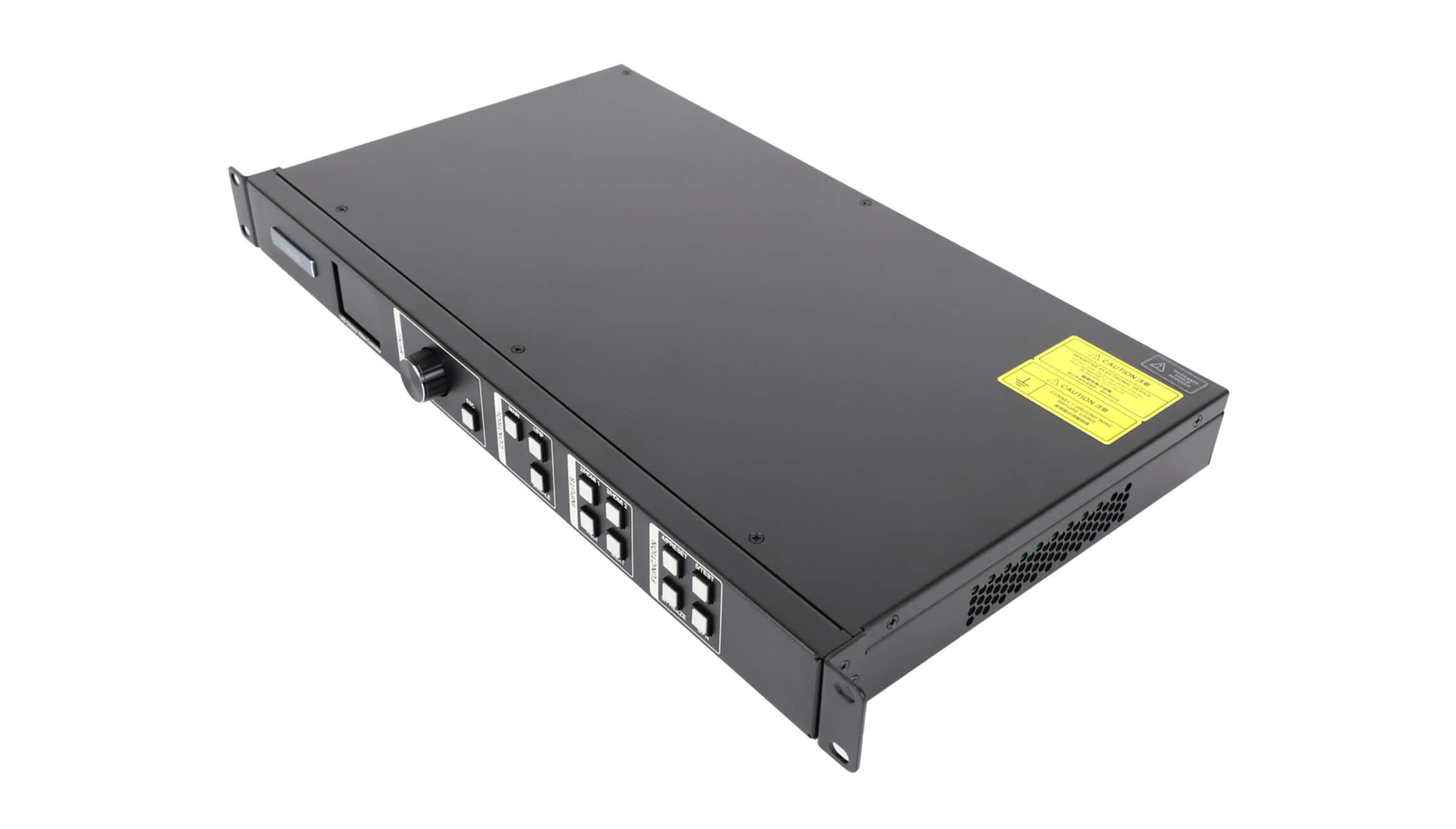
Selection shortcut: if VGA, DVI, USB playback, or CVBS is mandatory, CMS130 is the more natural match. If 3G-SDI, loop-through, two-layer composition, or four Ethernet outputs is mandatory, CMS260 is the better starting point.
Workflow, backup, and image control
The capacity numbers explain only part of the price and workflow difference. CMS260’s additional functions matter most in live production, rental, and business-critical installations.
Two layers and SuperView III processing
The referenced CMS260 specification lists two layers with adjustable size, position, and priority. It also lists SuperView III functions such as stepless output scaling, input cropping, and one-click full-screen display. These tools are useful when an operator must place one source over another or quickly adapt content to a non-standard LED canvas.
Hot backup
CMS260 lists device backup, Ethernet-port backup, and input-source hot backup. That makes it the safer option when a blank screen during a presentation, broadcast, or event is unacceptable. The CMS130 data we reviewed does not state an equivalent set of hot-backup functions, so do not assume feature parity without a version-specific manual.
Cascading and calibration
Up to four CMS260 units can be cascaded for a larger mosaic, according to the referenced CMS260 specification. CMS260 also supports pixel-level brightness and chroma calibration with NovaLCT and compatible calibration software. CMS130 provides more basic brightness and gamma controls, which can be sufficient for a smaller, stable installation that does not need a full calibration workflow.
Which controller should you choose?
Choose NovaStar CMS130 when:
- The exact LED canvas is 1,300,000 pixels or less.
- Two Gigabit Ethernet outputs are enough for the receiving-card map.
- You need DVI, VGA, USB playback, or CVBS alongside HDMI.
- Six presets cover the normal operating scenarios.
- Lower power draw and a lower stated noise level are useful.
- The job is a straightforward fixed screen in a shop, hotel, meeting room, exhibition area, or studio.
For availability and the current store configuration, see the NovaStar CMS130 product page.
Choose NovaStar CMS260 when:
- The LED canvas is above 1.3 million and no more than 2.6 million pixels.
- You need four Gigabit Ethernet outputs.
- HDMI or 3G-SDI loop-through is part of the signal plan.
- You need two layers, 10 presets, or more advanced image adjustment.
- Hot backup is required for an event, broadcast, rental, control room, or other continuity-sensitive application.
- You may cascade multiple units for a larger mosaic.
For live pricing and the supplied package, see the NovaStar CMS260 product page.
Pre-purchase checklist
- Calculate the final pixel canvas. Use the exact cabinet resolution and final cabinet count.
- Check maximum width and height. Do not rely only on the total-pixel headline.
- Map pixels per Ethernet output. Confirm that the load can be divided across two CMS130 ports or four CMS260 ports.
- List every source connector. Note HDMI, DVI, VGA, USB, CVBS, or 3G-SDI requirements and whether loop-through is needed.
- Define the layer requirement. A simple full-screen source and a two-layer production layout are different workflows.
- Decide whether redundancy is mandatory. If backup paths are part of the specification, verify the CMS260 backup topology with the supplier.
- Confirm the exact hardware revision. Request the matching datasheet, firmware version, included cables, regional power cord, and warranty terms.
- Allow for future growth. A screen already close to the capacity limit leaves little room for added cabinets or a revised canvas.
Sources and verification method
We used a simple verification rule: numerical claims had to appear on a current product page or linked specification, and missing official evidence had to be disclosed rather than filled with assumptions.
- LED Controller Card: NovaStar CMS130 product page – current internal product description and purchase page.
- LED Controller Card: NovaStar CMS260 product page – current internal product description and purchase page.
- LEDSCREENPARTS CMS130 specification page – capacity, connectors, dimensions, power, weight, and linked specification PDF.
- LEDSCREENPARTS CMS260 specification page – capacity, connectors, layers, backup, cascading, calibration, dimensions, power, weight, and linked specification PDF.
- SinaPlug CMS130 product page – independent cross-check for the CMS130 capacity, connector set, presets, and operating range.
- NovaStar English downloads catalog – checked for a public CMS130/CMS260 manufacturer file on September 1, 2026; no matching entry surfaced during our check.
Limitation: reseller specifications can change and hardware revisions can differ by market. Confirm the serial-number-specific documentation with the seller before deployment, especially for custom output dimensions, backup behavior, firmware compatibility, and certifications.
Frequently asked questions
What is the main difference between NovaStar CMS130 and CMS260?
The CMS130 supports up to 1.3 million pixels through two Gigabit Ethernet outputs, while the CMS260 supports up to 2.6 million pixels through four outputs. CMS260 also adds 3G-SDI, two layers, hot backup, 10 presets, pixel-level calibration, and cascading of up to four units.
Can CMS130 drive a 1920 x 1080 LED screen?
No, not as one full 1920 x 1080 canvas under the stated 1.3-million-pixel limit. A 1920 x 1080 screen contains 2,073,600 pixels, so it exceeds CMS130 capacity but fits within the CMS260’s stated 2.6-million-pixel capacity.
Does CMS260 support 4K?
CMS260 is not described here as a general 4K HDMI 2.0 controller. The referenced data lists HDMI 1.3, a standard HDMI input timing up to 1920 x 1200 at 60 Hz, custom or forced dimensions involving 3840 pixels, and a total LED load of 2.6 million pixels. Verify the exact input timing and output canvas required by your project.
Which model is better for rental events?
CMS260 is usually the better fit for rental and live-event work because it offers four Ethernet outputs, 3G-SDI and HDMI loop-through, two layers, hot-backup functions, more presets, and multi-unit cascading. CMS130 remains suitable for smaller, simpler events that fit its pixel and connector limits.
Can CMS130 and CMS260 use NovaLCT?
The referenced data specifically lists NovaLCT-based pixel-level calibration for CMS260 and quick LED screen configuration for CMS130. Confirm the supported NovaLCT version and firmware package for the exact hardware revision before setup.

