
An outdoor rental LED screen is a modular, weather-rated video wall designed for temporary events. For most concerts, festivals, sports events, launches, and outdoor presentations, start with a P3.91 or P4.81 display, at least 4,500-5,500 nits of brightness, an IP65-rated front, and a refresh rate of 3,840 Hz or higher when cameras are present. The right choice still depends on viewing distance, screen size, daylight, weather, content, and rigging.
This guide explains how to compare specifications, understand rental costs, plan installation, and ask a supplier the right questions before booking an outdoor rental LED screen.
Outdoor rental LED screen: quick selection checklist
- Pixel pitch: P3.91 for closer audiences and detailed content; P4.81 or a larger pitch for longer viewing distances.
- Brightness: 4,500-5,500 nits or more for daylight use; direct sun may require additional brightness and careful screen orientation.
- Weather protection: IP65 on the front is a practical baseline outdoors. Confirm the rear rating, connectors, power distribution, and rain plan.
- Refresh rate: 3,840 Hz or higher for broadcast, livestreaming, and smartphone video.
- Cabinet design: Fast locks, alignment pins, corner protection, replaceable modules, and front or rear service access.
- Control system: A correctly sized LED video processor, sending device, receiving cards, and enough output capacity for the final pixel count.
- Redundancy: Spare modules, receiving cards, power supplies, data cables, and backup signal paths for critical events.
- Safety: Wind-load calculations, ballast or certified rigging, grounding, cable protection, and a qualified crew.
Key specifications to compare
| Specification | Practical target | Why it matters |
|---|---|---|
| Pixel pitch | P3.91 for near viewing; P4.81+ for greater distance | Smaller pitch produces finer detail but usually costs more. |
| Brightness | 4,500-5,500+ nits outdoors | Keeps content readable in daylight. The required level changes with sun direction and shade. |
| Refresh rate | 3,840 Hz or higher for camera use | Reduces scan lines and flicker in recorded video. |
| Protection rating | IP65 front; verify the rear and all connections | Helps protect the display from dust and water, but does not replace a weather safety plan. |
| Viewing angle | Typically 140 degrees or wider | Maintains visibility for audiences seated off-center. |
| Cabinet weight | Compare weight per cabinet and per square meter | Affects labor, transport, rigging capacity, and setup time. |
| Service access | Front, rear, or both | Determines how quickly a module, power supply, or receiving card can be replaced. |
| Control capacity | More capacity than the screen’s total pixel count | Prevents overloaded outputs and leaves room for backup routing. |
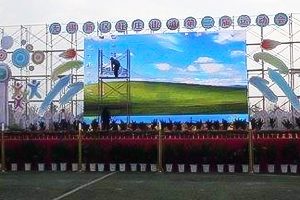
How to choose the right outdoor rental LED screen
1. Start with the audience and minimum viewing distance
Pixel pitch is the center-to-center distance between adjacent LED pixels, measured in millimeters. A smaller number means more pixels in the same area and a sharper image at close range. P3.91 is a common choice when guests will stand relatively close to the screen or when the content includes text, sponsor logos, or detailed graphics. P4.81 can be more economical when the audience is farther away.
Do not select pitch from screen size alone. Ask where the nearest viewer, camera, VIP area, and control position will be. A real cabinet test with your actual content is more useful than comparing specification sheets only.
2. Calculate screen size, aspect ratio, and resolution together
Define the physical width and height first, then confirm that the rental cabinet dimensions can build that size without awkward gaps. A 16:9 screen is convenient for standard video, but stage design, sight lines, and venue limits may require another ratio.
To estimate native resolution, divide each screen dimension in millimeters by the pixel pitch. For example, a 5,000 mm-wide P3.91 screen has roughly 1,279 pixels across. The processor, content canvas, and playback device should be configured to the final native resolution. Confirm this before media production so that text and logos remain crisp.
3. Match brightness and weather protection to the venue
Outdoor brightness is not a single universal number. A shaded evening event needs less output than a west-facing screen in direct afternoon sun. Excessive brightness at night can be uncomfortable, so the system should support smooth brightness adjustment and ambient-light-based presets.
An IP rating applies to the tested enclosure, not automatically to every cable joint, distribution box, or temporary structure. Ask how power and data connections are protected, where water can drain, what wind speed triggers shutdown, and who has authority to pause the show. Never operate or rig a screen outside the manufacturer’s limits or local safety requirements.
4. Protect camera quality
For filmed events, specify a high refresh rate, suitable grayscale performance at low brightness, and camera-friendly scan settings. Test with the actual camera shutter speed and frame rate whenever possible. A screen that looks smooth to the eye can still show bands, moire, or color shifts on camera.
5. Check cabinet mechanics and serviceability
Rental cabinets are assembled repeatedly, so mechanical details affect image quality. Inspect fast locks, alignment pins, edge protection, handles, module magnets or screws, and power/data connectors. Cabinets should join without visible steps or seams. Curved locks are useful only if the production design requires a concave or convex screen.
Ask whether technicians can replace LED modules, receiving cards, and power supplies from the accessible side. A well-planned service route shortens downtime and avoids dismantling large sections of the wall.
6. Size the controller, power, and redundancy plan
The total pixel count determines controller loading. Confirm output capacity, port allocation, cable length, video inputs, scaling, backup sources, and whether signal redundancy is required. Critical shows should also have spare data paths and clearly labeled replacement parts.
Power planning must account for maximum and typical consumption, circuit loading, phase balance, grounding, distribution distance, connector type, and generator capacity. The supplier should provide a power schedule rather than a rough verbal estimate.
What determines outdoor rental LED screen price?
There is no reliable flat price per square meter for every event. The quote changes with screen area, pixel pitch, rental duration, cabinet model, location, structure, labor, transport, power distribution, processing equipment, weather protection, and technical support.
Request an itemized quote that separates:
- LED cabinets and spare quantity
- Video processor, playback, and signal conversion
- Ground support, truss, hanging hardware, ballast, or engineering
- Power distribution and cable ramps
- Transport, loading access, permits, and insurance
- Installation, rehearsal, show operation, and dismantling labor
- Standby technicians and emergency replacement parts
- Taxes, overtime, and cancellation or weather terms
A lower equipment rate can become a higher total cost if structural hardware, technicians, delivery, or backup equipment is excluded. Compare complete scopes, not headline prices.
Information to send when requesting a quote
- Event details: venue, city, event dates, setup window, rehearsal time, and dismantling deadline.
- Screen plan: desired width, height, quantity, aspect ratio, ground-supported or flown installation, and any curves or corners.
- Viewing conditions: nearest viewing distance, audience size, daylight hours, screen orientation, and camera or livestream use.
- Content and signal: playback resolution, laptop or media server outputs, live camera feeds, switching requirements, and backup source.
- Site conditions: available power, vehicle access, ground surface, wind exposure, drainage, rigging points, and local restrictions.
- Support level: delivery only, installation, rehearsal support, or a technician for the full event.
Sending this information at the start reduces revisions and makes quotes easier to compare.
Outdoor rental LED screen setup workflow
- Survey the site. Verify dimensions, audience sight lines, access, power, rigging or ballast locations, and emergency routes.
- Approve the engineering plan. Confirm structure, wind limits, ballast, screen weight, and local compliance before equipment arrives.
- Build and align the cabinets. Follow the manufacturer’s sequence and inspect locks, safety cables, cabinet alignment, and physical damage.
- Connect power and data. Use the approved distribution plan, weather-protect connections, label lines, and keep audience areas clear.
- Configure the LED system. Load the correct receiving-card configuration, map cabinets, set resolution, calibrate color, and adjust brightness.
- Test content and backups. Check every input, camera, playback file, redundancy path, spare part, and emergency procedure.
- Monitor the show. Track weather, temperature, power, signal health, and image quality throughout the event.
Common rental mistakes to avoid
- Choosing pixel pitch without considering the nearest viewer
- Using an indoor screen outdoors or assuming the IP rating covers the entire installation
- Ignoring direct sunlight and screen orientation
- Booking a low-refresh display for a filmed event
- Comparing quotes that include different structures, labor, or backup equipment
- Producing content before native resolution and aspect ratio are confirmed
- Leaving no time for burn-in, camera testing, rehearsal, or weather delays
- Operating without spare modules, power supplies, receiving cards, and data cables
Questions to ask an outdoor rental LED screen supplier
- What cabinet model, pixel pitch, brightness, refresh rate, and IP ratings will you supply?
- What is the exact built size and native pixel resolution?
- How many spare cabinets and components are included?
- Who is responsible for structural engineering, wind monitoring, ballast, and permits?
- Which processor and video inputs are included, and is signal backup available?
- Are transport, installation, rehearsal, show operation, overtime, and dismantling included?
- What happens if weather delays or stops the event?
- Can you provide a content test and cabinet sample before the show?
Frequently asked questions
How much does it cost to rent an outdoor LED screen?
The total cost depends on screen area, pixel pitch, duration, structure, transport, labor, processing, power, and support. Ask for an itemized event quote; a price per square meter alone does not show the full project cost.
What pixel pitch is best for an outdoor rental LED screen?
P3.91 is a versatile choice for closer audiences and detailed content. P4.81 or a larger pitch may be sufficient at longer viewing distances and can reduce cost. Confirm the choice using the nearest viewer and a content test.
Can an outdoor LED screen be used in rain?
A suitably rated outdoor screen can tolerate defined water exposure, but the complete installation must also protect connectors, power distribution, structure, and people. Follow the manufacturer’s limits, local rules, and the event’s wind and rain shutdown plan.
How bright should an outdoor LED display be?
Many daylight applications start around 4,500-5,500 nits, while direct sun can require more. Screen orientation, shade, content, and operating time matter, and brightness should be reduced after dark.
What is the difference between rental and fixed LED cabinets?
Rental cabinets are designed for repeated installation with quick locks, alignment hardware, handles, edge protection, and fast service access. Fixed-installation cabinets prioritize long-term mounting and may not be suitable for frequent assembly.
Do I need an on-site LED technician?
For large, filmed, live, or business-critical events, yes. An on-site technician can monitor power, signal, temperature, weather, and image quality and can replace failed components quickly.
Final recommendation
Choose an outdoor rental LED screen by the event’s real operating conditions, not by price or pixel pitch alone. Confirm viewing distance, brightness, weather protection, camera performance, cabinet mechanics, controller capacity, power, structure, spares, and crew in writing. For equipment availability or help matching components to your project, review our outdoor rental LED screen options or contact our team.

