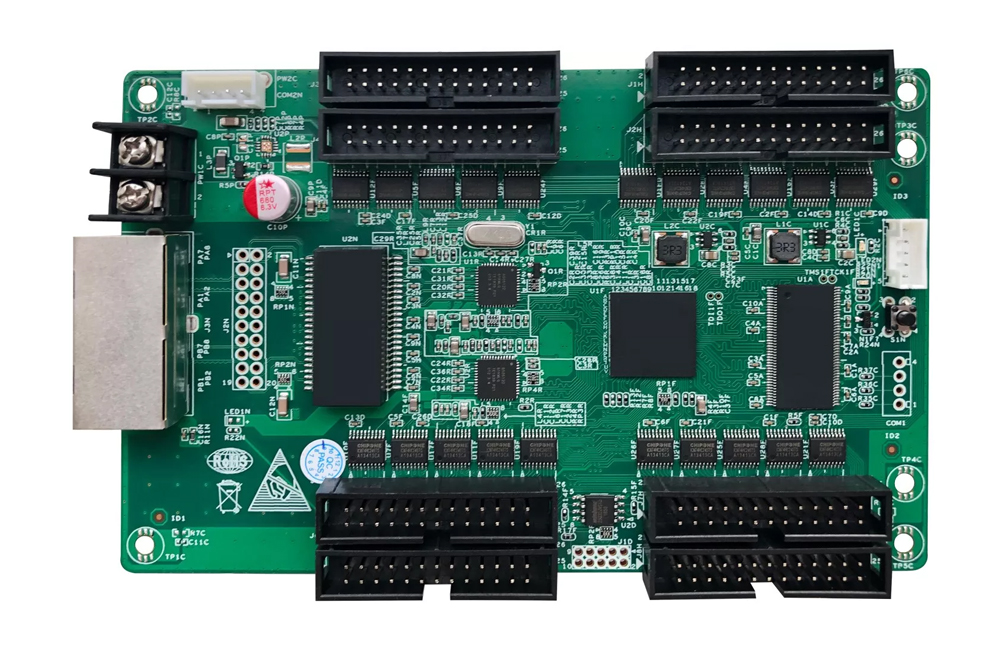
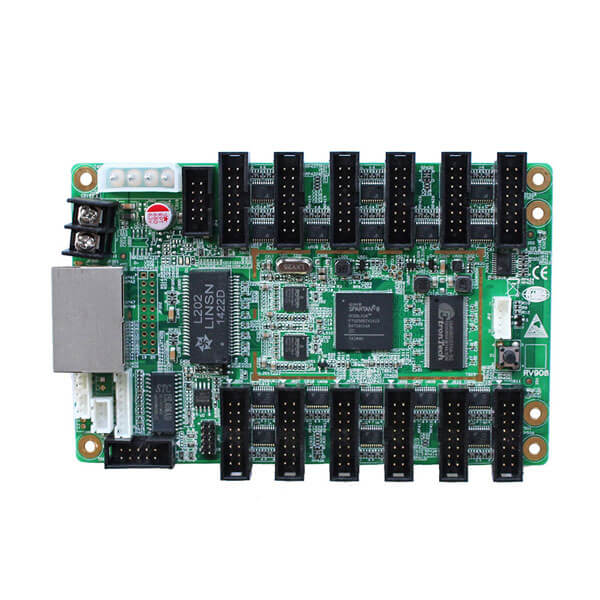
Quick answer: This Linsn LEDStudio download hub provides archived LEDStudio 12.63 and 12.65 packages, five LedSet installers, a PDF user manual, and practical setup guidance for Linsn LED control systems. For a new installation, check the official Linsn software download page first. As checked on August 10, 2026, the manufacturer lists LEDStudio 12.65.0616.0 and LedSet 4.0.2026.0807 Release.
Before you begin: Back up the working LED screen configuration, including any RCG and CON files. Use software that matches the controller model, receiving card, firmware, and project documentation. The older packages below are provided for systems that specifically require a legacy version.
Which Linsn software should you download?
| Resource | Best for | Versions available here |
|---|---|---|
| LEDStudio | Legacy Linsn LED display control and playback workflows | 12.63 and 12.65 |
| LedSet | LED screen configuration and controller setup | 2.6.2 through 2.7.5 archives |
| User manual | Installation, connection, configuration, and operating reference | PDF download |
LEDStudio and LedSet are related but not interchangeable. Linsn describes LedSet as display configuration software on its official download page. Use the version specified by your controller documentation or system integrator rather than choosing only by version number.
Linsn LEDStudio download links
LEDStudio software archives
- Download Linsn LEDStudio 12.65 (RAR) – the newest LEDStudio archive stored on this page.
- Download Linsn LEDStudio 12.63 (ZIP) – for legacy systems that require version 12.63.
LedSet software archives
- Download LedSet 2.7.5.0326 (RAR)
- Download LedSet 2.7.4.1201 (ZIP)
- Download LedSet 2.7.3.919 (ZIP)
- Download LedSet 2.7.0.0205 (ZIP)
- Download LedSet 2.6.2.1209 (ZIP)
Linsn LEDStudio user manual
Download the Linsn LEDStudio user manual (PDF). Use the manual as a general reference, then confirm model-specific settings in the documentation supplied with your sending card, receiving card, or sender box.
Official source: Visit the Linsn software download center for current releases and vendor update notes. The official listing should be the primary source for a new production deployment.
How to install Linsn LEDStudio or LedSet
- Identify the hardware. Record the sending card, receiving card, sender box, and firmware versions before downloading software.
- Back up the current configuration. Export or save known-good RCG and CON files before changing receiver parameters or screen mapping.
- Choose the correct package. Use the official current release for a new system. Use an archived version only when the controller manual or integrator requires it.
- Extract and scan the file. Unpack ZIP or RAR archives with a trusted utility and scan the installer before running it.
- Install in a supported Windows environment. Follow the installer prompts and add the required controller or USB drivers if the hardware is not detected.
- Connect and verify. Power the LED control hardware, open the software, confirm device detection, and test with a non-critical screen area before applying settings to the complete display.
How to open LEDStudio Intelligent Setup
On legacy LEDStudio installations, the following workflow is commonly used to open the Intelligent Setup area:
- Open Option > Software Setup.
- Type linsn in lowercase to open the password prompt.
- If the legacy hardware password has not been changed, enter 168 and select OK.
- Review the receiver parameters and screen connection carefully. Save a backup before sending any new configuration to the display.
| Legacy access item | Common default used in this guide |
|---|---|
| LEDStudio serial number | 888888 |
| Hardware setup password | 168 |
| Administrator password | 888 |
These defaults may have been changed by the owner or integrator. Use them only on equipment you are authorized to configure.
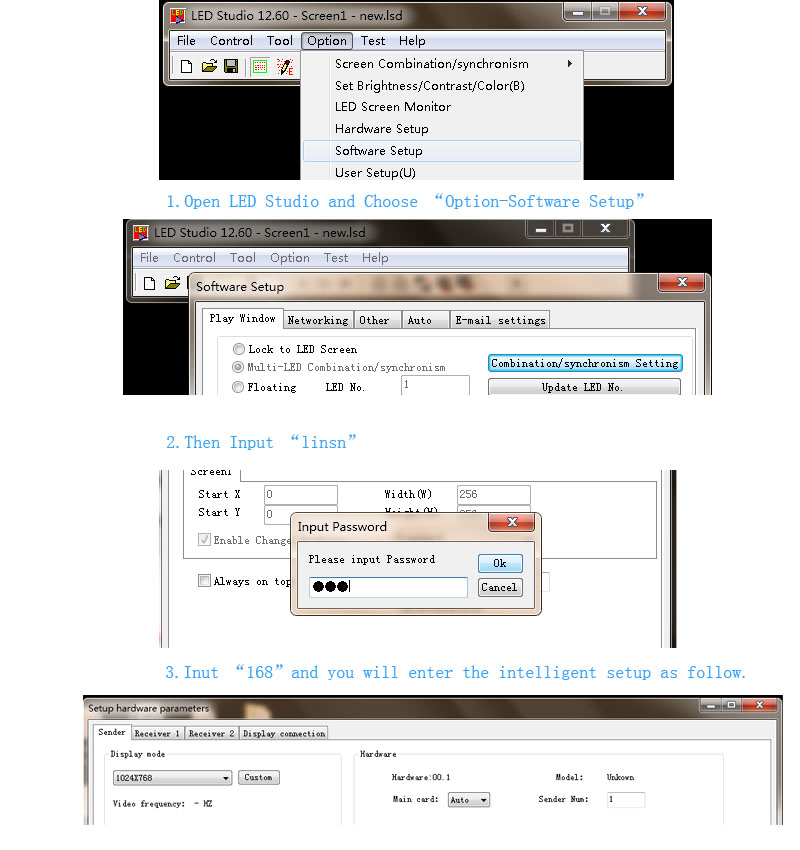
Linsn LEDStudio Intelligent Setup example.
Compatibility and version guidance
Software compatibility depends on the controller generation, card firmware, communication driver, and operating system. Therefore, do not assume that the newest package supports every legacy card or that an older installer will run correctly on a current computer. The Linsn official download listing does not provide one universal Windows and macOS compatibility statement for every file.
- Prefer the official current release when commissioning new hardware.
- Keep an archived installer only for a documented legacy requirement.
- Do not overwrite a working receiver configuration without an RCG backup.
- Test software and firmware changes on a spare controller or maintenance window.
- Ask the supplier or system integrator to confirm compatibility when the exact card revision is unknown.
Common LEDStudio and LedSet problems
| Problem | Likely cause | Recommended action |
|---|---|---|
| The software cannot detect the controller | Power, cable, USB driver, network, or controller mode issue | Check power and data connections, install the specified driver, then confirm the device in the correct interface. |
| The screen shows incorrect colors or mapping | Receiver parameters or cabinet connection file does not match the display | Restore the known-good RCG or CON file and verify scan type, data groups, and cabinet order. |
| The setup password is rejected | The default was changed or the workflow differs by software version | Contact the equipment owner, supplier, or integrator. Do not repeatedly change settings on a live screen. |
| An old installer will not run | The operating system or security policy does not support the legacy package | Use the current official release when compatible, or use an approved maintenance computer for the documented legacy workflow. |
Need a receiver-card configuration file? See our Linsn LEDStudio RCG file download and setup guide.
Related Linsn controller hardware
- Sending cards: Linsn TS802D LED sending card
- Sender box: Linsn TS852D sender box
- Receiving cards: Linsn RV901T, Linsn RV908M32, Linsn RV901H, and Linsn RV907H
- Fiber accessories: Linsn MC801 multi-mode converter and Linsn SC801 single-mode converter

Frequently asked questions
What is Linsn LEDStudio?
Linsn LEDStudio is software used in legacy Linsn LED display control and playback workflows. This page provides LEDStudio 12.63 and 12.65 archives plus a user manual.
What is the difference between LEDStudio and LedSet?
LEDStudio is associated with LED display control and playback, while Linsn identifies LedSet as screen configuration software. Choose the program and version required by the controller documentation.
What is the latest Linsn LEDStudio version?
As checked on August 10, 2026, Linsn’s official software page lists LEDStudio 12.65.0616.0. Because the vendor may publish newer builds, verify the version on the official download center before installation.
What is the latest LedSet version?
As checked on August 10, 2026, the official Linsn listing shows LedSet 4.0.2026.0807 Release as its current display configuration package. The files hosted on this page are older archives for compatibility needs.
Does Linsn LEDStudio work on Windows 11 or macOS?
The correct answer depends on the exact build, controller, drivers, and firmware. The official listing does not state one universal compatibility matrix for every package, so confirm the release notes or ask the hardware supplier before relying on Windows 11 or macOS support.
What password opens Linsn Intelligent Setup?
In the legacy workflow described above, type lowercase linsn under Option > Software Setup, then enter 168 if the default hardware password is unchanged.
Where can I get Linsn RCG and CON files?
RCG files contain receiving-card parameters, while CON files describe the screen connection. Start with the files backed up from the working display or supplied by the cabinet manufacturer. You can also review our Linsn RCG file guide.
Are these Linsn software downloads safe?
Use the manufacturer’s official download center whenever possible. For archived files, verify the filename, scan the package, and test it in a controlled maintenance environment before connecting to a production LED display.